
Paddle + SuprAnalytics
Know where your Paddle revenue comes from
Connect Paddle payments to your website traffic and see which sources, campaigns, and visitor journeys lead to paying customers.
14-day free trial · No card required · From $9/month
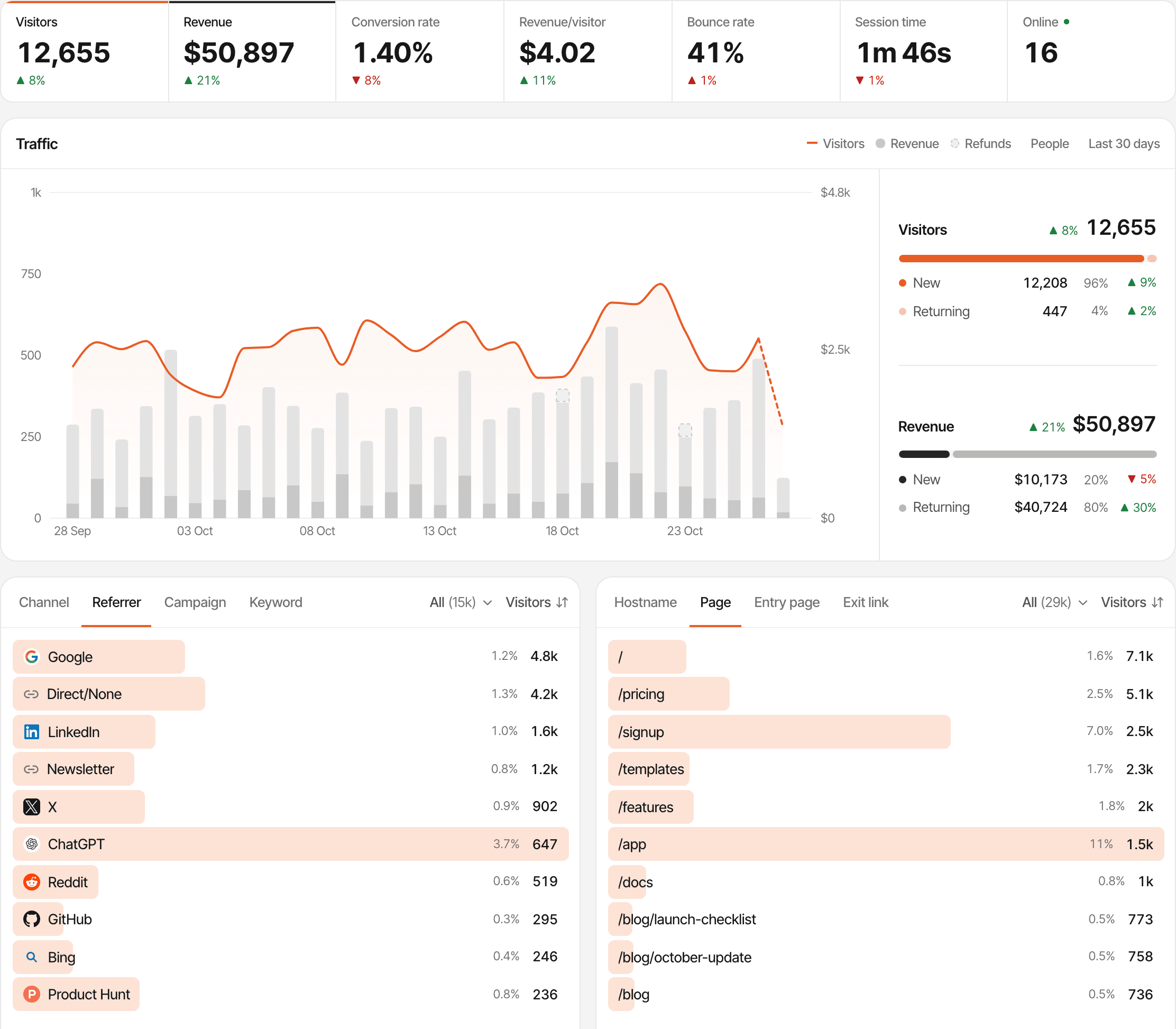
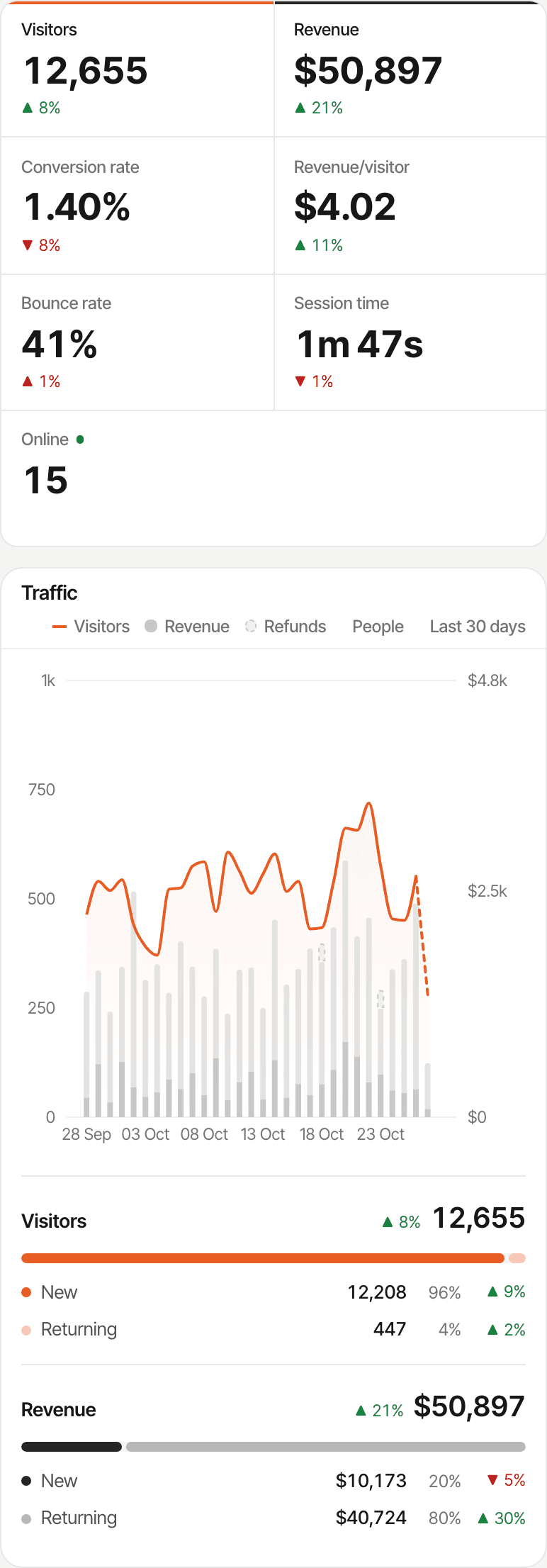
Paddle tells you what sold. But what brought the customer?
Paddle records the sale: the product, the price, the customer, the tax. Your website analytics records the visit: where someone came from and what they read. Revenue attribution joins the two, so each Paddle payment carries the visit that led to it.
- Step 1
Google search
Finds you through a search
SuprAnalytics: the source, Google
- Step 2
Product page
Reads about the product
SuprAnalytics: the pages, in order
- Step 3
Pricing
Compares the plans
SuprAnalytics: the page, and any goal you set
- Step 4
Paddle checkout
Enters their details
Paddle: the checkout, with the visitor id in its custom data
- Step 5
Payment
Pays
Paddle: the transaction. SuprAnalytics: the payment, tied to the visit
Connect the visit to the purchase
The tracking script can't see Paddle payments on its own: the payment happens at Paddle. The link between the two is the visitor id, carried through checkout and returned by Paddle's webhook.
In the browser
- A visitor arrives on your website.
- The SuprAnalytics script records the visit and its source, and gives the visitor an id.
At checkout
- They open a Paddle checkout.
- The visitor id goes with it, in the transaction's custom data.
On the server
- They pay, and Paddle sends transaction.completed to SuprAnalytics.
- SuprAnalytics checks the signature and finds the visitor.
In your reports
- The payment appears with the source of the visit it's credited to.
- On the dashboard, the visitor's timeline and the live view.
When the visitor can't be found. The payment is still recorded and still counts in your revenue, just without a source. More on that below.
See which channels bring paying customers
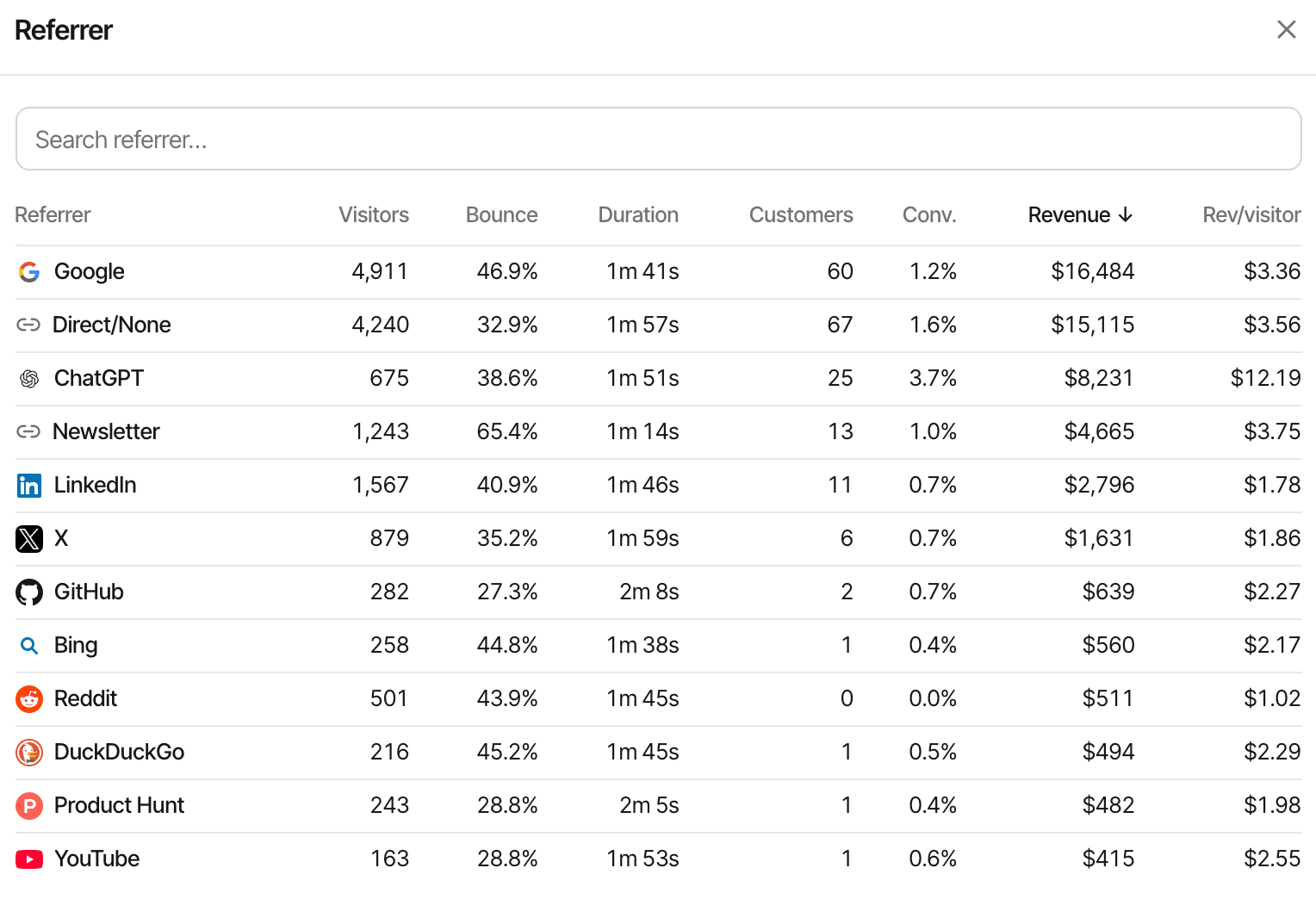
Once Paddle payments are tied to visits, every breakdown on the dashboard counts them: channel, referrer, campaign, landing page, page and country each show their visitors, customers, conversion rate, revenue and revenue per visitor. Sort any of them by revenue.
- UTM campaigns and ref links get their own revenue line
- Click a row to filter the whole dashboard, revenue included
- AI assistants such as ChatGPT are a channel too: AI traffic and revenue
Illustrative example · Made-up data
| Source | Visitors | Customers | Revenue |
|---|---|---|---|
| 2,400 | 18 | $540 | |
| ChatGPT | 380 | 9 | $360 |
| 620 | 5 | $150 |
Understand more than the first payment
A Paddle subscription pays again every period, and a refund takes some of it back. Each transaction is kept with the customer it belongs to.
- One-time purchases and first subscription payments arrive as transaction.completed
- Transactions a subscription creates, its renewals, upgrades and other charges, count as renewals, credited to the customer's original visit
- Renewals find that visit through the custom data Paddle copies to the subscription, or through the Paddle customer id
- On the dashboard, revenue splits into new and renewals
Refunds and chargebacks
They count once Paddle approves them (adjustment.created or adjustment.updated). A full one marks the payment refunded; a partial one lowers it by its amount before tax. Each is applied once, however often Paddle sends it.
What counts as revenue
The transaction's total less tax: after discounts, before tax, since Paddle is the merchant of record. Paddle's fees aren't taken off. Free transactions, such as a payment method change, are skipped. Payments in other currencies keep their own amount and are converted to your website's currency with daily exchange rates.
Not a subscription metrics dashboard. SuprAnalytics records each Paddle payment, renewal and refund, and credits it to a source. It doesn't report MRR, ARR or churn, and cancellations, which aren't payments, aren't recorded.
Choose how revenue gets attributed
Most customers don't pay on their first visit. Two models decide which visit gets the credit; each website picks one in Settings → Revenue, under Attribution model, and every report follows.
- Day 1
Finds you on Reddit
Reads three pages, leaves
- Day 8
Types your address in
A direct visit
- Day 8
Pays through Paddle
$29, the starter plan
First touch
Credits the $29 to
The visit that first brought them, as long as SuprAnalytics recognises them as the same visitor: the same browser, and not a new day in cookieless mode.
Last touch
DefaultCredits the $29 to
Direct
The visit the payment happened in. A direct return counts as direct: SuprAnalytics doesn't skip back to the last source that wasn't direct.
Connect Paddle to SuprAnalytics
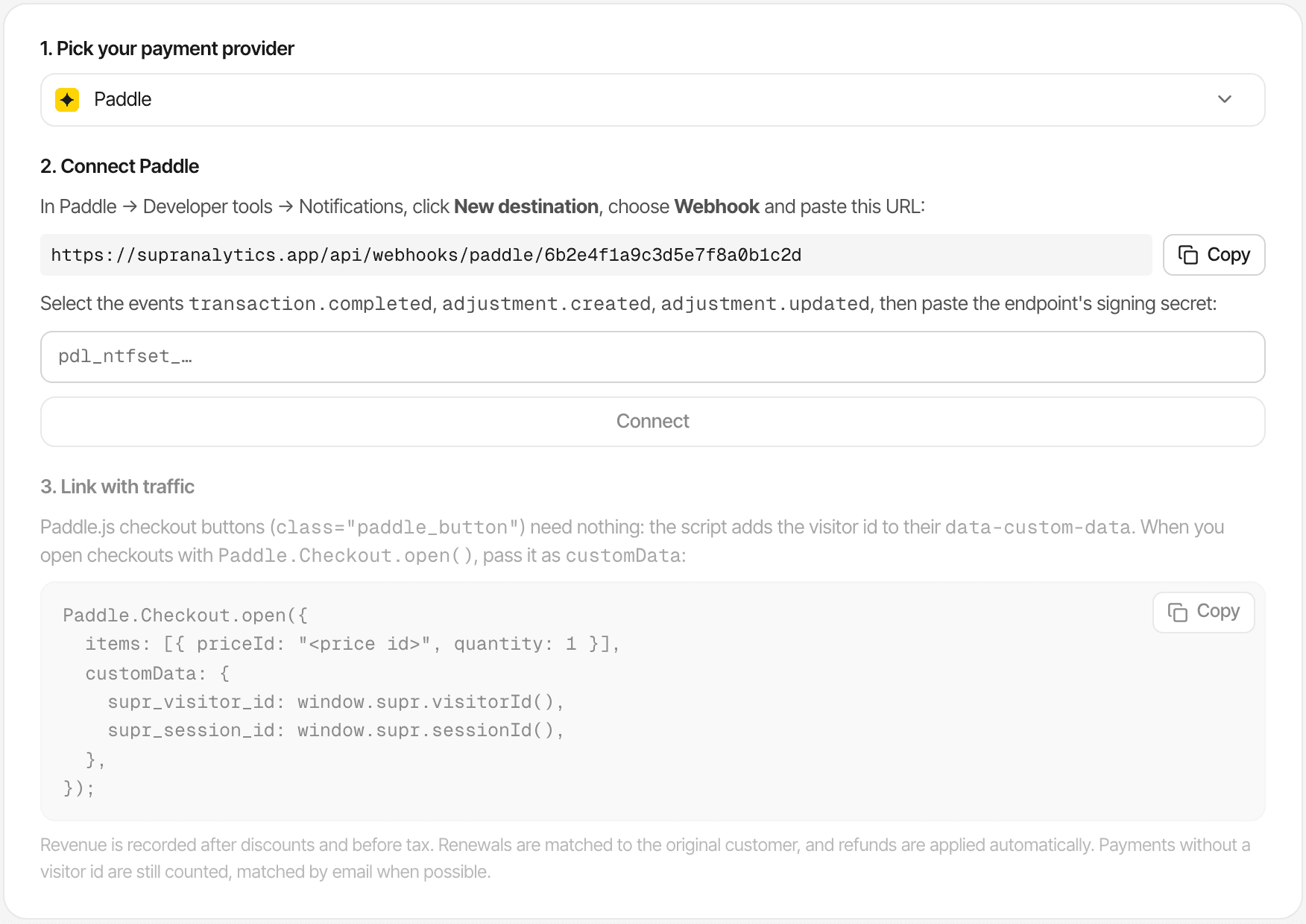
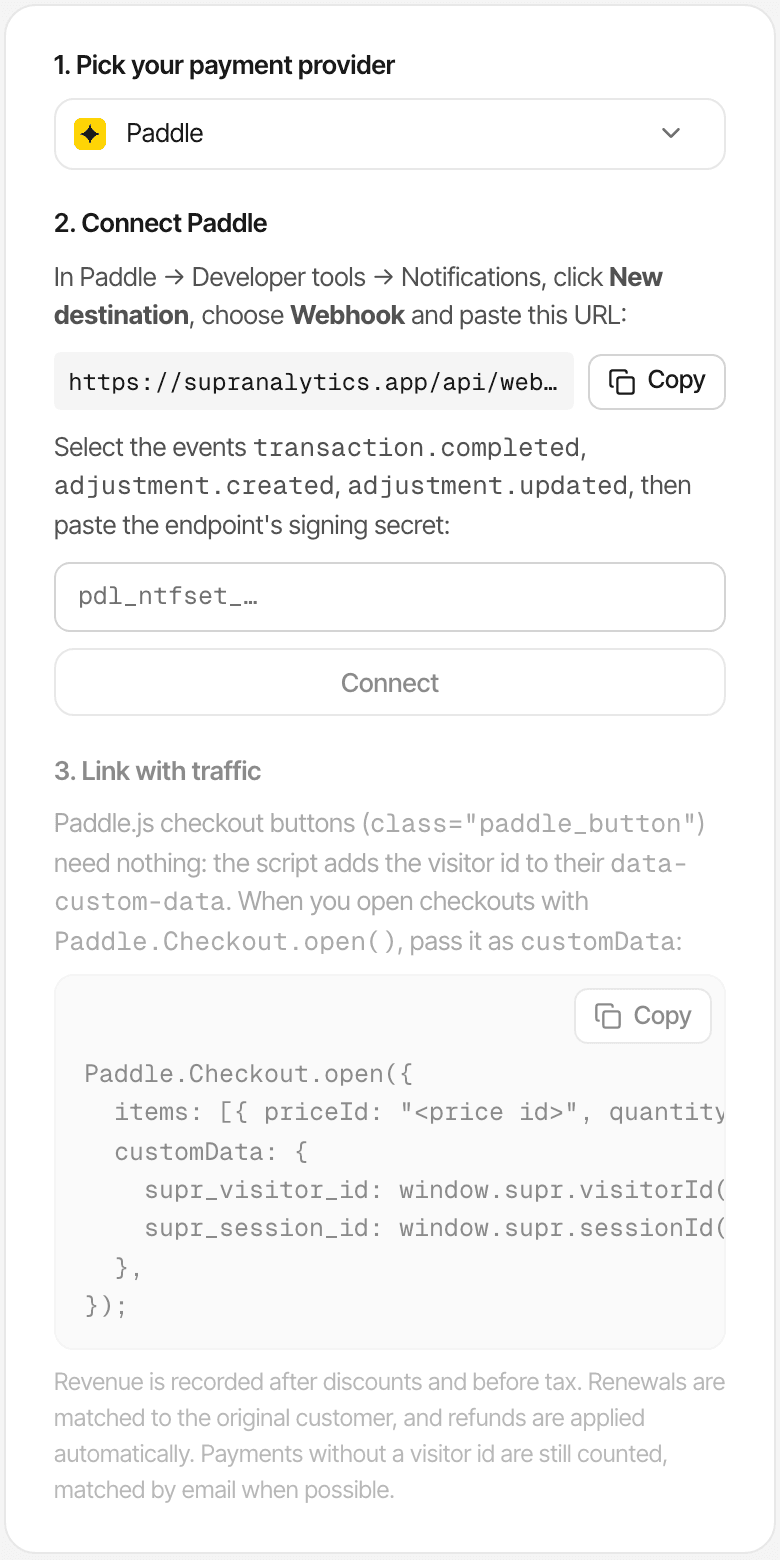
A webhook and a key. It works with Paddle Billing; Paddle Classic's webhooks aren't supported. You need the SuprAnalytics script on your website first.
Pick Paddle in SuprAnalytics
Open your website's Settings → Revenue and, under “1. Pick your payment provider”, choose Paddle. Copy the webhook URL it shows:
https://supranalytics.app/api/webhooks/paddle/YOUR_WEBSITE_ID. Each website has its own.Add a notification destination in Paddle
In Paddle, Developer tools → Notifications → New destination. Choose Webhook, paste the URL, and select
transaction.completed,adjustment.createdandadjustment.updated.Paste its secret key
Copy the destination's secret key (
pdl_ntfset_…) into “2. Connect Paddle” and click Connect. Every event'sPaddle-Signatureis checked against it, so nothing but Paddle can report a payment.Carry the visitor id through checkout
Paddle.js checkout buttons need nothing. Checkouts you open from code, or transactions you create through the API, need the id passed in; see the checkout methods below.
Make a test payment
Test on a second website set up for your staging site: point a sandbox destination at that website's URL and save the sandbox's secret key there. SuprAnalytics keeps one Paddle key per website, and test payments sent to your real website stay in its revenue.
Find the payment
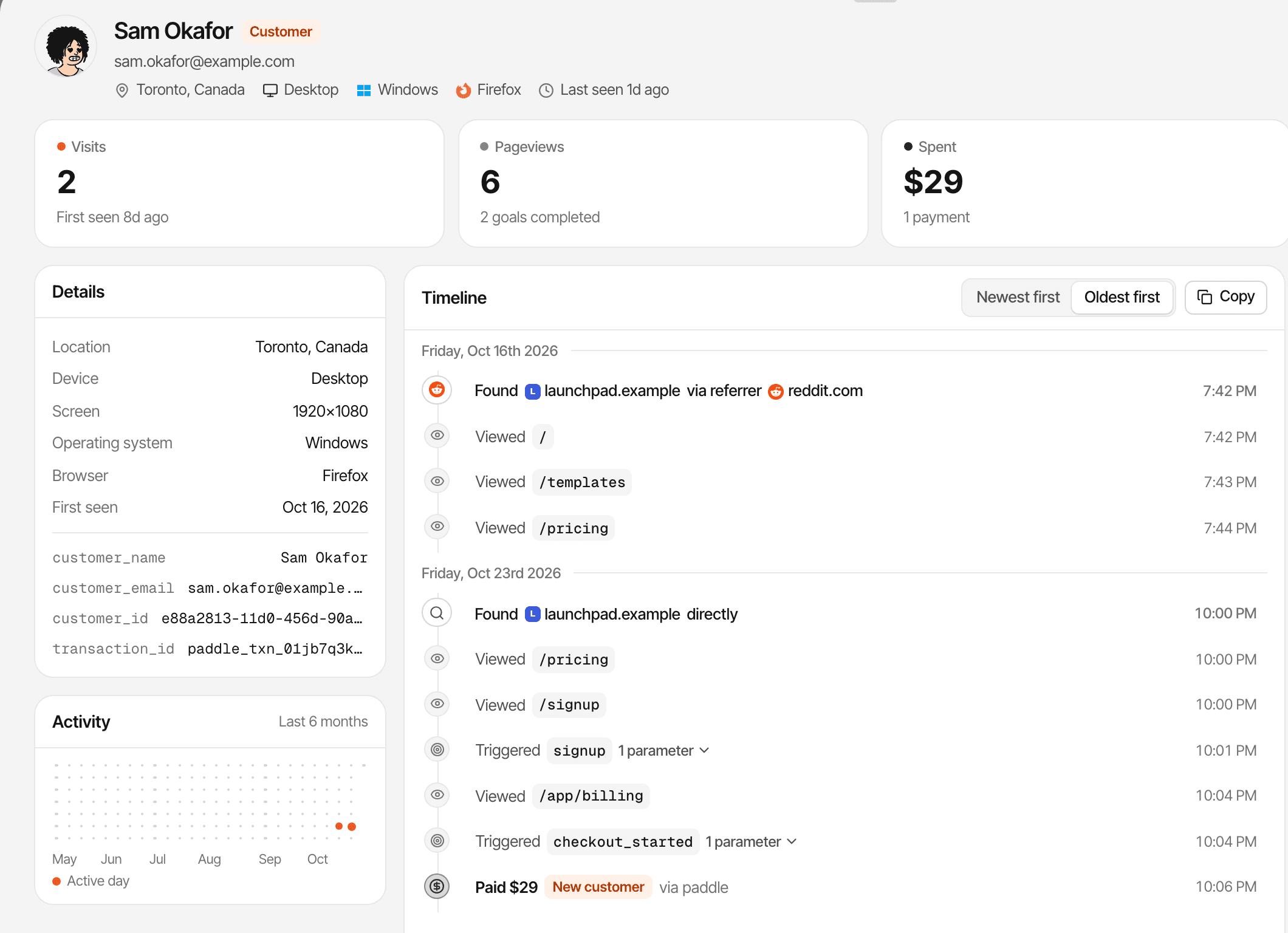
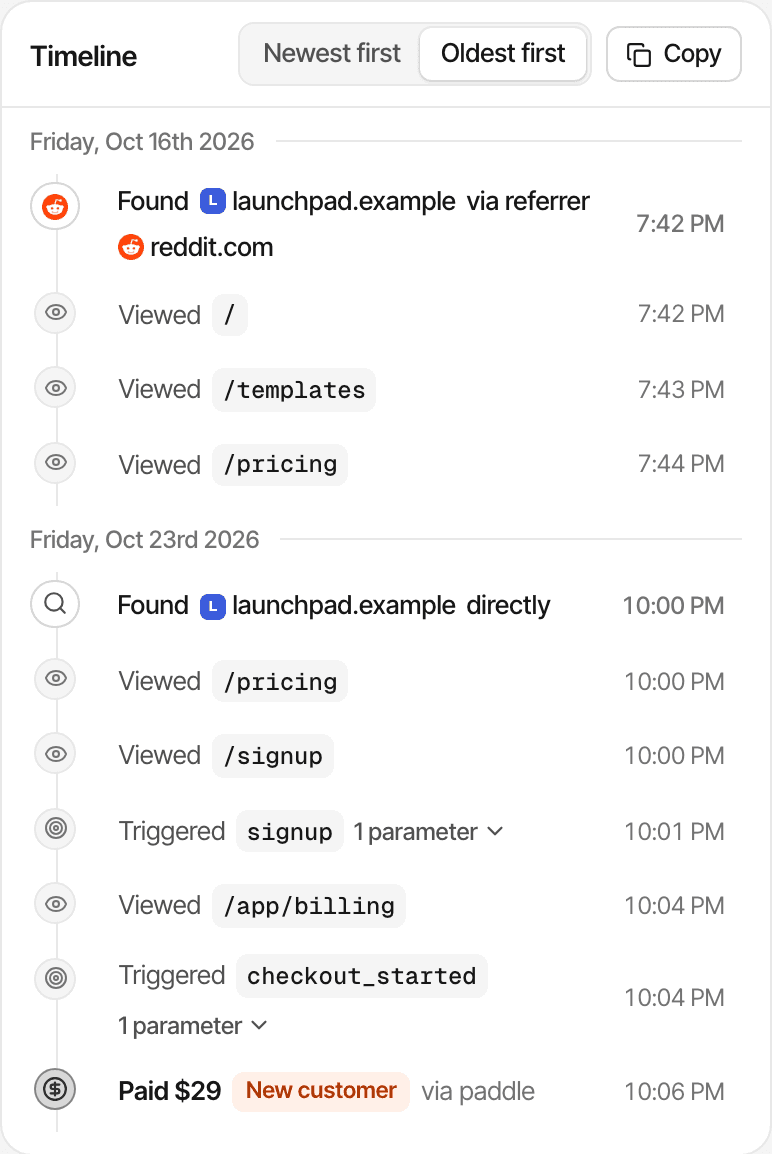
Within seconds it's in the dashboard's revenue, the live view and the visitor's timeline, marked “via paddle”, with the source of the visit it's credited to.
Paddle retries deliveries; each transaction is stored once, so a retry never counts twice. The Paddle setup guide
Works with your Paddle checkout flow
What matters is that the transaction carries the visitor id in its custom data. How it gets there depends on how you open the checkout.
Paddle.js checkout buttons
Elements with
class="paddle_button".Automatic
The script adds the visitor id to the button's
data-custom-datawhen the page loads and again on click, keeping any custom data you set.Overlay or inline checkout from code
Paddle.Checkout.open()One line
Pass the id as
customData, as in the snippet below.Transactions you create through the API
Including the ones behind a hosted checkout link you send
Server code
Put
supr_visitor_idin the transaction'scustom_data.Hosted checkout links without it
A link that doesn't carry the visitor id
Not tagged
The script doesn't add the id to links. The payment still counts, and is attributed only if Paddle's customer id or the email is already known.
Paddle.Checkout.open({
  items: [{ priceId: "pri_123", quantity: 1 }],
  customData: {
    supr_visitor_id: window.supr.visitorId(),
    supr_session_id: window.supr.sessionId(),
  },
});
Prefer to tag buttons yourself? Add supr-paddle="false" to the SuprAnalytics script tag and the script leaves them alone. It also skips them wherever it doesn't track: on localhost unless the script allows it, in a browser you've excluded from your stats, and for bots.
Every payment counts, even without a known source
Attribution covers the payments it can tie to a visit. The rest aren't lost: they're in your revenue, without a source.
- The visitor id arrives
- The payment is credited to that visitor's visit, and its source.
- No visitor id, but a known customer
- A Paddle customer id that has paid before with a visitor id, or an email SuprAnalytics already has, finds the same visitor. Renewals work this way too.
- The credited visit was direct
- The payment counts for Direct: the visit had no source.
- Another device
- Someone who browses on their phone and pays on a laptop is two visitors, unless an email or your app's identify call joins them.
- Cookieless mode
- The visitor id changes every day, so a payment can only be tied to that day's visit.
- No match at all
- The payment still counts in your revenue totals. It just can't be credited to a source.
No attribution is complete, and a credited source shows where a customer came from, not that it caused the sale on its own.
Payments make more sense alongside visitor behavior
The same script that records the visit records what happens before the payment.
- Sources and campaigns, with the Paddle revenue each one brought
- Pages and landing pages, with revenue next to their visitors
- Each customer's timeline: every visit, page and goal, then the payment
- Goals you define, such as a sign-up or a started checkout
- Funnels whose last step is a payment
- Live chat, with the visitor's source and pages beside the conversation. A conversation belongs to a visitor; it's the paying customer only when they're the same visitor. More about live chat
Paddle revenue attribution is part of SuprAnalytics
Every plan includes the Paddle integration, and so does the free trial. There's no add-on.
- From $9/month for 100,000 events
- Paddle payments, renewals and refunds don't count as events: plans limit pageviews, goals and outbound clicks
- Data history from 2 years to 5 years, depending on the plan
Also using another provider? Stripe, Polar, Lemon Squeezy and Dodo Payments connect the same way, each with its own webhook.
| Events a month | Price |
|---|---|
| 100,000 events | $9/mo |
| 300,000 events | $19/mo |
| 500,000 events | $29/mo |
| 1 million events | $49/mo |
| 2 million events | $79/mo |
| 5 million events | $149/mo |
14-day free trial · No card required
Questions, answered.
How do I connect Paddle to SuprAnalytics?
Can I track which traffic sources generate Paddle sales?
Does SuprAnalytics support Paddle subscriptions?
Can I track Paddle renewals?
How are Paddle refunds handled?
Does SuprAnalytics work with Paddle.js?
Can I track hosted Paddle checkout links?
What happens when a payment has no matching visitor?
Can I choose first-touch or last-touch attribution?
Is Paddle integration included in my SuprAnalytics plan?
More payment integrations
- StripeStripe payments and renewals, credited to the source that brought each customer.Open
- Polar.shPolar checkouts tagged automatically, with revenue by channel and campaign.Open
- Dodo PaymentsDodo Payments revenue by traffic source, with renewals and refunds.Open
- Lemon SqueezyLemon Squeezy orders and subscriptions, tied to the visit that sold them.Open
Find out what drives your Paddle revenue
Connect payments to visitor journeys and understand which marketing efforts bring paying customers.
14-day free trial · No card requiredThe Paddle setup guide