For creators

Know which content brings visitors — and which brings customers.

See where your website visitors come from, which pages they explore, and what leads to signups and sales. Understand your audience without getting lost in complicated analytics.

14-day free trial · No card required · From $9/month

  • Where visitors come fromYouTube, Instagram, search, your newsletter
  • What they readThe posts and pages that hold attention
  • What they do nextThe channels that lead to signups and sales
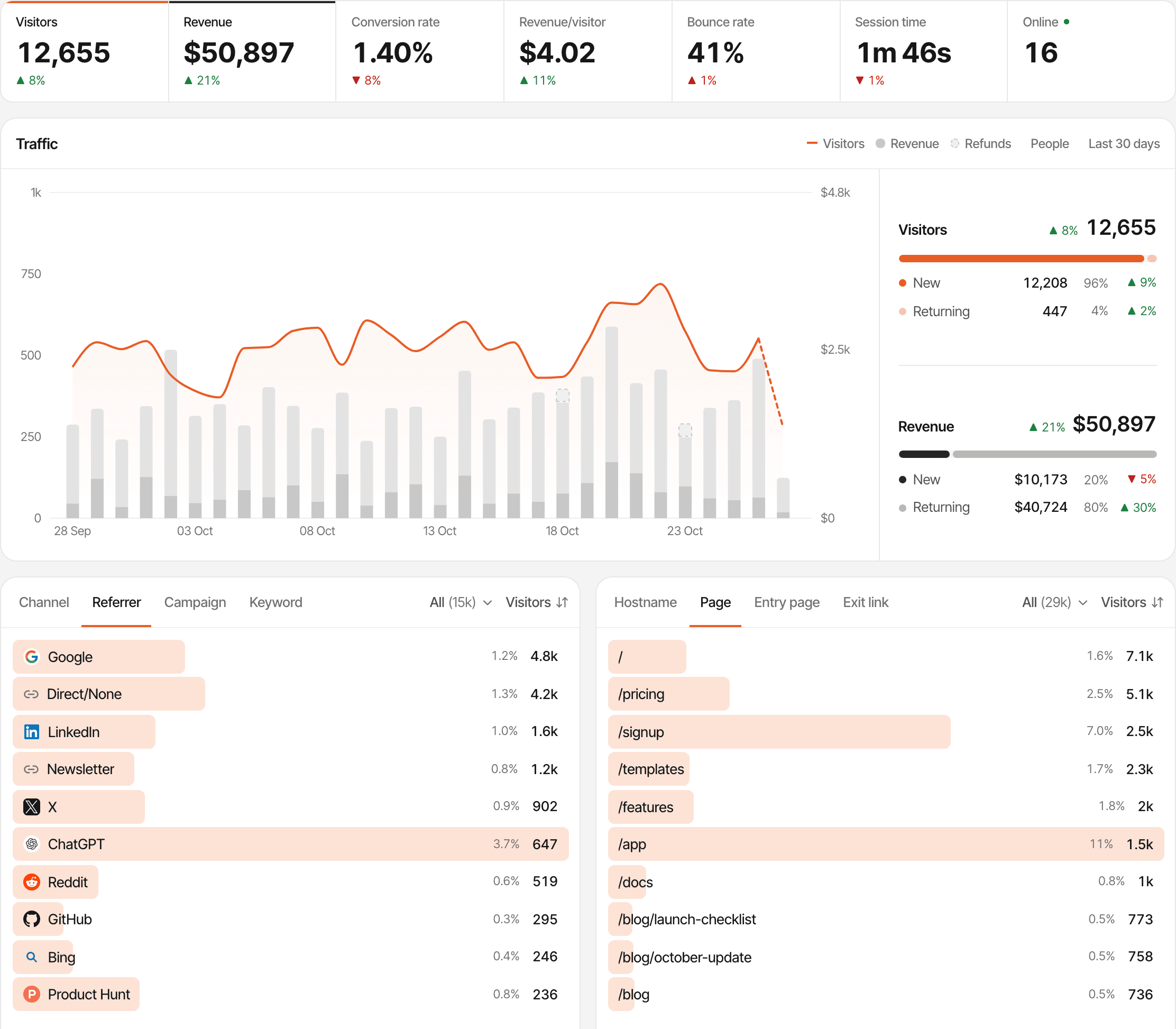
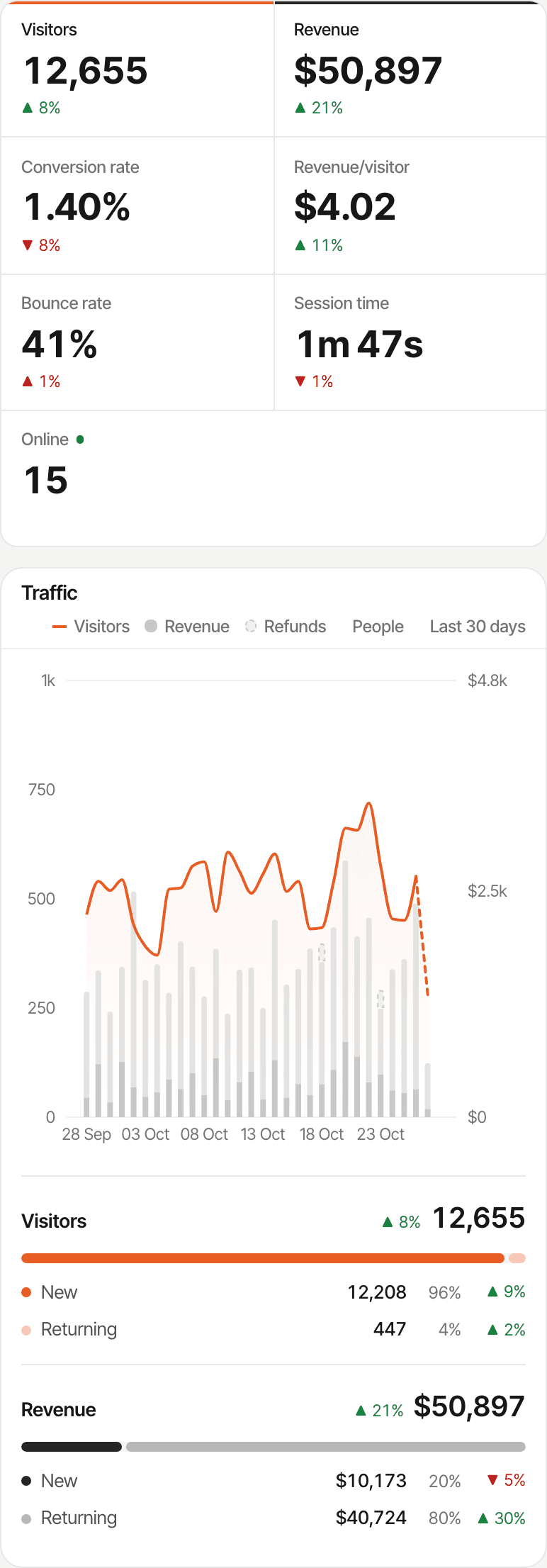
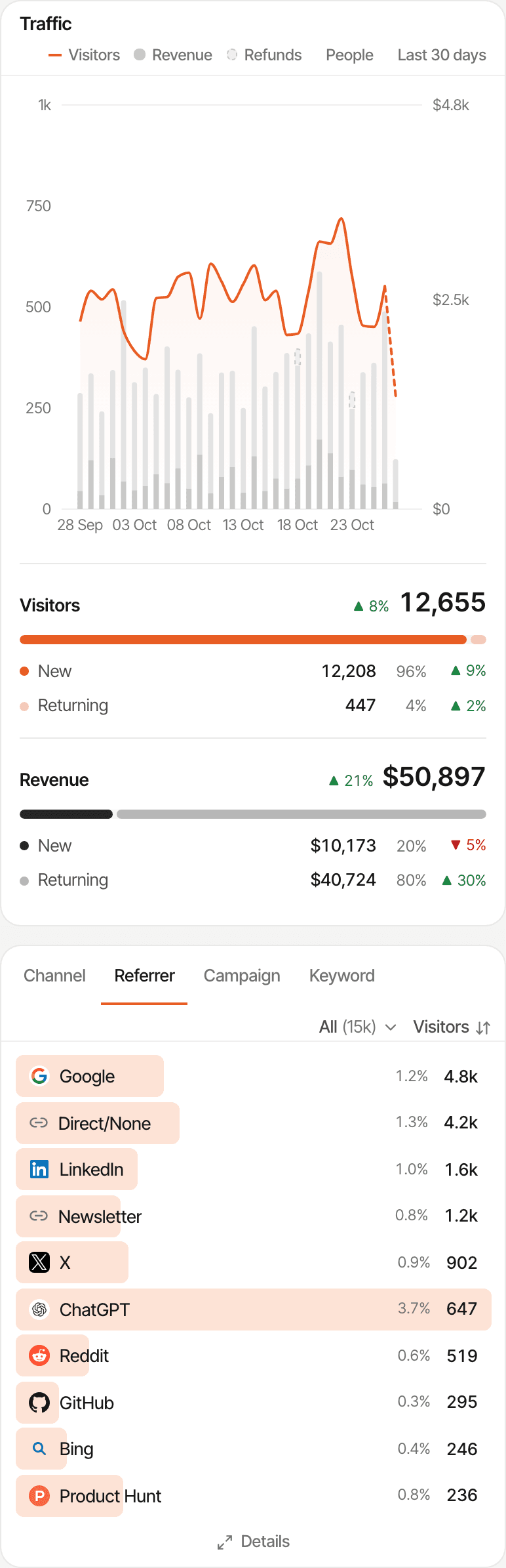
The overview of a demo website: visitors, revenue split into new and returning, conversion rate and revenue per visitor, a daily traffic chart, and the top referrers including a newsletter, X, ChatGPT and Reddit.

Your content gets attention. What happens after the click?

Each platform tells you how a post did on that platform. None of them tells you what people did once they reached your own website: what they read, whether they joined your list, whether they bought. That part is yours to measure.

  • Did people visit after your YouTube video went out?
  • Did this week's newsletter send anyone to the site?
  • Which blog posts are people actually reading?
  • Did readers click through to your product page?
  • Which posts and campaigns led to a sale?
  1. A post on another platform
  2. Someone clicks your link
  3. Your website
  4. Signup or sale
SuprAnalytics starts counting at your website, on pages that carry its script. Views, followers, likes and opens stay in each platform's own stats.

See which platforms send people to your website.

Every visit is recorded with where it came from: the site that sent it (the referrer), the channel it belongs to, and any campaign tag on the link. Known platforms are named for you, so you read "YouTube" or "Newsletter", not a list of web addresses.

  • Add ?ref=youtube to the link in a video description, or UTM tags to the links in a newsletter (below), and that link gets its own line even when the visit carries no referrer
  • Channels (social, search, email, AI, referral, direct) with the platforms inside each
  • Campaigns side by side, each with its visitors and, once payments are connected, its customers and revenue (UTM tracking)

yoursite.com/guide?utm_source=newsletter&utm_medium=email&utm_campaign=issue-42

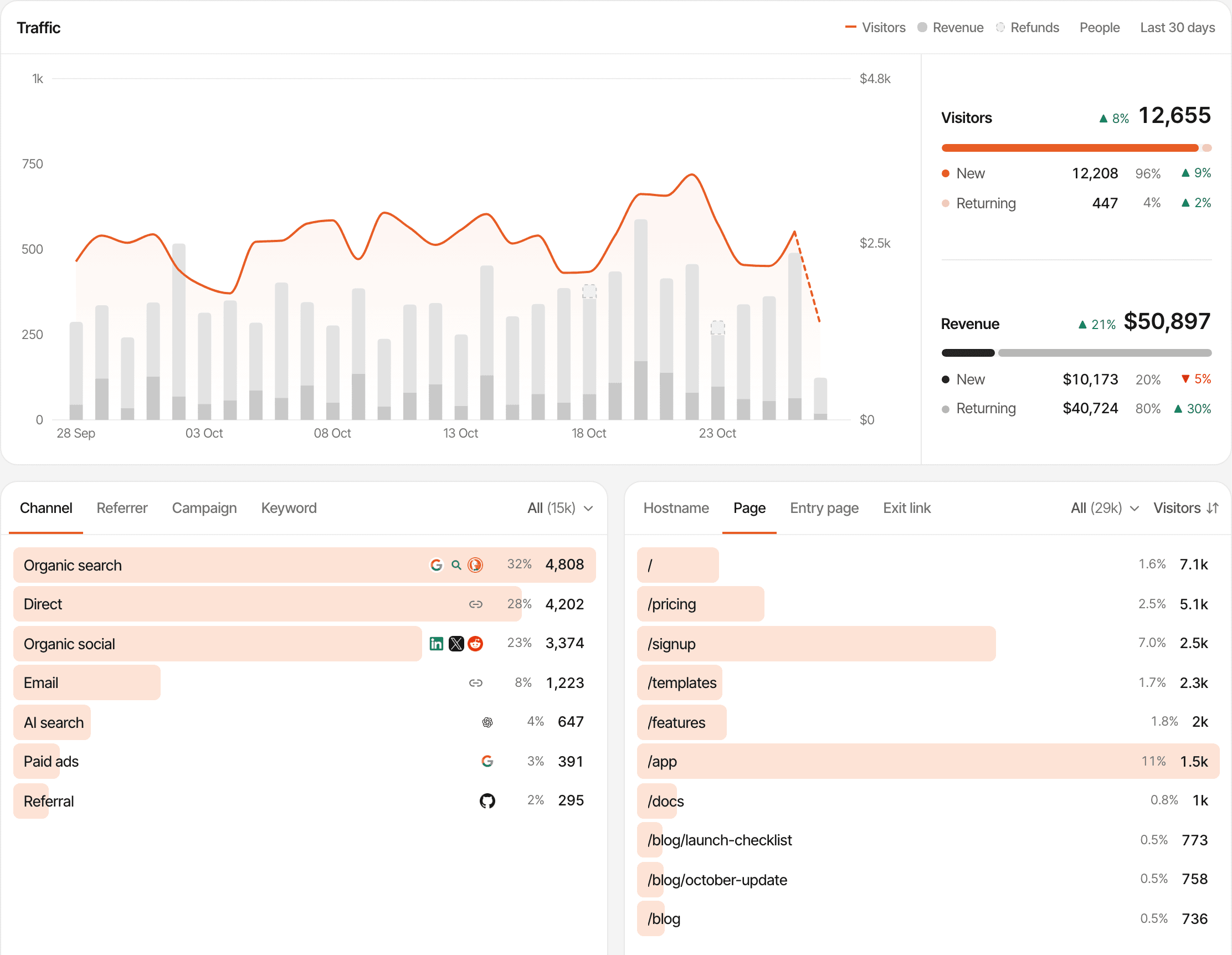
A demo website's traffic over 30 days, new and returning visitors, and visitors by channel: organic search, direct, organic social, email, AI search, paid ads and referral.
  • YouTube description links

    Named YouTube when the visit arrives from youtube.com or youtu.be.
  • Instagram bio links

    Named Instagram when the visit arrives from instagram.com.
  • TikTok profile links

    Named TikTok when the visit arrives from tiktok.com.
  • Newsletter links

    Email apps often don't say where a click came from. Tag your links and each issue gets its own line under Email.
  • Reddit posts

    Named Reddit, from reddit.com or a redd.it short link.
  • Search traffic

    Google, Bing, DuckDuckGo and other engines under Organic search, and ChatGPT, Perplexity and other assistants under AI. Connect Google Search Console to see the searches that found you.

When a visit shows up as Direct

A platform is only named when the visit says where it came from. Taps inside mobile apps and email apps, links shared in messaging apps, and some browsers and privacy settings send no referrer, so those visits count as Direct. A tagged link names the source anyway, for the links you tag. How to tag your links

Find the pages your audience cares about.

Which tutorial keeps getting found, which article a video sent people to, and which resource page people land on and leave. Filter by any source to see what that audience reads.
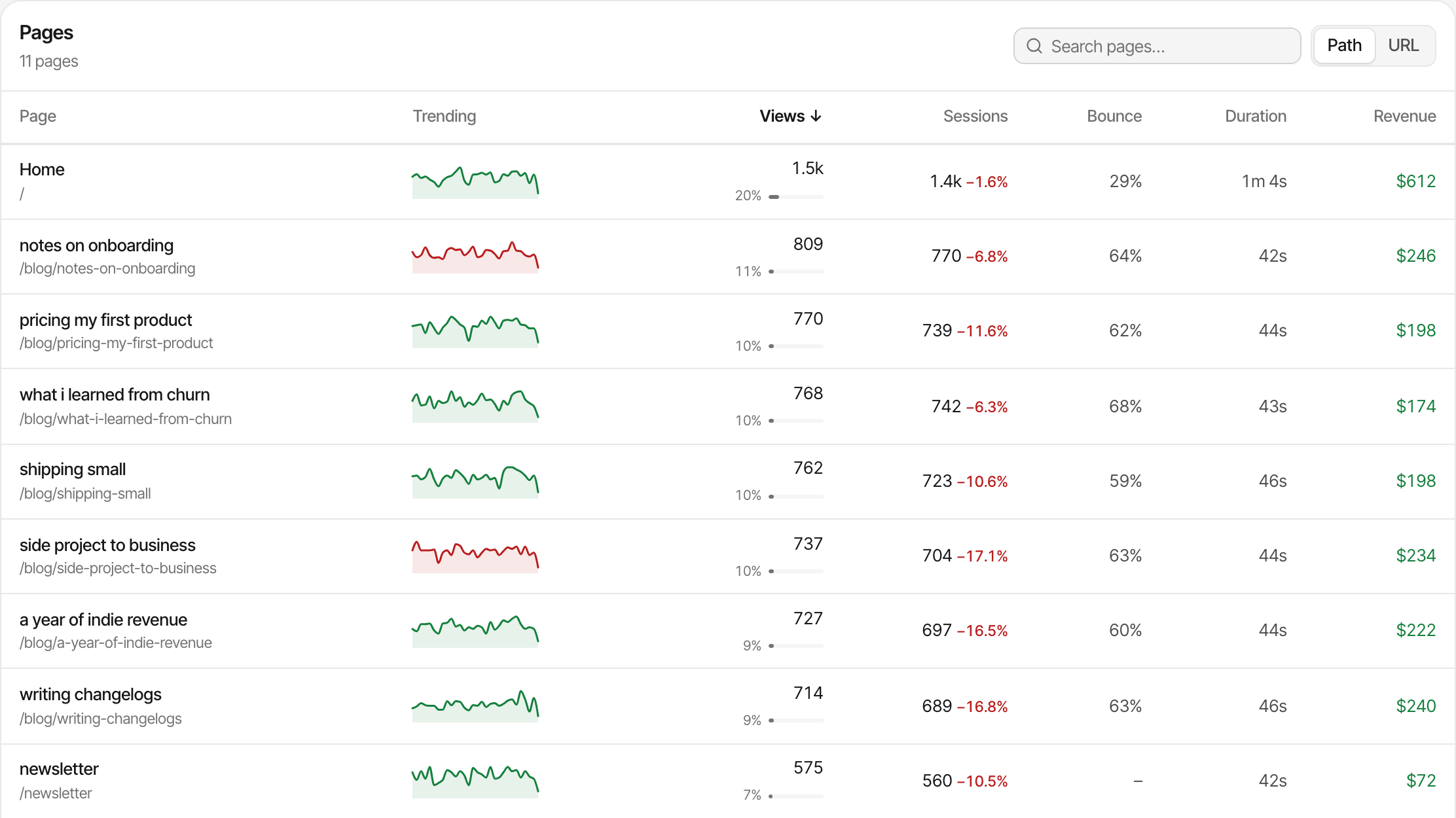
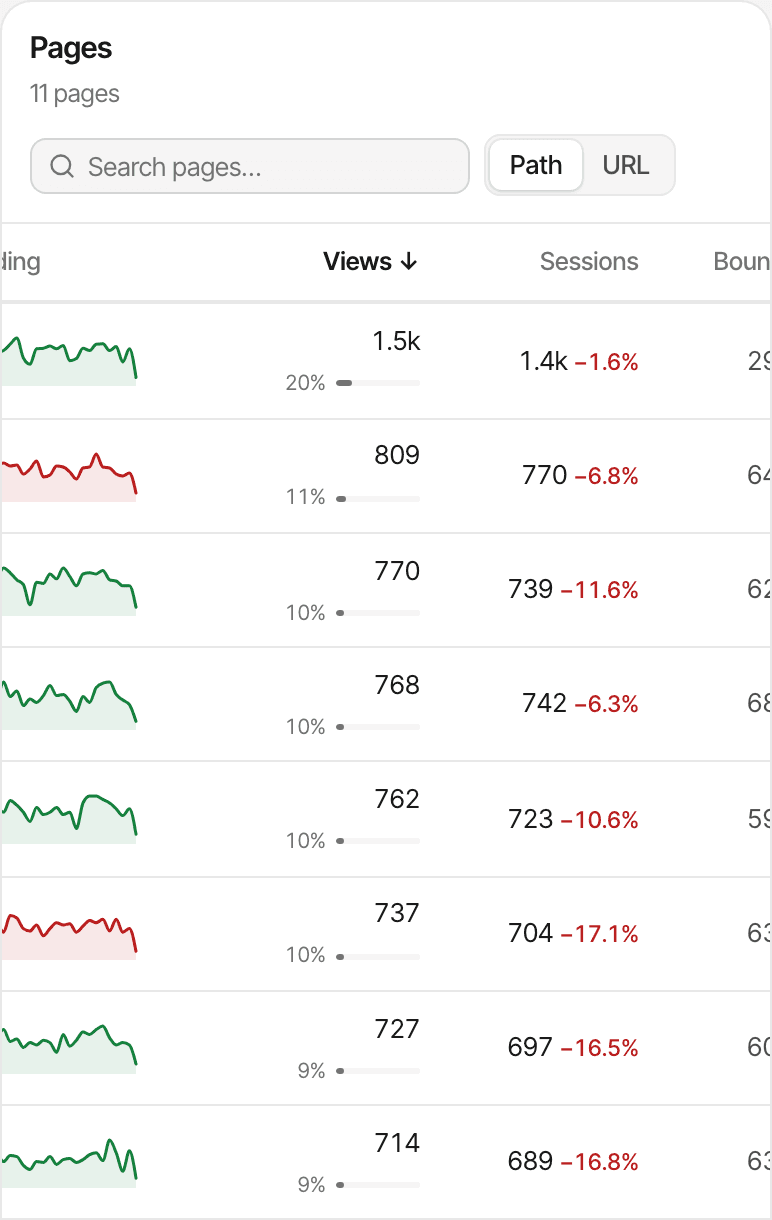
The Pages report of a demo newsletter and blog, sorted by views: the home page, then blog posts such as notes on onboarding and pricing my first product, each with its trend, views, sessions, bounce rate, time on page and revenue.
  • Most visited pages

    Your articles, tutorials and resource pages ranked by views for any date range, with the change against the previous period and, once payments are connected, the revenue from readers who went on to buy.
  • Entry pages

    The page each visit started on: the post a newsletter or video sent people to, or the one search keeps finding.
  • How visits go

    Bounce rate and visit duration for each source and campaign, average time on each page, and new and returning visitors.
  • Where they click out

    Clicks on links to other websites are recorded by the script, so you see which outbound links people follow.

These are measured on your website. Watch time, likes and comments on a platform's own posts aren't, and SuprAnalytics doesn't read them.
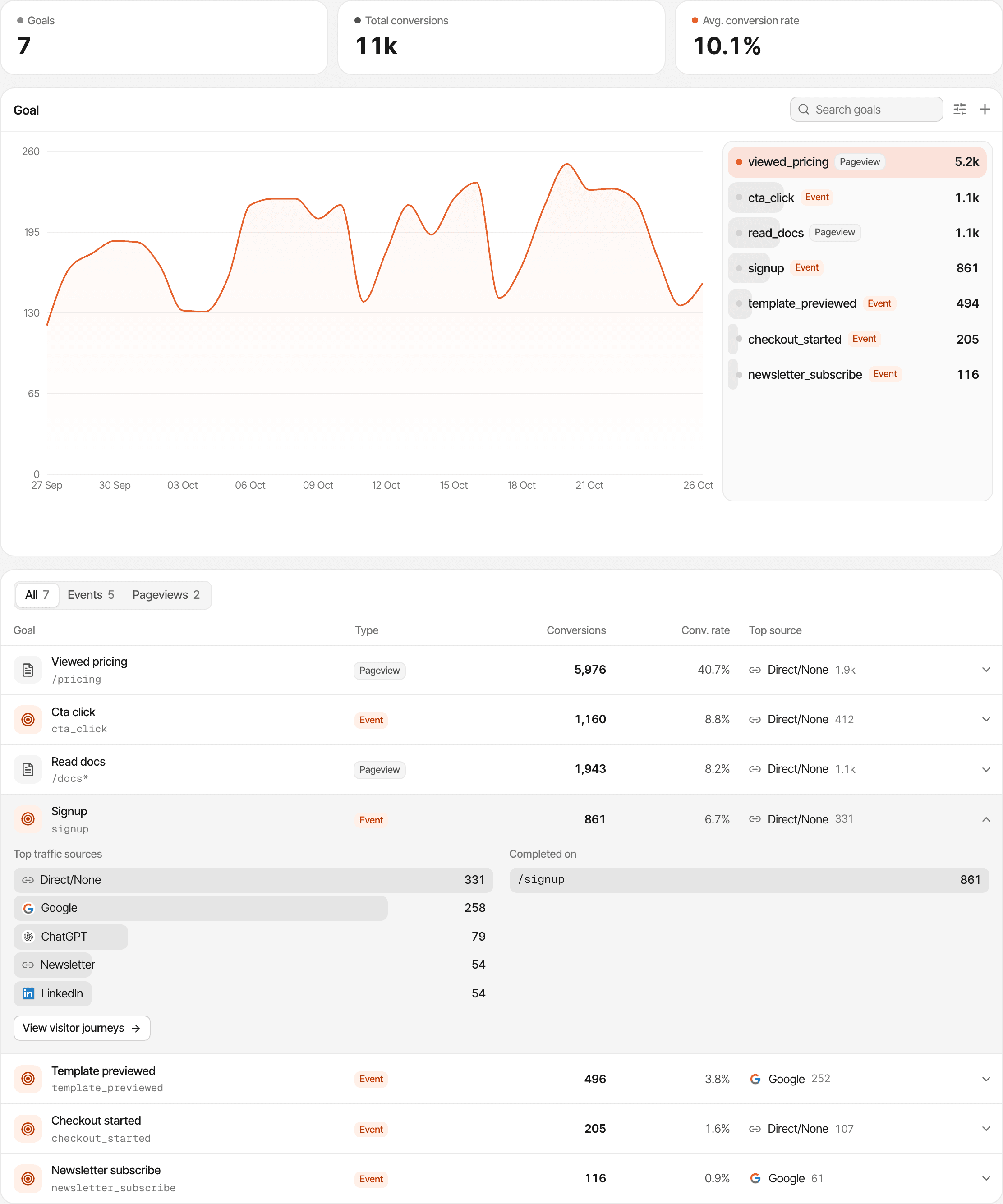
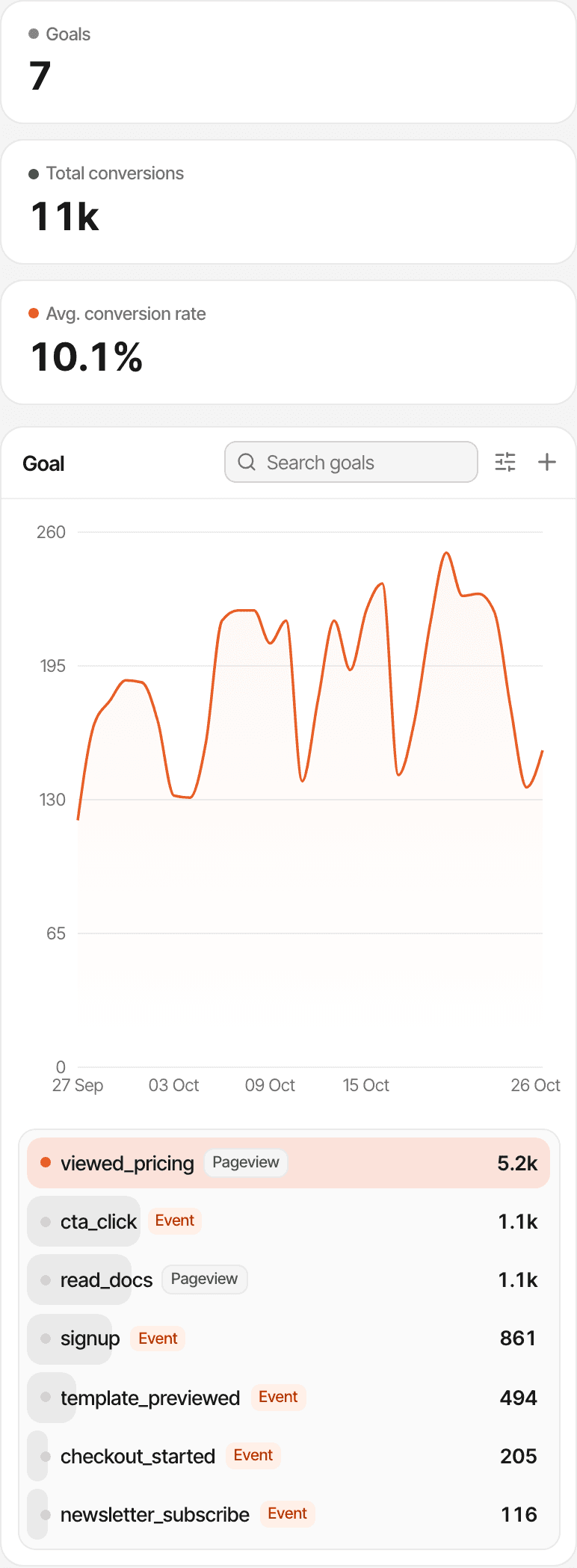
The goals report of a demo website: seven goals, including a newsletter_subscribe event, each with its conversions, conversion rate and top source.

Measure the actions that matter beyond pageviews.

A visitor who joins your list is worth more than one who reads and leaves. Goals count those actions, show their conversion rate, and show which sources and pages they came from.

Newsletter signup
an event when the form is sent, or a pageview goal on your thank-you page
Free resource download
an event on the download button
Waitlist registration
a pageview goal on the confirmation page
Course interest form
an event when the form is sent
Consultation request
a pageview goal on the booking confirmation page

Goals don't set themselves up. A pageview goal is a page address you choose, no code needed. An event goal needs your page to send the event: a line of code or an attribute on the button (how). SuprAnalytics doesn't connect to your email provider, so it counts signups on your website, not subscribers in your list.

Explore goal tracking

See which traffic sources generate sales.

Selling an ebook, a template pack, a course or a membership? Connect the payment provider you already use and each source, campaign and page shows the customers and revenue it led to, next to its visitors.

Works with Stripe, Polar, Lemon Squeezy, Paddle and Dodo Payments, each through its own webhook. Selling somewhere else, such as Gumroad? Send each sale from your server with the Payment API. SuprAnalytics only records payments; your provider still takes them and delivers your product.

Last touch (the default)

The sale goes to the source of the visit that led to it, which can be Direct if the buyer came back by typing your address.

First touch

The sale goes to the source that first brought that visitor. You pick one per website in its settings.

A sale is tied to a visitor when the visitor id reaches checkout: Polar and Dodo Payments links and Paddle.js buttons are tagged by the script; Stripe and Lemon Squeezy take a few lines of your code (setup). A sale that can't be matched still counts in your revenue, without a source. Refunds are taken off (except partial Stripe refunds), and new and renewal revenue are shown apart.

Explore revenue attribution

Fictional example: visitors, customers and revenue by source for a digital product
SourceVisitorsBuyersRevenue
Instagram post2,4006$174
Newsletter64019$551
YouTube video1,1009$261
Fictional example, not real customer data. A $29 template pack: the Instagram post sends the most visitors, but the newsletter, with about a quarter as many, brings three times as many buyers.
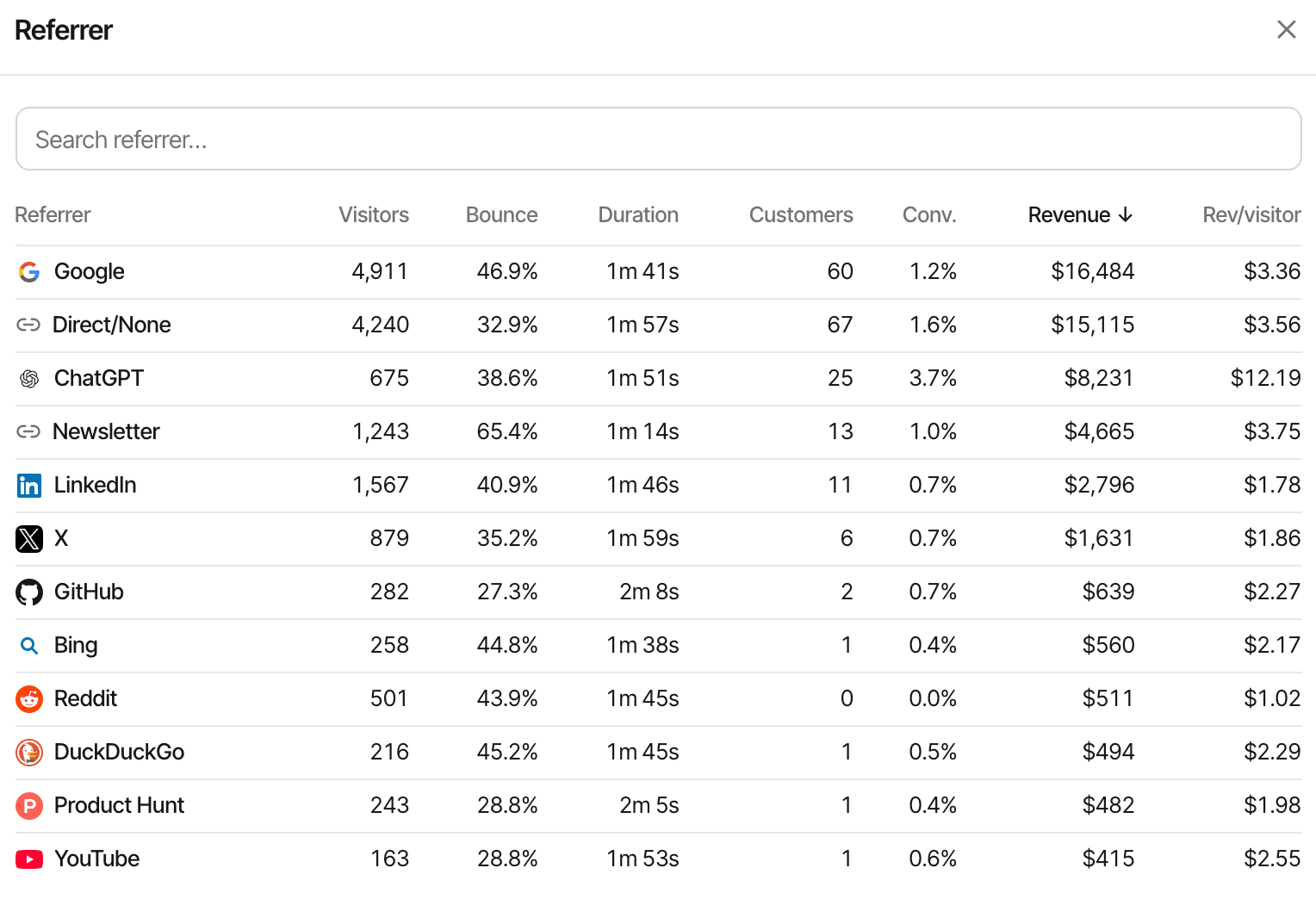
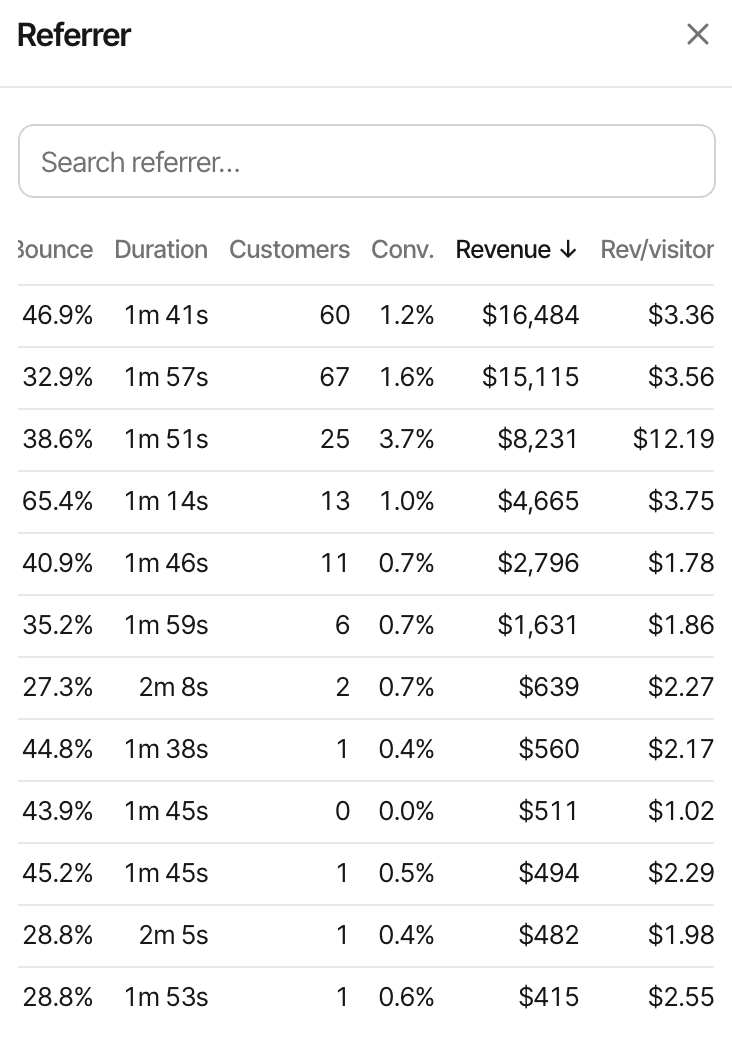
The referrer report of a demo website sorted by revenue: Google, direct visits, ChatGPT, a newsletter, LinkedIn and X, each with visitors, bounce rate, session duration, customers, conversion rate, revenue and revenue per visitor.

See what people explored before buying.

A reader finds an article, comes back for the free guide, then buys the course a week later. Visitor journeys put each visit, page, goal and payment in order, with the source that started it.

  1. Blog post
  2. Product page
  3. Checkout
  4. Payment
An illustrative path. The payment step appears once your payment provider is connected and the sale is matched to the visitor.
  • Visitor journeys

    Every customer's visits, pages, goals and payments on one timeline. About journeys
  • Conversion funnels

    Pick the steps (blog post, product page, checkout) and see how many visitors reach each one and where the rest stop. About funnels
  • What it records

    Pages and the actions you track. Session recordings and heatmaps are off until you turn them on. Someone who switches from phone to laptop counts as two visitors, and in cookieless mode a visitor is recognised for one day only.

Turn visitor questions into conversations.

"Is the course right for a beginner?" "Does the template work in Notion?" "Do you take on consulting work?" A chat bubble on your website lets visitors ask while they're still deciding, and you answer them yourself.

  • Turn it on in Settings: it comes from the same script as your analytics
  • Each conversation opens beside that visitor's source, pages, device and approximate location
  • Reply from Telegram when you're away from the dashboard
  • When you're offline, the chat asks for an email so your answer can reach them later

The chat lives on your website. It doesn't read or answer comments or DMs on other platforms, and no AI bot answers for you: replies come from you. A name or email appears only when the visitor gives one.

Explore live chat

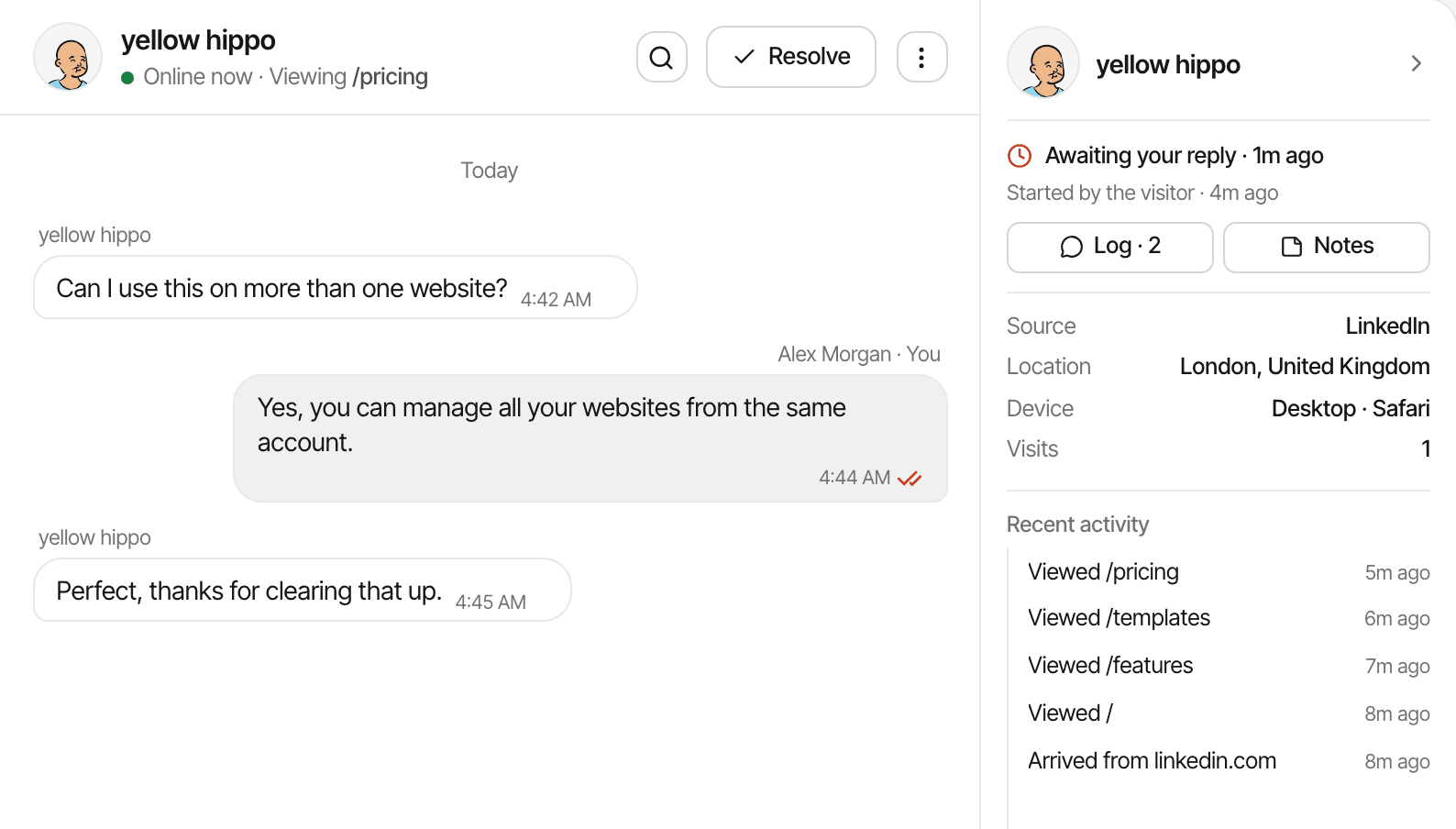
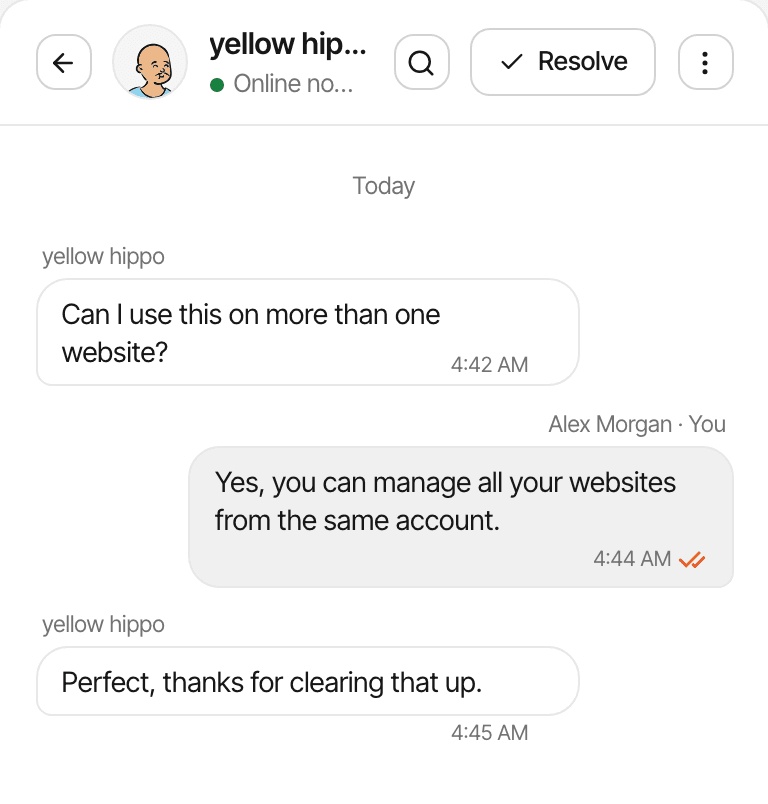
A conversation in the Inbox of a demo website, with the visitor's source, location, device and the pages they viewed before asking.

See what happens when you publish or launch.

The real-time view shows who is on your website now: the page each visitor is reading, where they came from, and the pages, goals and payments as they happen.

  • Publishing a new article

    See the first readers arrive and where they came from.
  • Sending a newsletter

    Watch the tagged links from the issue start to bring visits.
  • Launching a product

    Follow visitors from the launch post to the product page and checkout.
  • Sharing with a community

    See whether a post in a forum or group brings anyone over.

"Now" means active in the last 5 minutes. New activity streams in, and the view also refreshes every 15 seconds. About real-time analytics

One place for everything you create.

Track each of your websites in one account, each with its own dashboard, goals, payment connection and chat, and see them side by side on the All websites page.

  • Personal blog
  • Portfolio
  • Course landing page
  • Digital product website

Unlimited websites

On every plan. You don't pay per website.

One event allowance

Your plan's monthly events are shared by all your websites: a busy blog uses more of them than a quiet portfolio (plans).

One inbox

Chats from every website land in the same inbox (how it works).

Each website needs the script: one line in its pages' head, with guides for WordPress, Ghost, Squarespace, Wix, Webflow, Framer and more. A page on a platform that doesn't let you add a script, such as a Substack publication, can't be measured.

Useful insights without becoming an analytics expert.

One dashboard with the numbers creators ask about. Four common questions, and where the answer is.

  • A blogger

    Which articles bring readers, and from where?

    Pages and entry pages, filtered by source, over any date range. Including AI assistants

  • A newsletter writer

    Did last week's issue send people to my site?

    Links tagged with UTM parameters, each issue on its own line under Email. UTM tracking

  • An educator selling a course

    Which channel brings buyers, not just visitors?

    Revenue by source, campaign and page, once the payment provider is connected. Revenue attribution

  • An independent consultant

    Who asked about working together, and how did they find me?

    An inquiry goal on the contact page, and live chat with the visitor's source beside the message. Live chat

Illustrative scenarios, not customer stories.

Questions, answered.

What is website analytics for creators?

It measures what happens on your own website: how many people visit, which platform or post sent them, which pages they read, and whether they sign up or buy. It complements the stats inside YouTube, Instagram or your newsletter tool, which stop at the click.

Can SuprAnalytics track visitors from YouTube, Instagram, and TikTok?

Yes, when they click through to your website. Visits that arrive from those sites are named YouTube, Instagram and TikTok. Visits from inside some apps arrive without saying where they came from and count as Direct; adding ?ref=youtube or UTM tags to the links you share names them anyway.

Does SuprAnalytics track views and followers inside social platforms?

No. It doesn't connect to YouTube, Instagram, TikTok, Spotify, Substack or other platforms, so it can't show video views, followers, likes, subscribers or email opens. It measures visits to websites that carry its script.

Can I see which blog posts attract the most visitors?

Yes. The Pages report ranks your pages by views for any date range, with sessions, bounce rate and time on each page, and Entry pages shows where visits begin. Filter by a source, such as Reddit or your newsletter, to see what that audience reads.

Can I track newsletter signups and downloads?

Yes, as goals you set up. A pageview goal counts visits to a page such as your thank-you page, with no code. A click on a download button or a form sent on the page needs your site to send an event (custom goals). It counts signups on your website; it doesn't connect to your email provider.

Can I see which traffic sources generate digital product sales?

Yes, once your payment provider is connected and the visitor id reaches checkout. Each source, campaign and page then shows its customers and revenue. Sales that can't be matched to a visit still count in your revenue, without a source, and someone who browses on a phone and buys on a laptop counts as two visitors.

Does SuprAnalytics work with Stripe, Lemon Squeezy, and other payment providers?

It works with Stripe, Polar, Lemon Squeezy, Paddle and Dodo Payments through their webhooks, and with anything else, such as Gumroad, through the Payment API from your own server. There is no built-in Gumroad, Patreon, Ko-fi or Shopify connection.

Can I track multiple creator websites in one account?

Yes. Every plan includes unlimited websites, each with its own dashboard, and the All websites page shows them side by side. They share your plan's monthly event allowance.

Every plan starts with a 14-day free trial with no card required; plans start at $9 a month for 100,000 events (pricing).

Understand your audience beyond the views and likes.

See which content brings people to your website, what they do next, and which channels lead to signups and sales.

14-day free trial · No card required