
AI traffic
See which AI assistants send you paying customers
Find visits referred by ChatGPT, Perplexity, Claude and other AI assistants, follow what those visitors do on your website, and see whether they turn into customers.
14-day free trial · No card required · From $9/month
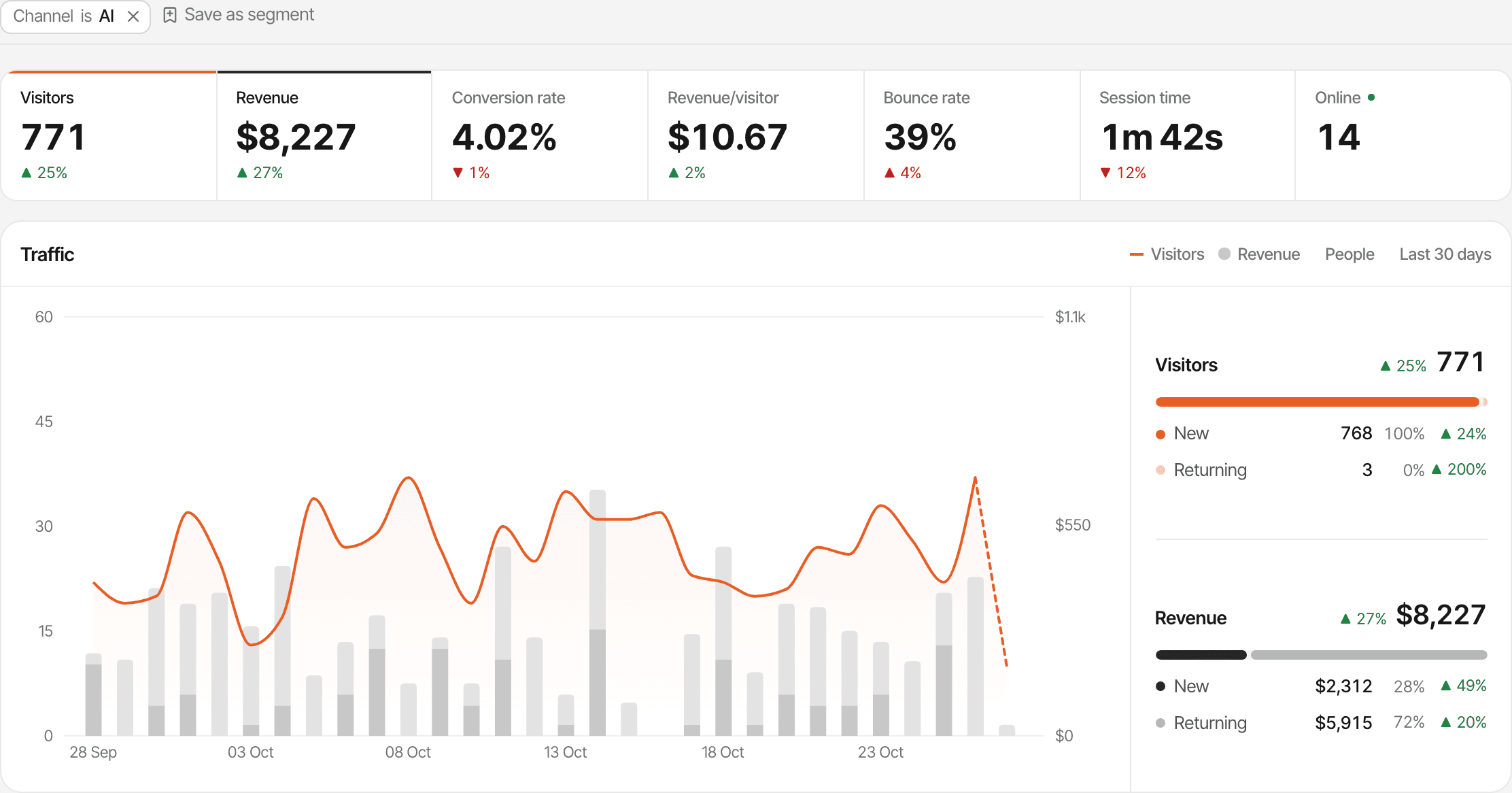
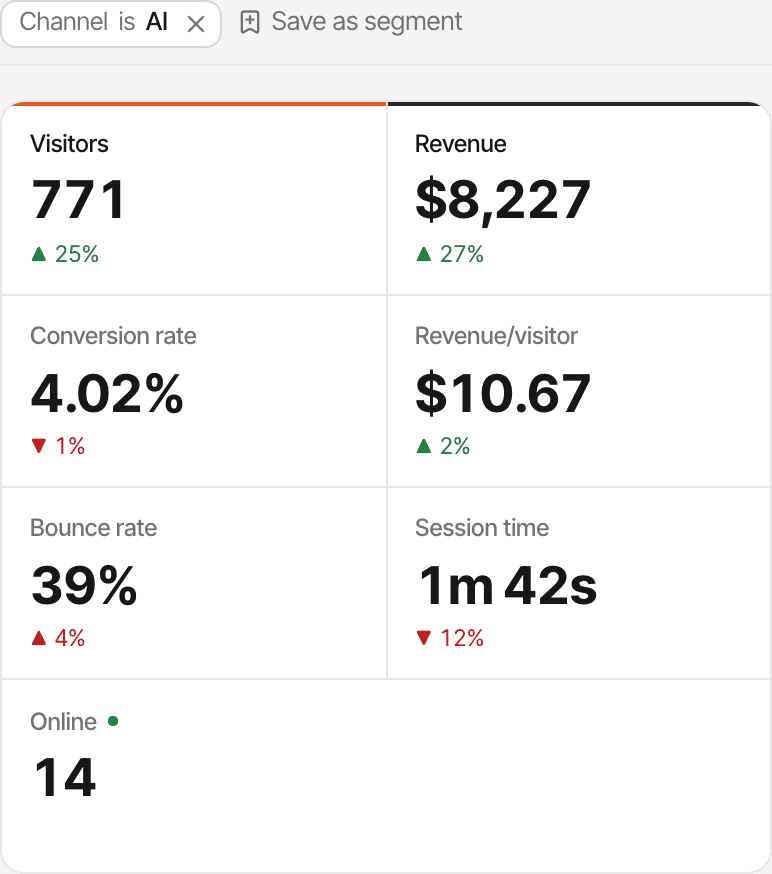
AI assistants are sending traffic. But is it valuable?
Someone asks ChatGPT or Perplexity for a tool like yours. Your website is in the answer, they click through, look around, and maybe sign up or buy. A visitor count can't tell you whether that was worth anything. Following the visit to the payment can.
- Step 1
AI assistant
Someone asks a question and your website is in the answer.
What SuprAnalytics can't see: Not visible: the question and the answer stay inside the assistant.
- Step 2
Website visit
They click through to your website.
What SuprAnalytics sees: The visit, with the assistant as its source when the visit says where it came from.
- Step 3
Exploring
They read the homepage, a few templates, the pricing.
What SuprAnalytics sees: Every page, in order, and the links they click out.
- Step 4
Conversion
They sign up or start a checkout.
What SuprAnalytics sees: The goals you define, and your funnels.
- Step 5
Revenue
They pay.
What SuprAnalytics sees: The payment, once your payment provider is connected.
See where your AI visitors come from
Every visit is matched against the AI assistants SuprAnalytics knows, by the address it came from or the campaign tag on the link. A match gets the assistant's name as its source, and the visit joins the AI search channel. There's nothing to set up.
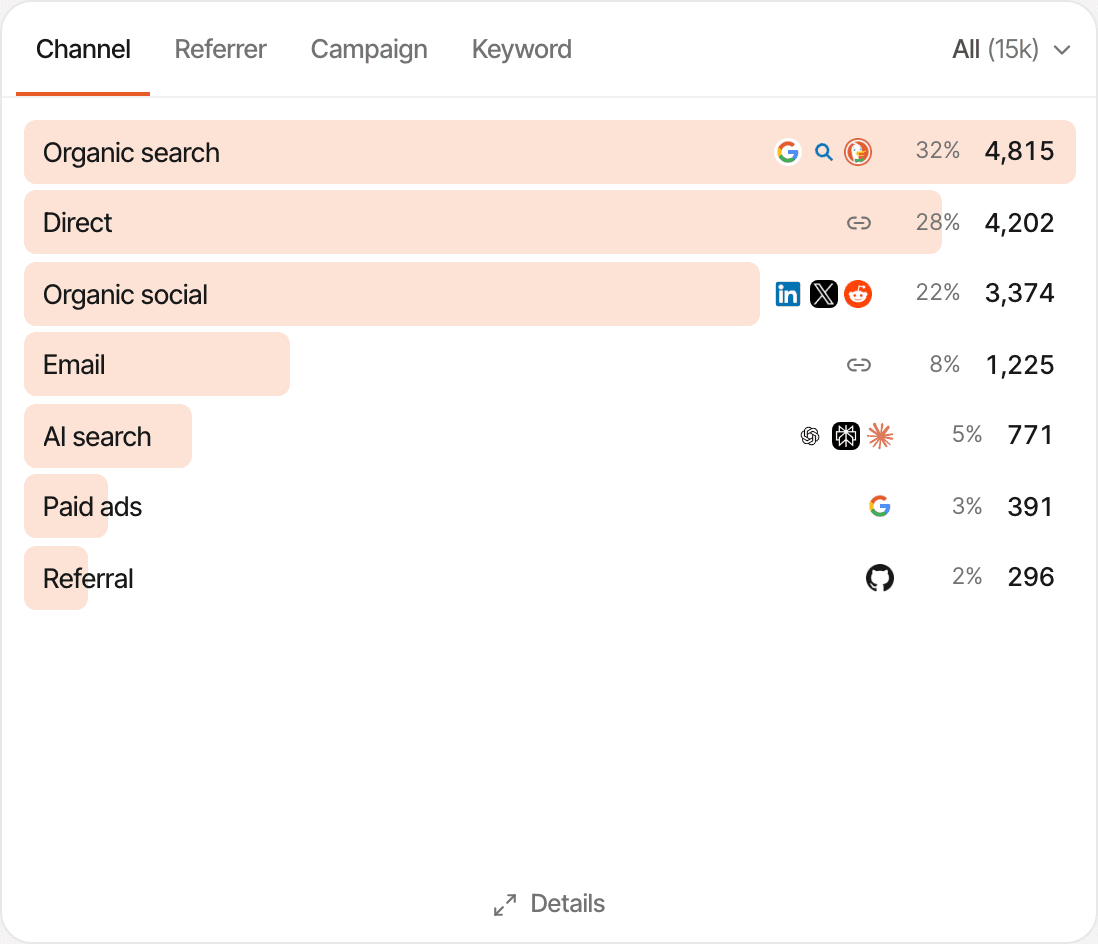
- On the dashboard, the Sources card's Channel tab has an AI search row. Click it, and every report on the page shows only AI visits.
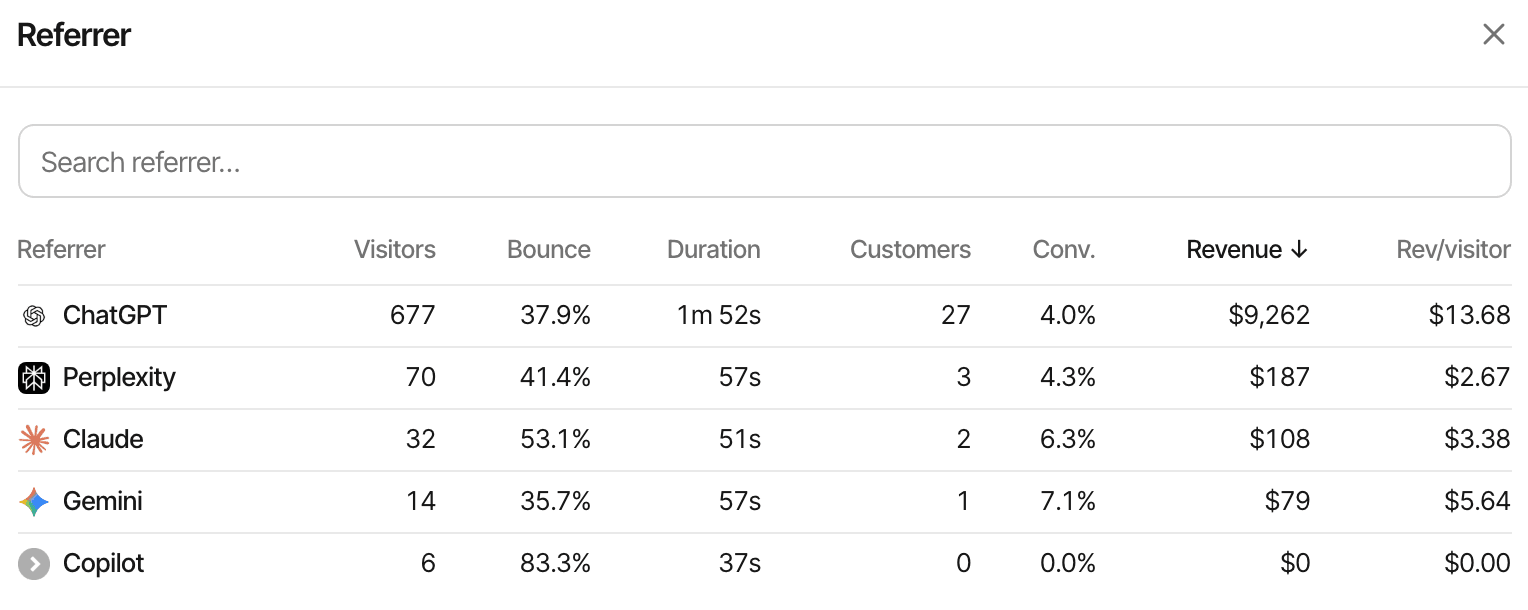
- The Referrer tab lists each assistant on its own: ChatGPT, Perplexity, Claude and the rest.
- Tagged links count too:
utm_source=chatgpt.com, which ChatGPT often adds to the links in its answers, or?ref=perplexity.
| Assistant | Visits from |
|---|---|
| ChatGPT | chatgpt.com, chat.openai.com |
| Perplexity | perplexity.ai |
| Claude | claude.ai |
| Gemini | gemini.google.com |
| Copilot | copilot.microsoft.com |
| Grok | grok.com |
| DeepSeek | deepseek.com |
| Meta AI | meta.ai |
| Phind | phind.com |
| You.com | you.com |
What counts as AI here, and what doesn't. Google's AI Overviews and AI Mode send visitors from google.com, so those visits count as Google, in organic search; Copilot inside Bing counts as Bing. An assistant that isn't on the list shows under its own domain as a referral. And a visit that arrives with no source at all is Direct, wherever the visitor first heard of you.
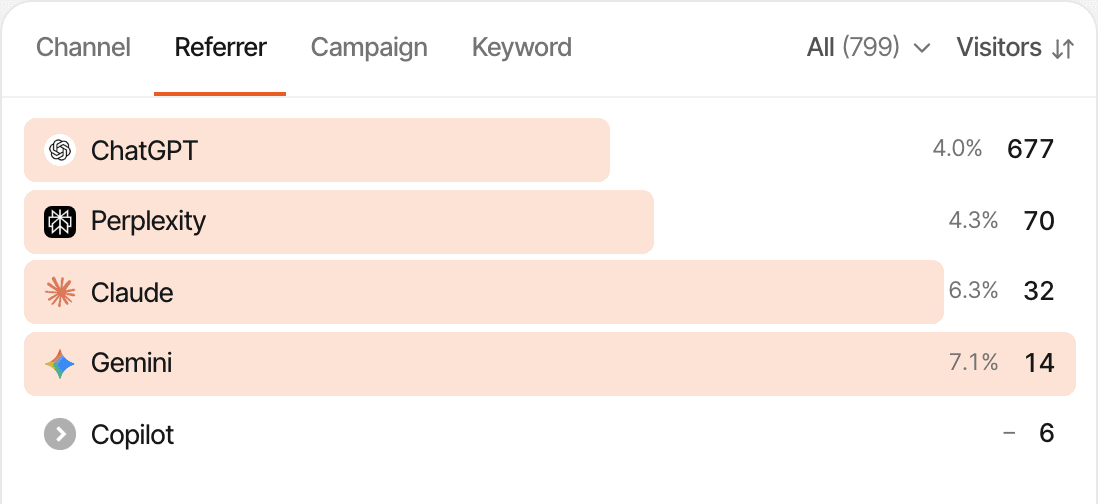
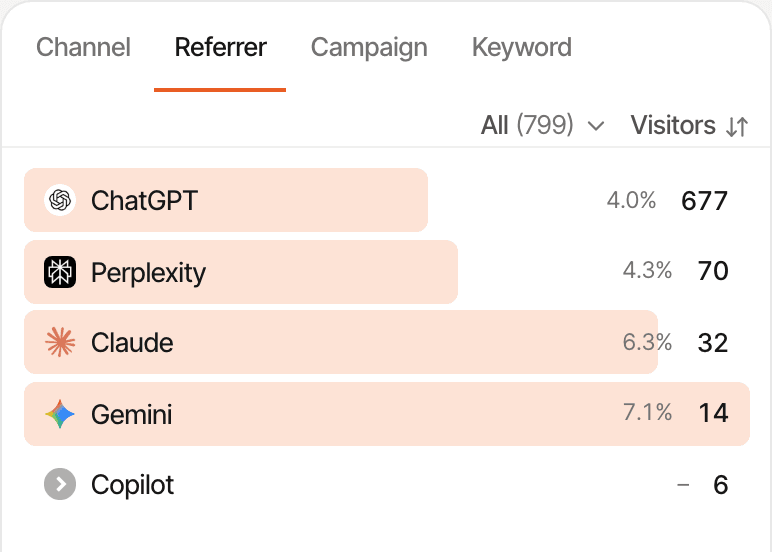
A referral is just the beginning
With the AI channel, or one assistant, as a filter, the rest of the dashboard answers for those visitors only.
- Which pages AI visitors land on, read next and leave from
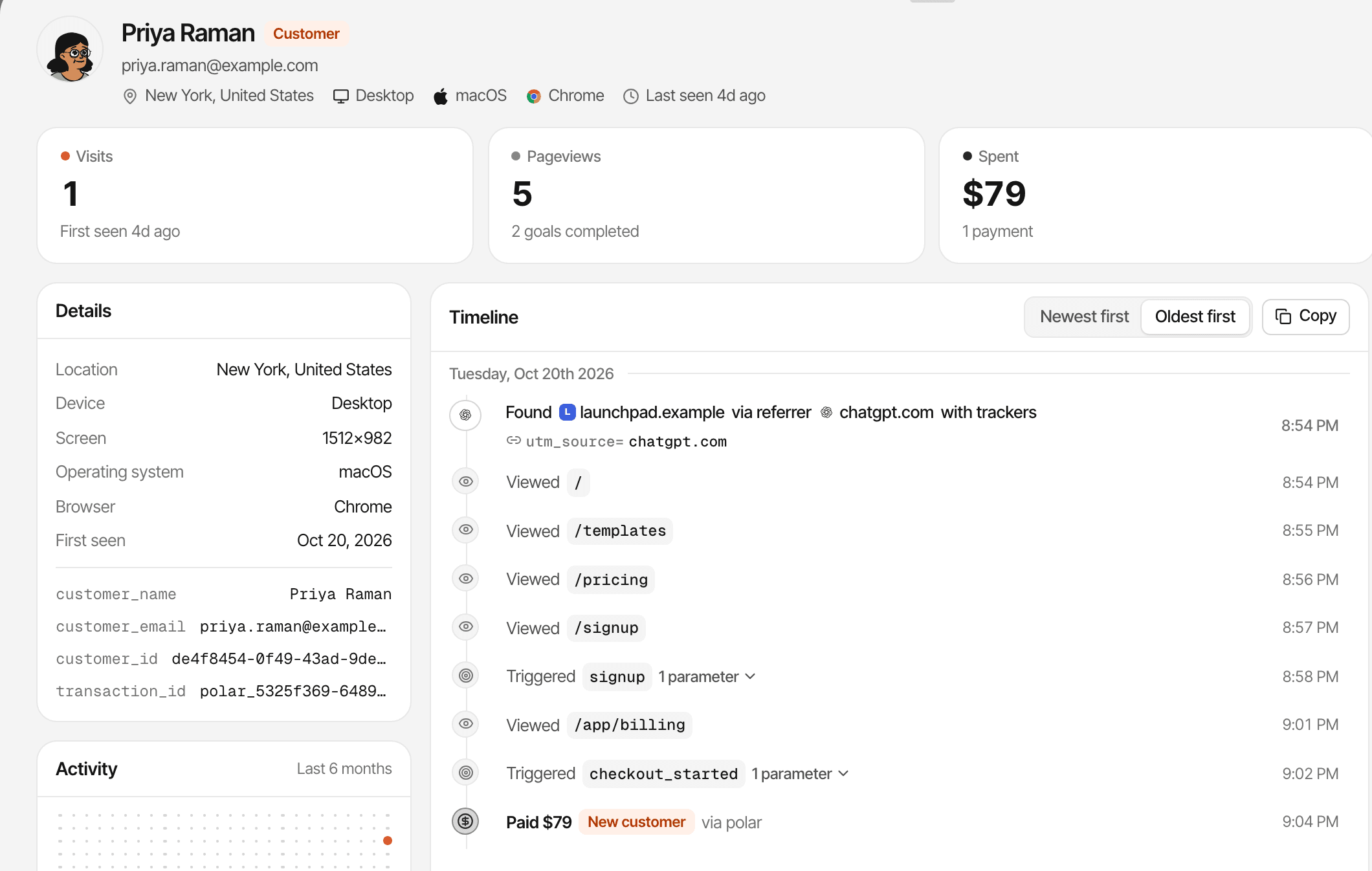
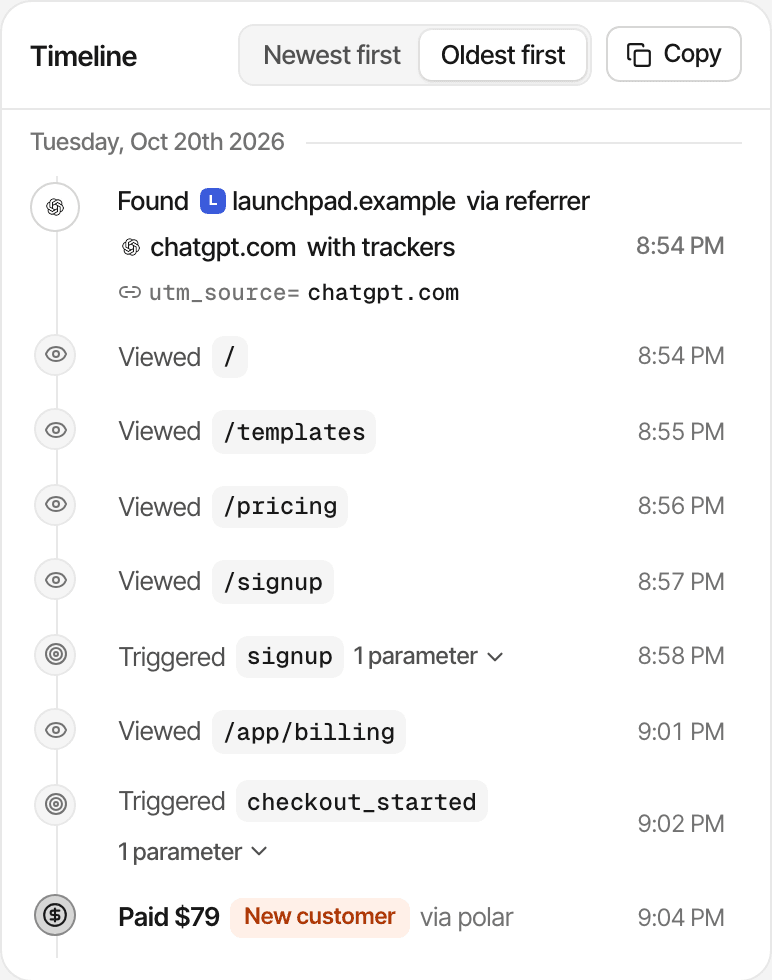
- Each visitor's timeline: the source, every page and goal, and any payment
- The goals they complete, such as a sign-up or a started checkout
- How far they get through your funnels
- The links they click out of your website
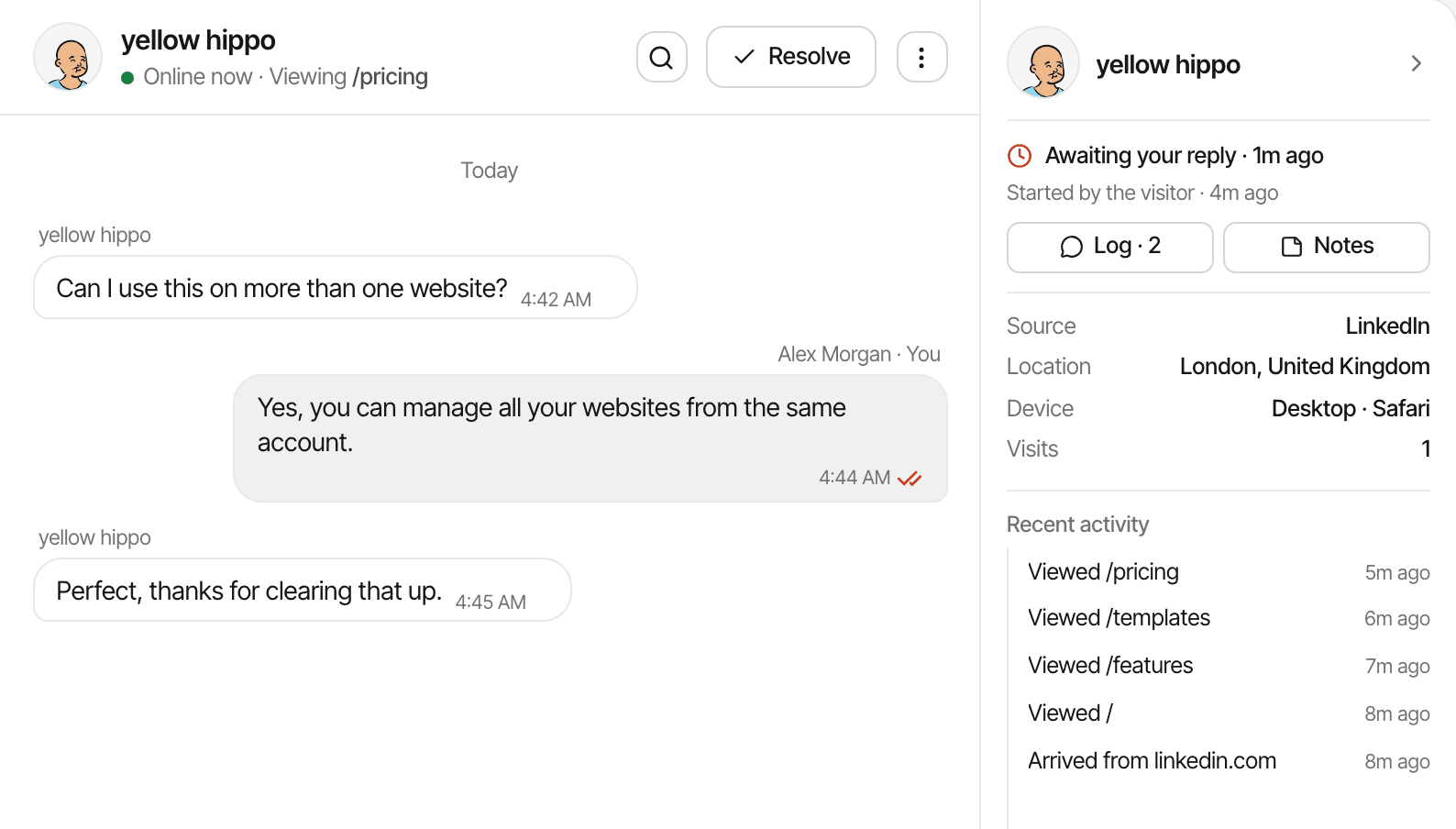
Take the visitor in the screenshot: they arrive from ChatGPT, read the homepage, open the templates and pricing, sign up, and pay. Every one of those steps is on their timeline.
What you won't see is the conversation they had with ChatGPT, or the prompt that led to you: assistants don't send it. A name or email appears only when your app or a payment provides one. How journeys work
Know whether AI traffic brings paying customers
Pageviews don't show what a channel is worth. Connect your payment provider, and each payment is tied to the visitor who made it, so every source gets its customers, conversion rate and revenue.
How a payment reaches its source
- Connect Stripe, Polar, Lemon Squeezy, Dodo Payments, or Paddle by webhook, or send payments from your server through the payments API.
- The checkout carries the visitor's id, so the payment is credited to their visit and its source.
- Renewals stay with the customer's original source; refunds come off.
First touch or last touch
Each website picks its model in Settings, and every report follows. Last touch, the default, credits the visit the payment happened in. First touch credits the visit that first brought the customer, so a ChatGPT referral who comes back a week later to pay still counts for ChatGPT, as long as they're recognised as the same visitor.
What revenue attribution needs. A connected payment provider: the tracking script alone doesn't see payments. A payment is credited to a source only when it carries the visitor id, or an email or customer id SuprAnalytics has already seen; one without any of them still counts in your revenue, without a source. Someone who reads ChatGPT on their phone and pays on a laptop is two visitors, unless an email or your app joins them.
See how AI traffic compares with everything else
AI search is one channel among the others, in the same report: organic search, direct, organic social (Reddit, X, Product Hunt, LinkedIn), email and newsletters, paid ads and referral websites. Sort any of them by visitors or by revenue.
| Source | Visitors | Customers | Revenue | Per visitor |
|---|---|---|---|---|
| 2,400 | 18 | $540 | $0.23 | |
| ChatGPT | 380 | 9 | $360 | $0.95 |
| Perplexity | 120 | 4 | $160 | $1.33 |
Illustrative numbers, not customer data. The same columns are in the Referrer details on your dashboard.
Here ChatGPT sends a sixth of Google's visitors and two thirds of its revenue. Your numbers may say the opposite: AI traffic isn't better or worse by default, and a handful of customers can swing a small channel either way. Look at a few months before you move your effort.
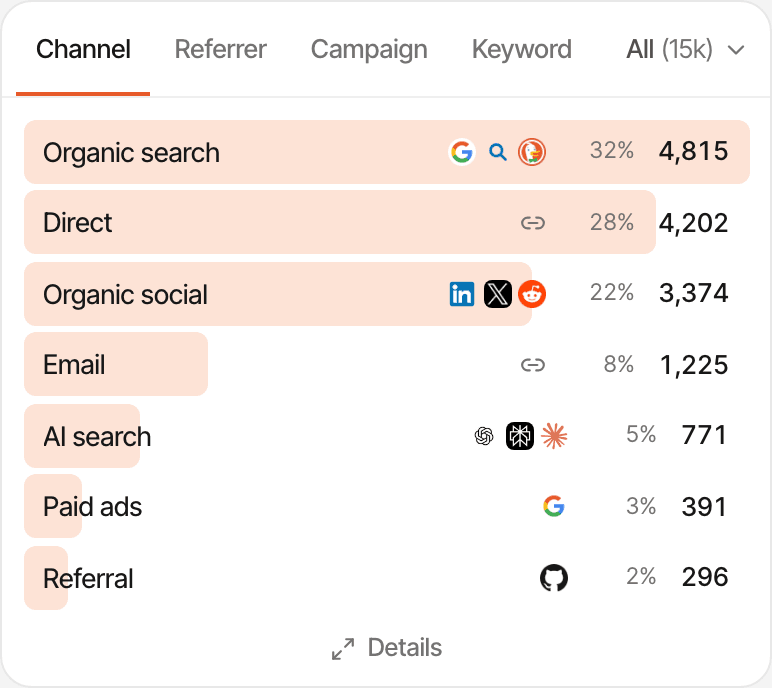
Not every AI referral arrives with a label
SuprAnalytics can identify AI referral traffic when the visit carries recognizable source information. Some apps and browsers don't pass that information, so those visits may appear as Direct.
When the source gets lost
- An assistant's app opens the link without saying where it came from.
- A browser or privacy setting removes the referrer.
- The visitor copies the link, or types your address in later.
- They search for your name afterwards, and the visit counts as search.
What you can do
- Tag the links you write yourself, in newsletters, posts and directory listings, with
?ref=or UTM parameters. The links an assistant writes in its answers aren't yours to tag. - Read AI search as a floor: some of your Direct traffic may have started in an answer too.
- Use first touch to credit the visit that brought someone, not the direct visit they paid on.
No guessing. SuprAnalytics doesn't estimate or model hidden AI traffic: a visit is AI search only when it says so. Tracking parameters
AI visitors and AI crawlers are not the same
A crawler request isn't a visit. GPTBot reading your pricing page tells you a bot read it, not that a person did, and not whether the page ended up in an answer.
AI referral
- Who
- A person who clicked a link in an assistant's answer
- Recorded by
- The tracking script, in their browser
- Shows in
- Your reports, as a visit with ChatGPT, Perplexity or another assistant as its source
- Counts as events
- Yes, like any visit
AI crawler
- Who
- A bot fetching a page to answer a question, build a search index or collect training data
- Recorded by
- Your server, which forwards the request: crawlers don't run the script
- Shows in
- The crawler card, kept apart from visitors
- Counts as events
- No
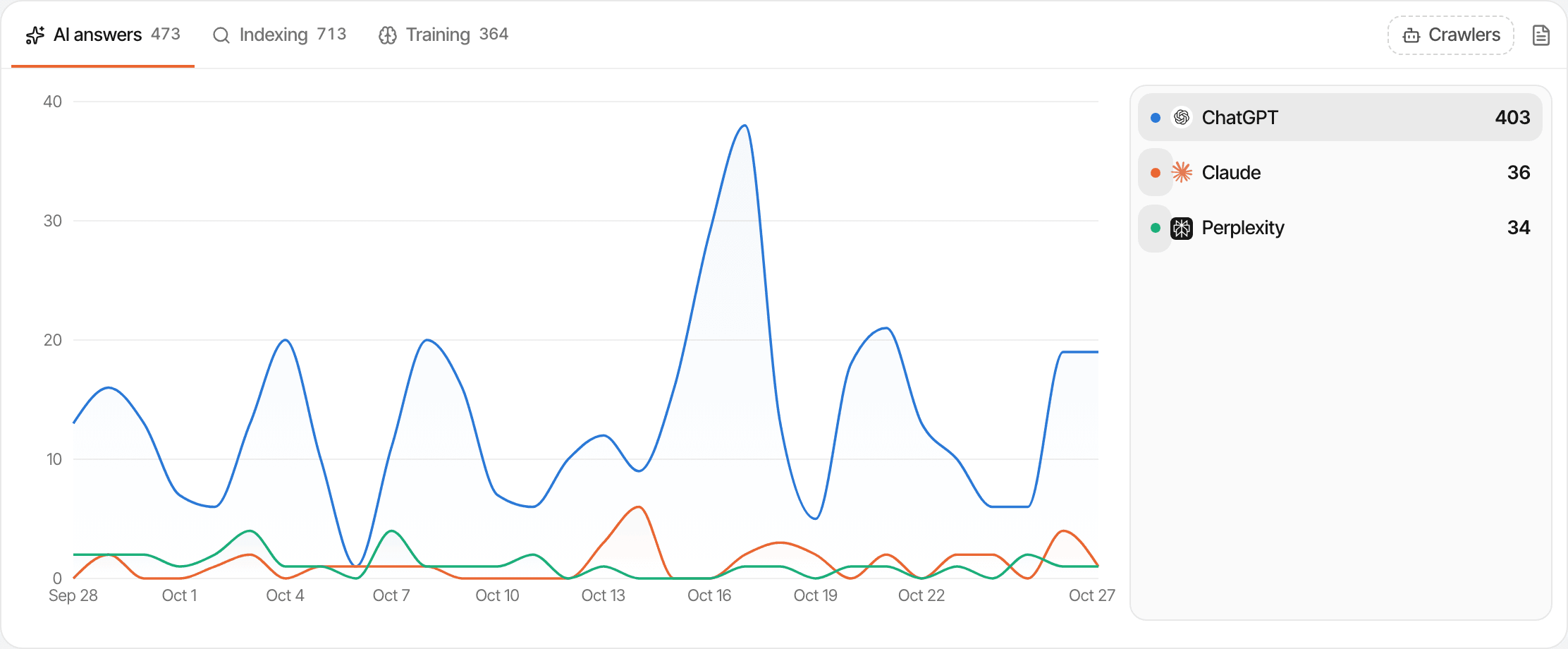
The crawler card
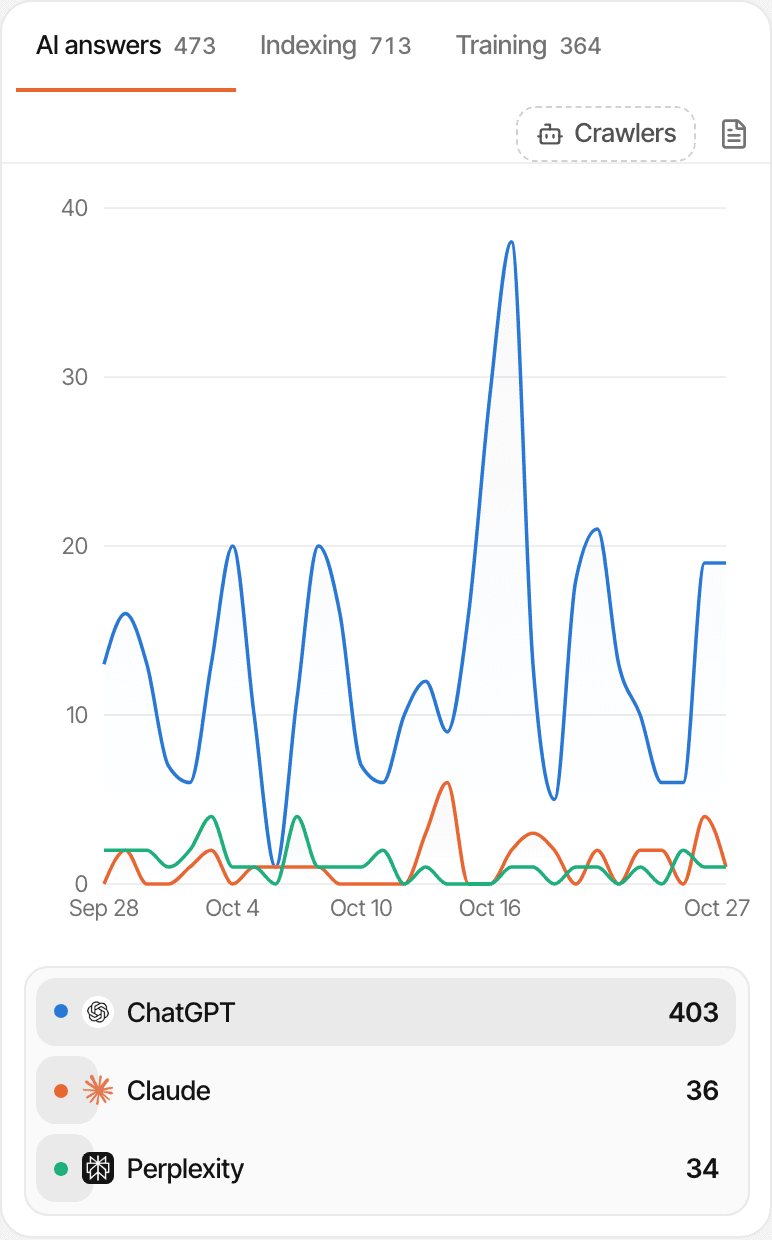
When your server reports crawler requests, the dashboard sorts them by bot and by why they came, with the pages each one read.
- AI answers: fetched because someone asked an assistant, such as ChatGPT-User, Claude-User and Perplexity-User.
- Indexing: search engines, AI search included, such as OAI-SearchBot, PerplexityBot, Claude-SearchBot and Googlebot.
- Training: collecting pages for models, such as GPTBot, ClaudeBot, Google-Extended and CCBot.
It needs a few lines on your server that send each crawler request's user agent and path, with a website API key from Settings → API; the card's setup has snippets for Next.js and Express. Without them the card stays empty. Bots that do reach the tracking script are dropped, so they never inflate your visitors. Set up crawler tracking
When AI visitors have questions, talk to them
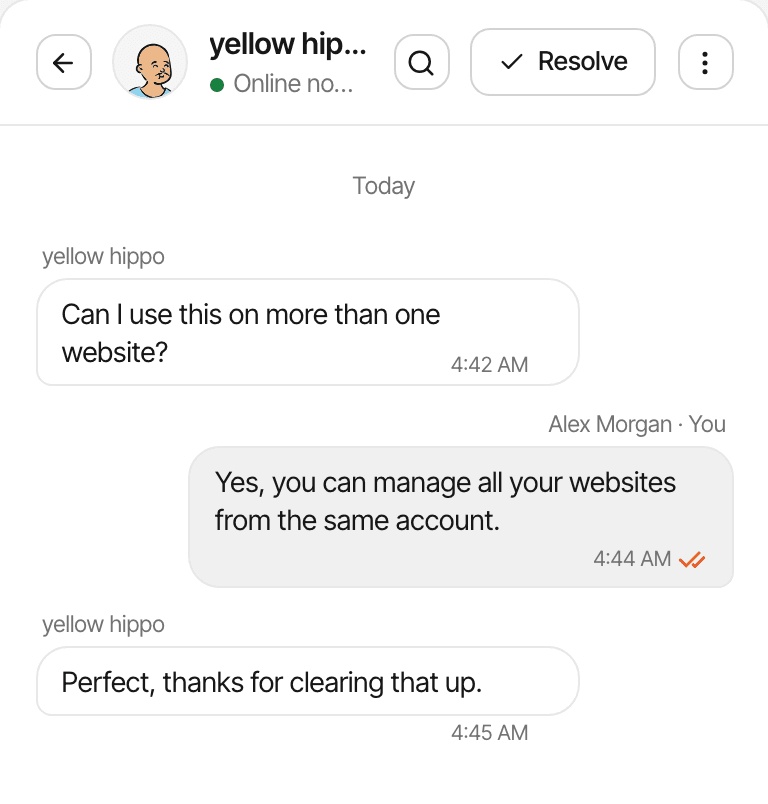
Someone arrives from an AI answer, opens your pricing, and still has a question. The chat bubble comes from the same script as your analytics, so their conversation opens with their visit beside it.
- Their source, ChatGPT for example, with the page they're on, their location and device
- How many times they've visited, and the pages they read before they wrote
- Replies from the Inbox, or from Telegram once you connect it under Account → Notifications
- An email follow-up when they've left their address and gone before you answer
A name or email appears only when the visitor types it into the chat or your app identifies them. More about live chat
Start measuring AI referrals with your existing analytics
There's no separate AI setup: the AI channel comes with the tracking script.
Create your account
Start your 14-day free trial; no card needed.
Add your website
Enter its domain, check the timezone its reports use, and click Add website.
Install the tracking script
Paste the script tag into the
<head>of every page, follow the guide for your platform, or give the setup prompt to your coding agent.Check that visits arrive
The setup page switches to “Receiving data” as soon as the first visit comes in.
Open the AI search channel
On the dashboard's Sources card, Channel tab: click AI search to filter every report to AI visits, or open the Referrer tab to see each assistant.
Connect your payment provider
In Settings → Revenue, so payments, and the revenue from AI visits, are attributed. How to connect one
Want crawler requests too? Add the server snippet from the crawler guide.
Useful for founders growing through AI discovery
- Indie hackers
- Find out whether ChatGPT or Perplexity has started recommending your new product, and whether those visitors sign up. Analytics for indie hackers
- SaaS founders
- Measure the sign-ups, conversion rate and attributed revenue AI referrals bring, next to search, social and your newsletter.
- Content-driven businesses
- See which articles AI visitors land on, and how those visits compare with search and other channels.
SuprAnalytics measures the visits assistants send you. It doesn't monitor what they say about you, track mentions in their answers, or report a share of voice.
AI traffic analytics, without another analytics tool
The AI channel, revenue by assistant and the crawler card are part of every plan, the trial included. There's no AI add-on.
- From $9/month for 100,000 events
- Every feature and unlimited websites on every plan
- Plans differ in monthly events, data history (2 years to 5 years) and file storage
An event is a pageview, a custom goal or an outbound link click recorded on your websites (goals sent through the API count too). Bots, excluded traffic, the script's background pings and chat messages don't count. Usage resets at the start of each billing cycle. Visits from AI assistants count like any other visit; crawler requests your server reports and payments don't count.
| Events a month | Price |
|---|---|
| 100,000 events | $9/mo |
| 300,000 events | $19/mo |
| 500,000 events | $29/mo |
| 1 million events | $49/mo |
| 2 million events | $79/mo |
| 5 million events | $149/mo |
14-day free trial · No card required
Questions, answered.
Can SuprAnalytics track traffic from ChatGPT?
Can I see visitors referred by Perplexity?
Does SuprAnalytics recognise Claude and other AI assistants?
Can I measure revenue from ChatGPT traffic?
Can I see what AI-referred visitors do on my website?
Why does some AI traffic appear as Direct?
Can SuprAnalytics show which AI prompt sent a visitor?
Does SuprAnalytics track GPTBot and other AI crawlers?
Do I need to connect Stripe or another payment provider?
Is AI traffic analytics included in my SuprAnalytics plan?
More features
- Revenue attributionPayments from your provider, credited to the source that brought each customer.Open
- Live chatTalk to visitors with their source, pages and journey beside the chat.Open
- Traffic analysisVisitors, sources, pages, locations and devices, with filters and the change against the period before.Open
- Realtime analyticsWho's on your website right now, where they came from and what they're reading.Open
- Visitor journeysEach visitor's visits, pages, goals, payments and chats on one timeline.Open
- Conversion funnelsWhere visitors drop off between landing, signup and payment.Open
- Goal trackingCount signups, clicks and pages reached, with conversion rates by source.Open
- UTM trackingCampaign tags read automatically, with visitors, conversions and revenue per campaign.Open
- Subscription revenueRenewals, refunds and lifetime value, by where customers first came from.Open
- Multiple websitesEvery website in one account, with an all-websites view.Open
- Public dashboardsShare a read-only dashboard by link, without names or payments.Open
- Cookieless trackingAn optional mode that sets no cookies, and what it changes.Open
Find out whether AI traffic is growing your business
Understand AI referrals, follow visitor journeys, and connect conversions to revenue.
14-day free trial · No card requiredEvery feature