
Public dashboards
Share your website analytics without sharing your account.
Give others a read-only view of your website's traffic, sources, and supported performance reports through a shareable public dashboard.
14-day free trial · No card required · From $9/month
- No account needed
- Anyone with the link opens it in a browser. There's nothing to sign up for and no seat to add.
- Read-only
- Viewers pick a period and filter the reports. They can't change goals, funnels or settings.
- One switch per website
- Off until you turn it on, and off again whenever you like.
What is a public analytics dashboard?
A read-only page of your website's statistics that anyone with its link can open. People see your numbers; they don't get into your account, and they can't change anything.
In SuprAnalytics it's your own dashboard, with the parts about individual people left out: no visitor lists, profiles, journeys or conversations. You don't build or keep up a separate report. It shows the same live data you see.
Share your dashboard with a link.
Three steps, from your website's settings.
Turn it on
In your website's Settings → General, switch on Public dashboard. Or use Share on the Home page, which lists every website with a switch of its own.
Copy the link
It appears under the switch: supranalytics.app/share/ followed by your website's id.
Send it anywhere
Paste it in a post, an update or an email. Whoever opens it sees the dashboard, no account needed.

Sharing is off for every new website. The link is made from your website's id, the same id that's in your tracking script, so treat it as public rather than secret. It can't be changed or regenerated; switching sharing off is how you take it back. Public dashboards docs
What viewers can see.
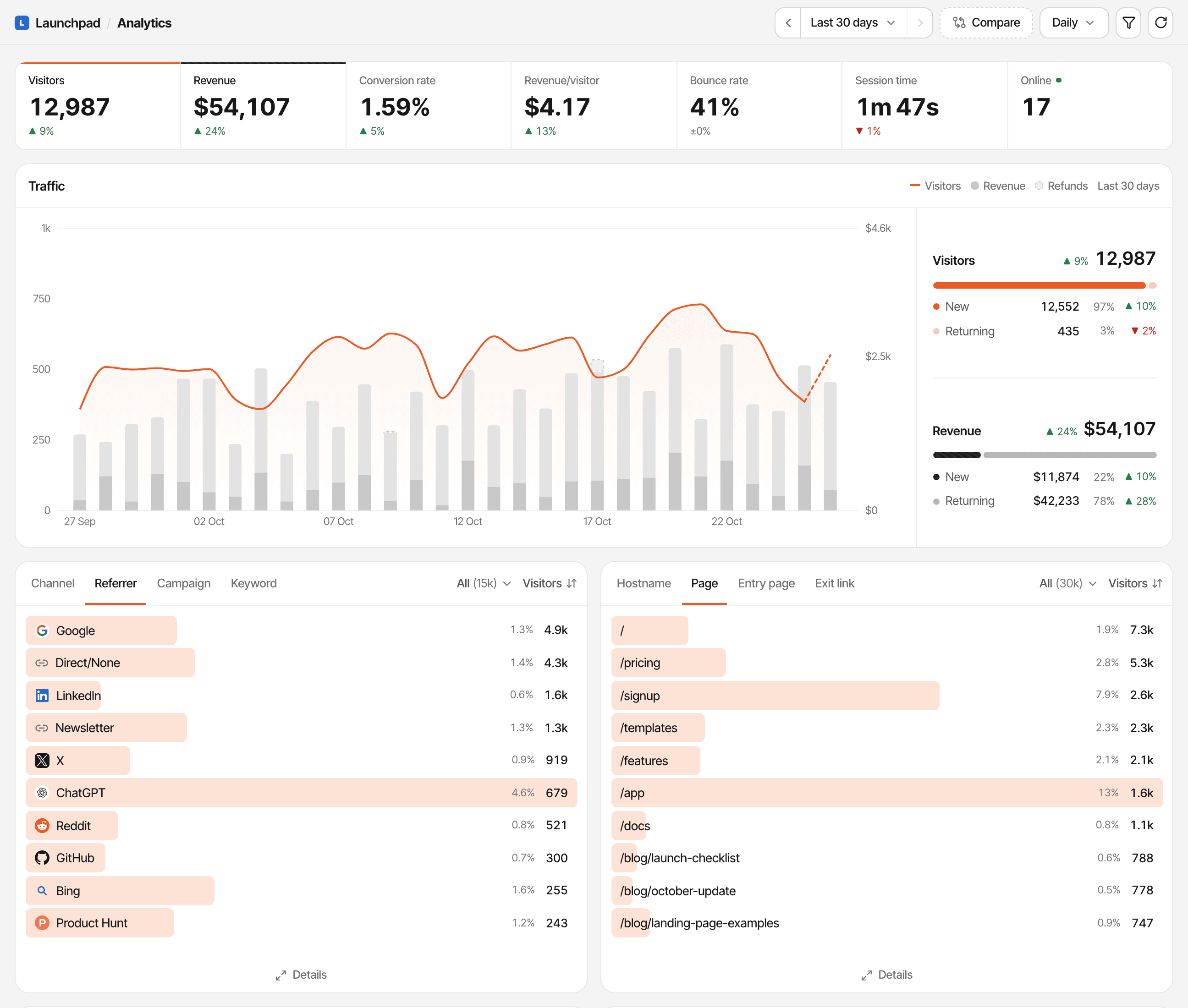
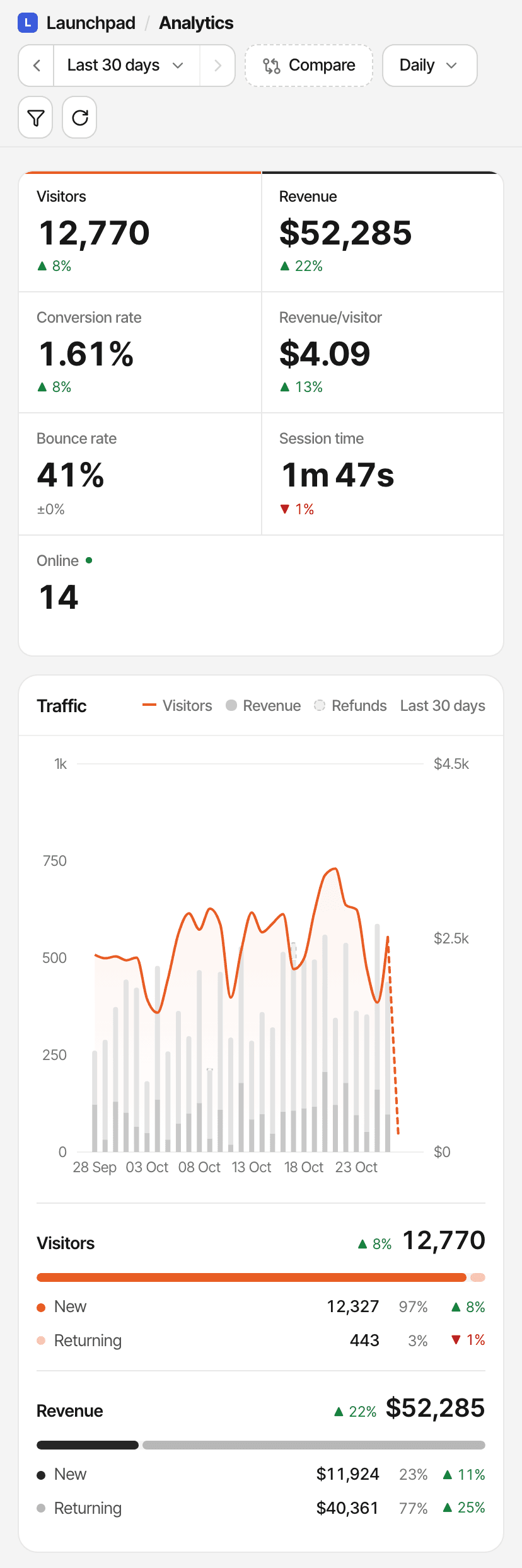
The same charts and panels as your own dashboard, for whatever period they choose.
- Key figures
- Visitors, revenue, conversion rate, revenue per visitor, bounce rate, session time and how many people are online.
- Traffic chart
- Visitors and revenue over time, with refunds, new and returning visitors, and a comparison with the previous period.
- Sources
- Channels, referrers, campaigns and keywords.
- Pages
- Pages, entry pages, hostnames and the outbound links people click, without their query.
- Locations
- A map, countries, regions and cities, as totals.
- Devices
- Browsers, operating systems, devices, and new versus returning visitors.
- Goals and funnels
- Each goal's conversions, and your saved funnels step by step.
- Realtime
- A live globe of who's on your website now, and a replay of earlier days.
- Crawlers
- AI assistant and search engine crawler visits, when the bot traffic card is on in your settings.
It opens on the last 30 days. Viewers can pick today, yesterday, the last 7 or 30 days, months, a year, all time or a custom range; compare with the previous period; change the chart's interval; and filter by a source, page, country, device or campaign.
What stays private.
A public dashboard is about totals and trends. The pages about individual people, and everything that runs your account, aren't part of it.
Not on a public dashboard
- Visitor lists and visitor profiles
- Visitor journeys, visit by visit
- The customers list, lifetime value page and payments list
- Live chat conversations
- Chart notes and saved segments
- Settings, API keys and webhook secrets
In the realtime view, people appear without names, emails, cities or regions, and their ids are swapped for anonymous ones that change every day.
Worth knowing before you share
- Revenue totals are shown throughout when you've connected payments (overall, over time, per source, page and country), and they can't be hidden on their own.
- With little traffic, totals for a short period can still say a lot: one sale in an hour is one customer's payment.
- Anything on a public link can be seen, saved or passed on by whoever has it.
If any of that should stay private, keep the dashboard private.
Public traffic and acquisition reporting.
Show where your visitors come from, the way you see it yourself.
Channels and referrers
Every visit is put in a channel: Direct, Organic Search, Paid, Social, AI, Email or Referral. The Referrer tab names each website that sent people.
Campaigns and keywords
Links with UTM tags or ?ref= show up as campaigns, and utm_term as keywords.
AI traffic
Visits from assistants such as ChatGPT, Perplexity and Claude are a channel of their own, and the crawler card can show AI bots.
Revenue by source
With payments connected, each source's row carries its customers and revenue too.
Public conversions and revenue.
Goals, funnels and revenue are part of the public dashboard.
- Goals
- The Goals tab lists each goal with its conversions. Viewers can't add or change goals.
- Funnels
- Your saved funnels, with how many people reach each step. Viewers can't save funnels of their own.
- Revenue
- Total revenue, new and renewal revenue, refunds, and revenue per source, page and country.
There's no setting to choose which reports are public. Turning the dashboard on shares all of them, revenue included; there's no way to hide revenue alone. Revenue is credited to sources by your website's attribution setting, first or last touch. Goal trackingConversion funnelsRevenue attribution
Realtime public analytics.
A Realtime button at the bottom of the public dashboard opens the live globe.
What it shows
- The people active on your website in the last 5 minutes
- The page each is on, where they came from, their country and device
- Updates every 15 seconds, with new pageviews, goals and payments as they happen
- A replay of the last 24 hours, yesterday or any earlier day
What it leaves out
- Names and emails
- Cities and regions
- Real visitor ids, swapped for anonymous ones
- Payment amounts
- Profiles and journeys
People are placed on the globe by approximate location, rounded to whole degrees, and the feed shows that a payment happened, not how much.
Practical ways to use a public dashboard.
Indie hackers
Building in public: link real numbers in launch posts and monthly updates instead of screenshots.
Open startups
An open metrics page that's always current, with traffic, sources and revenue.
Creators
Show sponsors and partners your audience: visitors, where they come from and which countries.
Teams and stakeholders
Give clients, investors or colleagues a link to the numbers instead of an account.
Access controls and limitations.
A public dashboard is a single switch and a single link. Here's what that gives you, and what it doesn't.
How access works
- Anyone with the link can open it, without signing in
- Viewers can read, filter and pick a period, and nothing else
- Signed in yourself, the link shows you the public view too, so you see what others see
- Switch it off and the link shows “This dashboard is not public.” Switch it on again and the same link works
- It's included in every plan and during the free trial; if your account is paused, the link stops working
Not available
- Password protection
- Links that expire
- A new or secret link (it can't be regenerated)
- Inviting specific people only
- Choosing which reports, or hiding revenue
- A custom domain or your own branding
- Embedding the whole dashboard
Turning sharing off stops the link and ends a realtime view someone already has open within seconds. Whatever is already on their screen stays there until they reload.
Search engines are asked not to crawl public dashboard links, and they aren't in the sitemap. That keeps them out of search, not out of reach: anyone with the link can still open it.
To show a number on your own website instead, embeddable widgets give a visitors count, a revenue card, a visitors chart or a README badge, with totals only. Embeddable widgets
Questions, answered.
What is a public analytics dashboard?
Can people view my dashboard without an account?
How do I share my SuprAnalytics dashboard?
Can I disable public sharing later?
What information stays private?
Can public viewers see revenue, goals, and funnels?
Can I password-protect or customize my dashboard?
Does the public dashboard show realtime analytics?
The live demo opens more than a public dashboard does: its visitors are made up, so it also shows their profiles, journeys and conversations.
More features
- Revenue attributionPayments from your provider, credited to the source that brought each customer.Open
- Live chatTalk to visitors with their source, pages and journey beside the chat.Open
- Traffic analysisVisitors, sources, pages, locations and devices, with filters and the change against the period before.Open
- Realtime analyticsWho's on your website right now, where they came from and what they're reading.Open
- Visitor journeysEach visitor's visits, pages, goals, payments and chats on one timeline.Open
- Conversion funnelsWhere visitors drop off between landing, signup and payment.Open
- Goal trackingCount signups, clicks and pages reached, with conversion rates by source.Open
- UTM trackingCampaign tags read automatically, with visitors, conversions and revenue per campaign.Open
- AI trafficVisits from ChatGPT, Perplexity, Claude and other AI assistants, as their own channel.Open
- Subscription revenueRenewals, refunds and lifetime value, by where customers first came from.Open
- Multiple websitesEvery website in one account, with an all-websites view.Open
- Cookieless trackingAn optional mode that sets no cookies, and what it changes.Open
Make your website analytics easy to share.
Turn on a public dashboard when you want one, send the link, and switch it off when you're done.
14-day free trial · No card requiredPricingAll featuresVisitor journeys