
For landing pages
Know what's working on your landing page — and what's not.
Track where visitors come from, which actions they take, and what leads to signups or sales. Understand your landing page performance beyond just traffic numbers.
14-day free trial · No card required · From $9/month
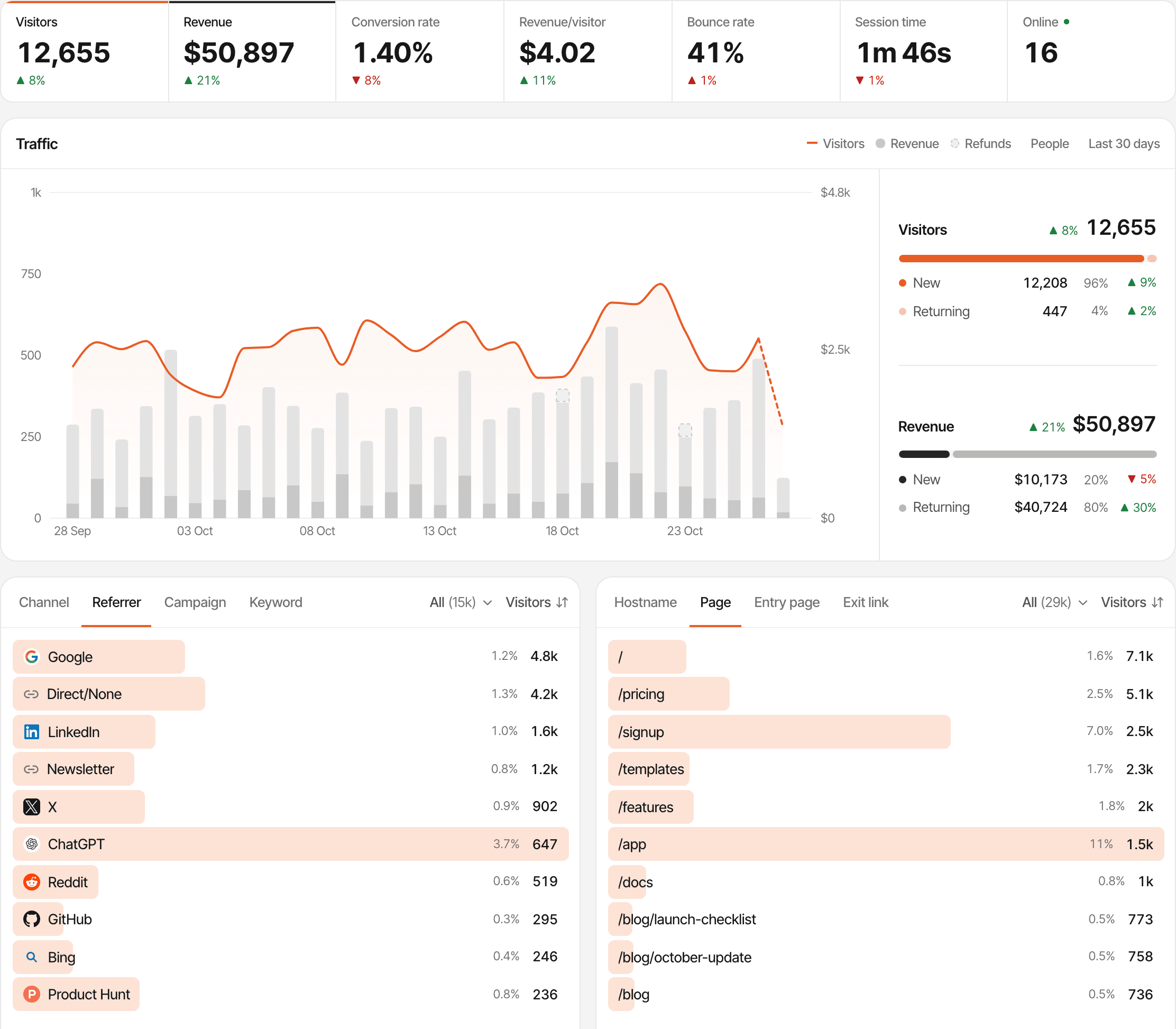
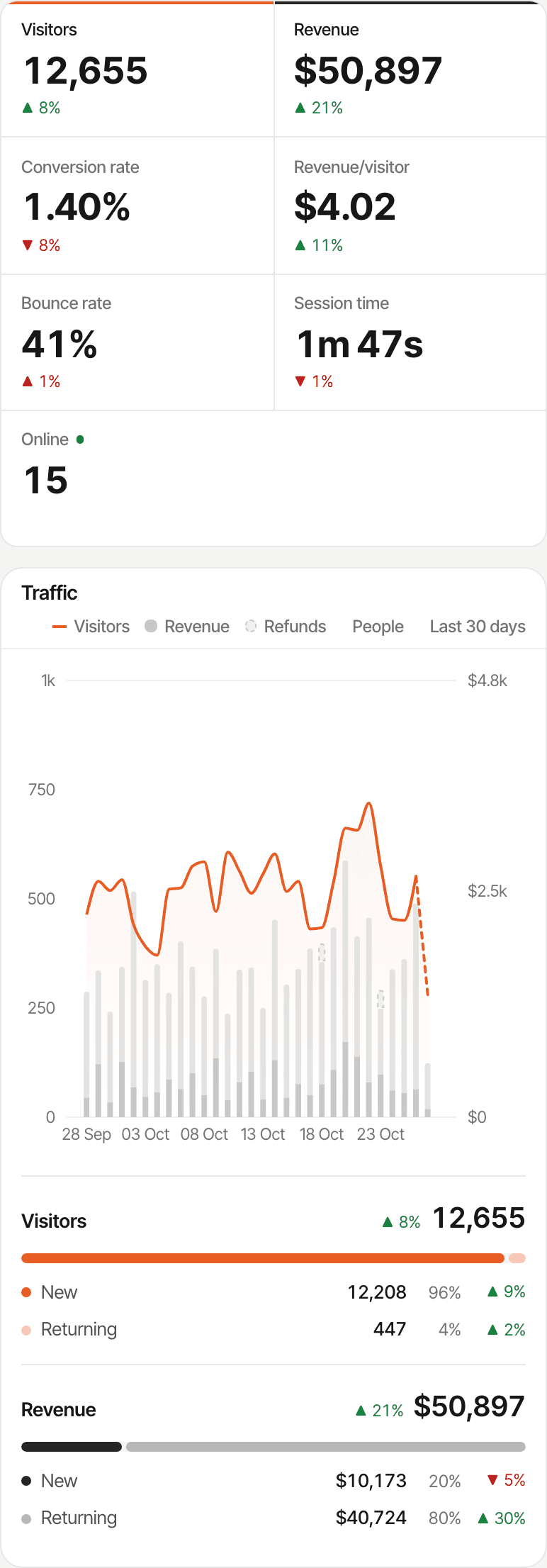
Traffic vs. conversions
A thousand visitors mean little if nobody converts.
A busy page can be the weaker one. What counts is how many of its visitors do what the page asks: join the waitlist, sign up, book the call, buy.
In the example, page B gets fewer than half the visitors but converts three times as well. Which one is worth more still depends on who signs up and whether they go on to pay, which is why the same dashboard can show revenue too.
SuprAnalytics reports on the pages you publish. It doesn't split traffic between versions of a page or test for statistical significance: put two pages side by side under the same dates and filters, and read what each one recorded.
| Page | Visitors | Signups | Conv. rate |
|---|---|---|---|
| Landing page A | 1,000 | 20 | 2% |
| Landing page B | 400 | 24 | 6% |
Traffic sources
Know which channels bring the right visitors.
Every visit is recorded with its referrer, campaign and the page it landed on, so you can see which channels fill the page and which ones convert.
- Organic Search
- Social
- AI
- Referral
- Paid
- Direct
- Google, Bing, Reddit, LinkedIn, X, newsletters and more are named and grouped into channels
- ChatGPT, Perplexity, Claude and other AI assistants get their own channel (AI traffic)
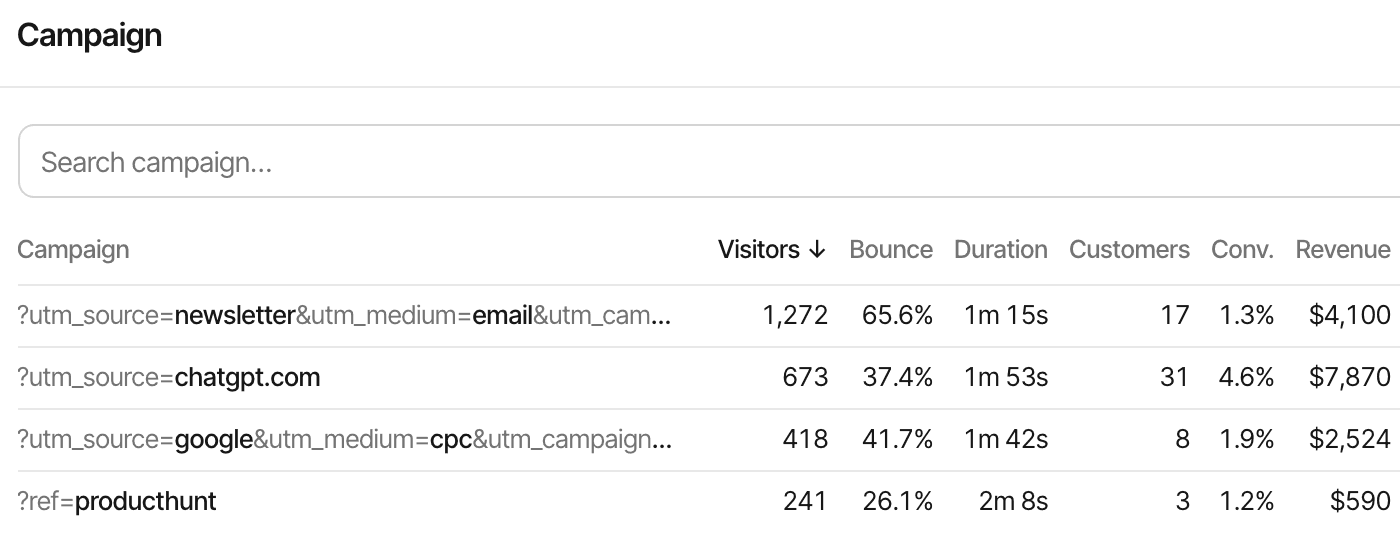
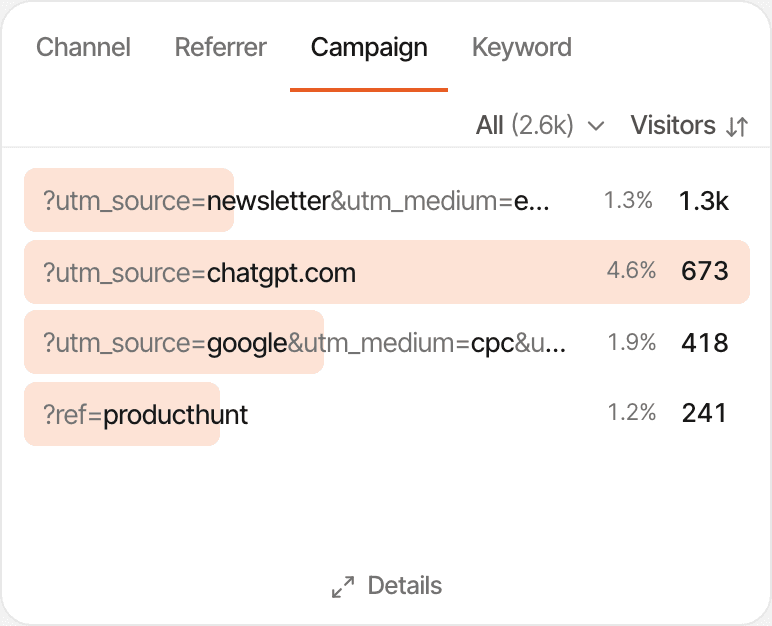
- Links tagged with UTM parameters or
?ref=appear as campaigns, each with its visitors, customers and revenue (UTM tracking) - The Entry page tab lists the pages visits started on, so each landing page has its own row
- Make your signup goal the #1 KPI and every source, campaign and entry page also shows how many of its visitors completed it, and its goal conversion rate
Not every visit says where it came from. Many apps, some browsers and private links send no referrer, and those visits are counted as Direct. Tagging the links you share fixes that for your own campaigns. Tracking parameters
CTA tracking
See whether visitors take the next step.
Your page has one button that matters. Tag it, and every click on it is counted as a goal, with the visitor's source, campaign and landing page beside it.
- Get started
- Join waitlist
- Book a demo
- Download guide
- View pricing
- Add
supr-goal="name"to a button or link: a click completes the goal, no JavaScript needed - Every
supr-goal-*attribute becomes a property, so one goal can tell the hero button from the footer one - “View pricing” needs no tag at all: a page goal for
/pricingcounts everyone who reached it, past visits included - Want to know who saw the offer?
supr-scrollcompletes a goal when a section comes into view (scroll goals)
Clicks aren't tracked as goals until you tag them. The script records pageviews and clicks on links to other websites by itself; a click on your own button or link is only a goal when it carries the attribute or calls window.supr(). And a click is interest, not a signup: the next section counts the ones that finished.
<a href="/signup"
   supr-goal="get_started"
   supr-goal-placement="hero">Get started</a>

<button supr-goal="book_demo">Book a demo</button>// For a click handled in your own JavaScript
window.supr("join_waitlist_click", {
placement: "footer",
});Goal names are lowercased, with spaces turned into underscores. Up to 10 properties per goal. Custom goals
Signups and leads
Track conversions that actually happened.
A click on Submit isn't a lead: the form can fail, the email can bounce, the visitor can give up halfway. Count the moment it succeeded instead.
- Waitlist signup confirmed
- Contact form sent
- Newsletter registration confirmed
- Account created
- Demo request submitted
A thank-you page
If your form leads to a page like /thanks, make it a page goal: name and path, no code. Only visitors who got there are counted.
An event after success
Call window.supr("waitlist_joined") in your form's success handler, after the request comes back without an error.
A goal from your server
For an account created, an email confirmed or a booking accepted, send the goal from your backend with the visitor's id.
// In your form's code, once the request succeeded
const res = await fetch("/api/waitlist", {
  method: "POST",
  body: new FormData(form),
});
if (res.ok) window.supr("waitlist_joined");# From your server, when the account is really created
curl -X POST https://supranalytics.app/api/v1/goals \
-H "Authorization: Bearer YOUR_API_KEY" \
-H "Content-Type: application/json" \
-d '{"visitor_id": "<supr_visitor_id cookie>",
"name": "account_created"}'Forms aren't detected automatically: SuprAnalytics doesn't listen for form submissions, so one of the three above is needed. A server goal needs a visitor who has already visited, and is recorded when it arrives.
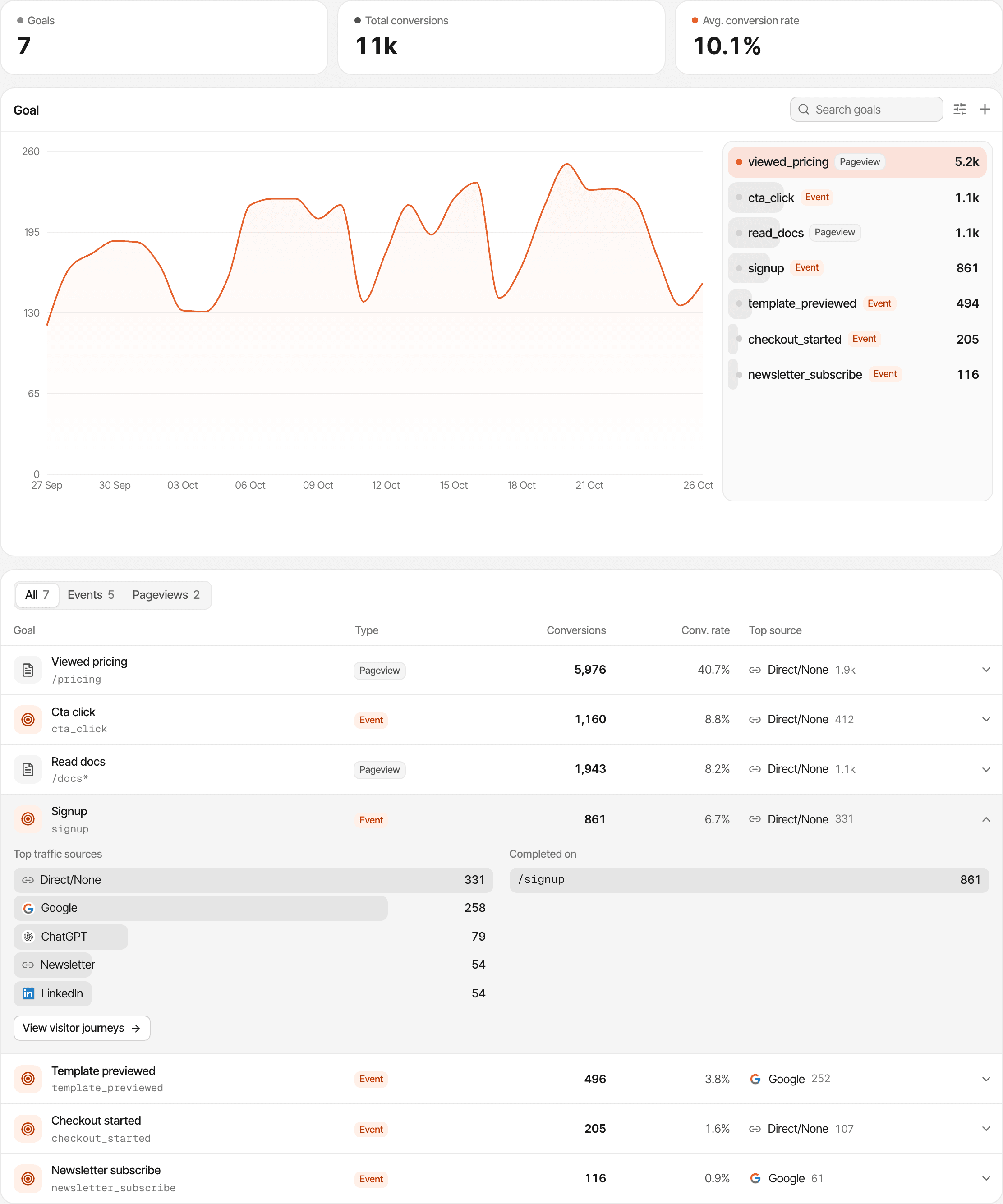
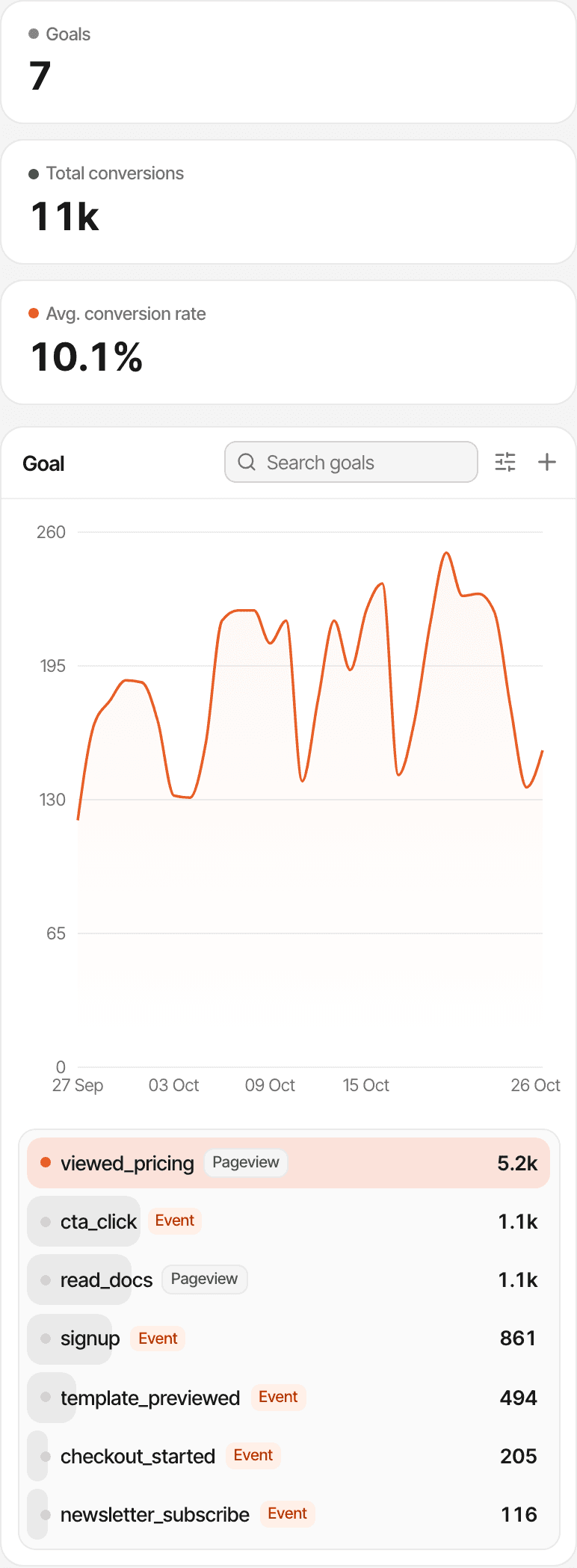
How the conversion rate is counted
Goal conversion rate = unique visitors who completed the goal ÷ unique visitors in the period
- Per visitor, not per visit or pageview. Someone who signs up twice counts once in the rate; both completions count in Conversions.
- Both sides use the same date range and filters. Filter by an entry page or a campaign and the rate is for those visitors.
- The dashboard's headline Conversion rate is a different figure: new paying customers ÷ visitors. Make a goal your #1 KPI to put that goal there instead.
Conversion funnels
See where visitors stop moving forward.
Save the path you want visitors to take as a funnel. It shows how many reach each step, how many stop between steps, and how long each step takes.
- Landing page
- Pricing page
- Signup
- Payment
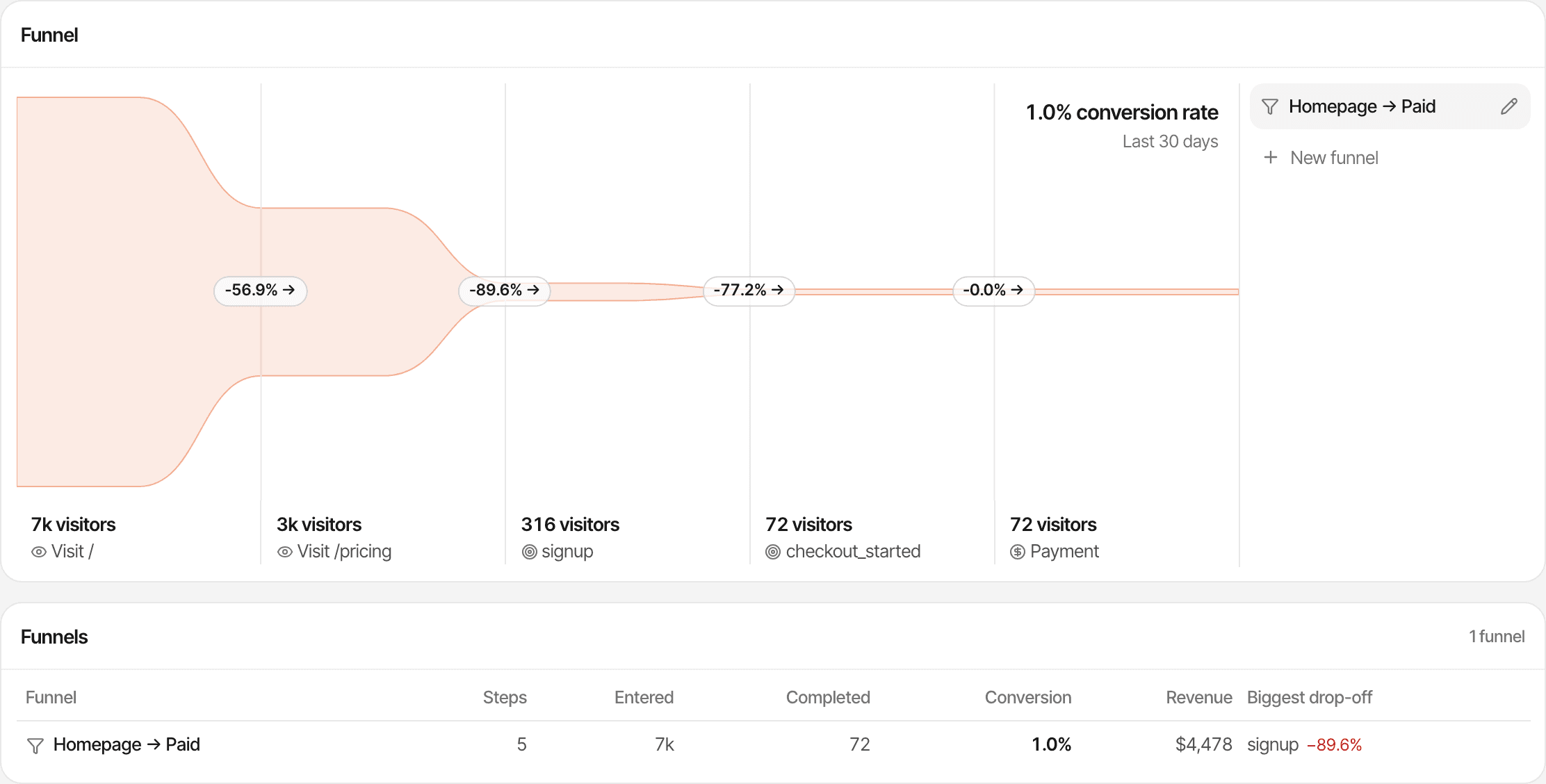
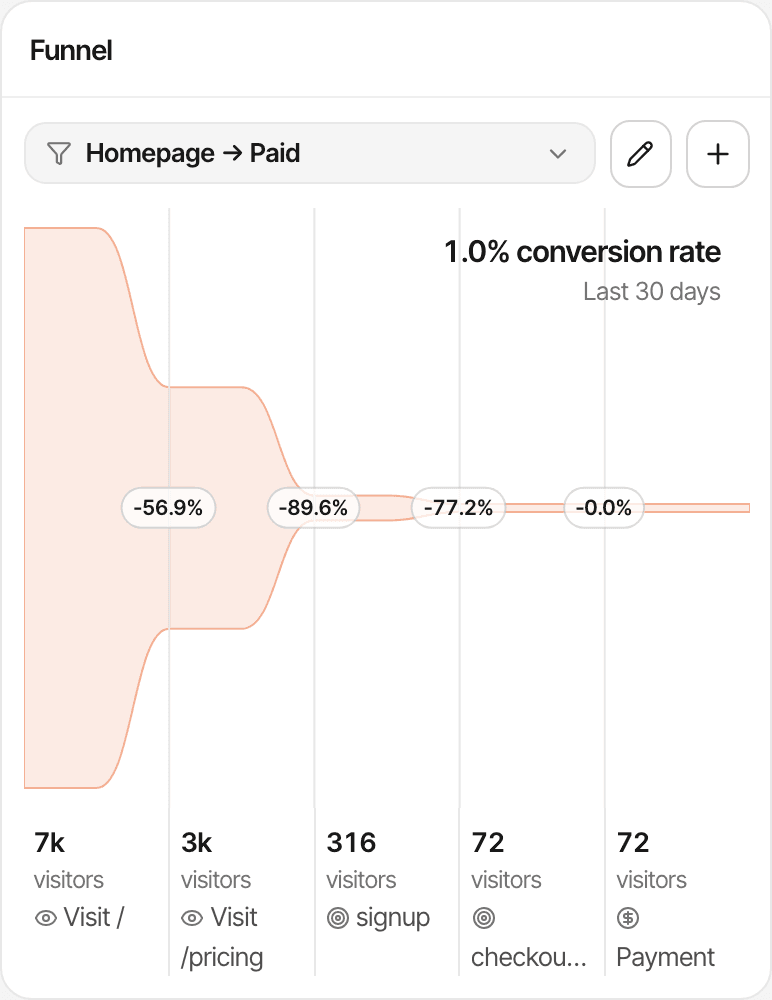
- 2 to 8 steps: a page visit (equals, contains, starts with, wildcard and more), a goal completed or not completed, or a payment
- Steps count unique visitors, in order, and can span several visits: each step is the visitor's first match after the previous one
- Step conversion, overall conversion, the visitors lost at each step and the average time between steps
- The dashboard's dates and filters apply, so one funnel can be read for one campaign or one landing page
You choose the steps: funnels aren't discovered automatically, and a goal step only counts once that goal is tracked. There's no conversion window besides the date range. Funnels show where people leave; turn on session recordings to watch why.
Revenue attribution
Find out which landing pages bring paying customers.
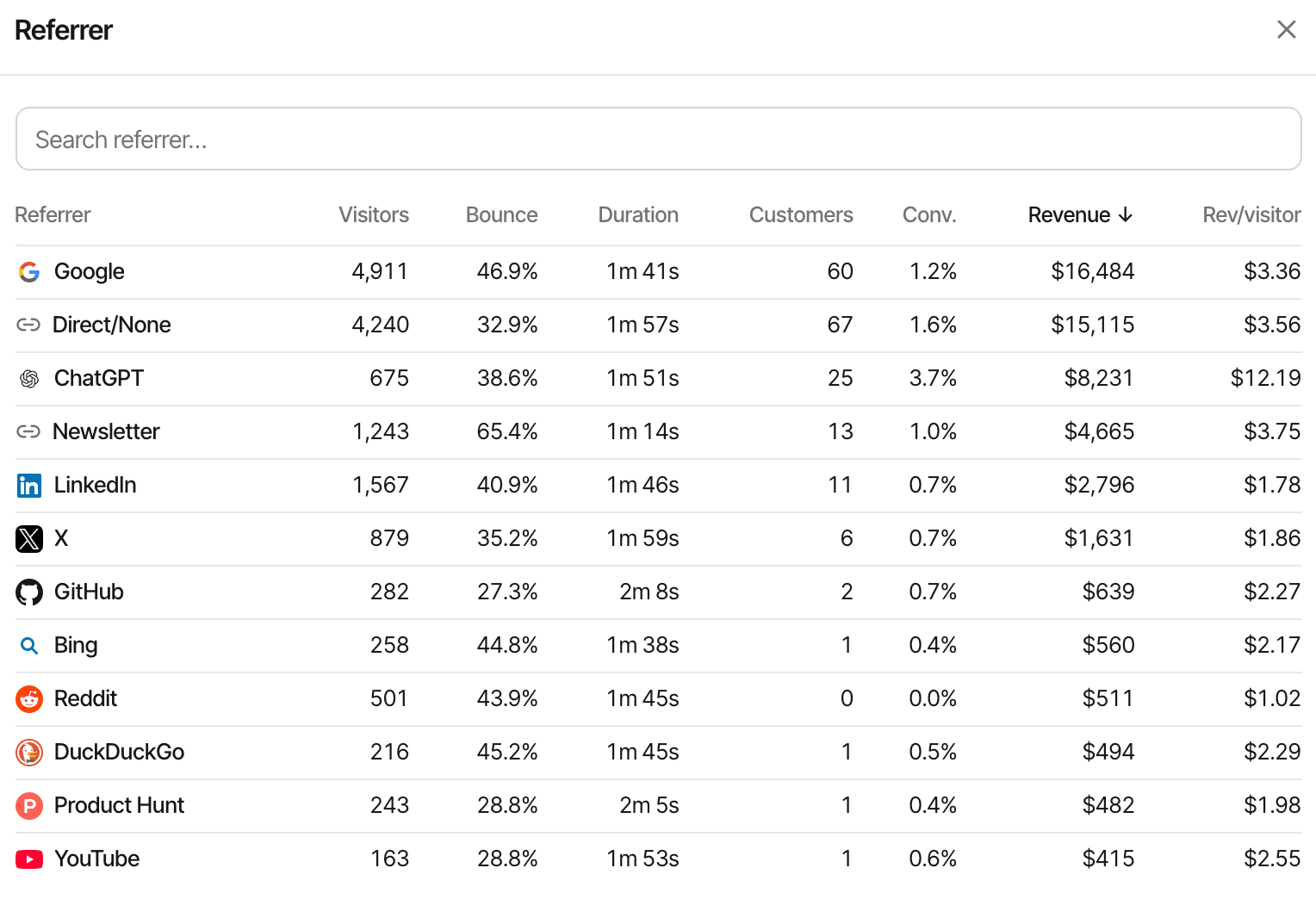
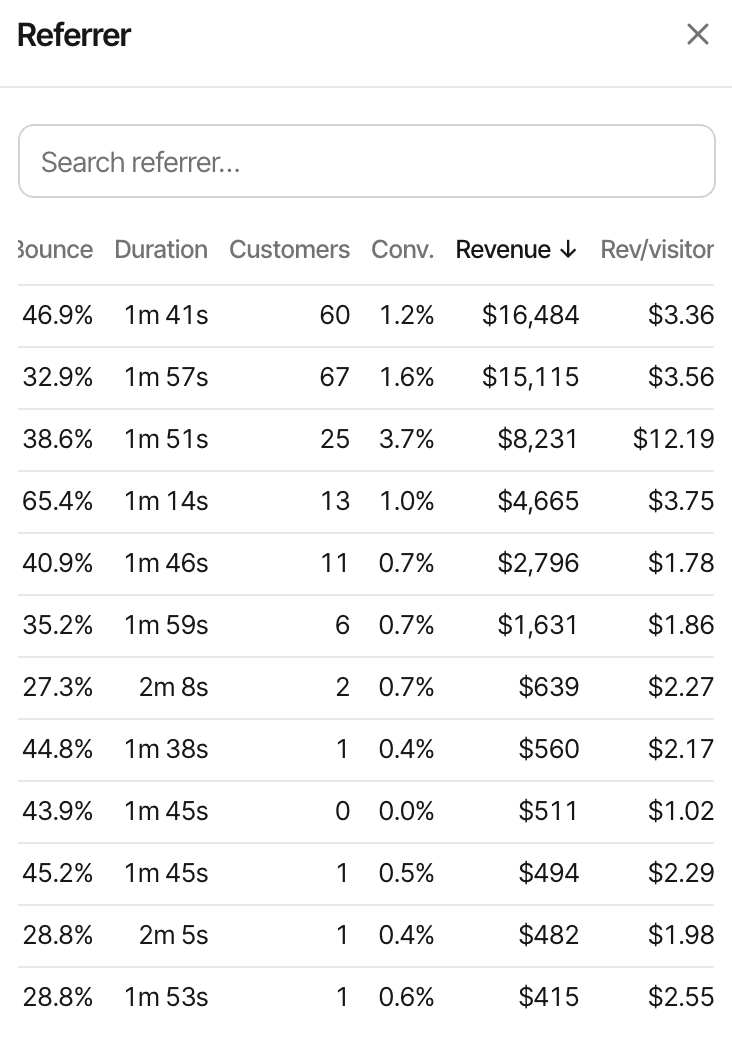
Signups are a promise; payments are the result. Connect your payment provider and each source, campaign and page shows the customers and revenue it led to, beside its visitors.
Works with Stripe, Polar, Lemon Squeezy, Paddle and Dodo Payments, each through its own webhook, and anything else through the Payment API.
| Campaign | Visitors | Signups | Cust.Customers | Revenue |
|---|---|---|---|---|
| Newsletter launch | 600 | 30 | 6 | $540 |
| Paid social | 1,500 | 45 | 3 | $270 |
First or last touch
Each website chooses which visit gets the credit: the first one ever (what found the customer) or the last one before paying (what closed the sale). Last touch is the default.
Last touch can be Direct
Someone who found you through an ad and came back later by typing your address is credited to Direct under last touch. Switch to first touch to credit the ad.
Unmatched payments
Attribution needs the provider's webhook and the visitor id carried through checkout. A payment that can't be tied to a visit still counts in your revenue, without a source.
No ad spend or ROAS
SuprAnalytics doesn't import what you spend on ads, so it doesn't calculate ROAS, CAC or profit. Revenue and revenue per visitor by campaign are there to set beside your own costs.
Visitor journeys
See what happened before someone converted.
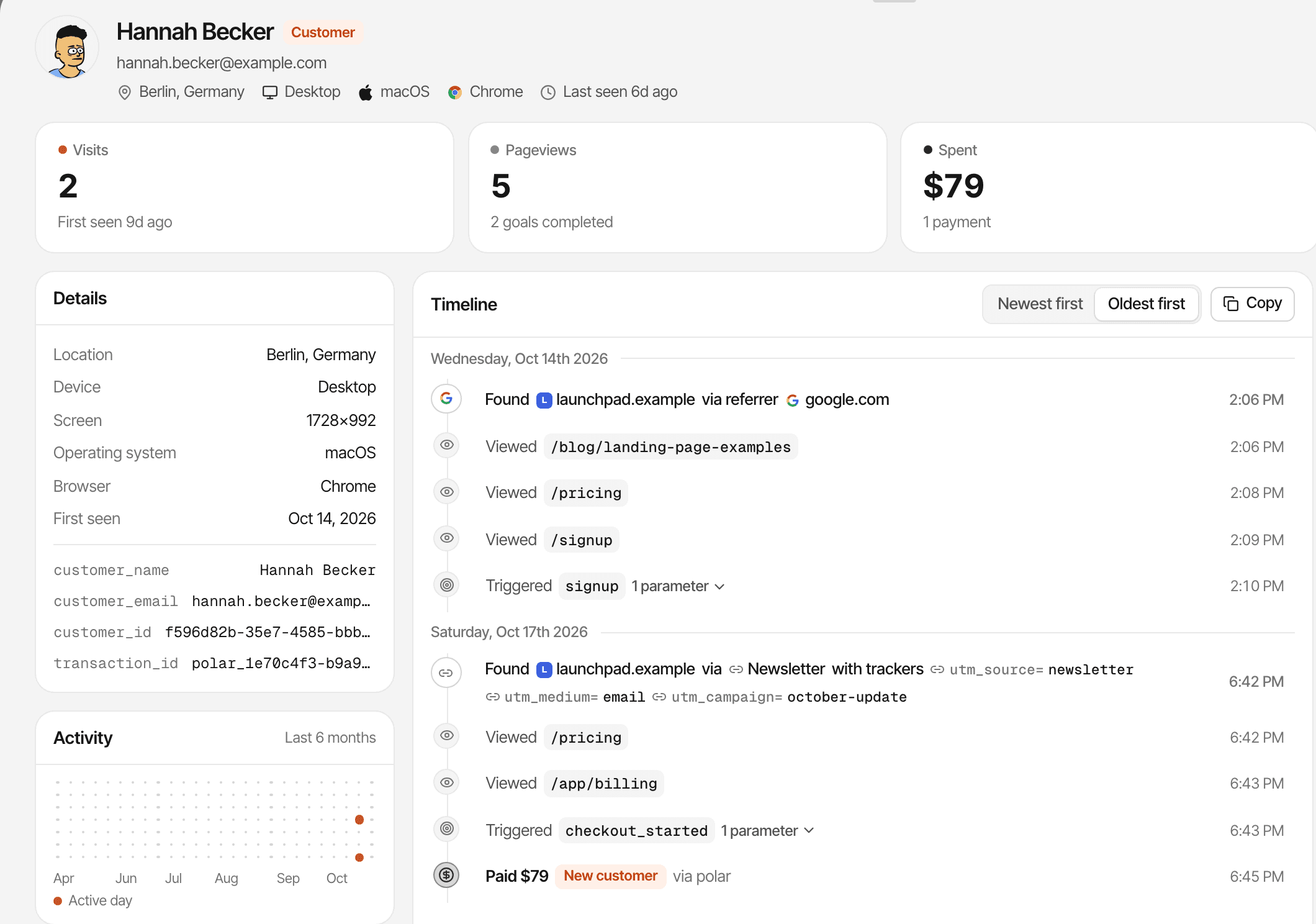
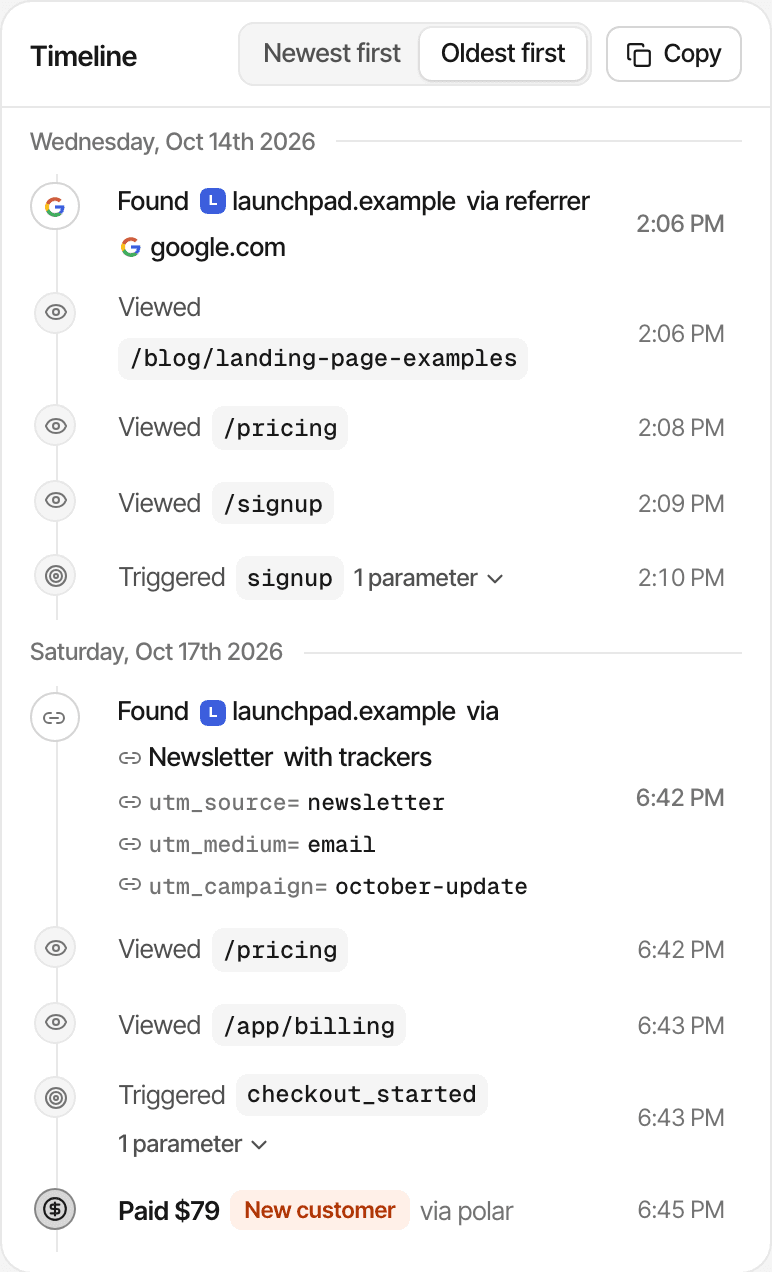
Open any visitor who signed up or paid and read their visits in order: where each one came from, the page it started on, the pages after it, the goals completed and the payment at the end.
- Landing page
- Pricing
- Signup goal
- Payment
An illustrative journey. The payment can come on a later visit.
- Each visit with its source and UTM tags, then every page, goal and outbound click in order
- Payments on the timeline once they're matched to the visitor, marked as new customer, renewal or refunded
- Every goal lists the visitors who completed it, with their first source and time to complete (visitor journeys)
A journey is what the script recorded in one browser: pages and the actions you track, not a recording of the screen. Someone who reads on a phone and buys on a laptop is two visitors, unless your app identifies them; in cookieless mode a visitor is recognised for a day.
Realtime
See traffic arrive when your campaign goes live.
Publish the post, send the email, switch on the ads, then watch who arrives, where from, and whether they reach the goal.
- Product Hunt launch
- Reddit post
- Newsletter campaign
- Social announcement
- Paid campaign launch
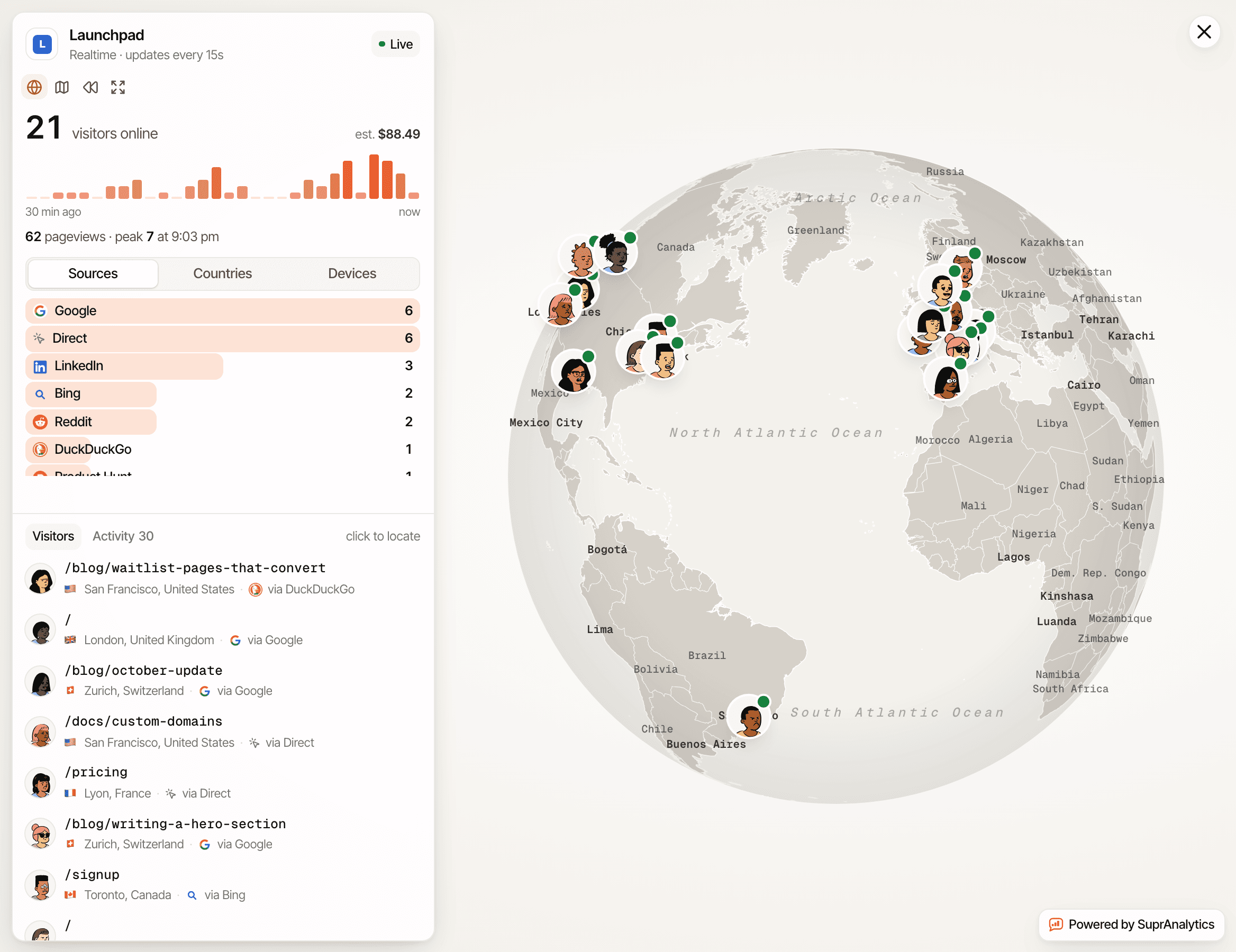
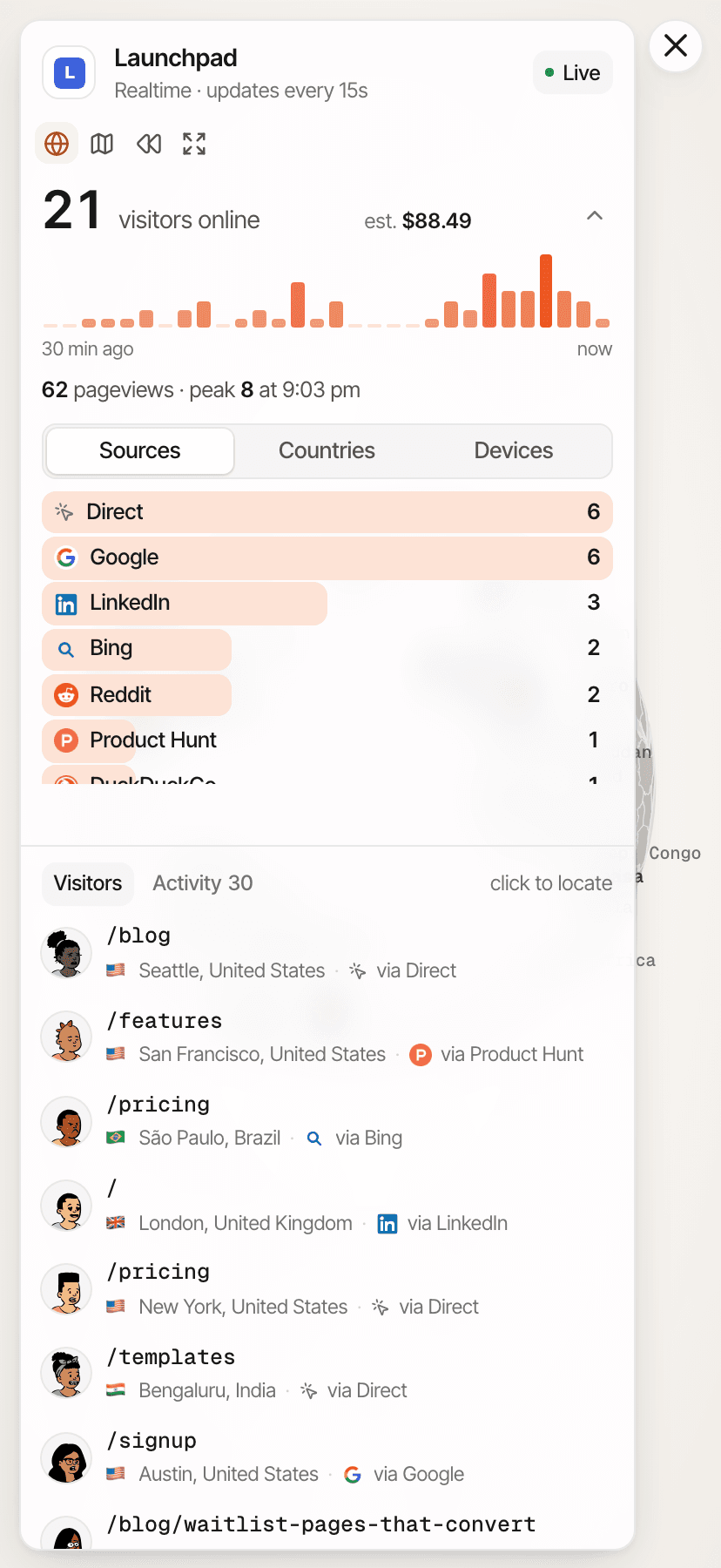
Who's online
Visitors seen in the last 5 minutes, with their source, page, country and device.
As it happens
A feed of pageviews, goals and payments as they're recorded: quick, though not instant.
Minute by minute
The last 30 minutes in one-minute bars, to see the spike when the post goes up.
Against last week
Turn on Compare to set any period against the one before it (realtime analytics).
Multiple pages and websites
One dashboard for every page you're testing.
One landing page per campaign, or a separate site for each product: both fit in one account.
Several landing pages on one website
- Each page has its own row in the Pages report and the Entry page tab, with its views, bounce rate and revenue
- Filter the whole dashboard to one entry page to see its sources, goals and funnel
- Pages on a subdomain such as
go.yourdomain.comreport to the same website, split by Hostname
Several websites in one account
- Unlimited websites on every plan, each with its own dashboard, goals and payment setup
- All websites puts their visitors, revenue and trends side by side (how it works)
- Your plan's monthly events are shared across all of them
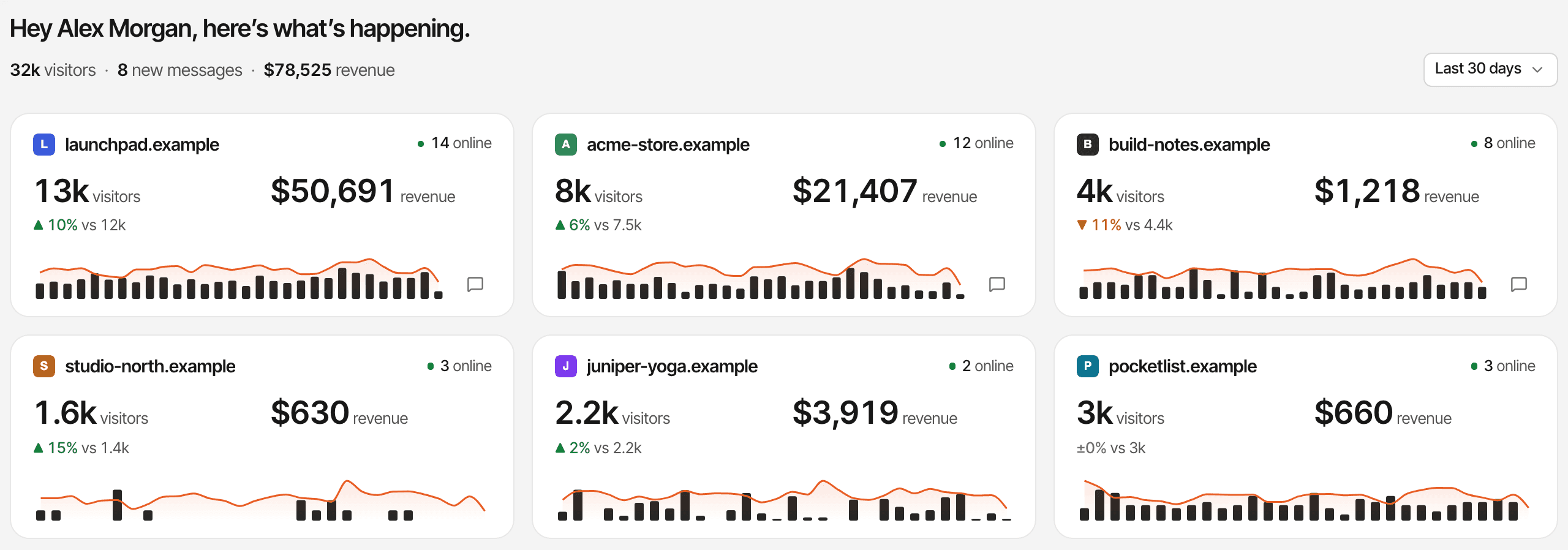
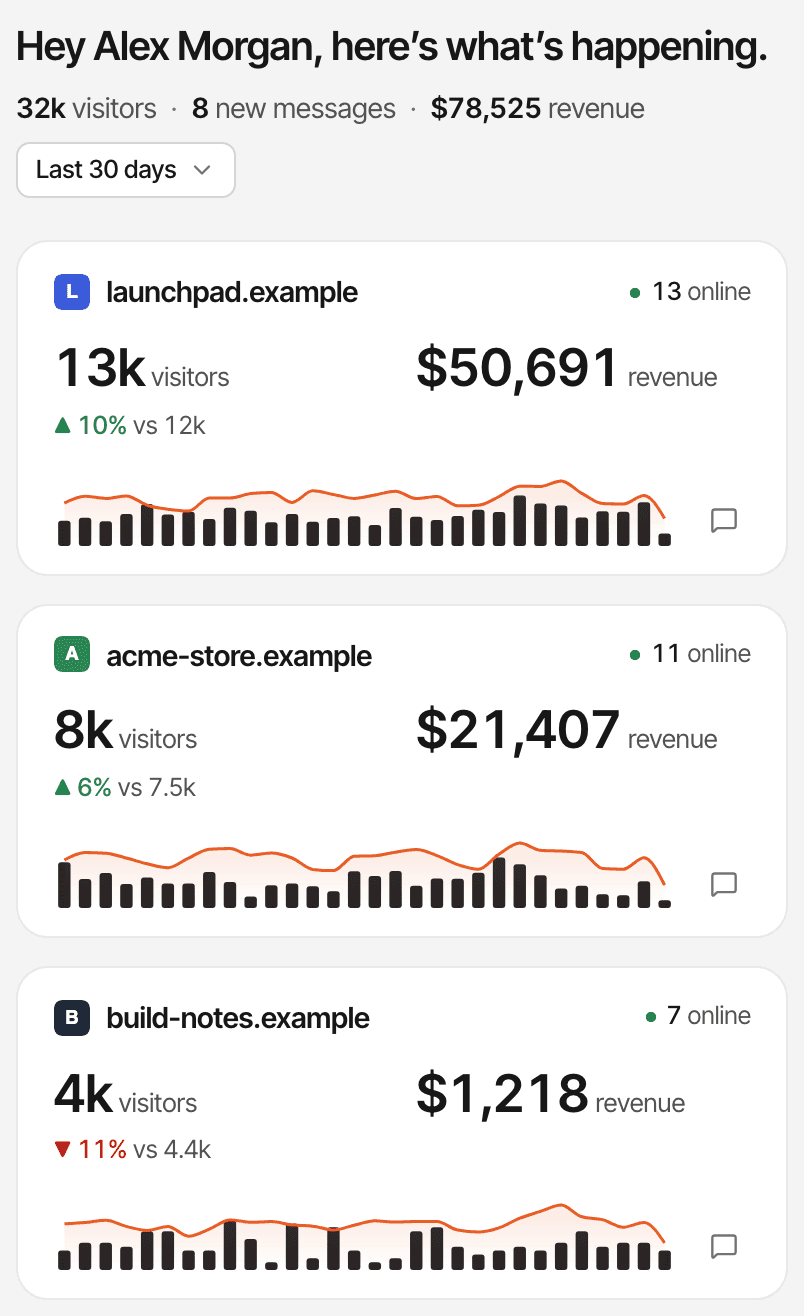
“Testing” here means publishing pages and comparing what each one recorded. There's no built-in A/B testing: SuprAnalytics doesn't split traffic between versions or calculate statistical significance.
Use cases
Measure the action your landing page was built for.
Most landing pages exist for one result. Decide what it is, track it the way it really happens, and read every other number against it.
Waitlist landing page
Measures: Successful registrations
An event goal sent after the signup succeeds, or a page goal on the confirmation page. Make it your #1 KPI to see it on every source and campaign.
SaaS landing page
Measures: Signups and demo requests
A signup goal (sent from your server once the account exists) and a demo-request goal, then a funnel from the landing page through signup to payment.
Digital product landing page
Measures: Attributed purchases
Payments from Polar, Lemon Squeezy, Stripe, Paddle or Dodo Payments, credited to the source and campaign of the visit, with revenue per visitor.
Lead generation landing page
Measures: Completed inquiries
A goal sent when the inquiry is actually received. Turn on the chat to answer questions on the page: visitors start a conversation from the bubble.
The chat is part of the same script and is switched on per website. A name or email appears only when the visitor gives one. Live chat
Questions, answered.
What is landing page analytics?
How do I track visitors to my landing page?
Can I track CTA button clicks?
Can I measure form submissions and signups?
How does SuprAnalytics calculate conversion rates?
Can I see which traffic sources generate conversions?
Does SuprAnalytics support A/B testing or heatmaps?
Can I track multiple landing pages in one account?
More solutions
- For indie hackersTraffic, signups and payments by source, for solo founders shipping fast.Open
- For SaaSTrack traffic, trials and subscription revenue back to their sources.Open
- For startupsSee which launches and channels bring paying customers, on a small budget.Open
- For developersA small script, custom events, a payments API and an MCP server.Open
- For agenciesEvery client website in one account, with shareable public dashboards.Open
- For creatorsWhich posts and newsletters sell your digital products.Open
- For small businessesSimple website analytics, goals and a live chat, without the setup.Open
Turn landing page traffic into useful insights.
Understand where visitors come from, what they do, and which actions lead to signups and revenue.
14-day free trial · No card requiredSee pricing