
For startups
Understand what's working before you spend more on growth.
See where your visitors come from, what they do on your website, and which channels lead to conversions and revenue. Get the insights your startup needs without a complicated analytics setup.
14-day free trial · No card required · From $9/month
- Understand traffic
- Measure conversions
- Connect acquisition to revenue
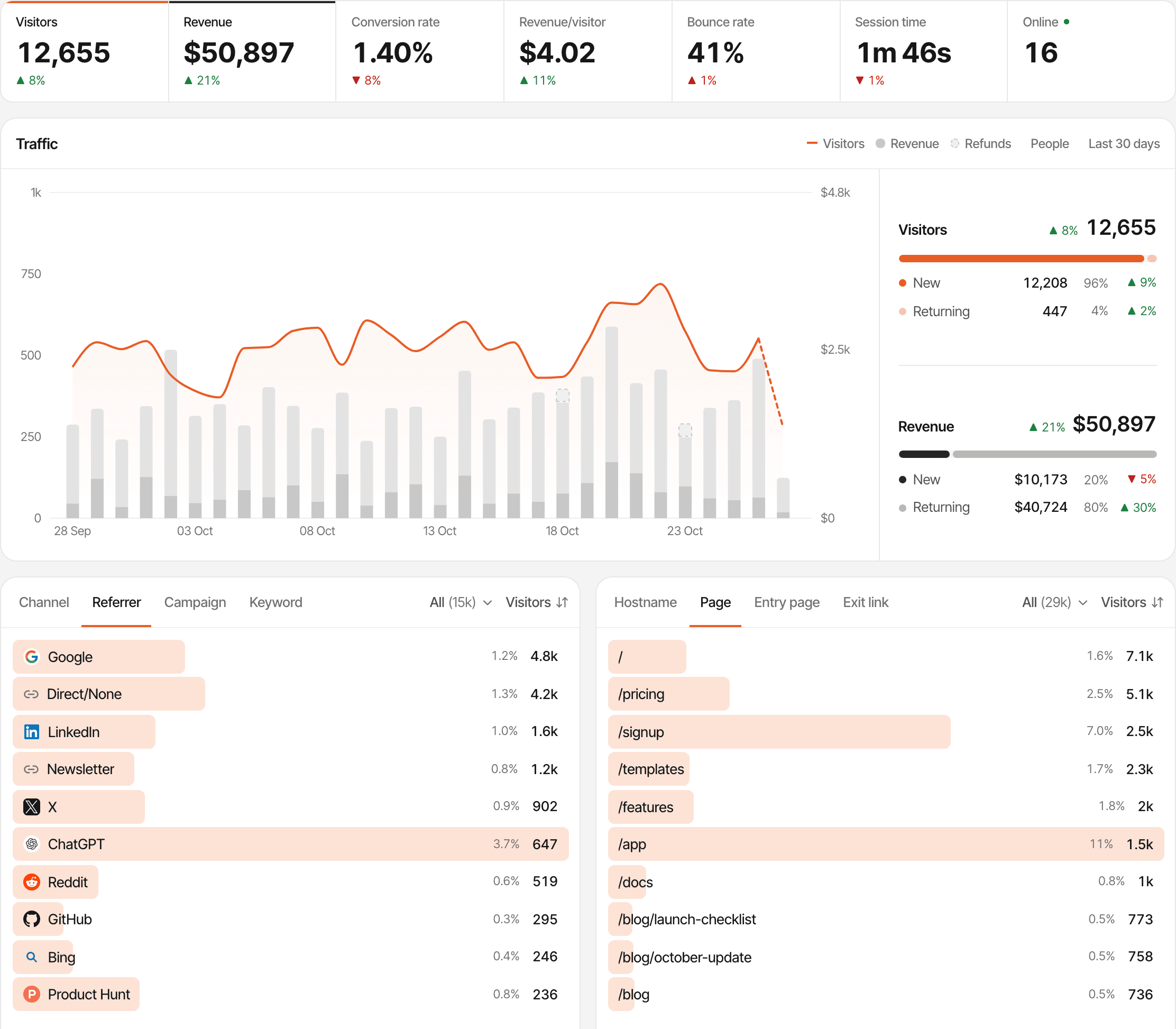
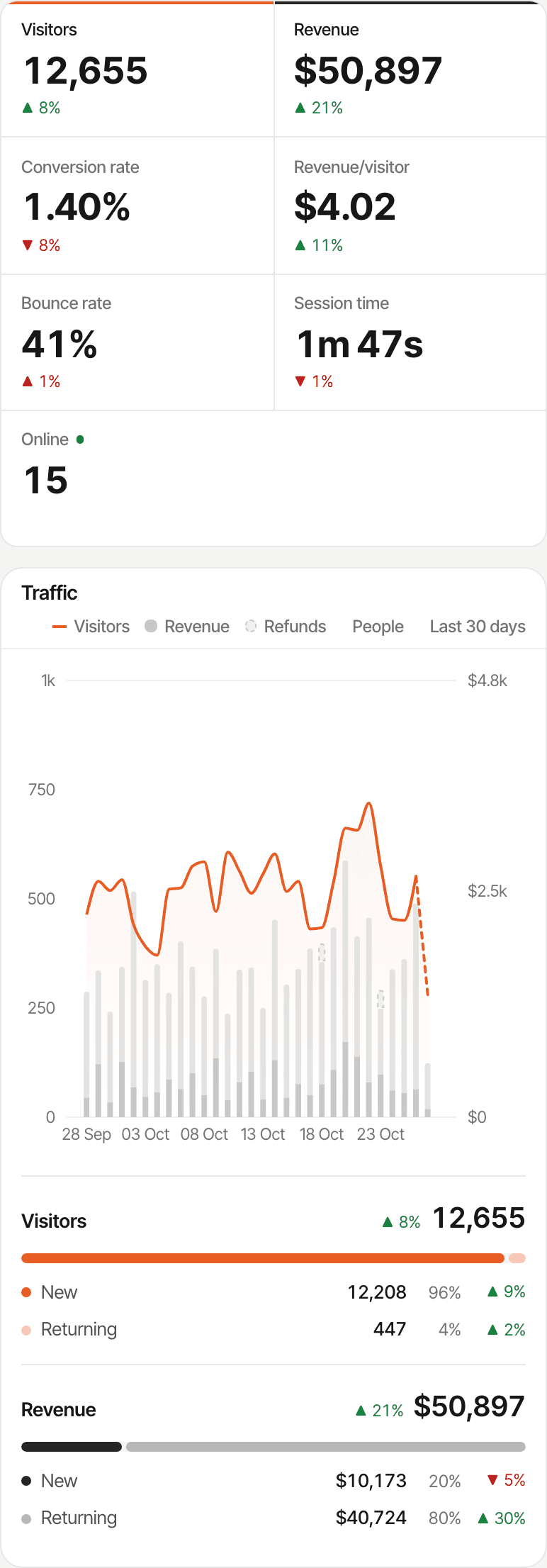
You're getting visitors. But is your startup actually growing?
A traffic chart going up feels like progress. It isn't, on its own: a thousand visitors who leave tell you less than twenty who join the waitlist, and twenty sign-ups tell you less than three who pay. Early on, the useful question is which of your experiments moves people further along.
SuprAnalytics won't tell you whether you've found product-market fit. It shows what visitors did and what they paid, so the judgement stays yours, made on data instead of guesses.
Acquisition
Know where every growth experiment sends traffic.
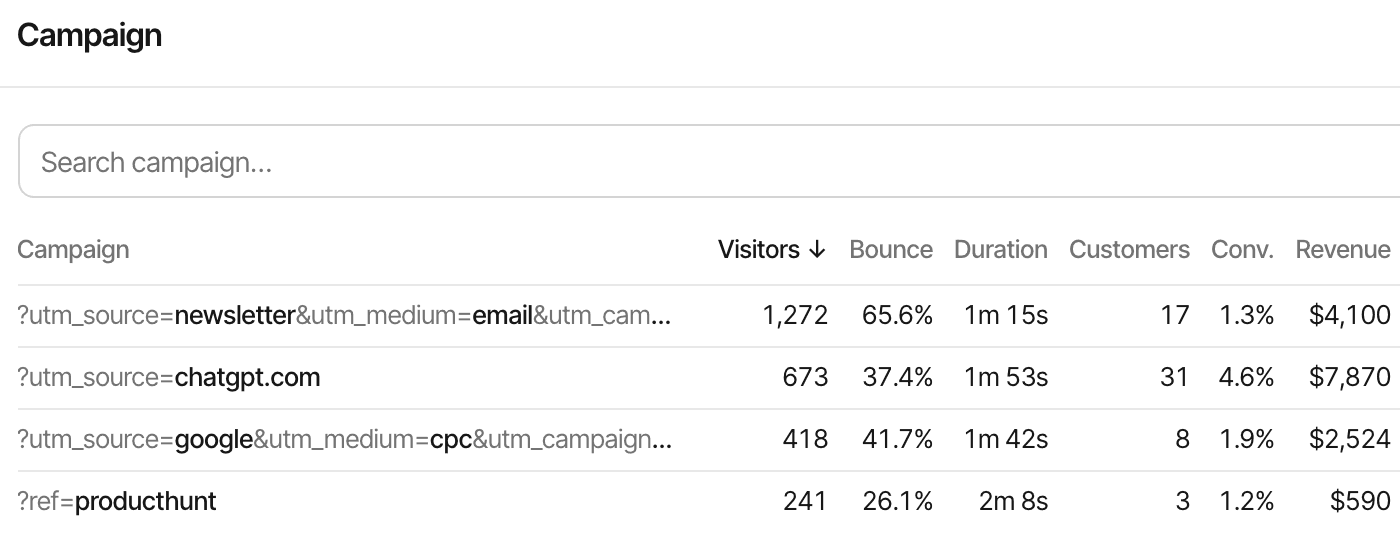
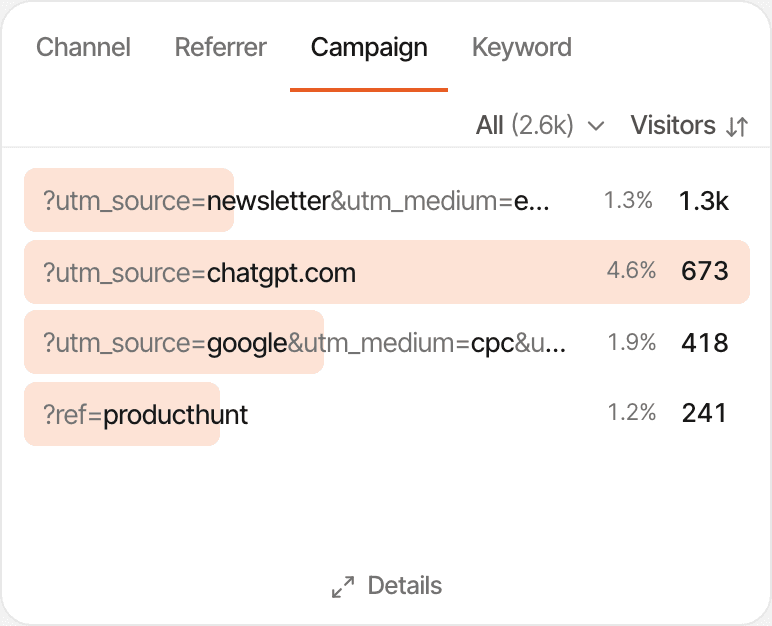
A Reddit thread, a cold email sequence, a guest post, a directory listing: each experiment should show up as its own line, with the visitors it sent and what they did next.
- Referrers grouped into channels: organic search, social, AI, email, paid, referral and direct
- UTM campaigns, or a short
?ref=tag, so each post, email or ad gets its own row (UTM tracking) - Visits from ChatGPT, Perplexity, Claude, Gemini and other assistants counted as AI traffic
- Entry pages, so you see which landing page each experiment's visitors saw first
- Countries, devices, browsers, and new against returning visitors
Traffic with no detectable referrer, from many apps, some browsers and links pasted into chats, shows as Direct. Tag the links you share and those visits keep their source. Tracking parameters
First conversions
Track the actions that show real interest.
Before revenue, interest is the signal: someone joined the waitlist, asked for a demo, or started a trial. Make each of those a goal and every report shows how many visitors, and which sources, got there.
Waitlist signup
An event goal from your form's success handler, or a pageview goal on the thank-you page.
Demo request
An event goal when the booking form is sent, or a pageview goal on the confirmation page.
Contact form completion
An event goal once the message is sent, not when the button is pressed.
Account registration
An event goal from your sign-up code, in the browser or from your server.
Trial signup
An event goal with properties, such as the plan someone picked.
Checkout completion
A pageview goal on your success page. Revenue itself comes from your payment provider.
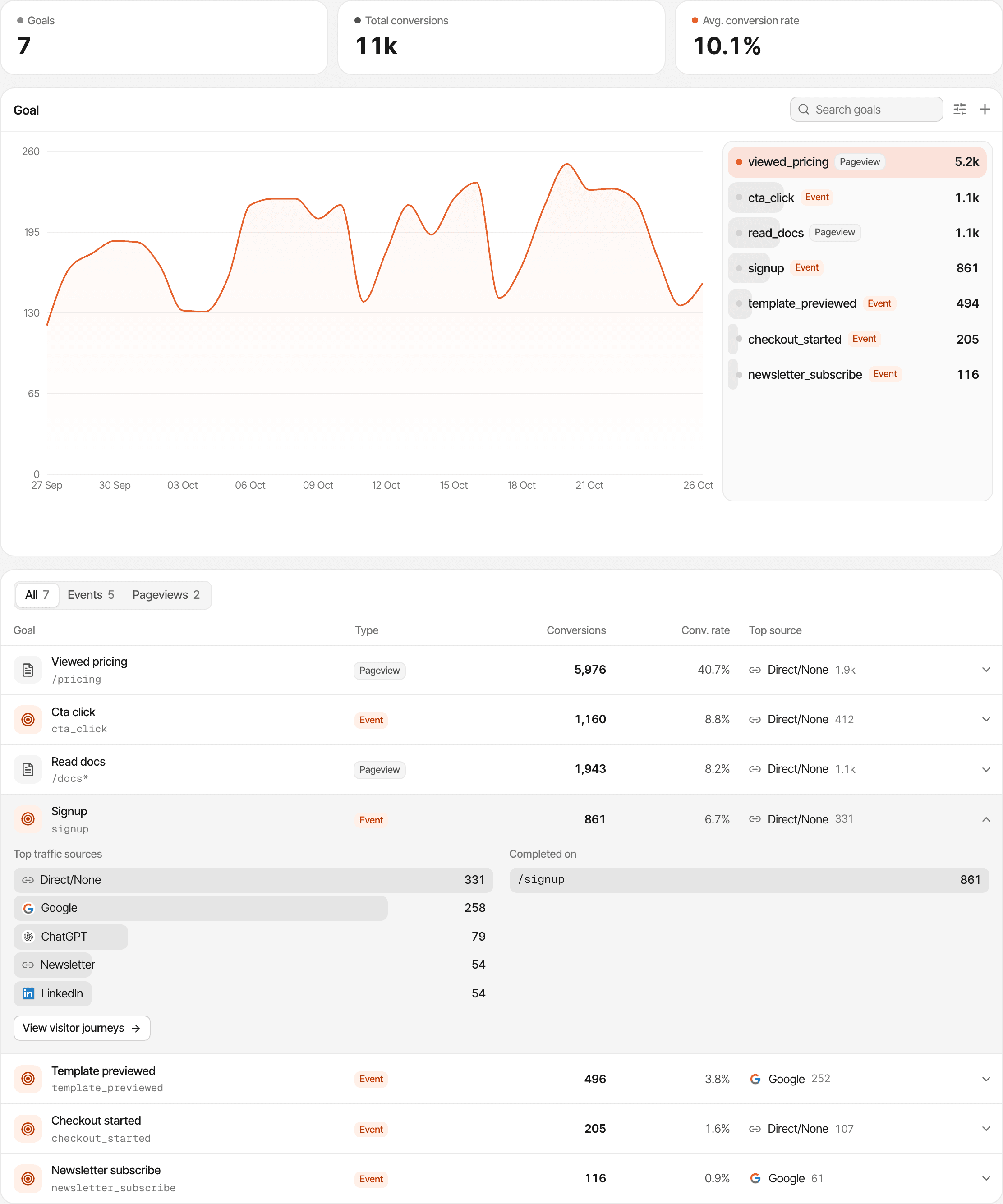
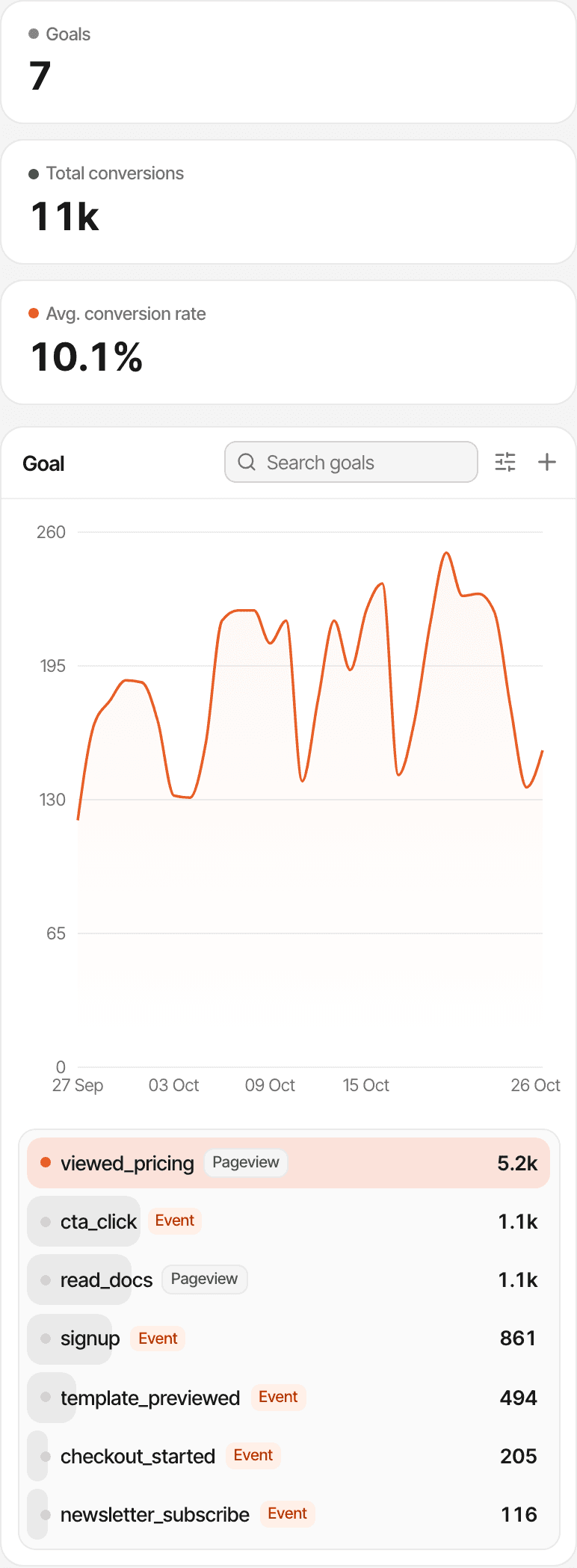
Two kinds of goal
- Pageview goals complete when someone opens a page, such as
/thanksor/waitlist/*. No code, and they count past visits too. - Event goals complete when your code says so:
window.supr("waitlist_joined")after the form succeeds, or asupr-goalattribute on a button, which counts the click. - Each goal shows its conversions, the share of visitors who completed it, and the sources they came from
Sign-ups and form submissions aren't detected on their own: SuprAnalytics doesn't read your forms. Each needs a goal call, an attribute or a thank-you page, set up once. A goal records an action; it isn't a payment, and a checkout goal adds nothing to revenue. Custom goals · Goal tracking
Funnels
Find the step that's costing you conversions.
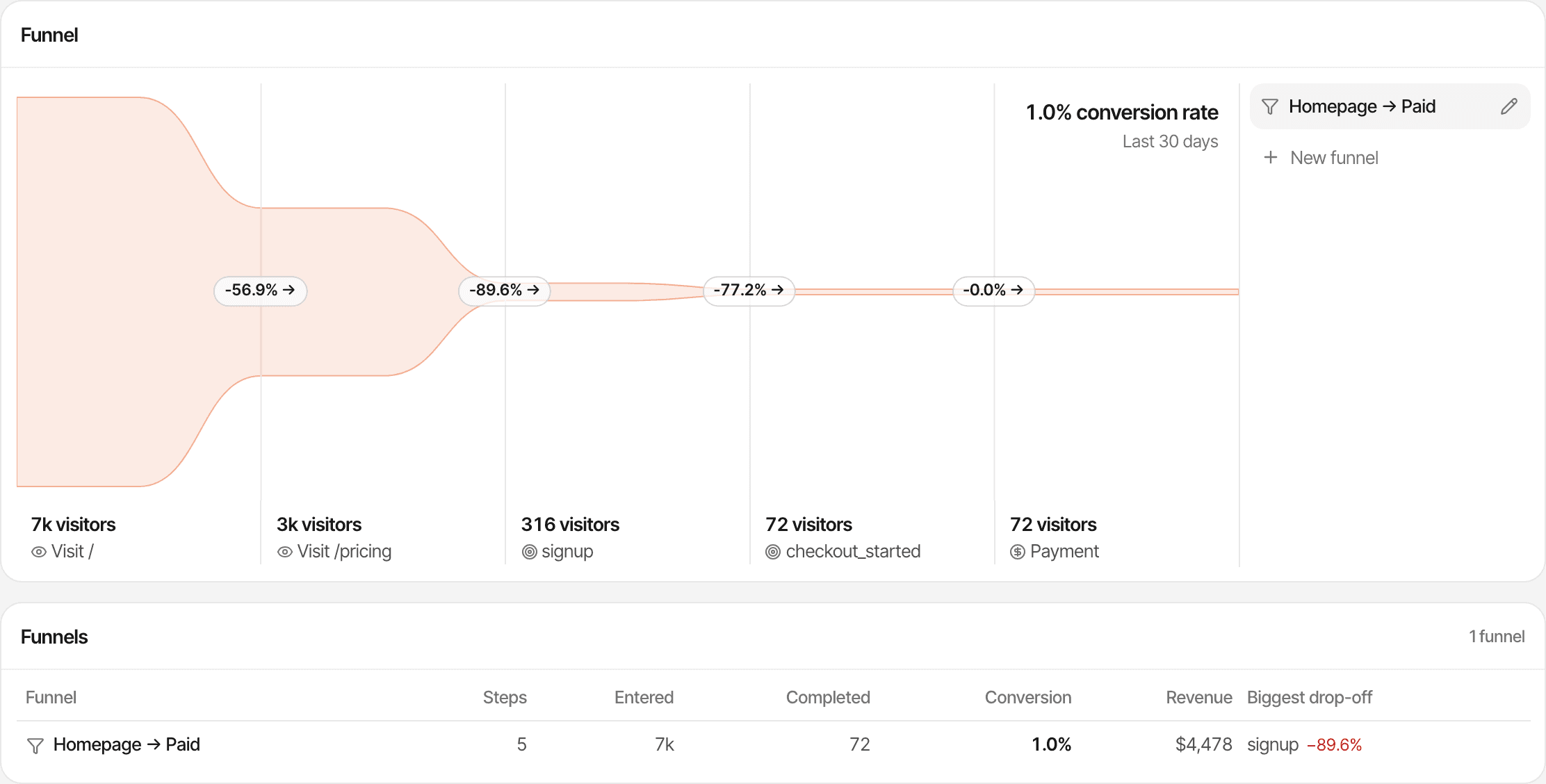
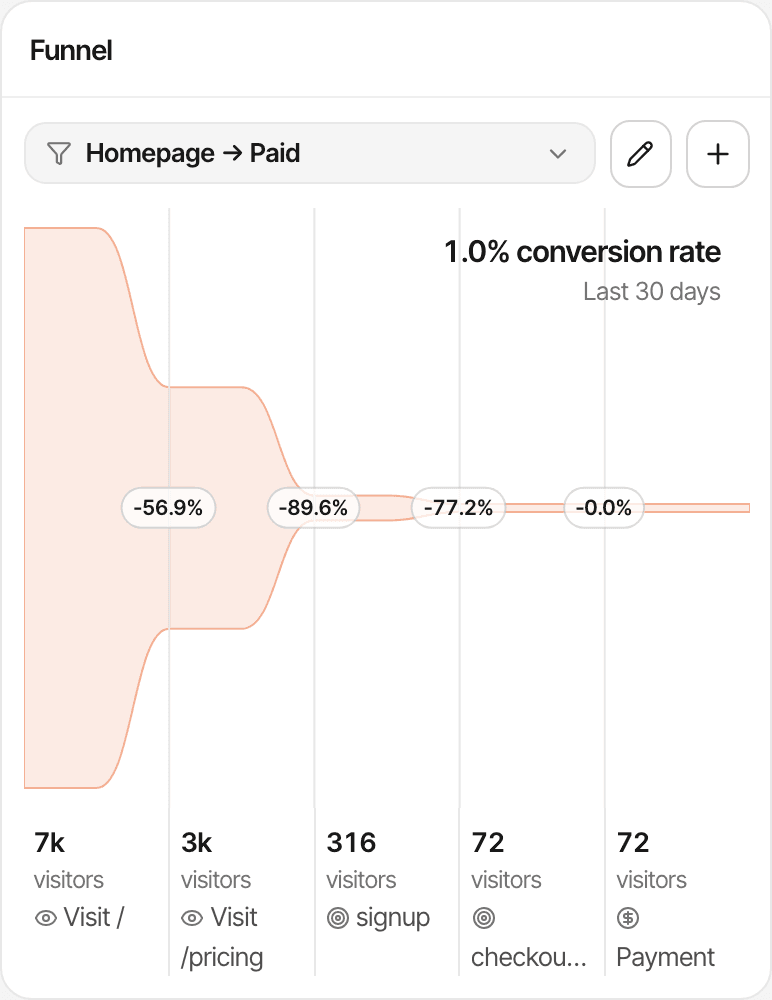
When ten in a hundred reach pricing and one signs up, the problem isn't traffic. A funnel puts your path in order and shows how many visitors reach each step, so you fix the step that loses the most people.
- Landing page
- Pricing page
- Signup
- Payment
Two to eight steps
Each a page, a goal or a payment, in the order you choose.
Drop-off per step
The share that moved on, the number lost, and the time between steps.
Across visits
Someone who reads pricing today and signs up next week still completes the funnel.
Filter who enters
Narrow it to visitors who arrived from one source or campaign, then switch the filter to compare experiments.
Funnels count the steps you define; none is tracked automatically beyond pageviews. How conversion funnels work
Revenue
Don't just track clicks. Track customers and revenue.
Connect your payment provider and each source, campaign and landing page shows the customers and revenue it led to, beside its visitors. Then compare experiments by what they earned, not by how loud they were.
Works with Stripe, Polar, Lemon Squeezy, Paddle and Dodo Payments, each through its own webhook, and anything else through the Payment API. New payments and renewals are shown apart, and refunds are taken out.
| Experiment | Visitors | Customers | Conv. | Revenue |
|---|---|---|---|---|
| Launch post on X | 2,400 | 4 | 0.17% | $196 |
| Reddit thread | 900 | 5 | 0.56% | $245 |
| Partner newsletter | 420 | 9 | 2.1% | $441 |
First touch
Credits the visit where a customer first arrived. Use it to ask which experiments introduce people who later pay.
Last touch (the default)
Credits the most recent visit before the payment. Use it to ask what brought them back to buy. If that visit had no referrer, the payment is credited to Direct.
Each website uses one model at a time, and neither splits credit across visits. A payment is tied to a visit through the visitor id passed at checkout, or the provider's customer id or email; one that can't be tied still counts in your revenue, without a source. SuprAnalytics doesn't import ad spend, so it doesn't calculate CAC or ROAS: divide what a campaign cost by the customers it shows here.
Journeys
See what people did before they signed up or paid.
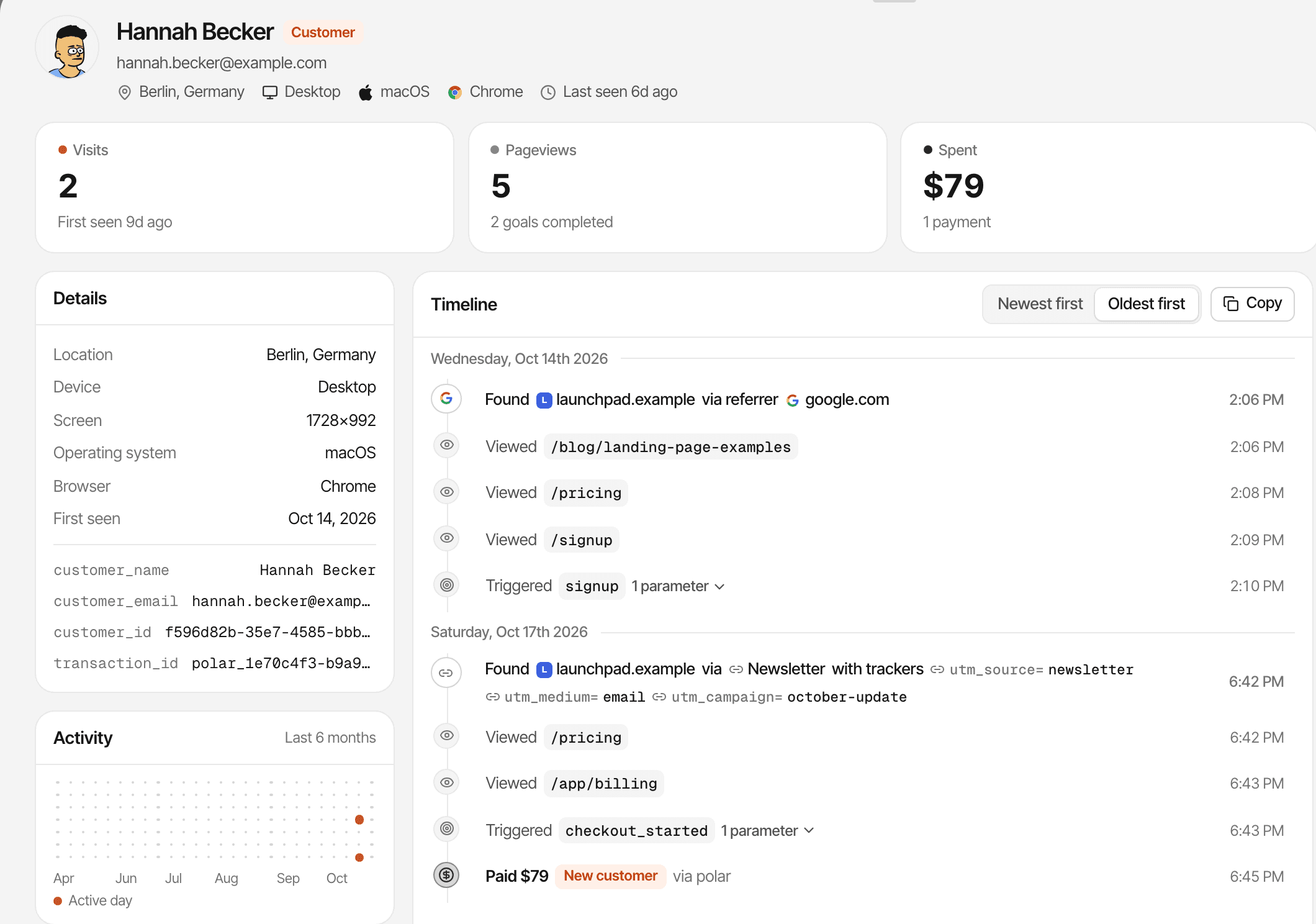
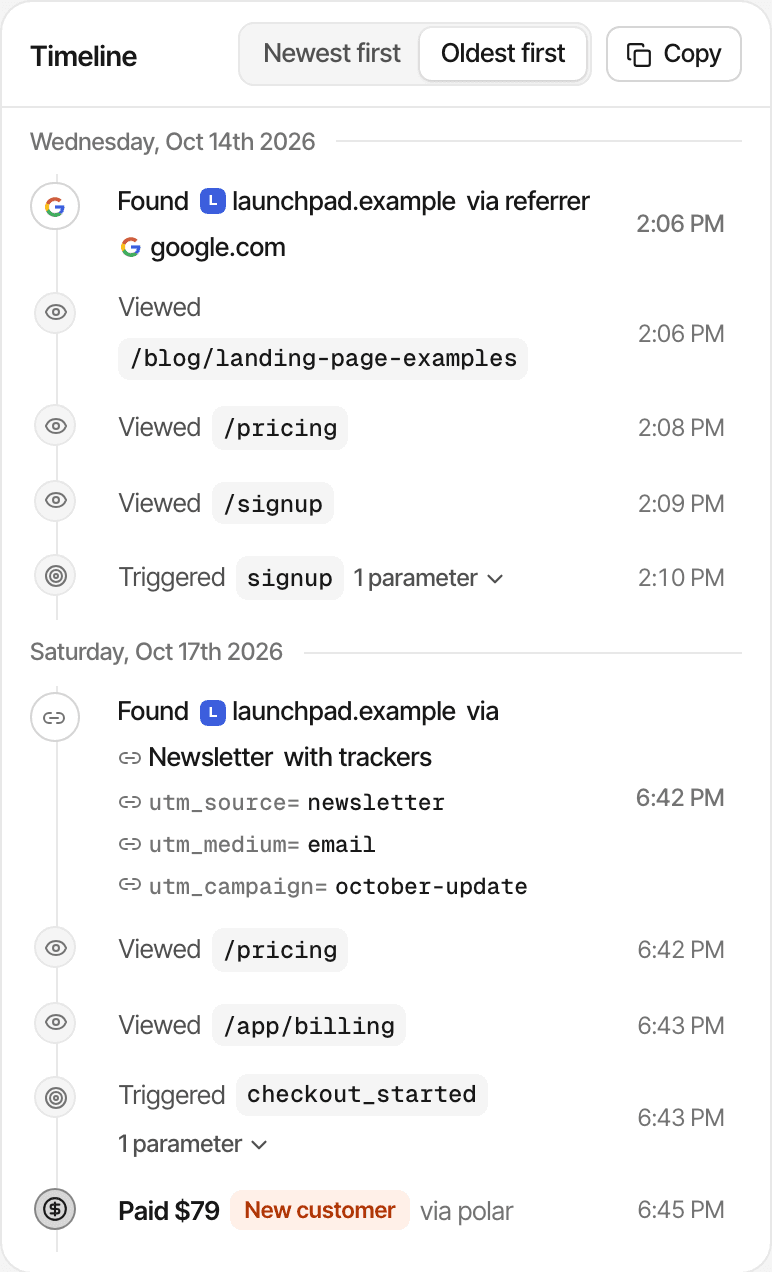
Open any visitor or customer and read their path in order: the source of each visit, the pages they read, the goals they completed and the payment that followed.
- Every visit with its source, so you see whether a customer found you on Reddit and came back through Google
- Goals and matched payments on the same timeline, with the time it took to convert
- Common paths through the website, to see what people read before they convert
A visitor is one browser. Someone who switches from phone to laptop is two visitors; identifying users puts a name or email on a visitor but doesn't merge devices. In cookieless mode a visitor is recognised for one day, so multi-day journeys and returning visitors aren't available. Visitor journeys
Live chat
Turn questions into conversations.
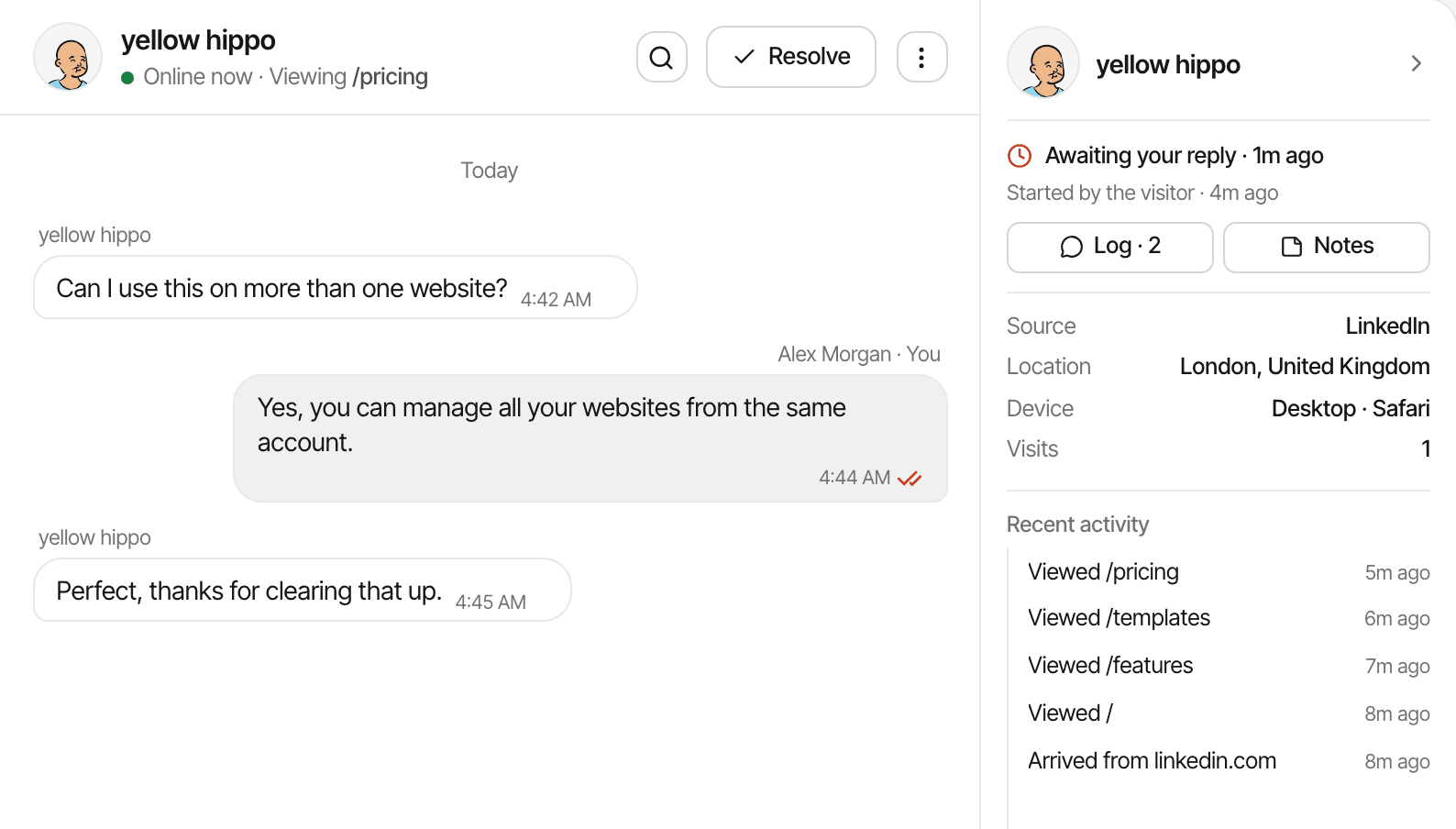
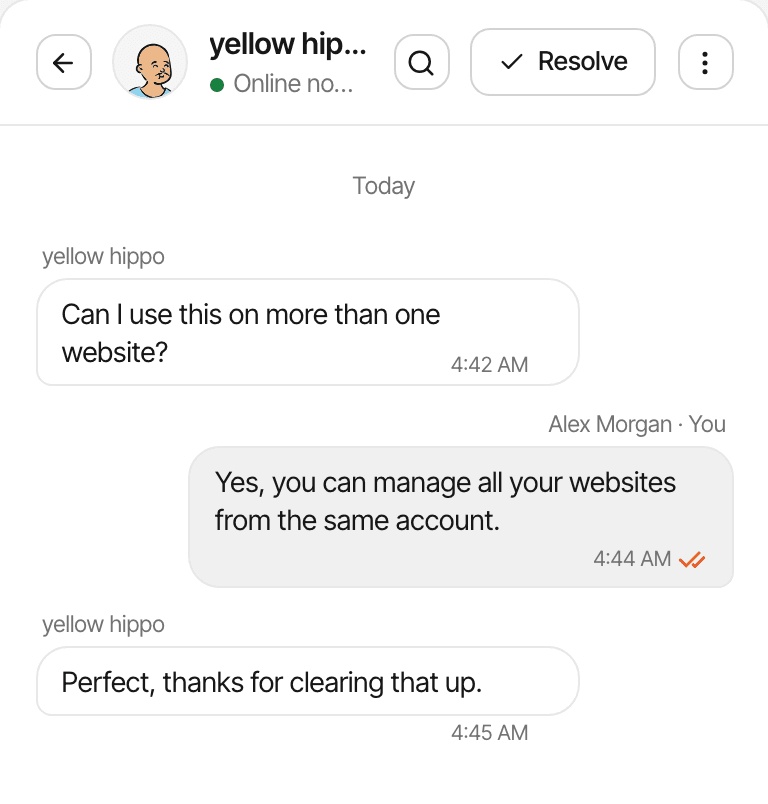
Early on, every objection is worth hearing. Analytics shows that people left the pricing page; a chat lets the one who's unsure about your security, your integrations or your price ask you, while they're still deciding.
- The chat bubble comes from the same script as your analytics: one switch in Settings
- Each conversation opens beside the visitor's source, pages, device and approximate location
- Reply from the inbox or from Telegram, and by email once a visitor has left one
- Page alerts open the chat with your own message on a page you choose, such as /pricing
It's a chat, not a feedback platform: there are no surveys, automatic tagging or AI replies. You read and answer each conversation yourself.
Launch day
See what happens when you launch.
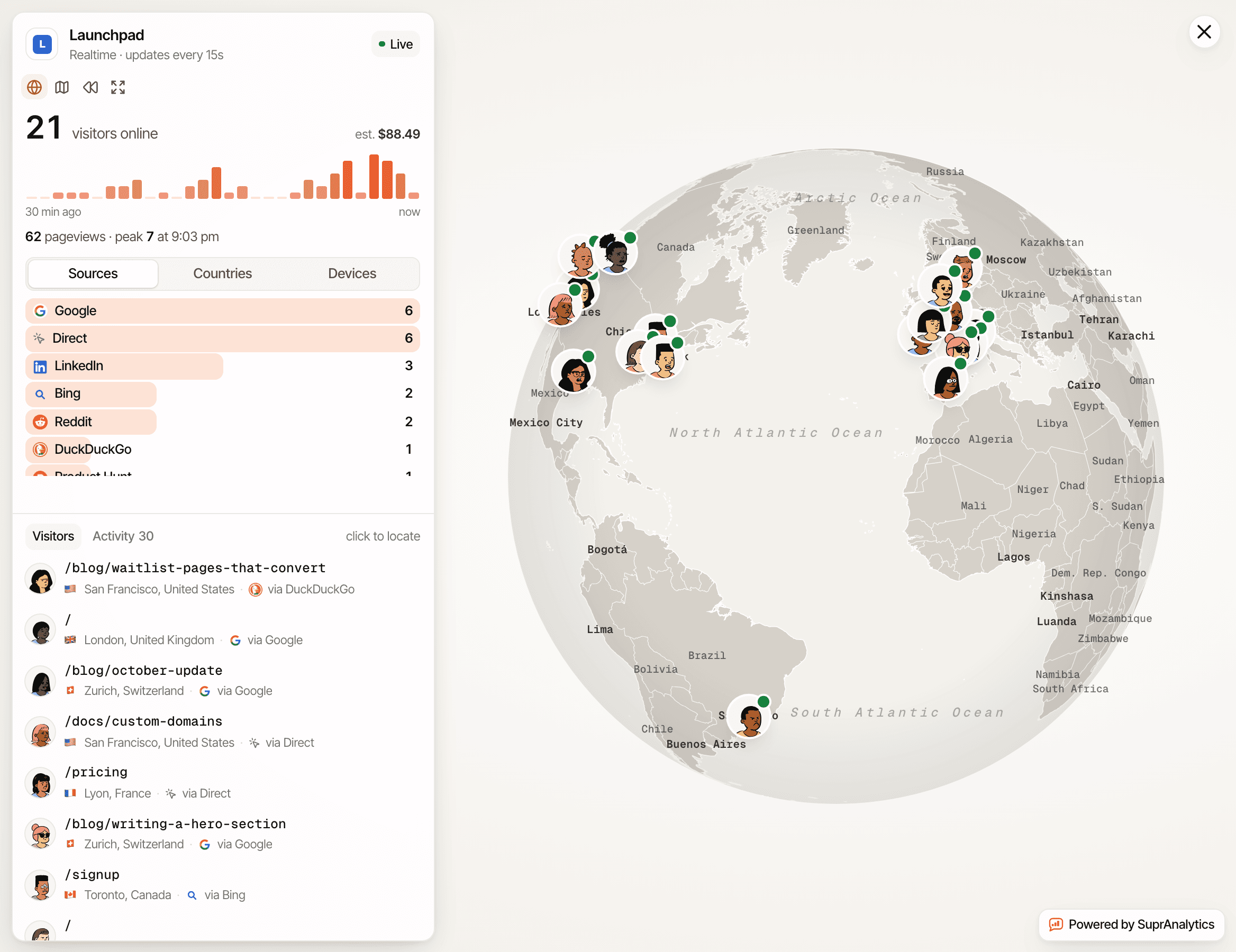
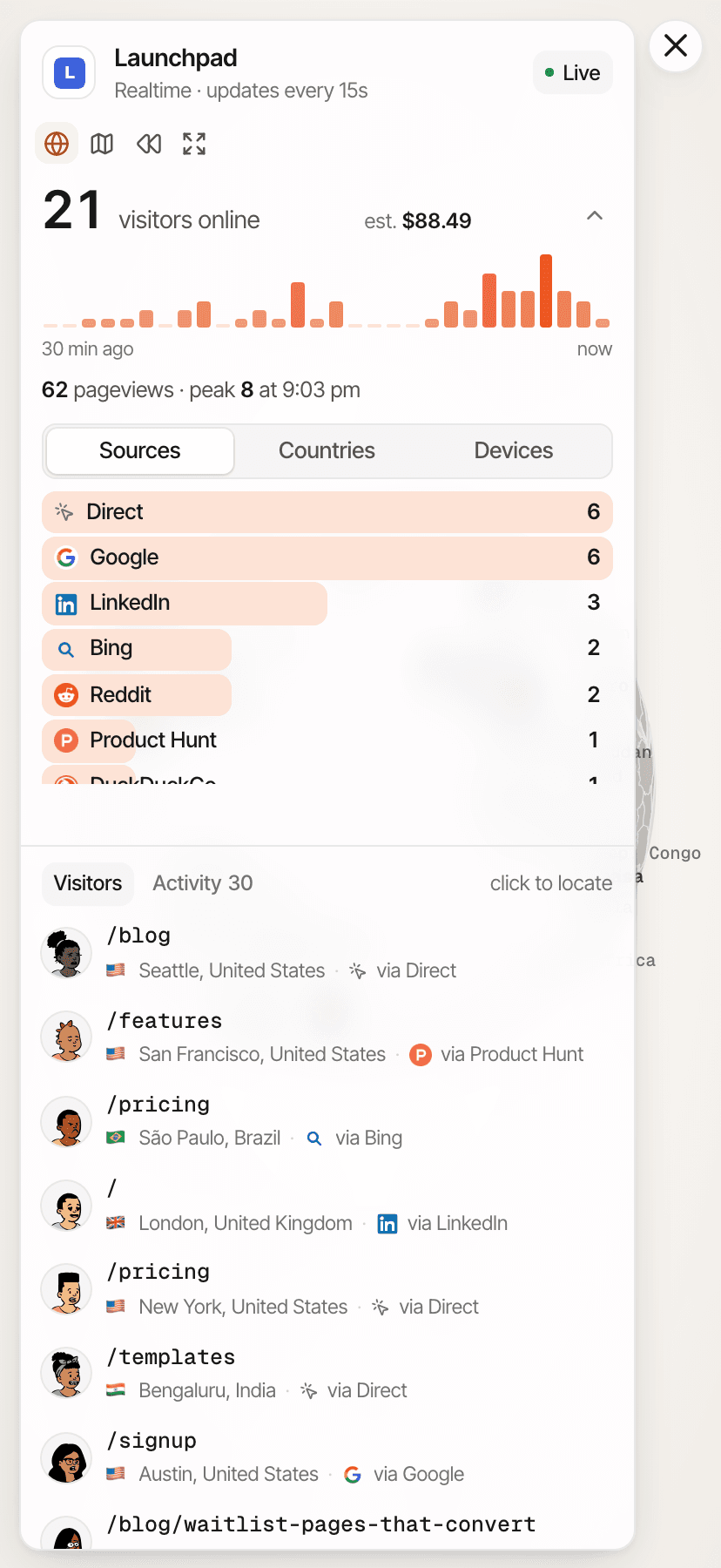
You post on Product Hunt, share in a subreddit, send the launch email. Within seconds the realtime view shows who arrived, from where, and which page they're on.
- Visitors online now, with their sources, countries and devices
- A bar per minute for the last 30 minutes, so you see each post land
- The pages people are reading as they arrive, on a live list and a globe
- Product Hunt and Reddit are recognised by referrer; tag your launch links with
?ref=producthuntor UTM parameters to keep the source when there isn't one
The view refreshes within seconds, not instantly, and visits without a referrer or tag show as Direct. Afterwards, the dashboard shows whether launch-day visitors came back, signed up or paid. Realtime analytics
Multiple websites
One place for your landing pages and products.
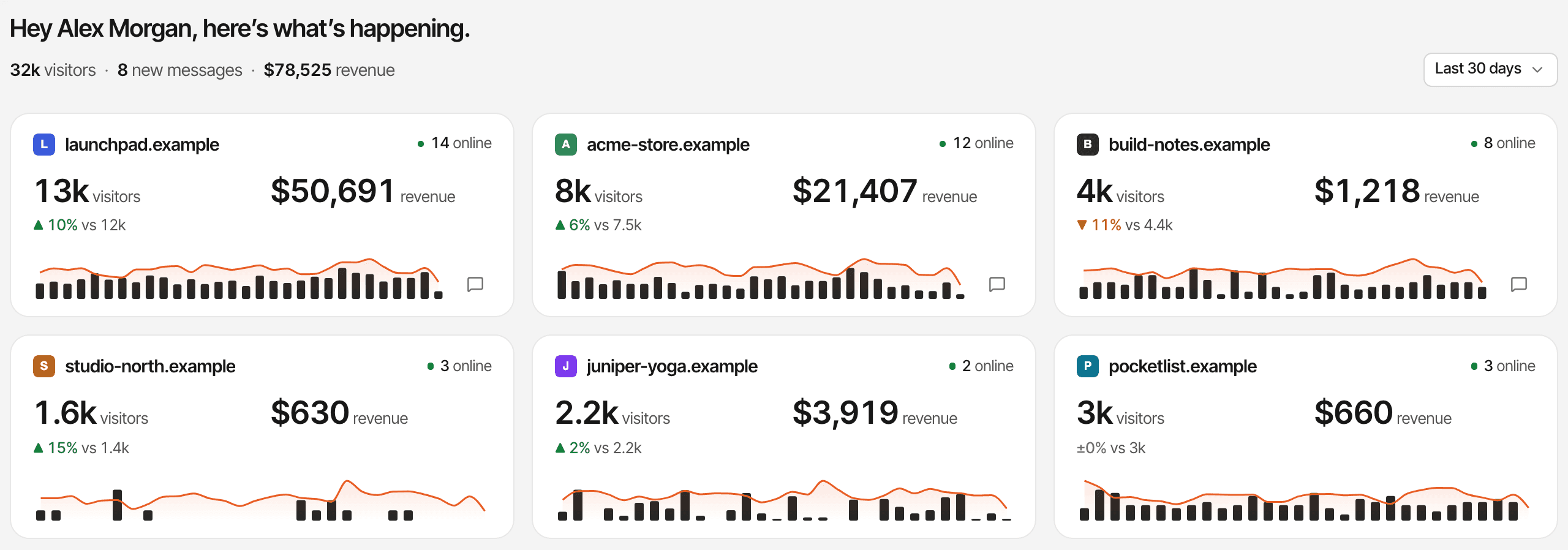
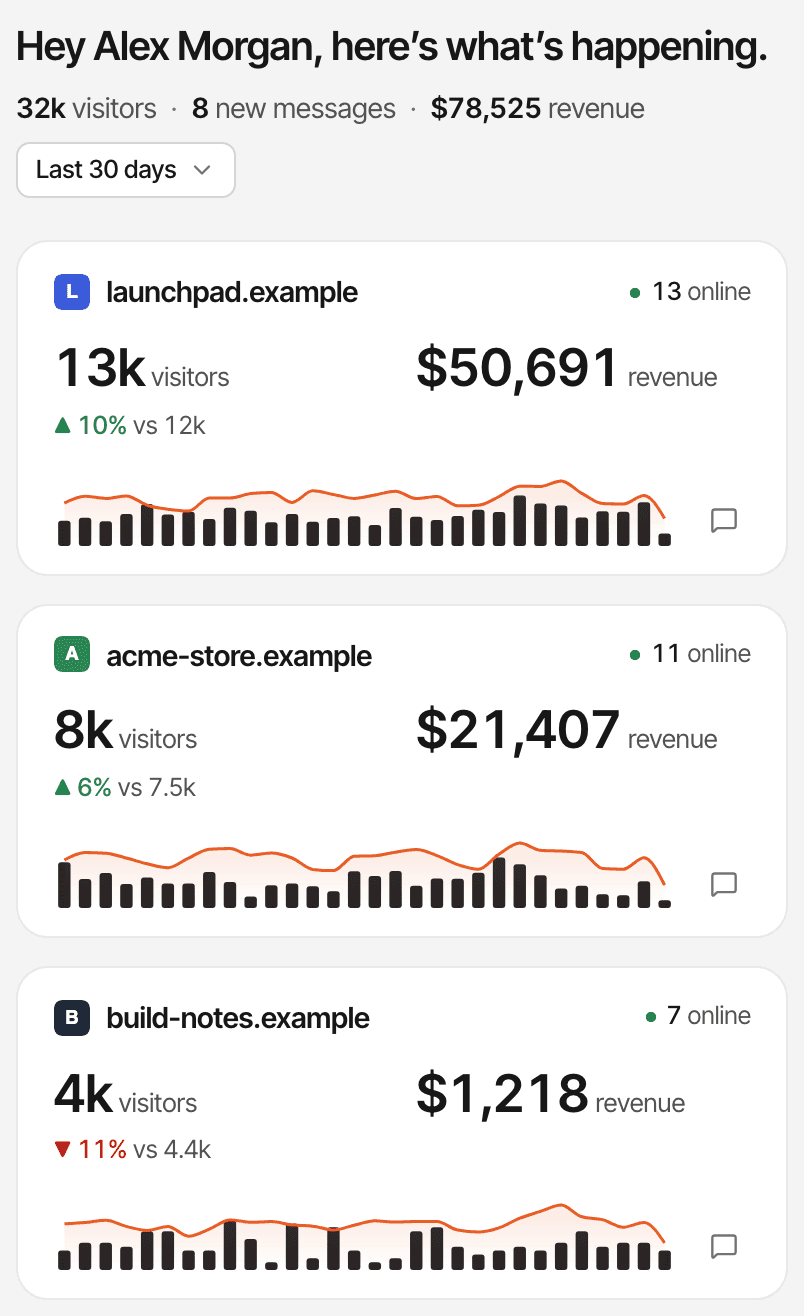
A landing page for each idea you're testing, the product itself, the docs on their own domain: add each as a website in one account, see which is moving, and open its own dashboard from there.
Unlimited websites
On every plan, each with its own dashboard, goals and settings.
All websites
Every website's visitors, revenue, trend and who's online on one page (how it works).
One inbox
Chats from every website land in the same place.
One allowance
Your plan's monthly events are shared by all the websites in the account (plans).
Useful answers without a dedicated analytics team.
No dashboards to build, no query language. Four situations most early teams meet, the question behind each, and where SuprAnalytics answers it.
Validating a new product idea
“Do the people we reach in communities actually join the waitlist?”
Where to look: A waitlist goal, and its conversion rate by source.
Measuring a launch
“Did launch day bring people who came back and signed up?”
Where to look: Realtime on the day, tagged launch links, then new against returning visitors and sign-up goals over the next weeks.
Comparing acquisition experiments
“Which of our three channels gets people furthest down the funnel?”
Where to look: A UTM campaign per experiment, entry pages, and the same funnel filtered to each source.
Finding the channels that pay
“Where should the next month of our limited budget go?”
Where to look: Customers and revenue per source, under first or last touch, and the lifetime value of customers by the channel of their first visit.
Questions, answered.
What is startup analytics?
What metrics should an early-stage startup track?
Can I track waitlist signups and demo requests?
window.supr("waitlist_joined") when the form succeeds, send the goal from your server, or make the thank-you page a pageview goal. Forms aren't detected on their own. How to add goalsCan I see which traffic sources generate customers?
Does SuprAnalytics track revenue from Stripe and other payment providers?
Can I track multiple startup websites?
Can I use SuprAnalytics to measure a product launch?
How is SuprAnalytics different from Google Analytics?
Running it alone? See analytics for indie hackers.
More solutions
- For indie hackersTraffic, signups and payments by source, for solo founders shipping fast.Open
- For SaaSTrack traffic, trials and subscription revenue back to their sources.Open
- For developersA small script, custom events, a payments API and an MCP server.Open
- For agenciesEvery client website in one account, with shareable public dashboards.Open
- For creatorsWhich posts and newsletters sell your digital products.Open
- For small businessesSimple website analytics, goals and a live chat, without the setup.Open
- For landing pagesTrack a landing page's traffic, conversions and campaigns.Open
Find what's working. Build on it.
Bring your traffic, conversions, conversations, and revenue into one place so your next growth decision is based on real data.
14-day free trial · No card required