
For SaaS
Know where your SaaS customers come from — and what makes them convert.
Connect your website traffic to signups, goals, customer journeys, and actual payments. See which channels bring customers and revenue, not just visitors.
14-day free trial · No card required · From $9/month
- 1TrafficWhere visitors come from
- 2EngagementThe actions you track
- 3ConversionWhere they stop or sign up
- 4RevenueThe payments they make
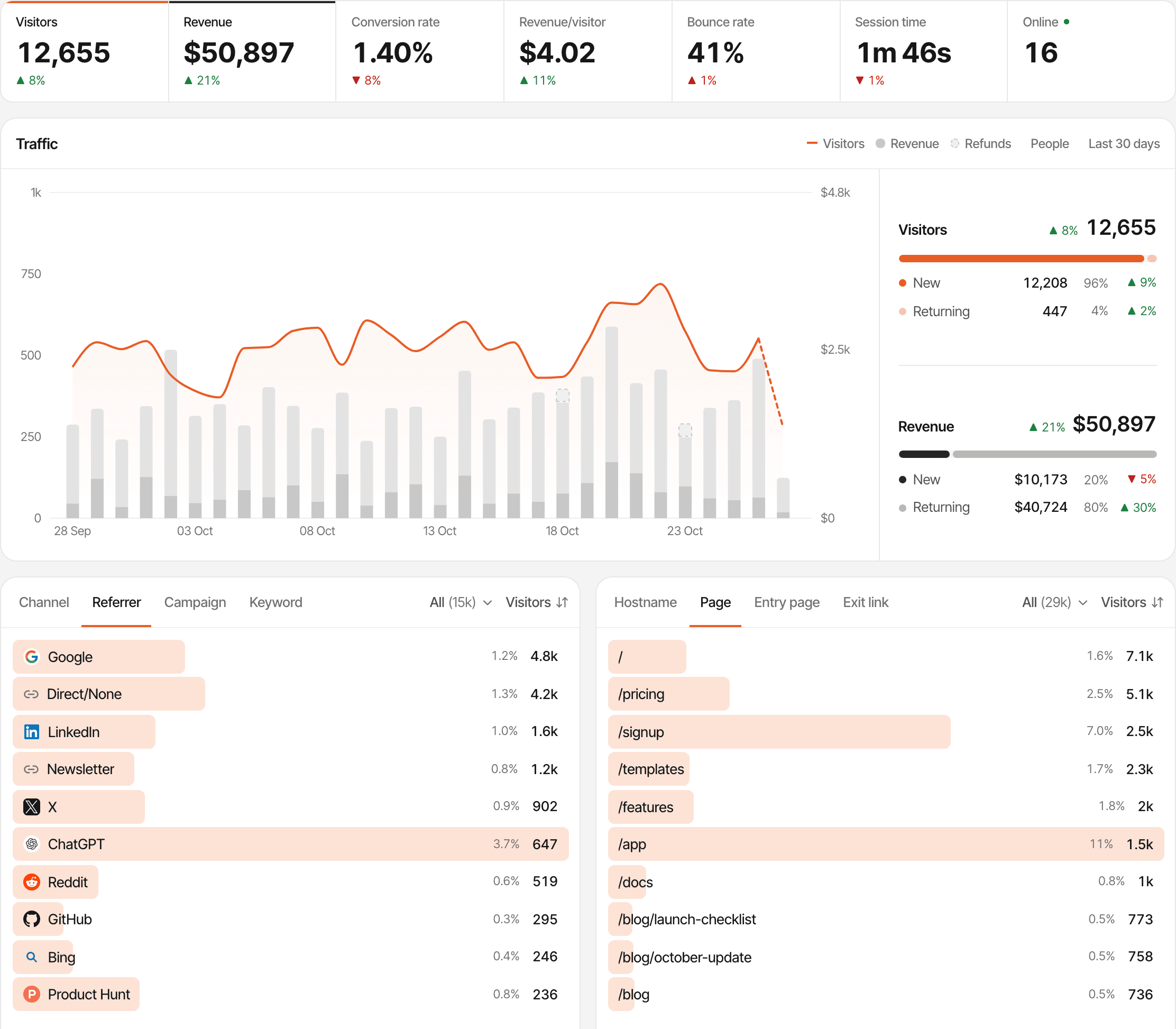
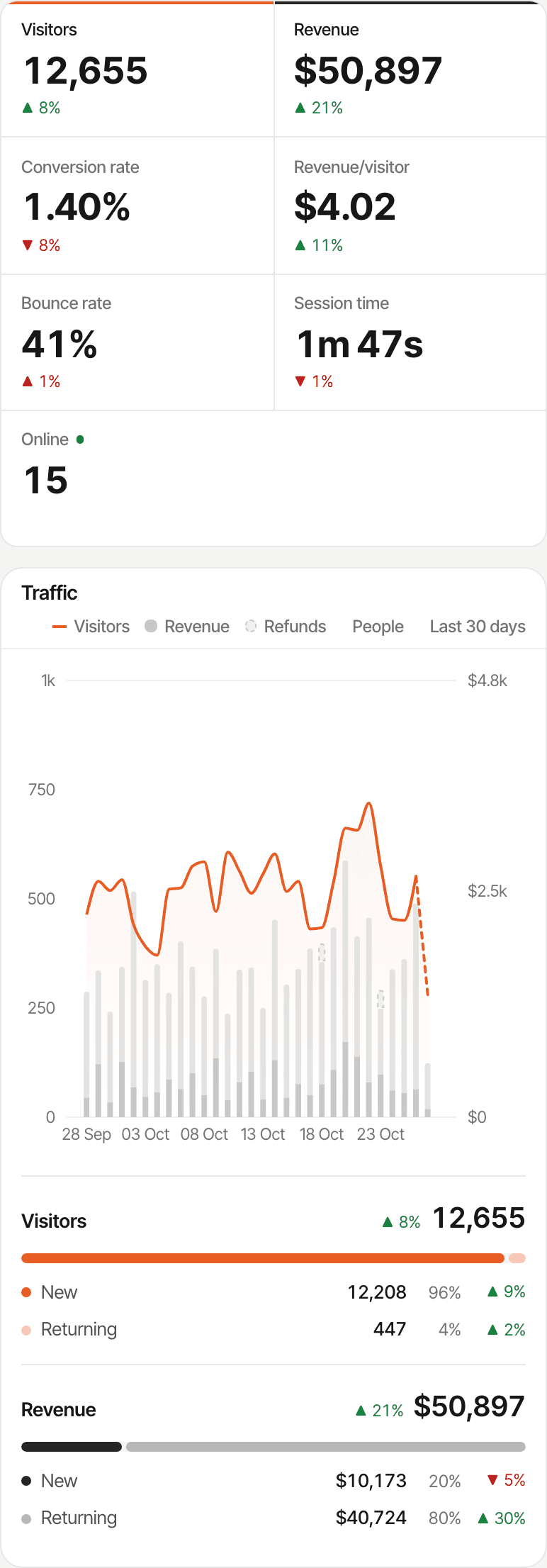
Traffic is only the beginning.
A chart of visitors tells you people showed up. It doesn't tell you which of them signed up, which paid, or which channel is worth another month of effort. A SaaS founder needs the answers further down the path.
SuprAnalytics answers these from what it records: visits and pages on its own, the goals your site sends, and the payments your provider reports.
Which channels bring qualified visitors?
Visitors, bounce rate, time on site and conversion rate for every source and campaign.
See howWhich pages lead to a conversion?
Entry pages, the pages a goal was completed on, and funnels built from page visits.
See howWhich visitors become paying customers?
Payments matched to the visitor who made them, with that visitor's journey.
See howWhich channels bring actual revenue?
Revenue, customers and revenue per visitor by source, campaign and page.
See howDo customers come back before they pay?
New and returning visitors, and every visit before a payment on the visitor's profile.
See how
Traffic
See where your next customers are coming from.
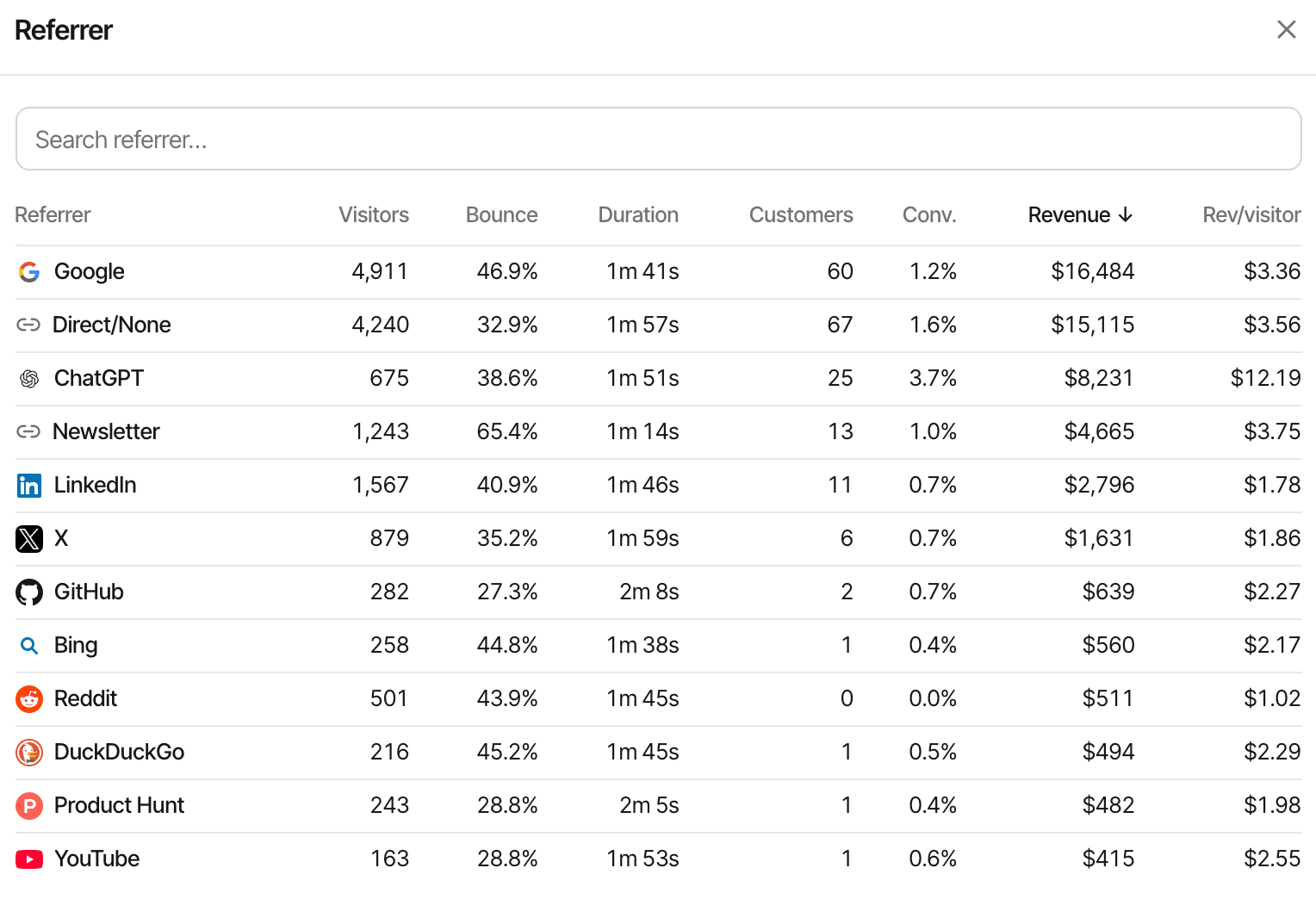
Every visit is recorded with its referrer, campaign and landing page, so you can compare channels by what their visitors went on to do, not only by how many arrived.
- Referrers recognised by name (Google, LinkedIn, X, Reddit, Product Hunt, GitHub and more) and grouped into channels
- UTM parameters and
?ref=tags, so each ad, newsletter or partner link gets its own line (UTM tracking) - ChatGPT, Perplexity, Claude and Gemini counted as their own AI channel (AI traffic)
- Entry pages, outbound link clicks, country, device and browser, and new versus returning visitors
- Bounce rate, visit duration, conversion rate and revenue per visitor beside each source, to judge quality as well as volume
Some apps and browsers send no referrer, so those visits count as Direct. Tagging the links you share names the source anyway. Tracking parameters
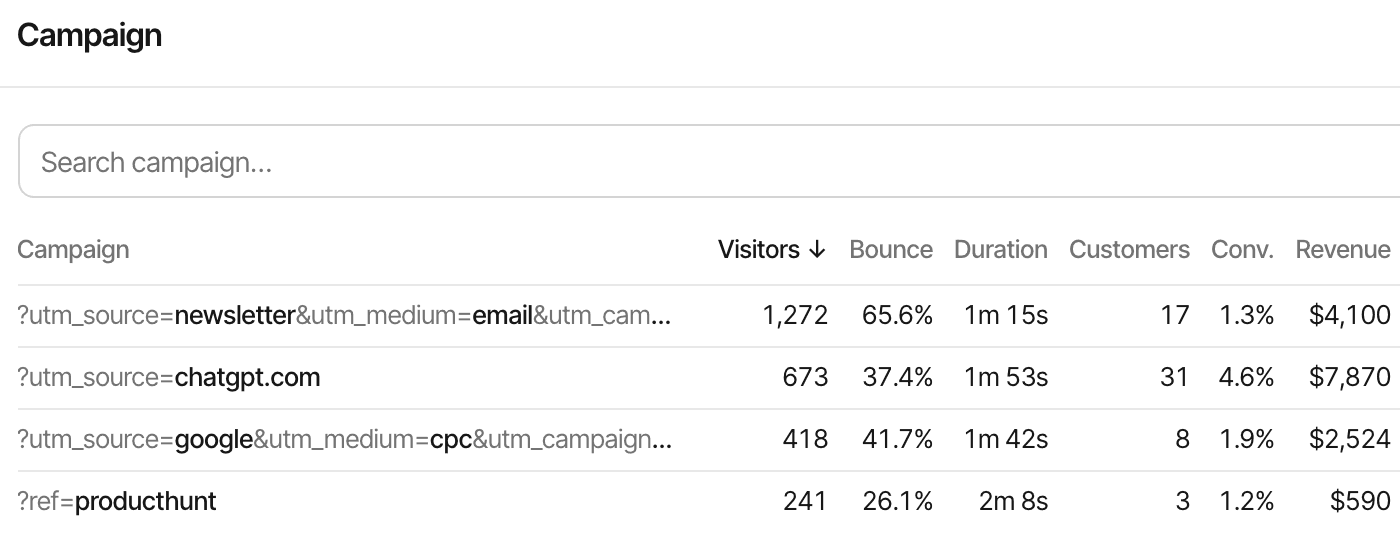
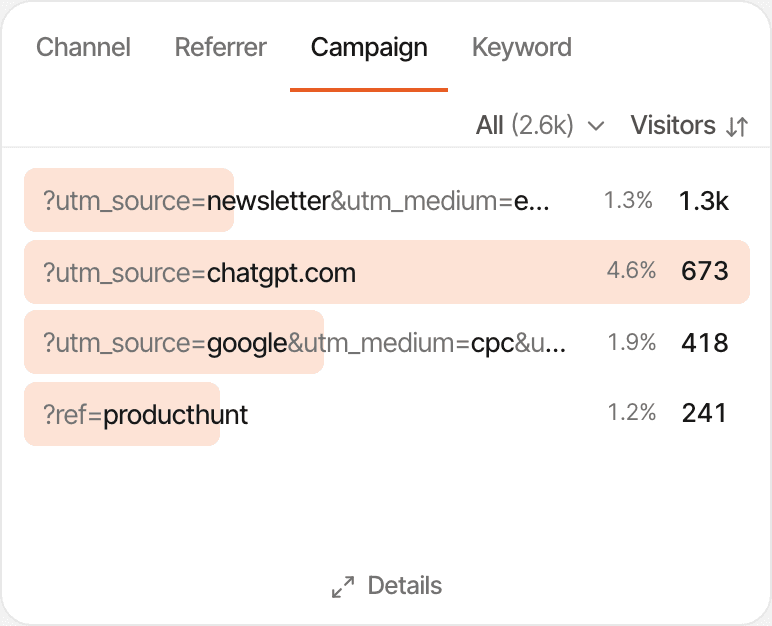
Here, the ChatGPT link has about half the newsletter's visitors and nearly twice its revenue.
Engagement and conversion
Measure signups, activations, and important product actions.
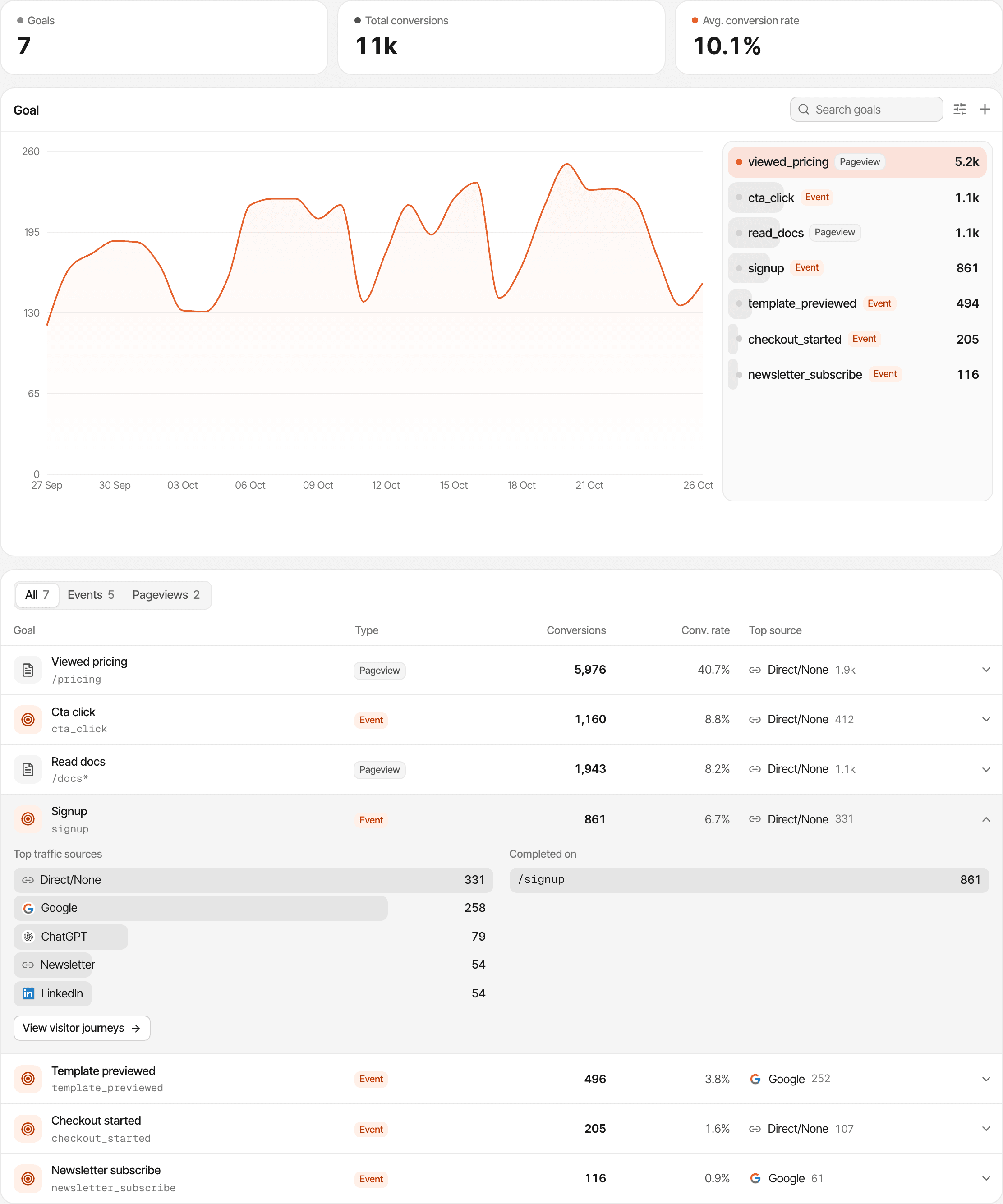
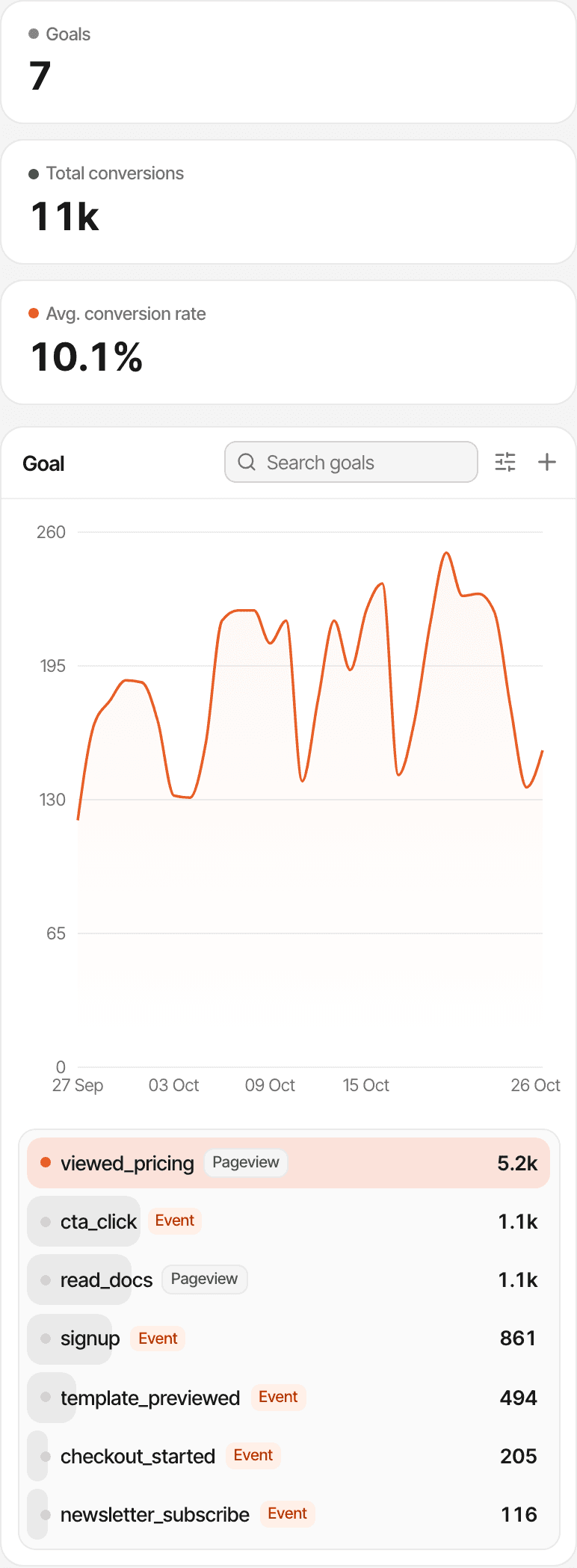
A goal is an action you decide matters. Pageview goals count visits to a page or a group of pages; event goals count actions your site or app reports. Each shows its completions, conversion rate and the sources behind it.
| Action | How it's tracked |
|---|---|
| Account createdEvent goal | Call window.supr("signup") once your sign-up succeeds. |
| Demo requestedClick or page goal | A supr-goal attribute on the button, or a pageview goal on the thank-you page. |
| Pricing page visitedPageview goal | A goal on /pricing, made in the dashboard. No code. |
| Trial startedServer-side goal | Sent from your backend with the visitor's id, through the goals API. |
| Onboarding completedEvent goal | Sent by your app when the last onboarding step is done. |
Conversion
See where visitors stop moving forward.
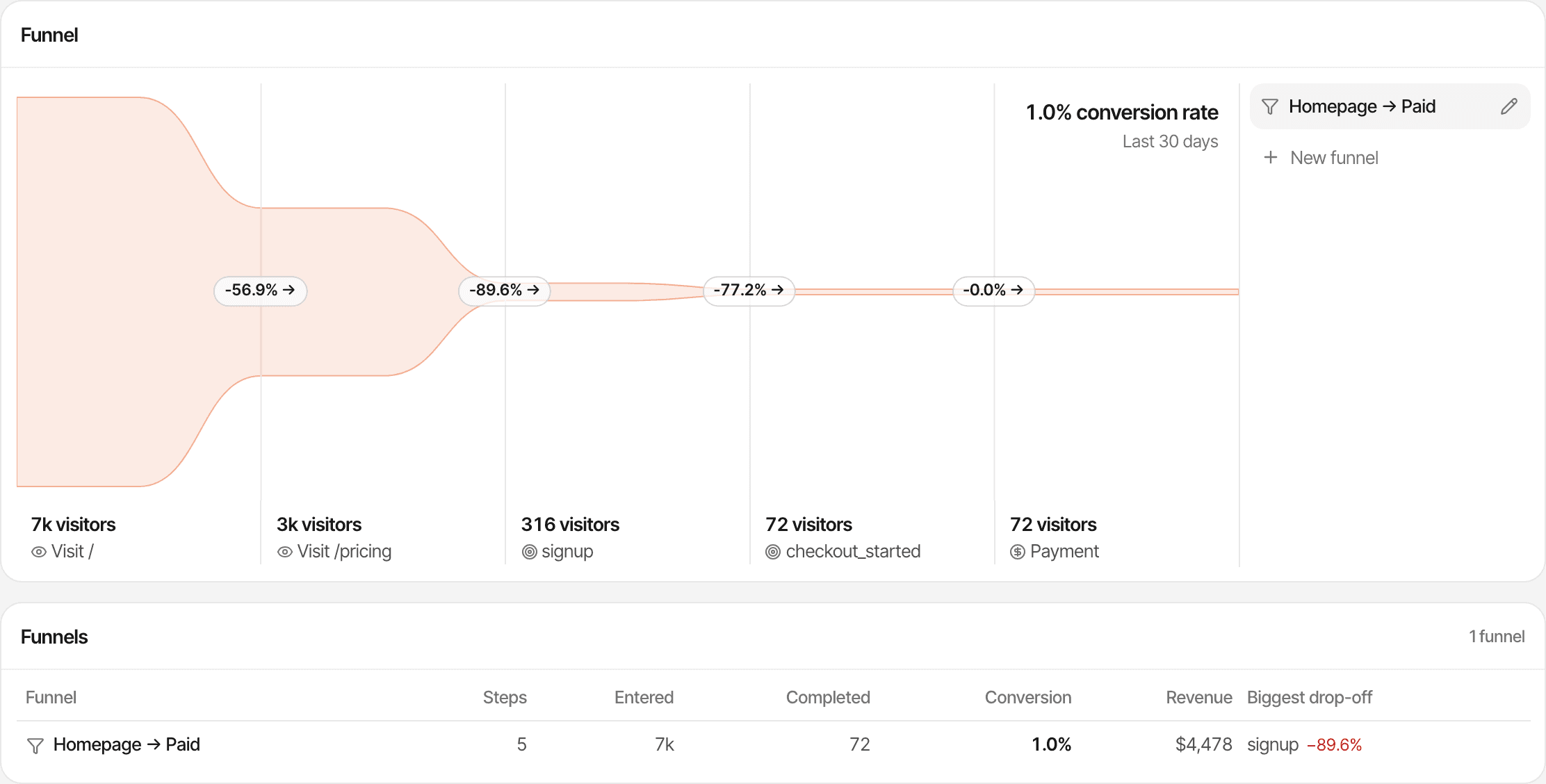
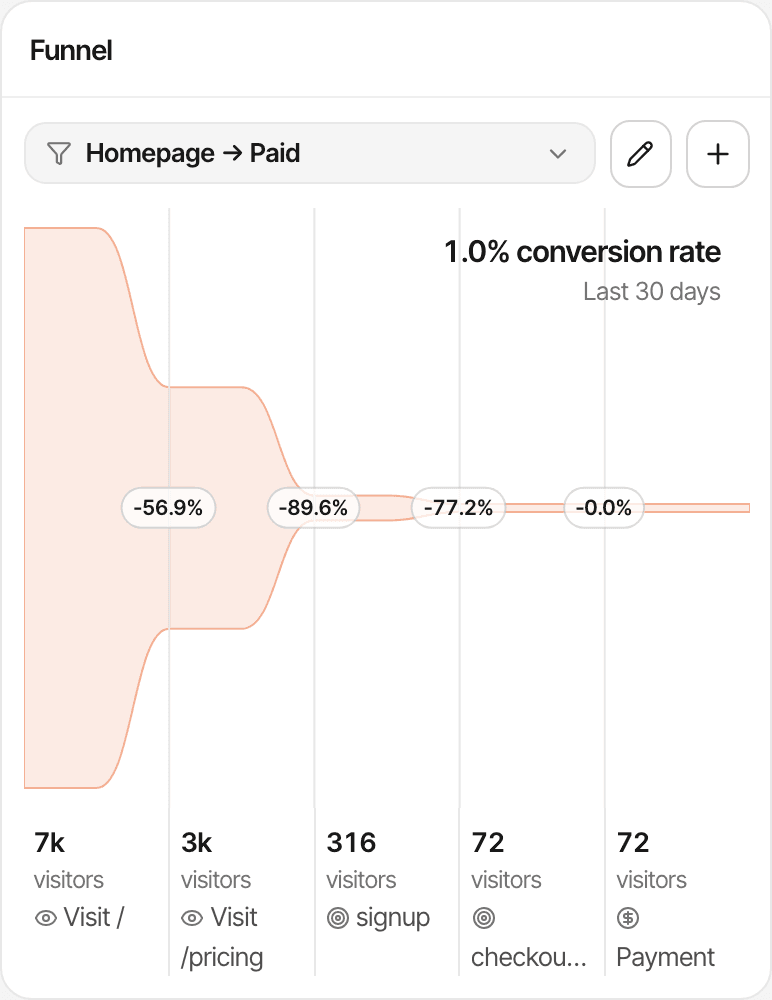
Save a funnel from the steps of your signup or upgrade path and see how many visitors reach each one, and where the rest stop.
- Two to eight steps, made of page visits, goals and a payment
- Counted in unique visitors, in order: a visitor counts at a step only after reaching the one before
- Overall conversion, conversion from the previous step, the drop-off between steps and the average time it took
- Filters choose who enters, such as one campaign or the AI channel, so you can compare paths by source
- Revenue on a payment step, from payments matched to those visitors
Funnels show where people stop; turn on session recordings to watch why. A visitor on two devices counts as two visitors. Conversion funnels
Revenue
Know which channels generate revenue.
Connect your payment provider and each payment is matched to the visitor who made it. Every source, campaign and landing page then shows the customers and revenue it led to, beside its visitors.
Works with Stripe, Polar, Lemon Squeezy, Paddle and Dodo Payments, each through its own webhook, and anything else through the Payment API.
Matching needs the visitor id carried through checkout (the script adds it to Polar and Dodo Payments links and Paddle.js buttons; Stripe and Lemon Squeezy take a few lines of your code), or a customer id or email seen before. A payment that can't be matched still counts in your revenue, without a source. Payments never count toward your plan's events.
| Campaign | Visitors | Customers | Revenue |
|---|---|---|---|
| Campaign A | 1,000 | 6 | $294 |
| Campaign B | 300 | 11 | $539 |
Which visit gets the credit
- Revenue
- The website's attribution setting: the visitor's first visit or the visit closest to the payment (the default). Last touch can credit Direct.
- Goals
- The visit in which the goal was completed, whatever the setting.
- Lifetime value
- The customer's first visit, whatever the setting.
See what happened before someone converted.
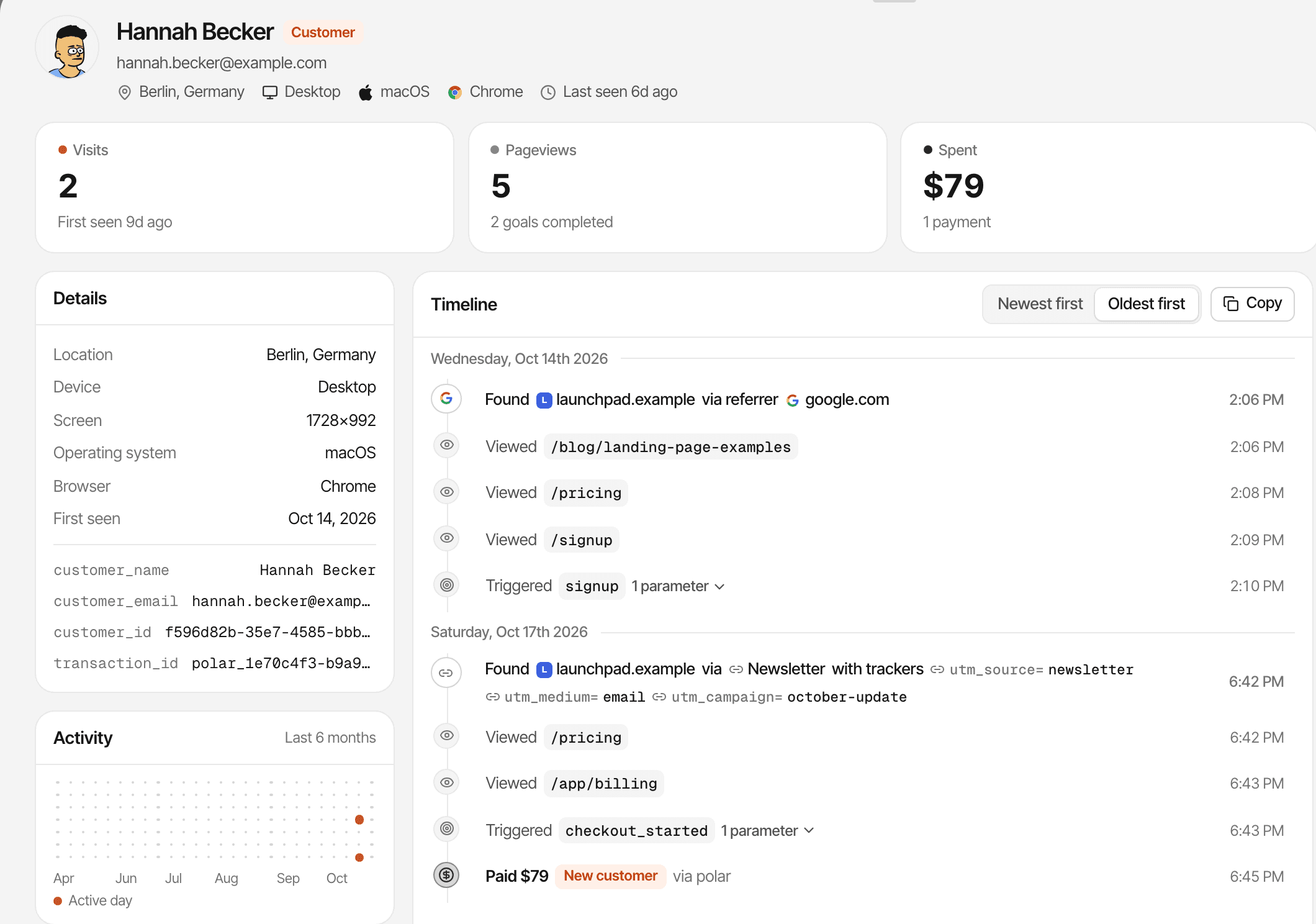
Open a customer from your customers list, a goal or the inbox and read their visits in order: where each began, the pages they viewed, the goals they completed and the payments matched to them.
- The source of every visit, so a customer who found you on Google and came back from a newsletter shows both
- Goals and payments on the same timeline, each payment marked new, renewal or refunded
- A name and email when your app identifies the visitor or the visitor gives one in chat
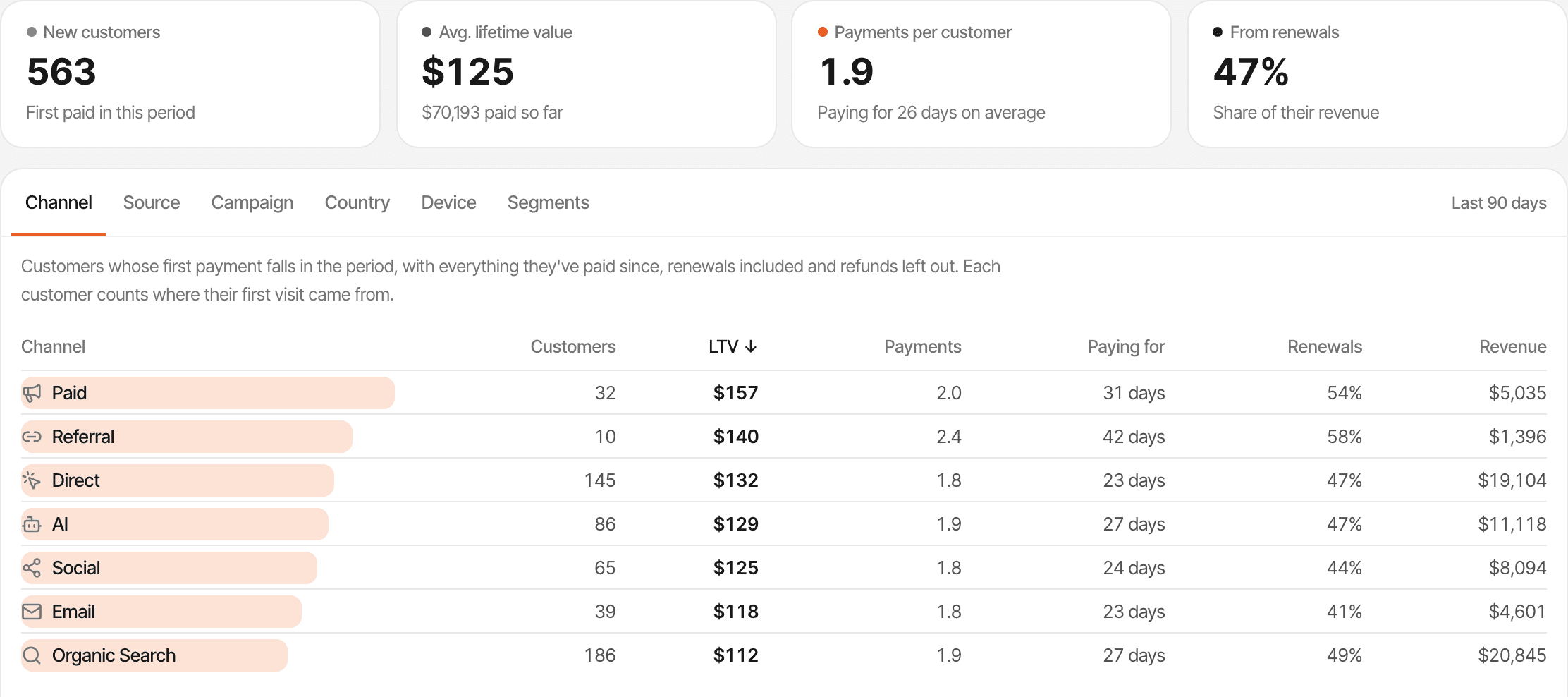
See payments and renewals alongside acquisition.
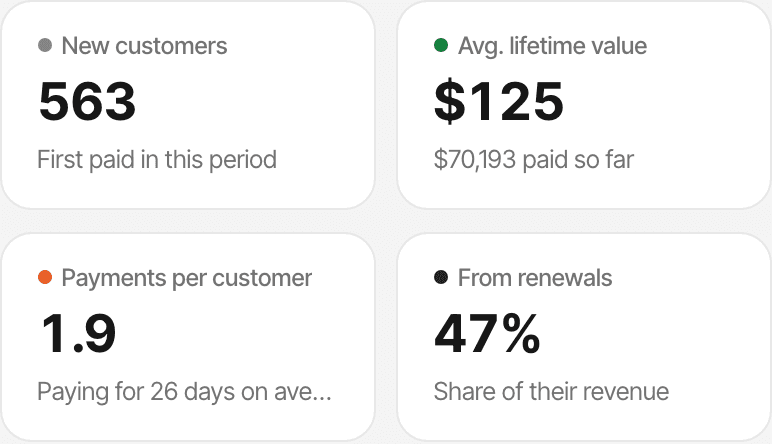
Subscription businesses get paid more than once. SuprAnalytics keeps first payments, renewals and refunds apart, so you can see which channels bring customers who keep paying.
- New revenue
- First payments, apart from renewals, so conversions aren't inflated by people already paying.
- Renewals
- Marked from each provider's own renewal signal. Under last touch, the visit a renewal is credited to depends on the provider.
- Refunds
- Taken out of revenue and shown on their own. How partial refunds count depends on the provider.
- Revenue by source
- New and renewal payments by channel, referrer, campaign, landing page, country or device.
- Lifetime value
- What each customer has actually paid so far, renewals included, grouped by where their first visit came from.
How subscription revenue is tracked
Per-provider renewal and refund rules: Renewals and refunds
Turn visitor questions into conversations.
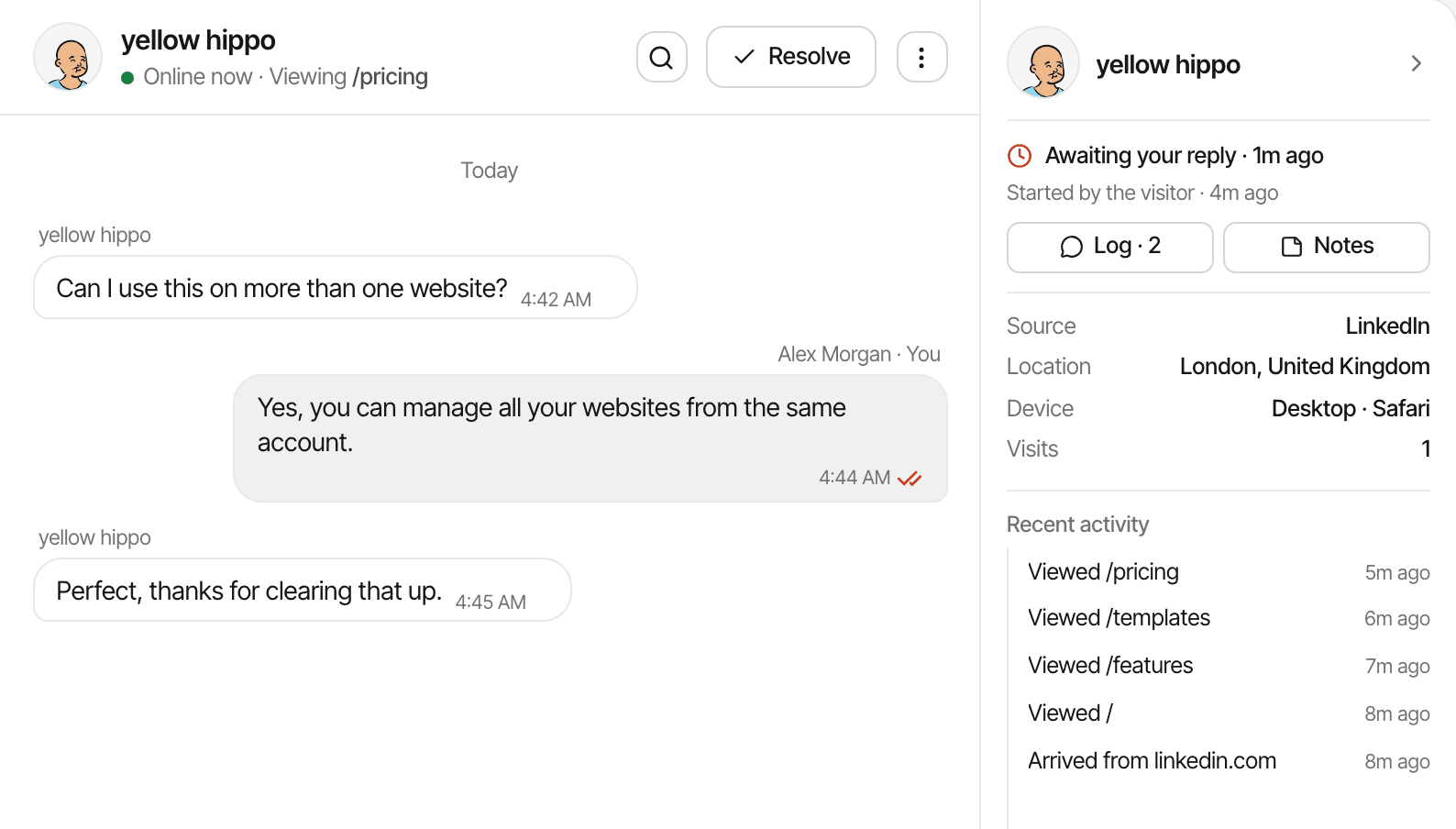
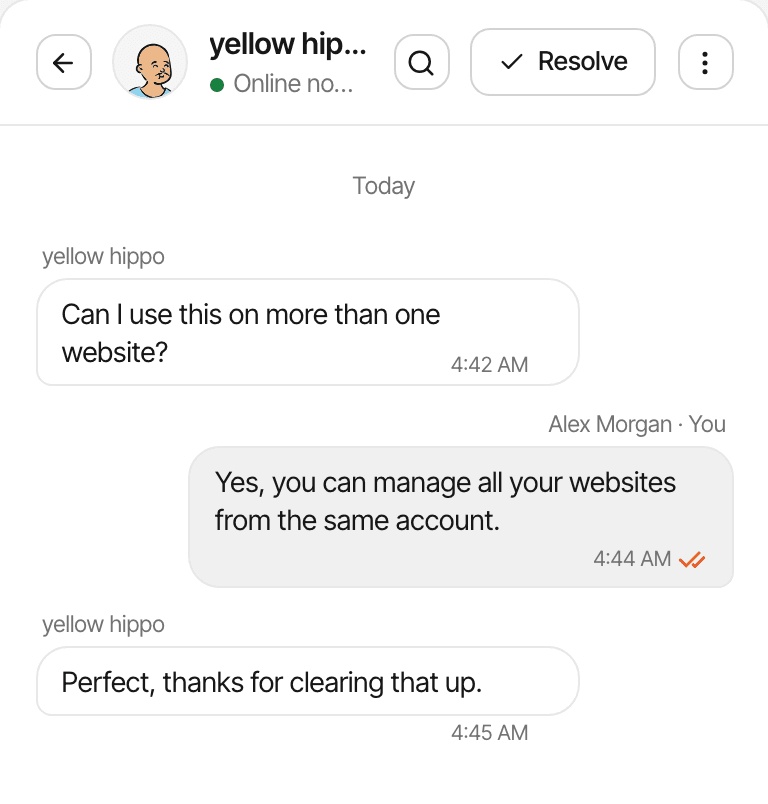
A visitor stuck on your pricing page has a question your analytics can't answer. Live chat comes from the same script, and each conversation opens beside that visitor's analytics.
- Their source, the pages they viewed, their device and approximate location, next to the message
- Reply from the inbox or from Telegram; a visitor who left an email gets your reply there
- Page alerts that open the chat with your own message on a page you choose, such as /pricing
- One inbox for every website, with unlimited conversations on every plan
People answer the chats: there's no AI agent, no lead scoring and no CRM or ticketing. A name or email appears only when the visitor gives one or your app identifies them.
Keep your marketing sites in one place.
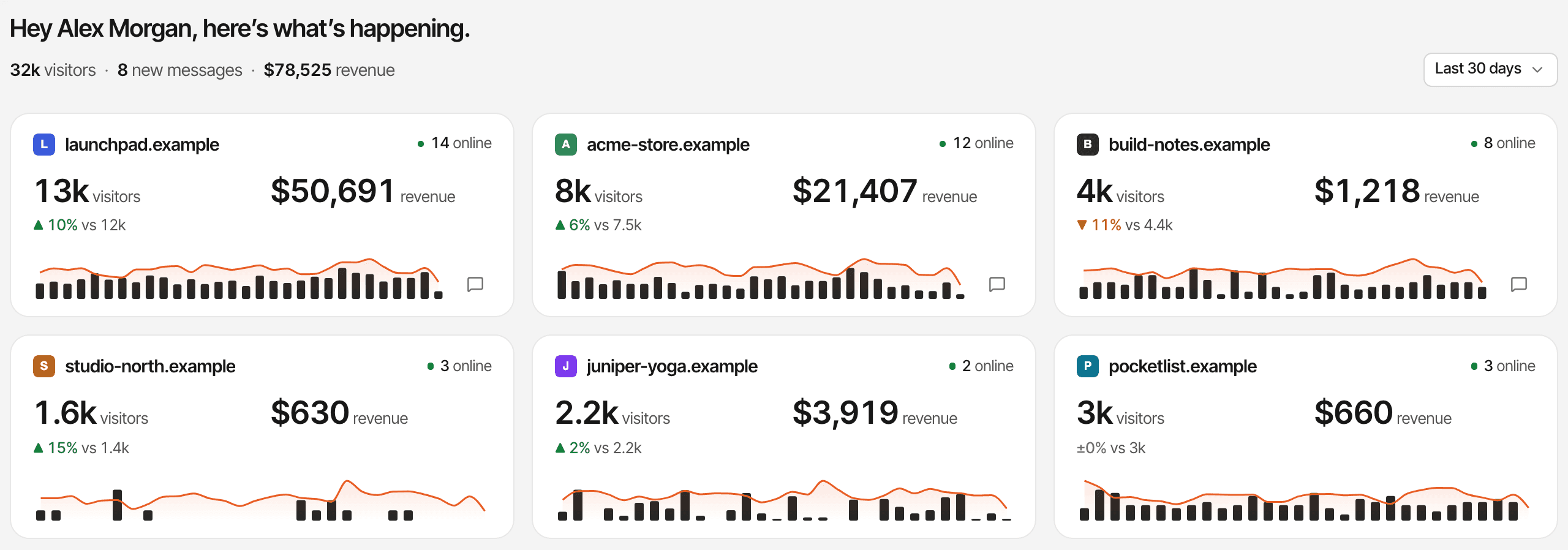
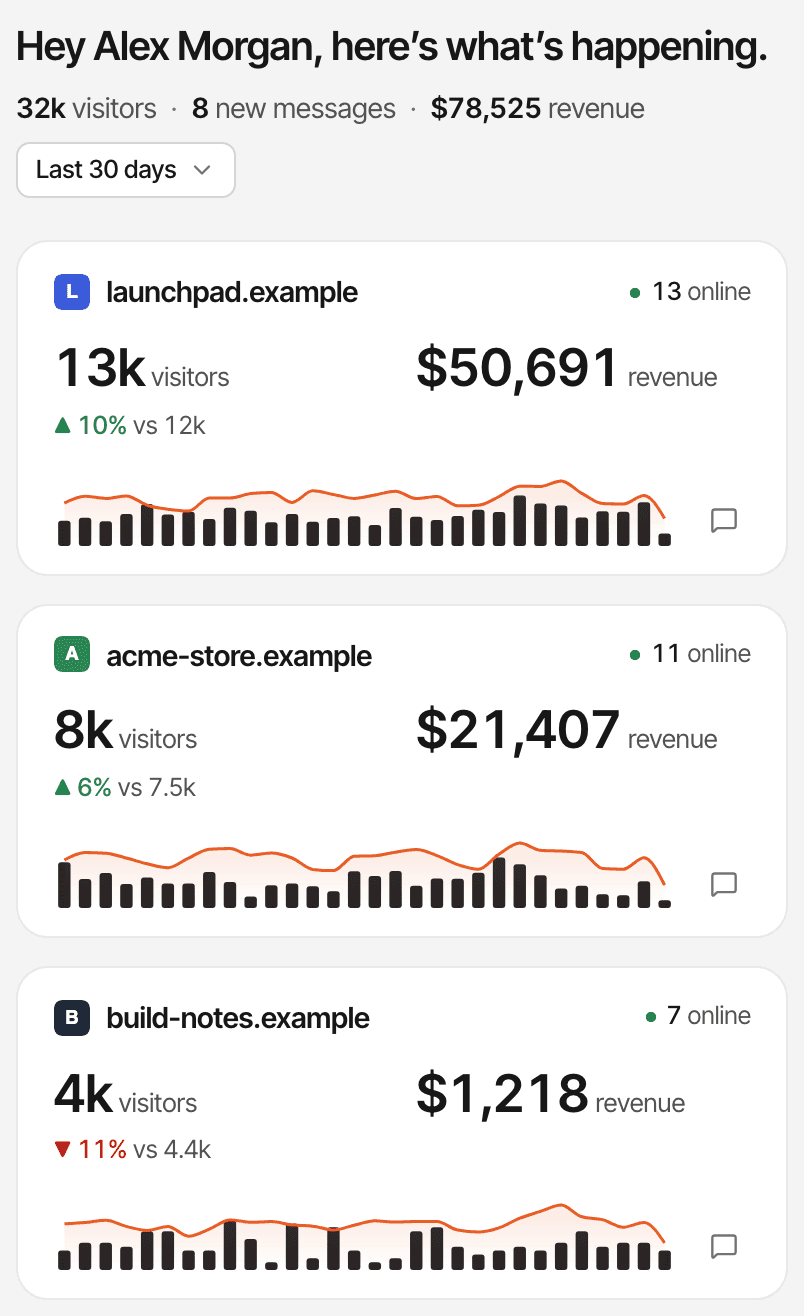
The marketing site, the docs, a second product or a launch page: add each as a website in one account, and see them side by side.
Unlimited websites
On every plan, with no charge per website.
All websites
Visitors, revenue, goals, funnels and lifetime value across every website, in the first website's currency.
Each its own setup
Its own dashboard, payment webhook, attribution setting and currency.
One subdomain or many
Track app. and docs. with your main site as one website (how).
Unlimited websites doesn't mean unlimited events: your plan's monthly events are one allowance shared by all your websites. If the script also runs inside your product, those pageviews count too. Multiple websites
Built for lean SaaS teams.
No analyst needed. Each of these is one question and one report.
The bootstrapped founder
“Which channel brought the customers who paid this month, not just the visitors?”
Sort sources by revenue, then compare revenue per visitor.
The startup testing channels
“Is the paid campaign worth more than the blog?”
Compare utm_campaign rows by customers and conversion rate, and lifetime value by campaign.
The small growth team
“Where do people leave between pricing and a finished signup?”
A funnel from /pricing to your signup goal, filtered by channel.
The founder with several products
“Which product is growing, and which has unanswered chats?”
All websites, with each website's trend and unread conversations.
Example questions, not customer quotes. Working alone? See analytics for indie hackers.
Questions, answered.
What is SaaS analytics?
What can SuprAnalytics track for a SaaS website?
Can I track signups and trial activations?
window.supr("signup") call, or a server-side goal from your backend. SuprAnalytics doesn't detect sign-ups, trials or activation on its own.Can I see which channels bring paying customers?
Does SuprAnalytics track subscription revenue?
Does it calculate MRR, ARR, or churn?
Can I use it across multiple SaaS websites?
How is SuprAnalytics different from traditional website analytics?
Every plan starts with a 14-day free trial, no card required. After that, plans start at $9 a month for 100,000 events. Pricing
More solutions
- For indie hackersTraffic, signups and payments by source, for solo founders shipping fast.Open
- For startupsSee which launches and channels bring paying customers, on a small budget.Open
- For developersA small script, custom events, a payments API and an MCP server.Open
- For agenciesEvery client website in one account, with shareable public dashboards.Open
- For creatorsWhich posts and newsletters sell your digital products.Open
- For small businessesSimple website analytics, goals and a live chat, without the setup.Open
- For landing pagesTrack a landing page's traffic, conversions and campaigns.Open
Stop guessing which channels grow your SaaS.
See your visitors, conversions, conversations, and revenue together — so you can focus on what actually works.
14-day free trial · No card required