
Traffic analysis
See where your traffic comes from and what it does.
Visitors, sources, pages, locations and devices on one dashboard, with every row a filter and the revenue each source brings.
14-day free trial · No card required · From $9/month
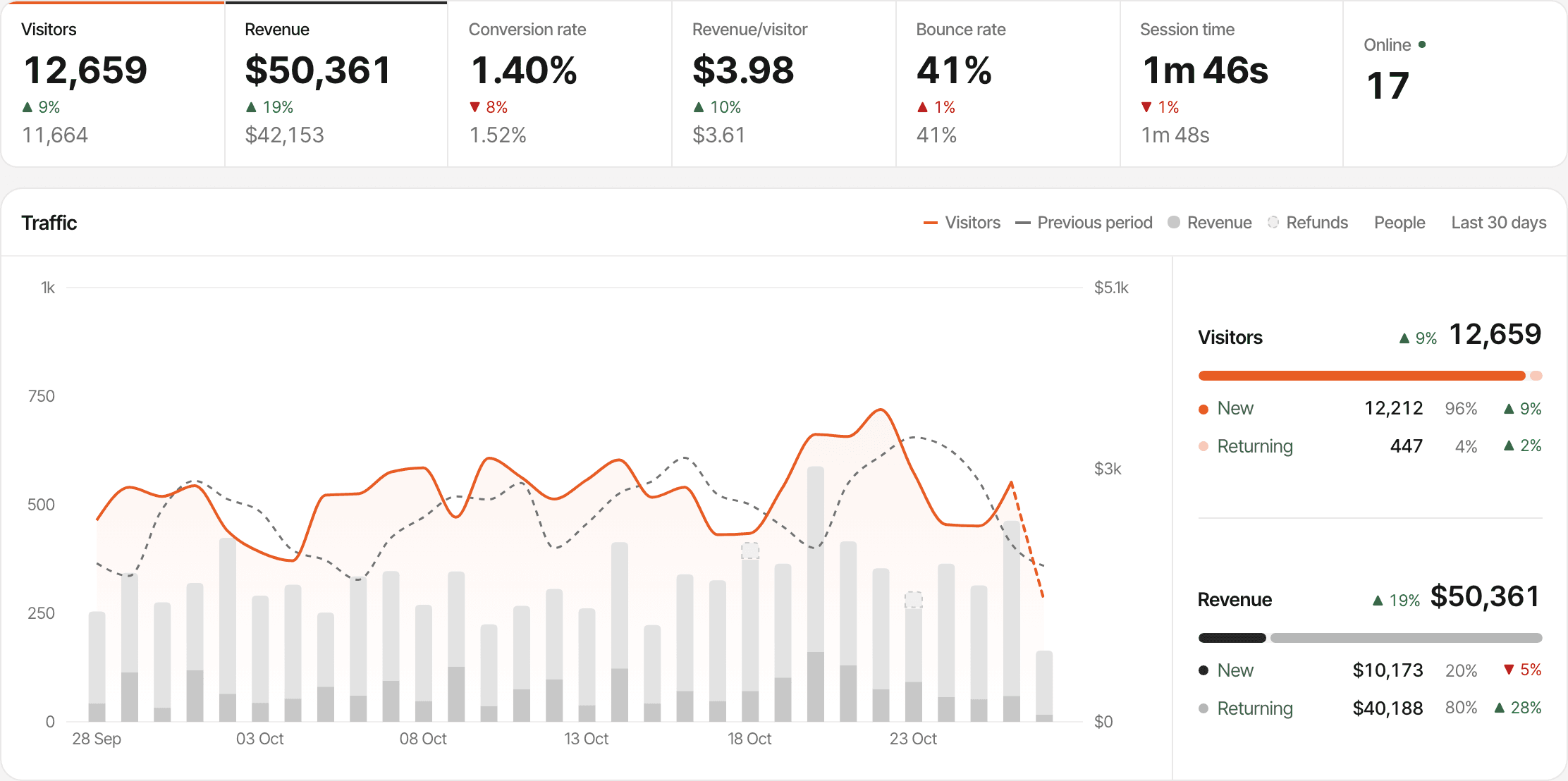
- Visitors and revenue
- The people who started a visit in the period, and what they paid, once a payment provider is connected.
- Conversion rate and revenue per visitor
- New paying customers divided by visitors, and revenue divided by visitors.
- Bounce rate and session time
- Single-page visits with no goal completed, and the average time from a visit's first hit to its last.
- Online
- The people seen in the last 5 minutes. Click it to open the real-time view.
What is website traffic analysis?
Traffic analysis answers three questions about the people who visit your website: where they came from, what they looked at, and whether they did what you hoped. The answers are only as good as the definitions behind them, so here are ours.
How SuprAnalytics counts your traffic
- A visitor is one browser, counted once in a period however many visits it makes.
- A visit ends after 30 minutes without activity; coming back later starts a new one.
- A bounce is a visit with one pageview and no goal completed.
- Session time runs from a visit's first hit to its last. While a tab is visible and in use, the script checks in every 30 seconds, so a long read counts.
- Nothing is sampled: every report is counted from the visits and events recorded.
- Known bots, and hits that don't come from a browser, are dropped before they're recorded.
Every definition is in the documentation. How the metrics are calculated
See which channels and websites send visitors.
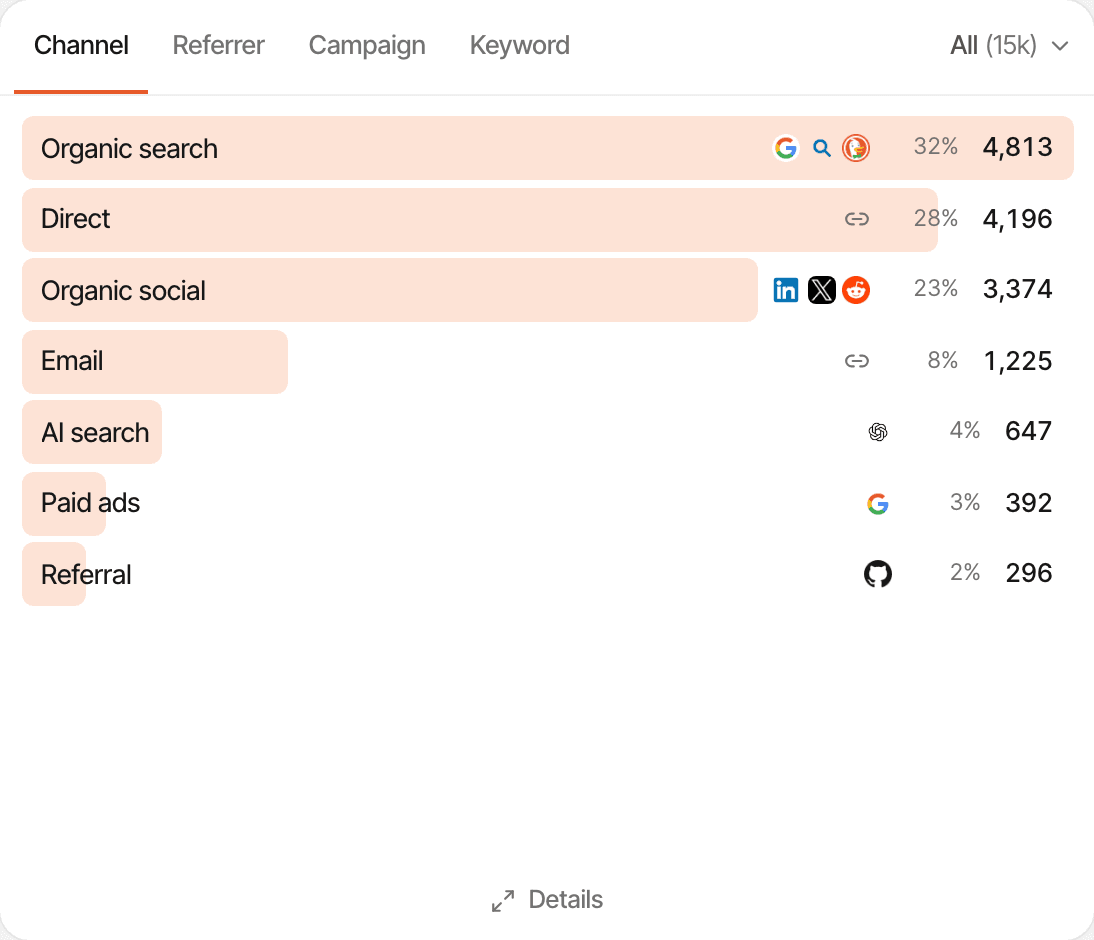
The Sources card groups every visit into a channel, then lets you go down to the website, campaign or keyword behind it.
Organic searchDirectOrganic socialEmailAI searchPaid adsReferral
- Channel: the share and visitors of each, with its biggest sources
- Referrer: each website or tagged source, with Direct/None for visits with neither
- Campaign: the ref and utm_ tags each visit arrived with
- Keyword: the utm_term on your ad links
A visit’s source is its tag (utm_source, ref, via or source) when it has one, and the website that linked to it otherwise. utm_medium and ad click IDs such as gclid mark paid and email traffic. Tags are read from the first page of a visit. About UTM trackingAbout AI traffic
See which pages bring people in.
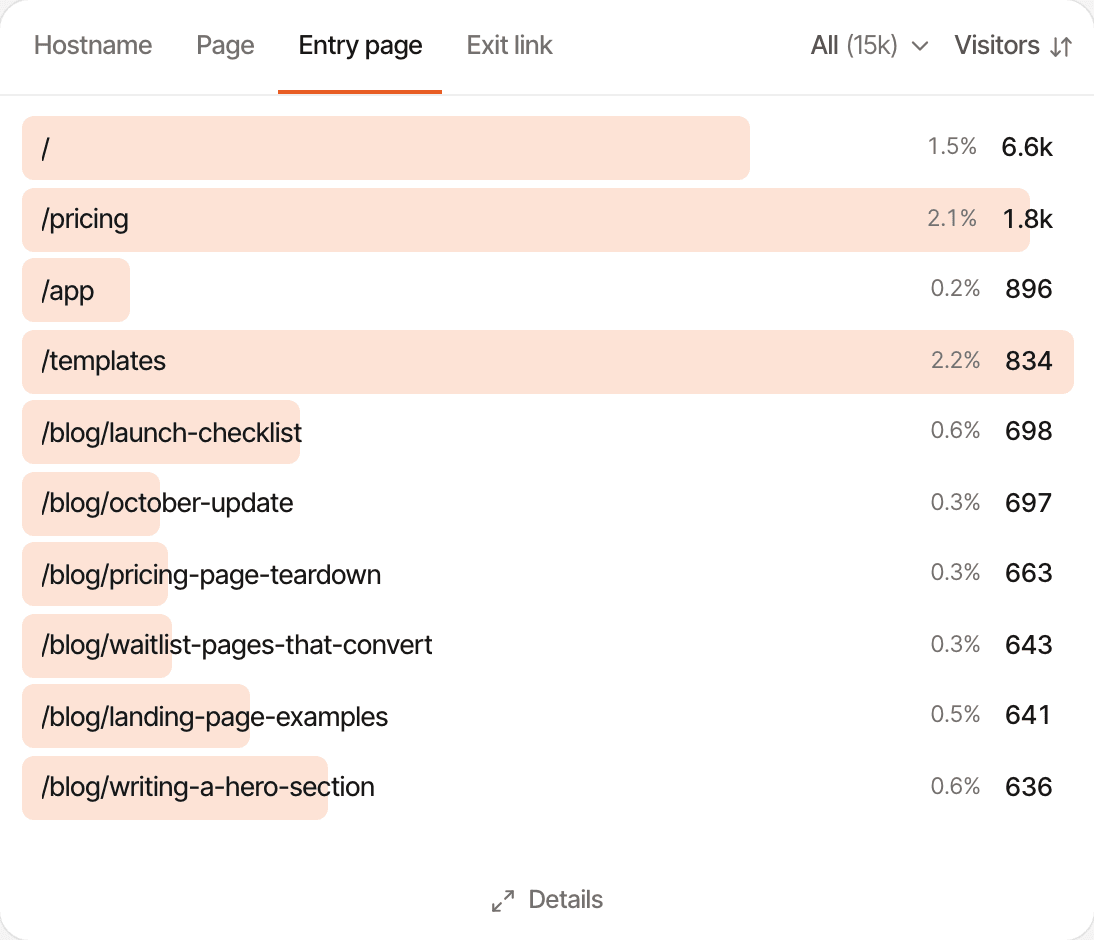
The Pages card shows what people read and where their visits start, with the conversion rate of each page beside its visitors.
- Page: every page viewed in the period
- Entry page: the page each visit started on
- Hostname: each domain and subdomain you track
- Exit link: the links to other websites people clicked
The Pages report goes further: every page with its views, sessions, bounce rate, time on page, revenue, and what’s trending against the period before. Exit link is clicks on outbound links, not the last page of a visit; exit pages are available as a filter.
See where visitors are and what they use.
Two more cards break your traffic down by place and by device. Like every row on the dashboard, a country or a browser is one click from a filter.
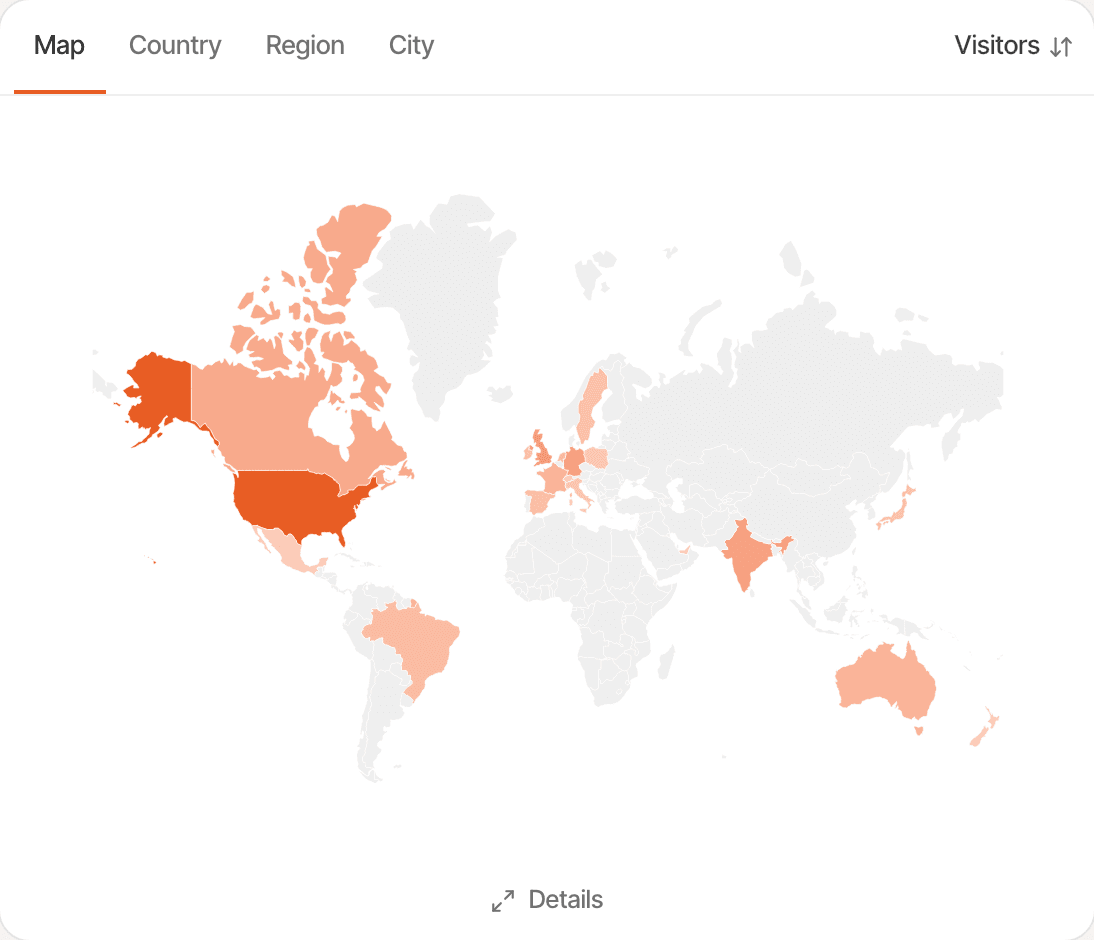
Locations
A map shaded by visitors, then countries, regions and cities. The location is looked up when a visit arrives; IP addresses are used for the lookup and never stored.
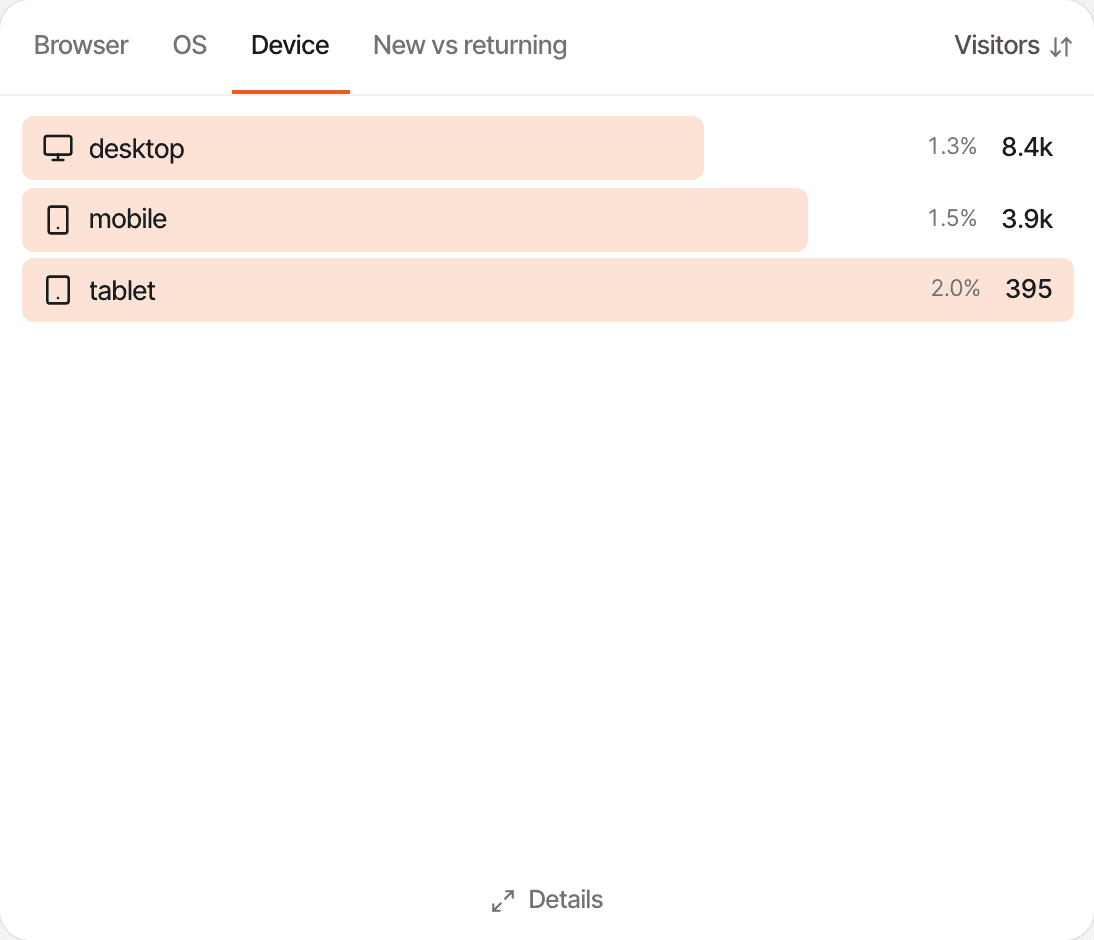
Devices
Browsers, operating systems, devices (desktop, mobile or tablet) and new against returning visitors.
See how your traffic changes over time.
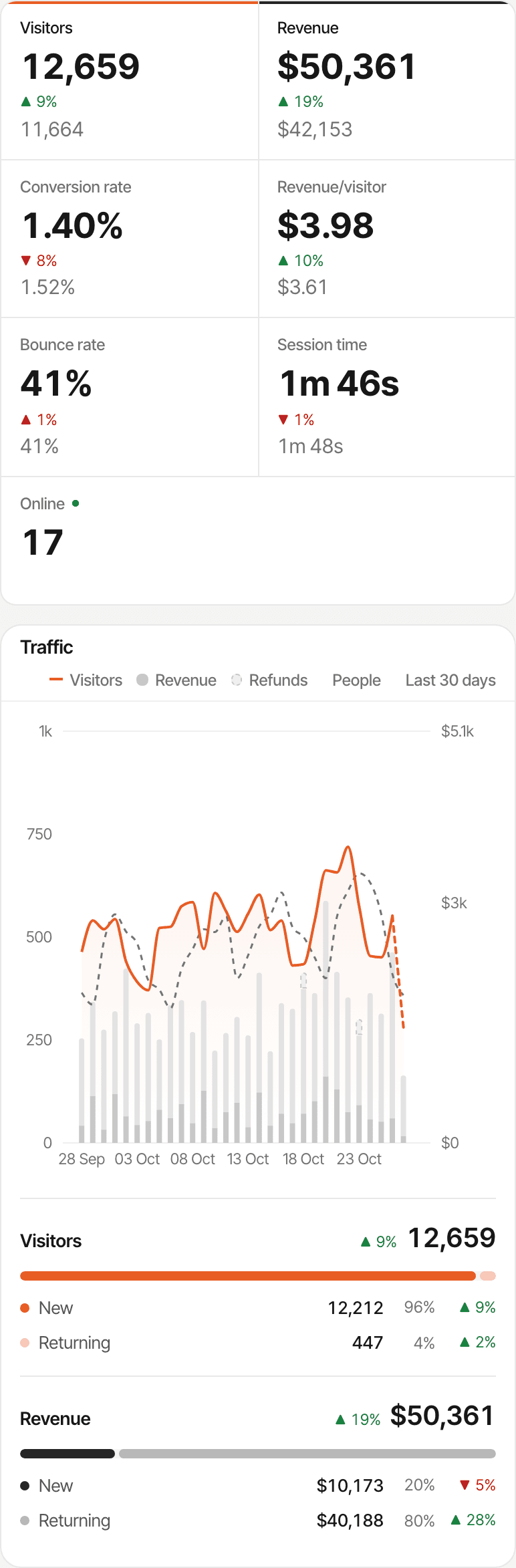
The Traffic chart draws visitors as a line and revenue as bars, and splits both into new and returning beside it.
- The period before
- Every figure shows its change against the period just before, of the same length. Turn on Compare to see the previous figures and a dashed line for its visitors.
- Any interval
- Hourly, daily, weekly or monthly, and per minute for the last 30 minutes.
- One metric at a time
- Switch the chart from visitors and revenue to conversion rate, revenue per visitor, bounce rate or session time.
- Any period
- Today, yesterday, the last 24 hours, 7 or 30 days, 3, 6 or 12 months, week, month or year to date, all time, or dates you pick.
- Your timezone
- Days and hours follow your website's timezone, and weeks start on Monday.
- What happened when
- Pin a note on the chart at a launch or a campaign, and see it next to the traffic it moved.
The period you’re in, unfinished, is drawn dotted so a half-day doesn’t read as a drop. Notes on the chart
Filter every report down to one segment.
Click a channel, a page, a country or any other row, and the whole dashboard narrows to it: the figures, the chart and every card.
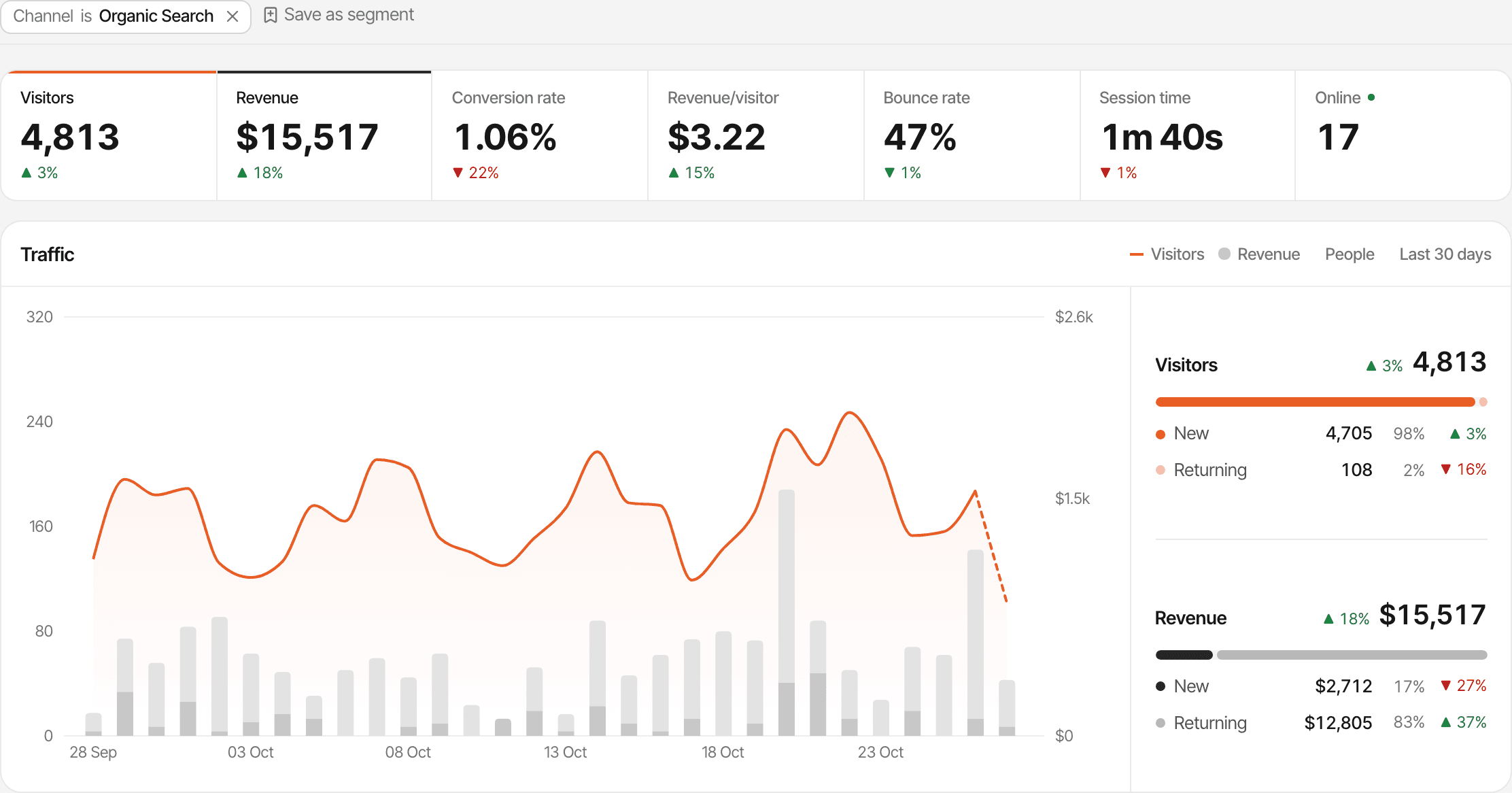
- Channel, source, referrer, campaign, UTM source, medium, campaign and content, and keyword
- Page, entry page, exit page and hostname, with * as a wildcard in pages
- Country, region, city, browser, OS, device and new or returning
- Visitors who completed a goal
- Is, is not, contains or doesn't contain
- Up to 10 filters at once, all applied together
- Filters stay in the address, so a filtered view can be bookmarked or sent to your team
- Save a set of filters as a segment and apply it in one click
A page or goal filter keeps the visitor’s other visits, so a purchase made on a later visit still counts. How filters work
See which traffic turns into customers.
Connect Stripe, Polar, Paddle, Lemon Squeezy or Dodo Payments, and every source, page, country and device can say what its visitors paid, not only how many came.
- Conversion rate on every row
- Each source, page, country and device shows the share of its visitors who became paying customers.
- Sort by revenue
- Rank referrers, campaigns, pages, countries or devices by the revenue their visitors brought instead of their number.
- The details
- Open a card's details for up to 200 rows with visitors, bounce, duration, customers, revenue and revenue per visitor.
Not selling online? Make a goal such as a sign-up your #1 KPI, and it takes revenue’s place in the figures and the rows. About revenue attributionAbout goal tracking
Practical ways to use traffic analysis.
After a launch
See which post, newsletter or community sent the most visitors, and which of them signed up.
Content and SEO
Filter to Organic search and read the Entry page tab: the posts that bring people in from search.
Paid campaigns
Compare campaigns and keywords by revenue per visitor, not only by clicks.
Going international
Find the countries that convert best before you translate a page or price in a new currency.
Share a read-only dashboard by link, or ask an AI assistant about your traffic through MCP. About public dashboardsConnect an AI assistant
Know what the numbers can't tell you.
The dashboard reports what the script recorded, counted the same way everywhere. Some things it doesn’t do.
- Visitors who block the script, and known bots, aren't counted
- A visitor is one browser: a phone and a laptop are two visitors
- In cookieless mode a visitor is recognised for a day
- Campaign tags are read from the first page of a visit
- Exit link is outbound clicks; exit pages are a filter, not a report
- No reports by screen size or language
- Heatmaps and session recordings are off until you turn them on
- No export to a file; the figures and chart can be copied as an image
- Comparison is with the period just before; there's no year-over-year view
- Pageviews, goals and outbound clicks count toward your plan's events
- Your traffic stays for your plan's history: 2 years to 5 years
Need one of these? Read where another tool fits better. When not to use SuprAnalytics
Questions, answered.
What is website traffic analysis?
How does SuprAnalytics count visitors and visits?
How is bounce rate calculated?
Can I see which sources send the most traffic?
Can I compare traffic with a previous period?
Can I filter traffic by page, country or campaign?
Is the data sampled?
Can I export my traffic data?
More features
- Revenue attributionPayments from your provider, credited to the source that brought each customer.Open
- Live chatTalk to visitors with their source, pages and journey beside the chat.Open
- Realtime analyticsWho's on your website right now, where they came from and what they're reading.Open
- Visitor journeysEach visitor's visits, pages, goals, payments and chats on one timeline.Open
- Conversion funnelsWhere visitors drop off between landing, signup and payment.Open
- Goal trackingCount signups, clicks and pages reached, with conversion rates by source.Open
- UTM trackingCampaign tags read automatically, with visitors, conversions and revenue per campaign.Open
- AI trafficVisits from ChatGPT, Perplexity, Claude and other AI assistants, as their own channel.Open
- Subscription revenueRenewals, refunds and lifetime value, by where customers first came from.Open
- Multiple websitesEvery website in one account, with an all-websites view.Open
- Public dashboardsShare a read-only dashboard by link, without names or payments.Open
- Cookieless trackingAn optional mode that sets no cookies, and what it changes.Open
Understand your traffic, down to the visitor.
See which sources, pages and countries bring visitors who stay, sign up and pay.
14-day free trial · No card requiredPricingAll features