
Multiple websites
All your websites. One place to understand what's happening.
Track traffic, revenue, and visitor conversations across your websites from one SuprAnalytics account. See the big picture, then explore each website in detail.
14-day free trial · No card required · From $9/month
Running several websites shouldn't mean checking several dashboards
Say you run a SaaS product, a side project and a marketing website. Without one overview, you switch between tools or accounts to see how each is doing. With SuprAnalytics, all three live in one account.
- yourapp.exampleThe SaaS product
- sideproject.exampleA side project
- yourcompany.exampleThe marketing website
Start with the big picture
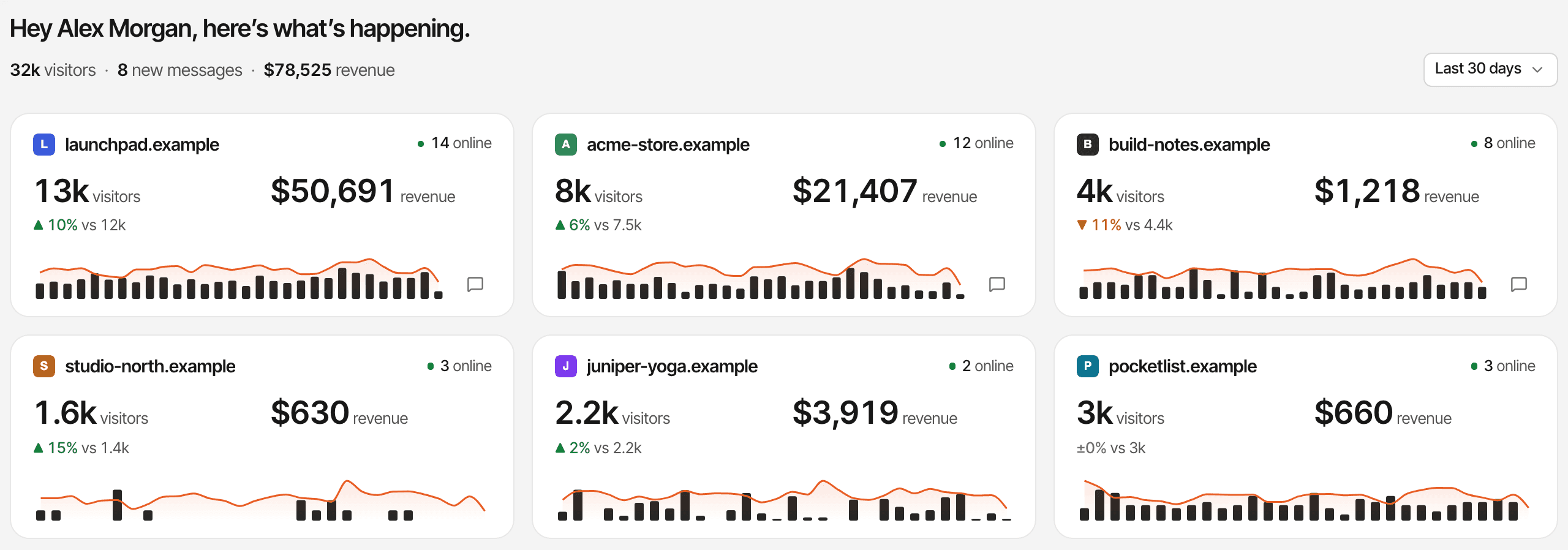
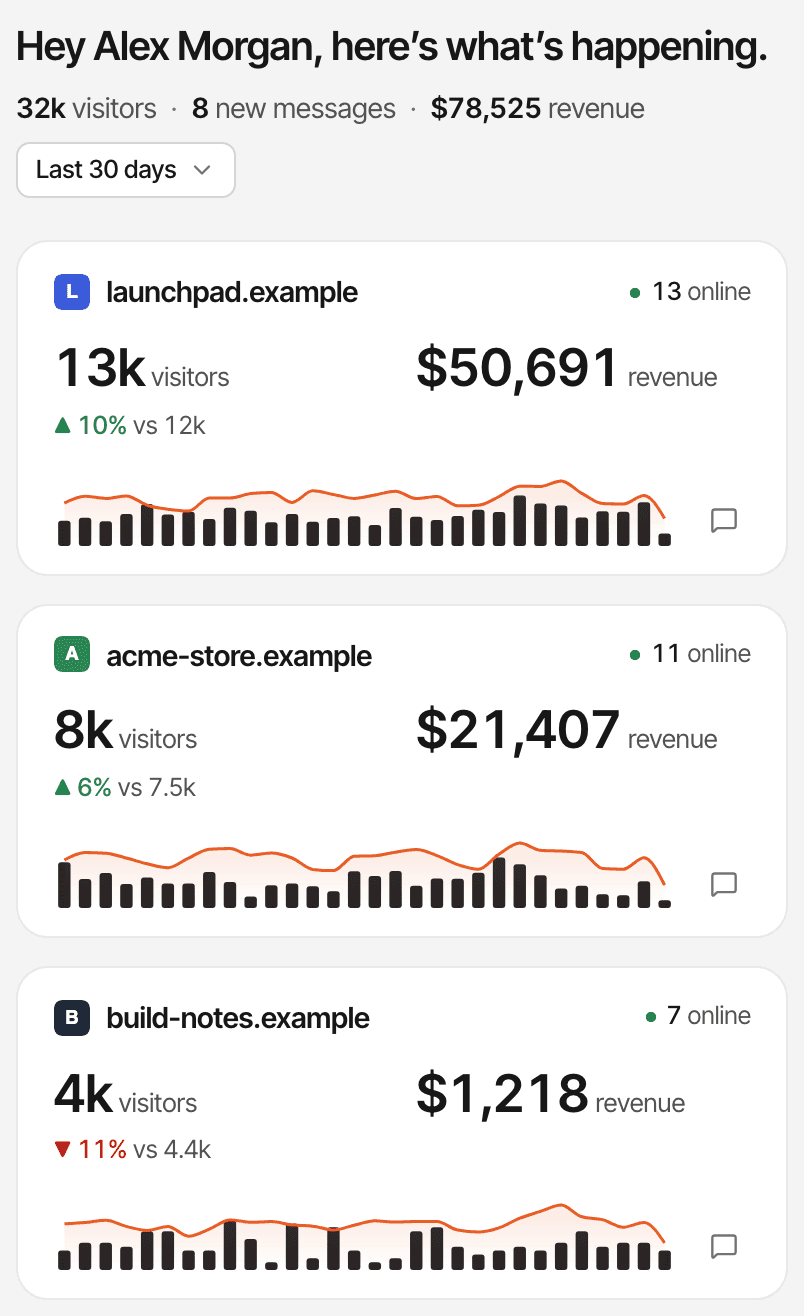
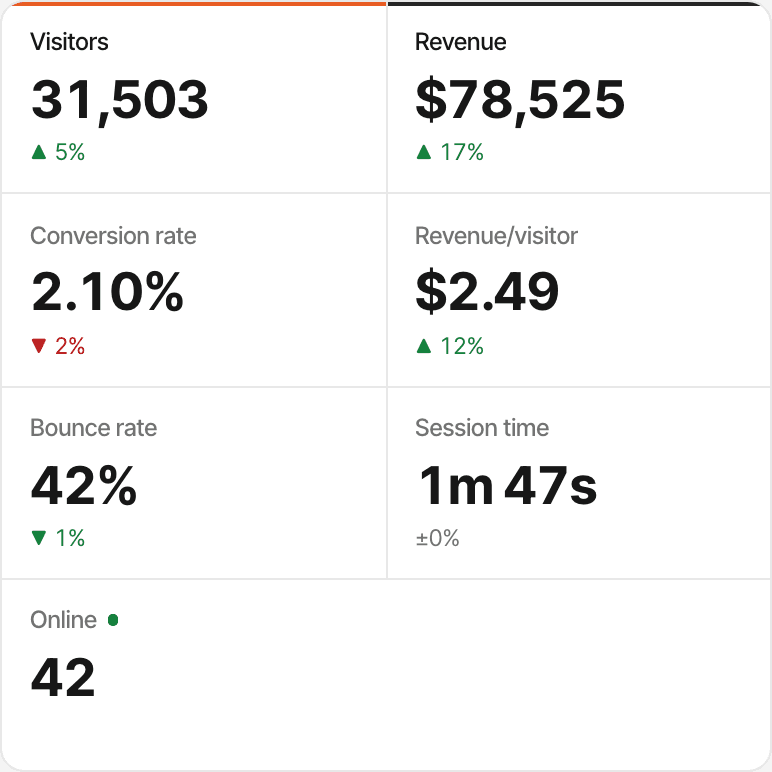
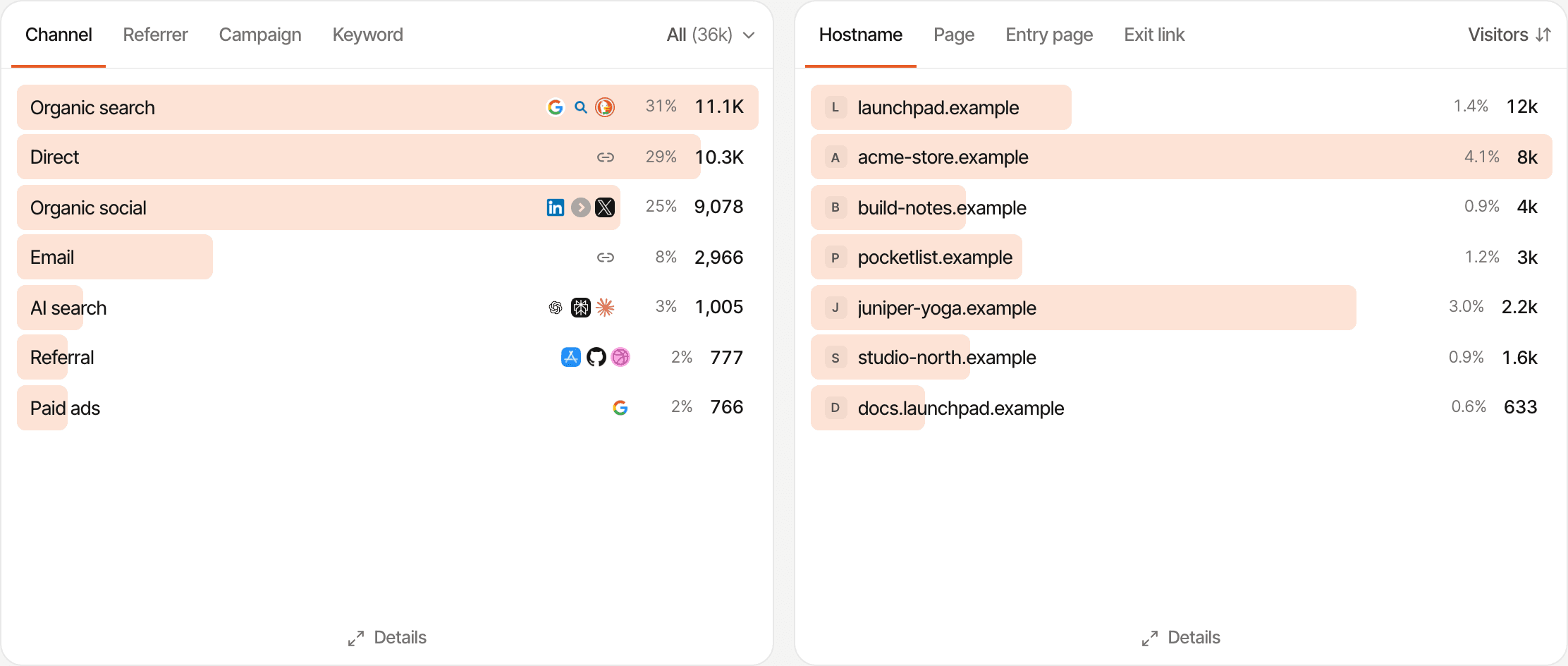
Two views cover every website at once. Home gives each website a card; the All websites dashboard adds their reports up into one.
Home: a card per website
- Visitors, and the change against the previous period
- Revenue, in each website's own currency, once there is any
- Who's online now, and a small chart of visitors and revenue
- Unread chats, and the totals for all your websites at the top
Click a card to open that website. Drag cards to put the ones you watch most first.
All websites: one combined dashboard
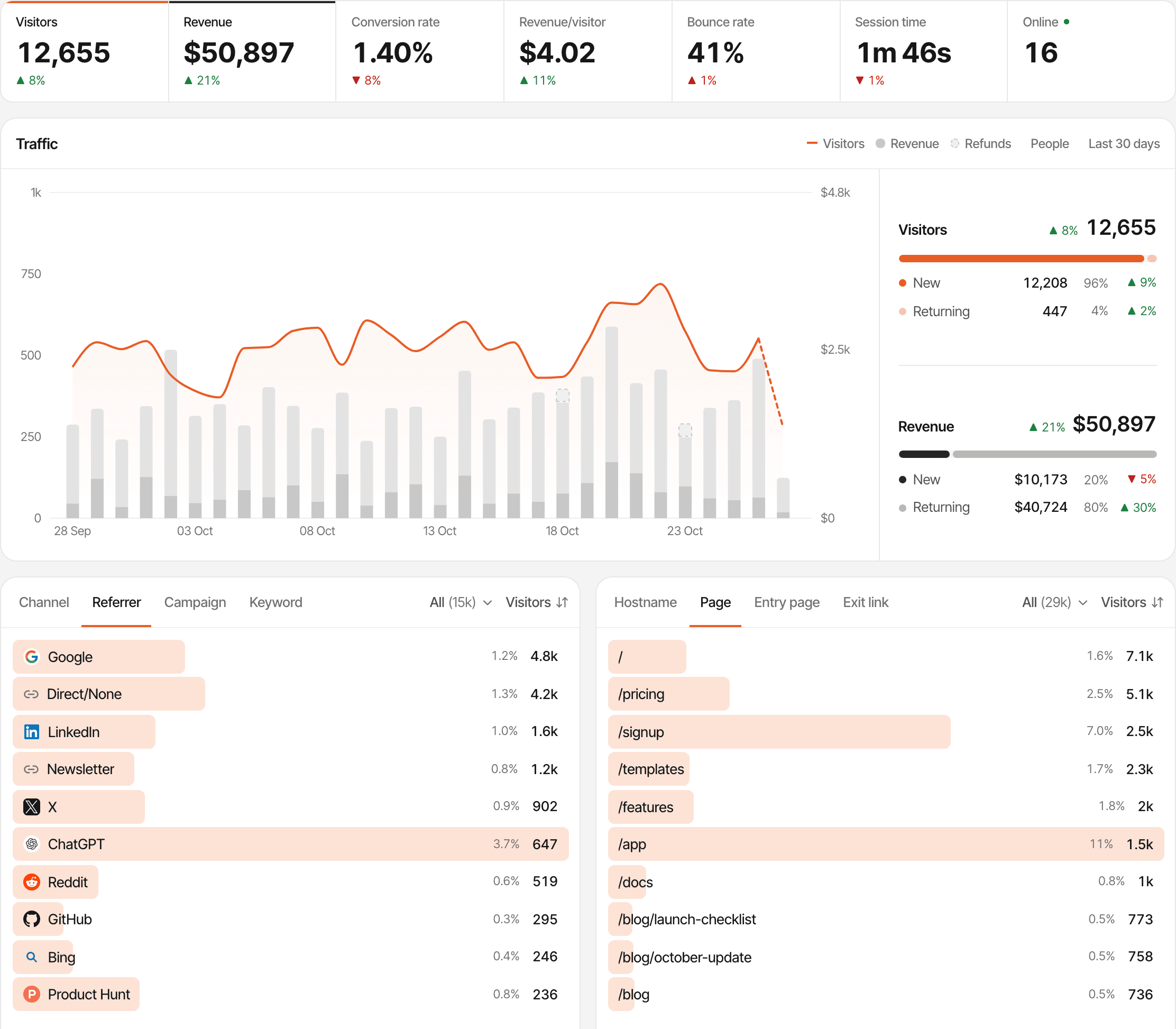
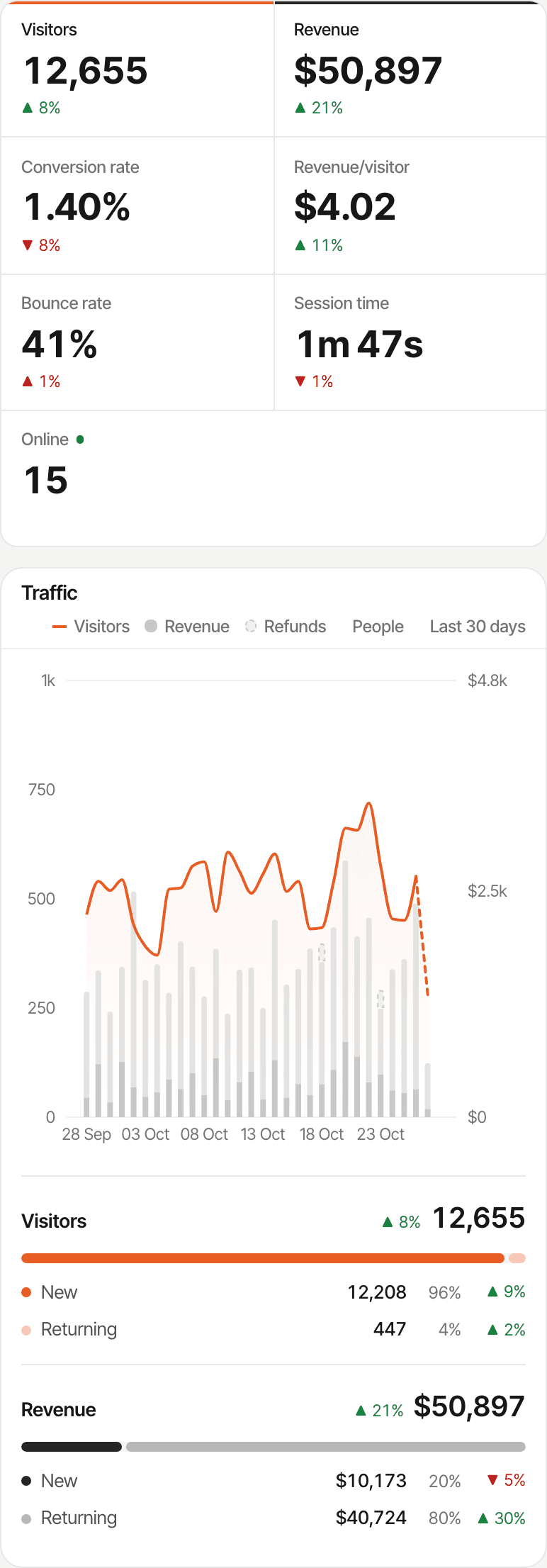
- Visitors, revenue, conversion rate, revenue per visitor, bounce rate, session time and who's online, across every website
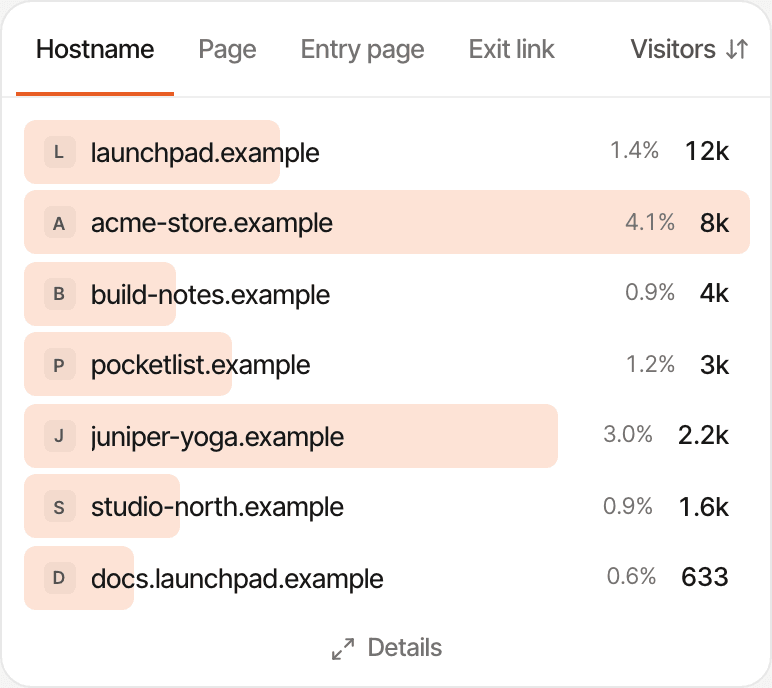
- Sources, pages, locations and devices combined, with a Hostname tab that lists each website
- Goals combined by name, funnels, journeys, users, realtime and lifetime value
It's read-only: goals and settings are set up on each website. Revenue is converted to your first website's currency.

Zoom in when something changes
See how your products are performing together, then investigate the one that needs attention.
Open Home or All websites
Spot the website whose visitors or revenue moved.
Pick that website
Click its card, or choose it from the website switcher at the top or the rail of website icons.
Read its traffic and sources
Its own visitors, channels, referrers, campaigns, pages and countries.
Check its revenue
Where that website's payment provider is connected.
Each website keeps its own visitors. Someone who visits two of your websites has a journey on each; they aren't joined into one.
Know which website is growing
Home puts each website's numbers side by side for the period you pick, so the one that's growing, or slipping, stands out.
| Website | Visitors | vs previous | Revenue |
|---|---|---|---|
| yourapp | 4,820 | ▲ 12% | $1,240 |
| sideproject | 1,340 | ▲ 8% | $190 |
| yourcompany | 2,110 | ▼ 3% | none |
Illustrative numbers, not customer data. The change is for visitors; a website shows revenue once its payment provider sends some. There's no separate comparison report: for one combined view, open All websites and its Hostname tab.
One inbox for conversations across your websites
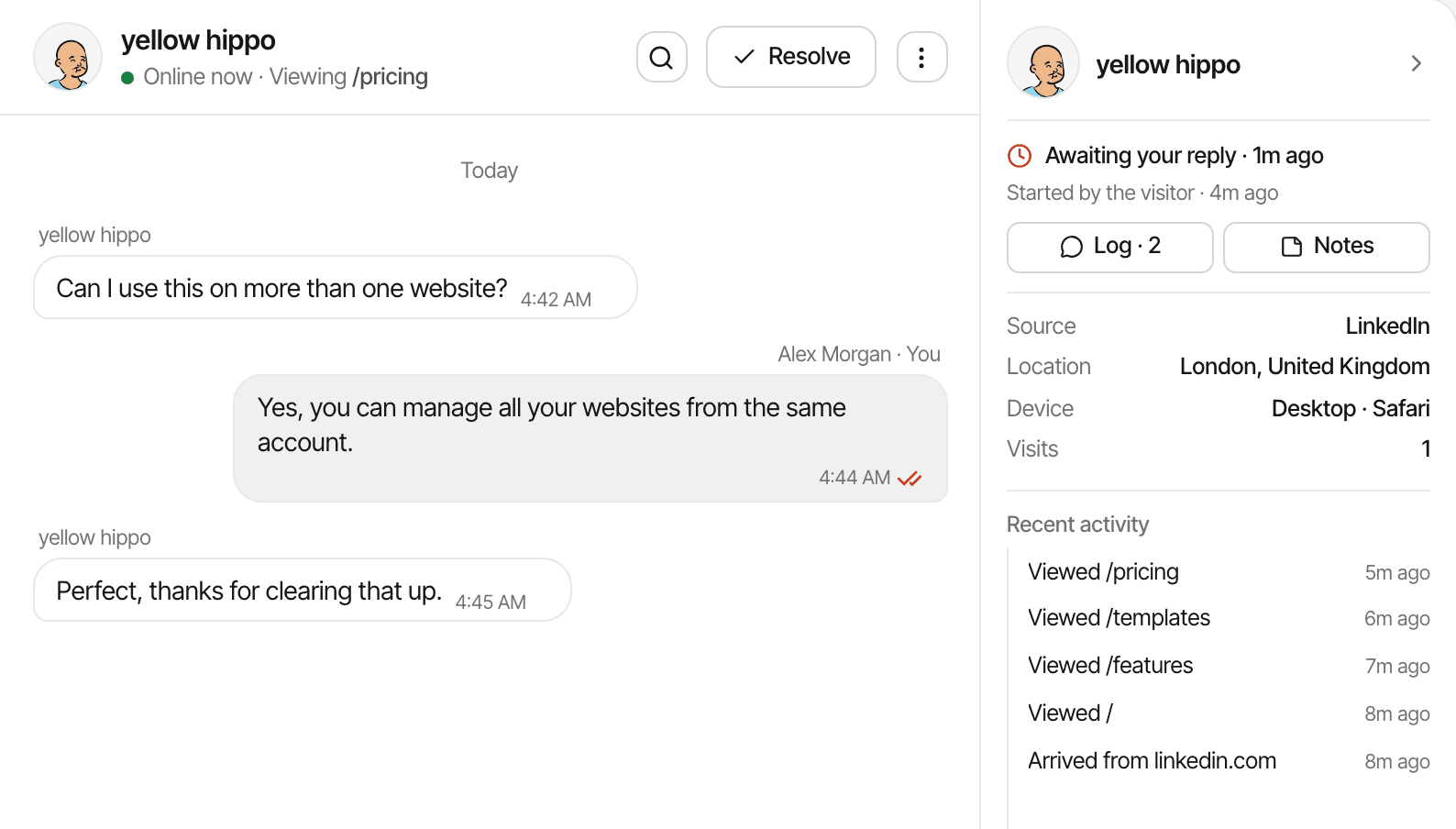
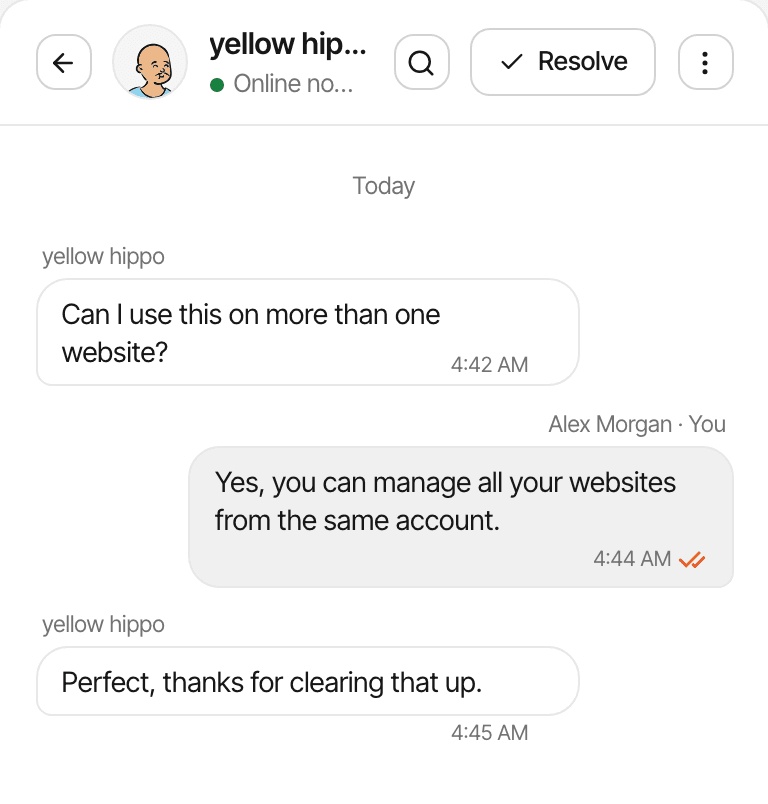
A visitor asks about pricing on one product while another reports an issue on your side project. Handle both from the same inbox, without switching accounts.
- Every website with chat turned on, in one list
- Each conversation marked with its website's icon, and answered as that website
- The visitor's source, pages, device and location beside the chat
- Filters for open, unread, resolved, starred and blocked; there's no filter by website
Connect Telegram once in your account settings to get every website's messages there, and mute the websites you don't want pinged about; each message names its website. Visitors who leave an email get your reply by email, whichever website they wrote from.
See which products bring in revenue
Each website connects its own payment provider, so every product's revenue lands on its own dashboard, and the All websites dashboard adds them up.
- Each website gets its own webhook address and secret for Stripe, Polar, Lemon Squeezy, Paddle or Dodo Payments
- Revenue by source, campaign and page, with first-touch or last-touch attribution chosen per website
- Renewals and refunds counted on the website that took the payment
- A payment that can't be tied to a visit still counts in that website's revenue, without a source
The tracking script alone doesn't connect payments: each website needs its provider's webhook set up, and for most providers the visitor id passed at checkout. How revenue attribution works
- yourapp.exampleStripe webhook
- sideproject.examplePolar webhook
- yourcompany.exampleNo payments: traffic only
Each website keeps its own setup
Every website is set up on its own, so a store in euros and a SaaS in dollars can sit side by side. A few things belong to your account instead.
Set per website
- Its own script, with its own website id
- Its domain, plus any additional domains it tracks
- Timezone, currency and attribution model
- Goals, funnels and its #1 KPI
- Chat widget, alerts and quick replies
- Payment provider webhooks and secrets
- Public dashboard on or off
- Excluded IPs, paths and countries, and its managed proxy
Set once for your account
- Your plan, billing and monthly event allowance
- Email notifications, and Telegram with a mute per website
- API keys for the MCP server, which read every website
- The order of the cards on Home
The same script on every website; only the website id and domain change.
<script
  defer
  supr-website-id="WEBSITE_ID_1"
  supr-domain="yourapp.example"
  src="https://supranalytics.app/js/script.js"
></script>
<script
  defer
  supr-website-id="WEBSITE_ID_2"
  supr-domain="sideproject.example"
  src="https://supranalytics.app/js/script.js"
></script>
Tracking several domains as one website (a shop on its own domain, say) is a setting of that website: see additional domains.
Add websites without adding another subscription
Every plan includes unlimited websites. There's no charge per website: your plan's monthly event allowance applies across all the websites in your account.
- Unlimited websites on every plan, during the trial too
- One monthly event allowance, shared by all your websites
- Unlimited live chat, which never counts as events
- 2 years to 5 years of data history, by plan
Unlimited websites doesn't mean unlimited events: add up your websites' traffic when you pick a plan.
| Events a month | Price |
|---|---|
| 100,000 events | $9/mo |
| 300,000 events | $19/mo |
| 500,000 events | $29/mo |
| 1 million events | $49/mo |
| 2 million events | $79/mo |
| 5 million events | $149/mo |
14-day free trial · No card required
Built for people running more than one website
- Indie hackers
- Track a SaaS, a side project and a landing page from one account, and see which one is moving. Analytics for indie hackers
- SaaS founders
- See your app, its marketing website and its docs together, then open each one's own sources, funnels and revenue.
- Agencies
- Watch your clients' websites from your own account, and give each client a read-only public dashboard link. Team access isn't released yet, so there are no client logins or team permissions, and there's no white-label reporting or separate billing per client.
Add your first website in minutes
Then repeat for the rest. Each website takes the same few steps.
Create your account
Start your 14-day free trial; no card needed.
Add a website
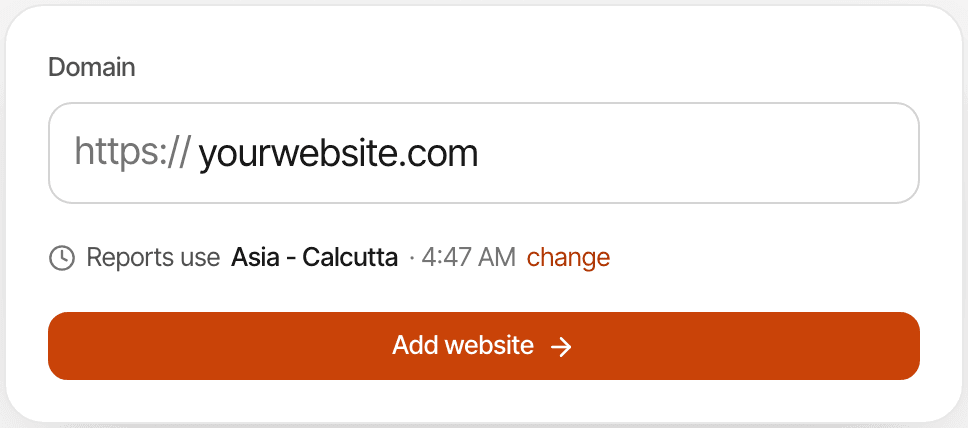
Enter its domain and check the timezone its reports use, then click Add website.
Install its script
Paste the script tag into the
<head>of every page, follow the guide for your platform, or give the prompt to your coding agent.Watch for the first visit
The setup page listens for it and switches to “Receiving data” as soon as it arrives.
Repeat for your other websites
Use + Website on Home. Each one gets its own script and website id.
Connect payments and chat where you want them
Per website: connect its payment provider and turn on chat in Settings → Chat.
Questions, answered.
Can I track unlimited websites with SuprAnalytics?
Can I see all my websites in one dashboard?
Can I view analytics for each website separately?
Does every website need its own tracking script?
Can I manage live chat across multiple websites?
Can I track revenue separately for each website?
Do I need a separate subscription for each website?
Do websites share the same monthly event allowance?
Can I share a website's analytics publicly?
Can my team or clients access individual websites?
More features
- Revenue attributionPayments from your provider, credited to the source that brought each customer.Open
- Live chatTalk to visitors with their source, pages and journey beside the chat.Open
- Traffic analysisVisitors, sources, pages, locations and devices, with filters and the change against the period before.Open
- Realtime analyticsWho's on your website right now, where they came from and what they're reading.Open
- Visitor journeysEach visitor's visits, pages, goals, payments and chats on one timeline.Open
- Conversion funnelsWhere visitors drop off between landing, signup and payment.Open
- Goal trackingCount signups, clicks and pages reached, with conversion rates by source.Open
- UTM trackingCampaign tags read automatically, with visitors, conversions and revenue per campaign.Open
- AI trafficVisits from ChatGPT, Perplexity, Claude and other AI assistants, as their own channel.Open
- Subscription revenueRenewals, refunds and lifetime value, by where customers first came from.Open
- Public dashboardsShare a read-only dashboard by link, without names or payments.Open
- Cookieless trackingAn optional mode that sets no cookies, and what it changes.Open
One dashboard for every website you run
See how your websites are performing, understand where customers come from, and manage conversations in one place.
14-day free trial · No card required · From $9/month · Unlimited websitesEvery feature