
Conversion funnels
See where visitors drop off before converting.
Build conversion funnels, follow visitors through each step, and identify where people leave your conversion flow.
Steps can be page visits, goals or payments. Each one shows how many visitors reached it, how many left before it, and how long the step took.
14-day free trial · No card required · From $9/month
What is conversion funnel analytics?
A funnel is a sequence of steps you expect people to take, such as landing on a page, viewing pricing and signing up. Funnel analytics counts how many visitors reached each step, in that order, so you can see where the sequence loses them.
- Landing page
- Pricing page
- Signup goal
SuprAnalytics counts people, not page views: each visitor is counted once per step, and only after they've reached the steps before it. The steps can happen in the same visit or across several.
Understand each funnel step.
A funnel has a name and 2 to 8 steps, each with its own name if you want one. There are three kinds of step.
Page visit
The visitor viewed a page. Match it exactly, by what it contains, starts or ends with, what it doesn't equal or contain, or a wildcard such as /blog/*, and limit it to one hostname if you like.
Goal
The visitor completed a goal you track, such as a sign-up. Or the opposite: a step for everyone who did NOT complete it after the previous step, to ask “who saw pricing but didn't sign up?”
Payment
The visitor paid, through a connected payment provider, with refunds left out.
Steps count in order. Each one counts a visitor at their first match at or after the time they reached the previous step, so someone who skips a step isn't counted at the steps after it. How to build a funnel
Find where visitors drop off.
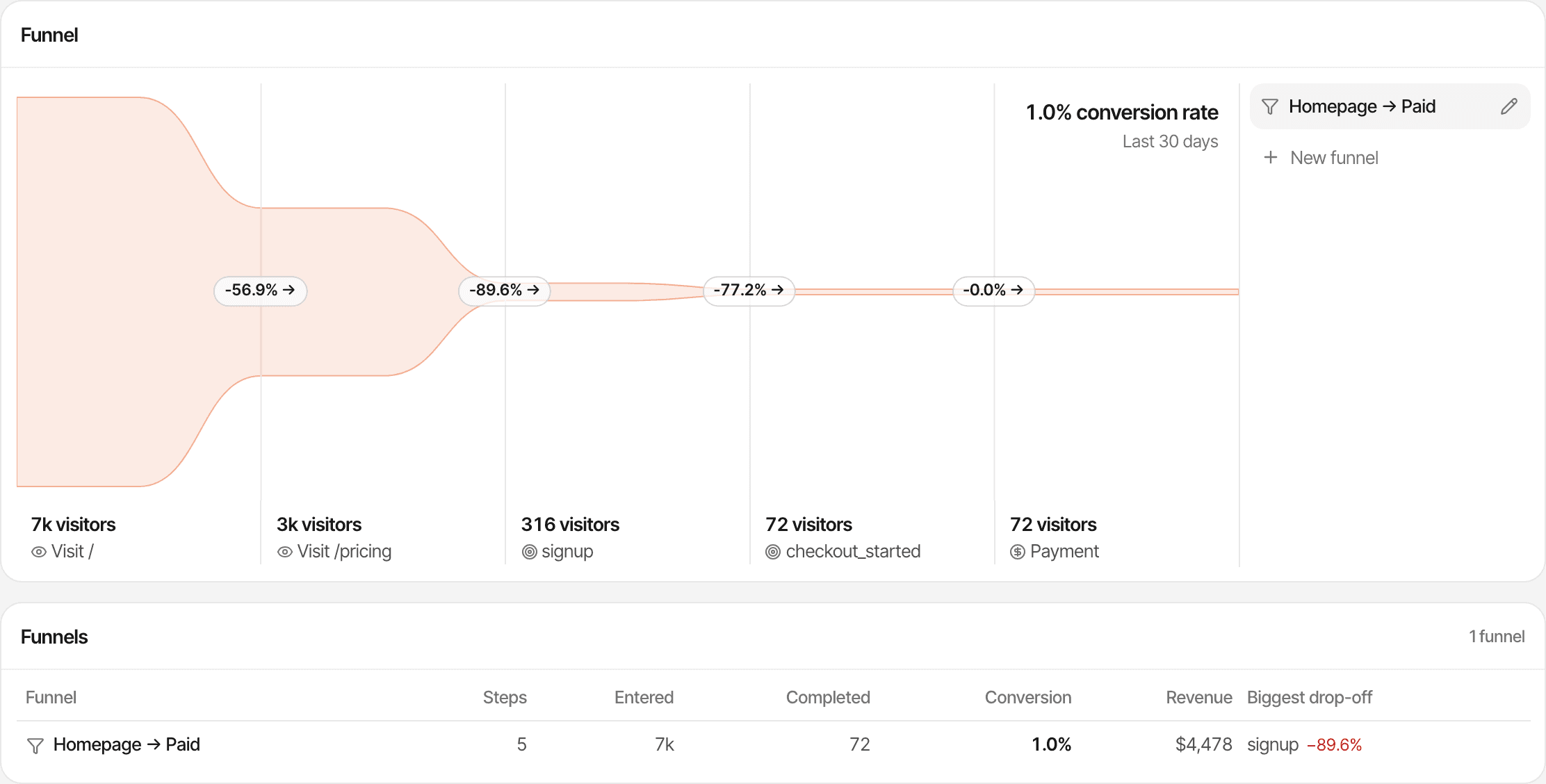
Every step shows what it kept and what it lost, so the leakiest step stands out.
- Visitors
- How many visitors reached the step.
- Of step 1
- The step's visitors as a share of those who entered the funnel.
- From previous
- The step's visitors as a share of those who reached the step before.
- Drop-off
- The share who reached the previous step but not this one, shown between the steps.
- Avg. time
- How long, on average, visitors took to get from the previous step to this one.
- Conversion rate
- The last step's visitors divided by the first step's.
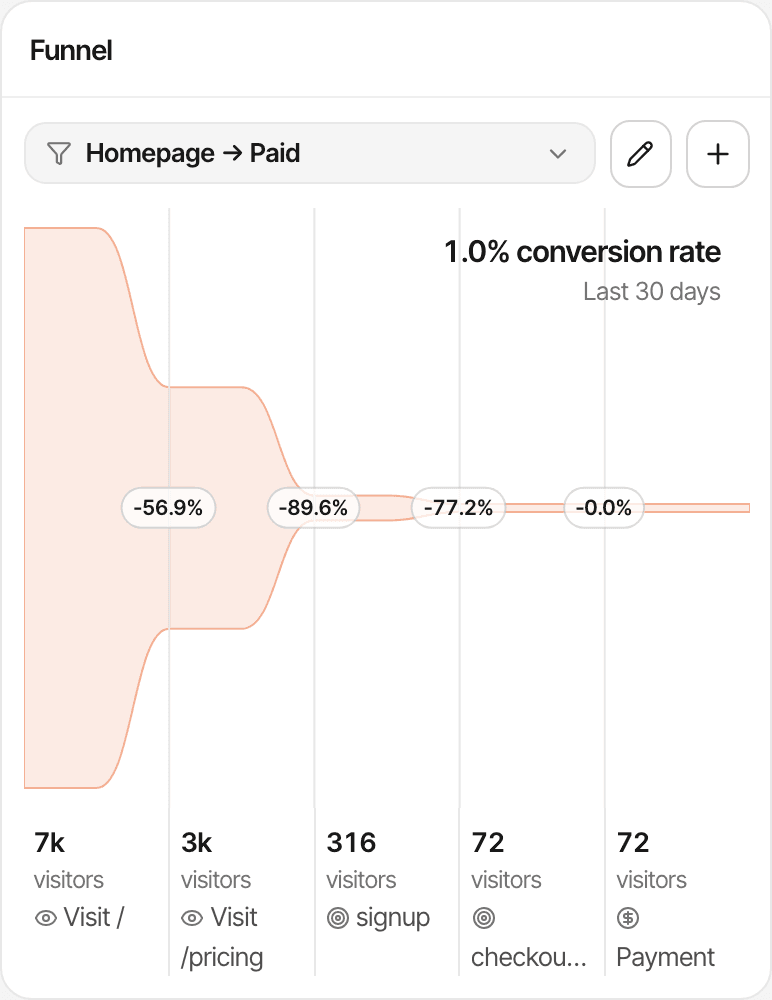
In the demo funnel above, 7k visitors viewed the homepage and 3k of them went on to pricing: a drop-off of 56.9%. The Funnels table lists every funnel with who entered, who completed, the conversion, the revenue, and the step that loses the largest share of the visitors reaching it.
Track meaningful goals.
A funnel is as good as the steps it can see. Page visits are recorded on their own; goals are the actions you choose to track.
Goals you can use as steps
- A page goal, such as reaching /thanks
- A custom event, such as
supr("signup")from your code - An HTML attribute on a button or form
- A goal sent from your server
Mix them in one funnel
Page visits, goals and a payment can sit in the same funnel, in any order you need: pricing page, then a sign-up goal, then a started checkout, then a payment.
Filter by acquisition source.
Funnels use the dashboard's date range and filters, so you can compare how visitors from one source move through the same steps as everyone else.
- Channel, including AI search
- Source and referrer
- UTM source, medium, campaign, term and content
- Country, region and city
- Device, browser and operating system
- Entry page, exit page and hostname
- New or returning visitors
- Visitors who viewed a page or completed a goal
Filters choose who enters: a filter applies to the visit in which someone reached step 1, and the later steps follow those visitors wherever they go next. Step 1 must fall in the date range; the later steps count until the range ends. About UTM trackingAbout AI traffic
Funnels and visitor journeys answer different questions.
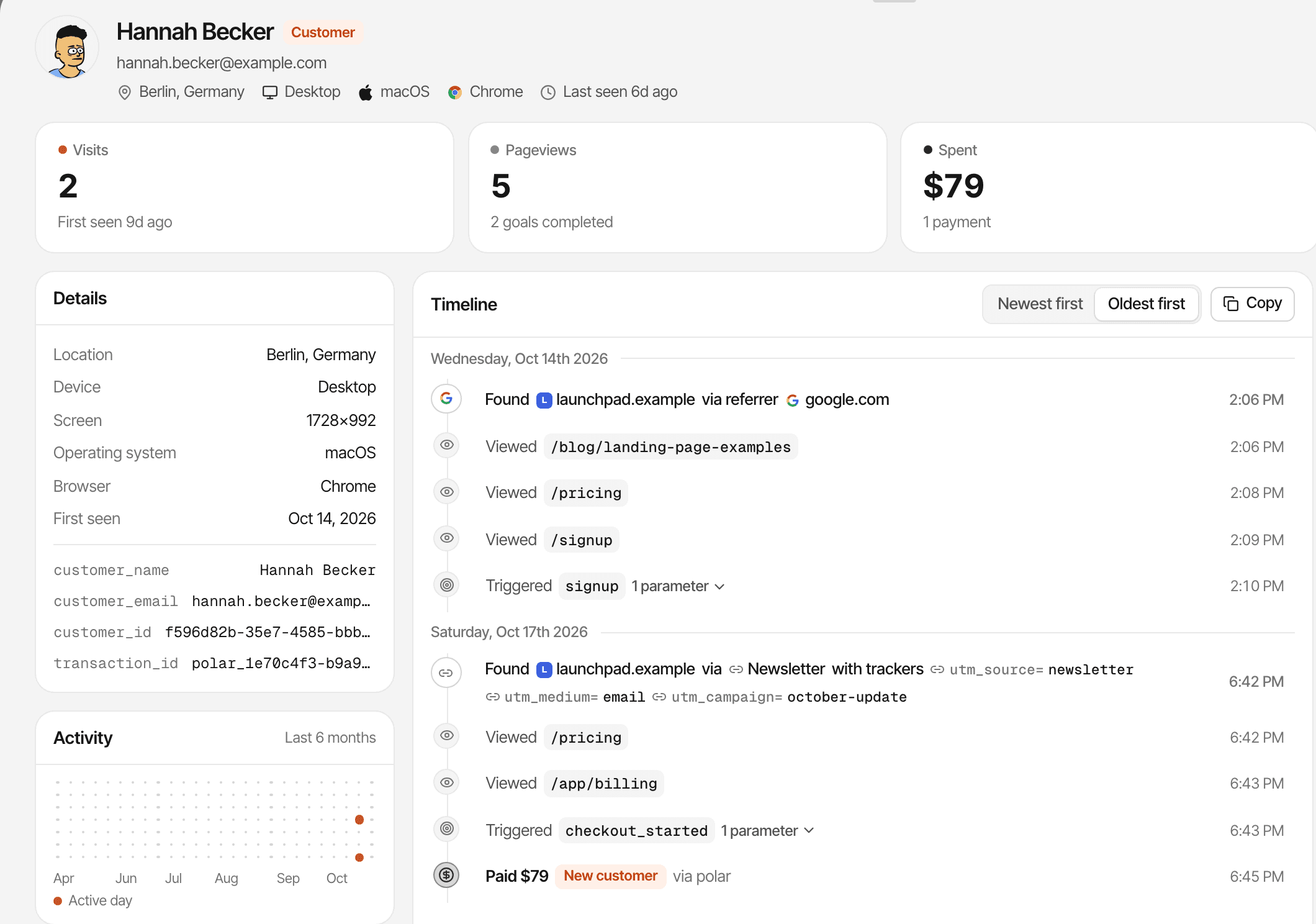
A funnel counts everyone who moved through the steps you chose. A journey shows everything one visitor did.
- Funnels
- How many visitors got through each step, and where the rest dropped off.
- Visitor journeys
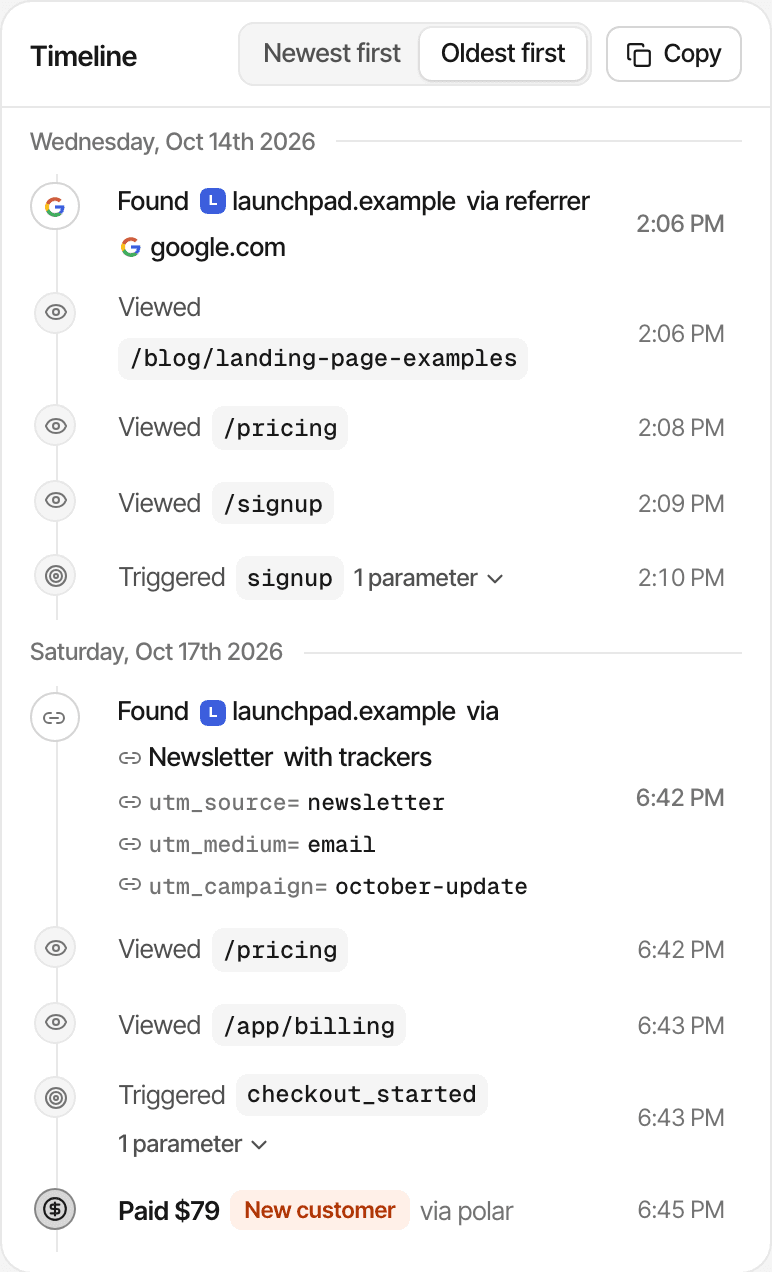
- One visitor's visits, sources, pages, goals and payments, in order.
A funnel doesn't list the people at each step. To read individual journeys, the Journey view lists everyone who completed a goal; open anyone to see their timeline. About visitor journeys
Connect funnels to revenue.
Connect Stripe, Polar, Lemon Squeezy, Paddle or Dodo Payments, and a payment can be a funnel's last step.
In the funnel
A payment step counts the visitors who paid after the previous step, and shows the revenue they brought. The Funnels table shows that revenue for each funnel with a payment step.
In revenue attribution
Revenue attribution credits each payment to the source that brought the customer, by first or last touch, across all your traffic.
Only payments matched to a visitor can appear in a funnel, and refunded ones are left out. A payment that can't be matched still counts in your revenue, without a source, but isn't in any funnel. Page and goal steps don't carry revenue. How revenue attribution works
Practical ways to use funnels.
SaaS sign-up flows
Homepage, pricing, sign-up goal, payment: see which step loses the most people.
Product launches
After a launch, filter to the launch's source and watch how many reach sign-up.
Marketing campaigns
Filter by a UTM campaign to compare how its visitors move through the same steps.
Onboarding goals
Sign-up, then the first goals you track in your app, to see where new users stall.
Onboarding inside your app needs goals sent from it, by the script or from your server. SuprAnalytics for indie hackers
Know what a funnel can and can't see.
A funnel is built from what the script recorded. It can't add steps that weren't tracked.
- Steps need recorded page views, goals or matched payments; missing events can't be filled in later
- A visitor is one browser, recognised by a first-party cookie for a year
- In cookieless mode a visitor is recognised for a day, so steps on another day count as someone new
- A phone and a laptop are two visitors; activity isn't merged across devices or browsers
- No separate conversion window: later steps count until the end of the date range
- Filters apply to the visit where step 1 happened
- Data is kept for your plan's history: 2 years to 5 years
- Funnels show where people leave, not why
Whether you need consent depends on your setup and where your visitors are; this isn't legal advice. Cookies and cookieless mode
Questions, answered.
What is conversion funnel analytics?
How do I create a funnel?
Can I combine pageviews and goals?
How is funnel conversion rate calculated?
Can I see where visitors drop off?
Can I filter funnels by traffic source?
Can funnels track revenue?
Does funnel tracking work without cookies?
More features
- Revenue attributionPayments from your provider, credited to the source that brought each customer.Open
- Live chatTalk to visitors with their source, pages and journey beside the chat.Open
- Traffic analysisVisitors, sources, pages, locations and devices, with filters and the change against the period before.Open
- Realtime analyticsWho's on your website right now, where they came from and what they're reading.Open
- Visitor journeysEach visitor's visits, pages, goals, payments and chats on one timeline.Open
- Goal trackingCount signups, clicks and pages reached, with conversion rates by source.Open
- UTM trackingCampaign tags read automatically, with visitors, conversions and revenue per campaign.Open
- AI trafficVisits from ChatGPT, Perplexity, Claude and other AI assistants, as their own channel.Open
- Subscription revenueRenewals, refunds and lifetime value, by where customers first came from.Open
- Multiple websitesEvery website in one account, with an all-websites view.Open
- Public dashboardsShare a read-only dashboard by link, without names or payments.Open
- Cookieless trackingAn optional mode that sets no cookies, and what it changes.Open
Find the friction in your conversion flow.
Understand how visitors progress through your funnel and identify the steps that deserve attention.
14-day free trial · No card requiredPricingAll features