
Realtime analytics
See what's happening on your website right now.
Monitor active visitors, see where traffic is coming from, and explore recent activity in one clear view.
14-day free trial · No card required · From $9/month
- Online
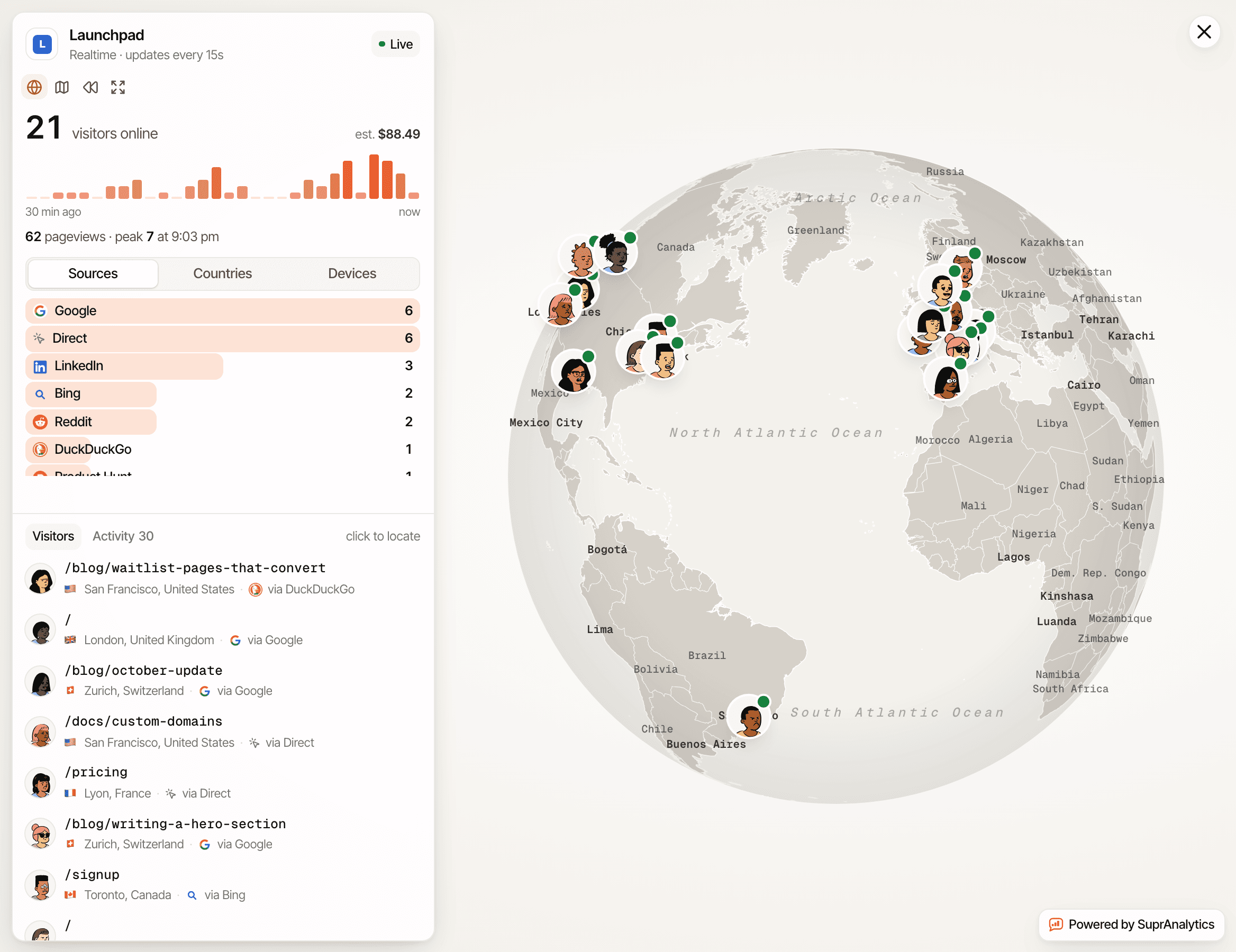
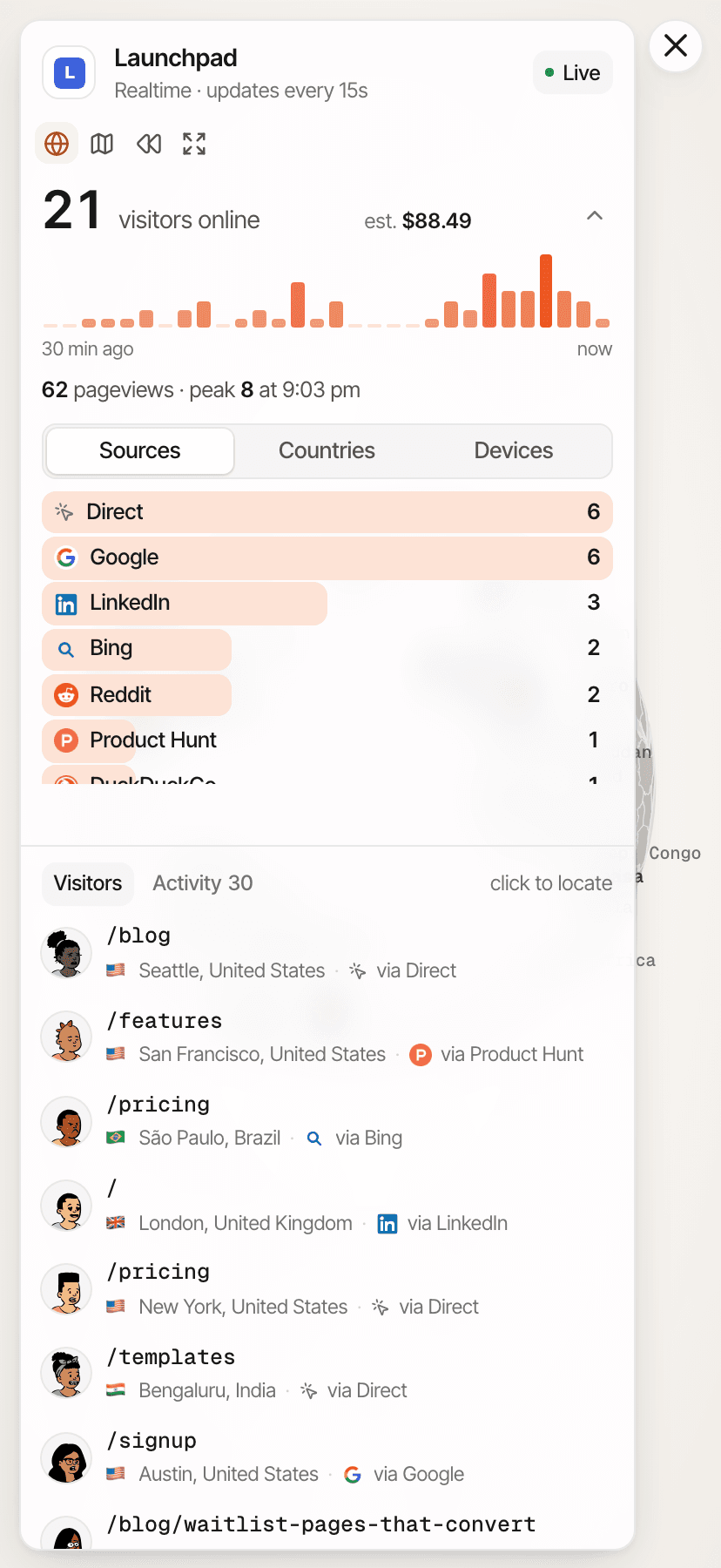
- The visitors active in the last 5 minutes, and a bar per minute for the last 30.
- Sources, countries, devices
- Where the people online came from, where they are and what they use. Click one to narrow the view.
- Visitors and activity
- Each visitor's current page and source, and the latest pageviews, goals, clicks and payments.
What does realtime website analytics actually show?
Realtime analytics reports what happened on your website in the last few minutes, rather than over days or weeks. Each tool decides what counts as “active” and how often the numbers update.
How SuprAnalytics counts someone as online
- Online means seen in the last 5 minutes and not yet left.
- While a tab is visible and in use, the script checks in every 30 seconds, so a reader on a long page stays online.
- A tab in the background stops checking in, so its visitor drops off within 5 minutes of their last activity.
- When a page closes, the script says goodbye, and the visitor usually drops off at the next update.
- Each visitor counts once, even with two tabs open.
So “online” is a measurement by those rules, not proof that someone is looking at the screen at this second.
See how many visitors are active.
The view says how fresh it is: "Realtime · updates every 15s". The count and the lists reload every 15 seconds, and the Online figure on the dashboard does too.
- Visitors online
- The count at the top of the view, and the Online figure on the dashboard, which opens it.
- The last 30 minutes
- A bar per minute of visitors, with the pageviews in those 30 minutes and the busiest minute.
- Estimated value
- With revenue tracked, the people online times what a visitor was worth on average over the last 30 days.
Missed something? Replay a day on the same globe: the last 24 hours, yesterday, or a date you pick. The All websites view shows everyone on all your websites together. How the real-time view works
Follow incoming activity as it appears.
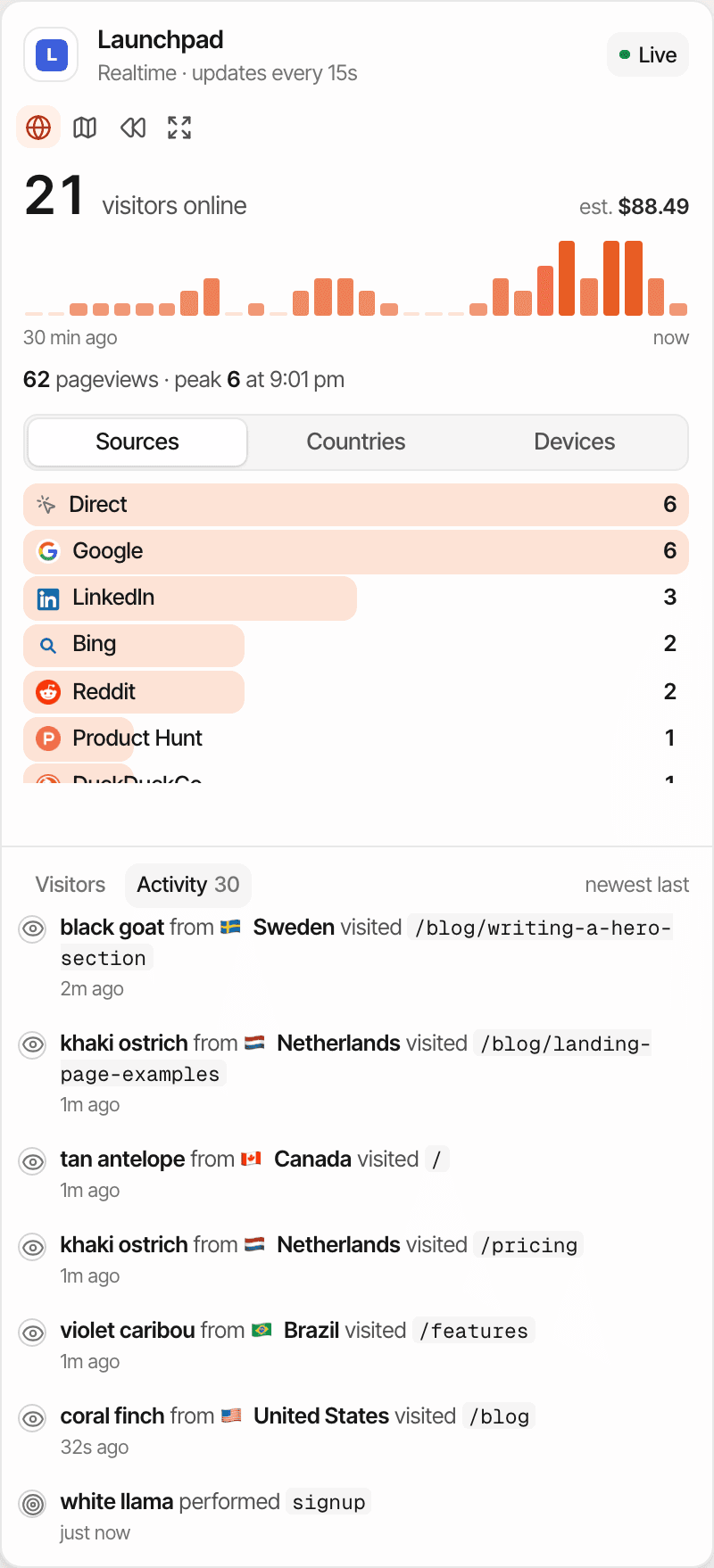
The Activity list shows the last hour's activity, newest last. New activity is added as it arrives: the open view keeps a stream to the server that passes on each new hit, without waiting for the next reload.
Pageviews
Who visited which page, and from which country.
Goals
A goal someone completed, such as a sign-up.
Outbound clicks
A link to another website someone clicked.
Payments
A payment from your connected provider, with its amount.
Each new hit also pings its place on the globe. The stream is best effort: if the connection drops, the browser reconnects, and the 15-second reload fills in what was missed.
See where your current visitors came from.
The Sources tab ranks the people online by where their visit came from: a search engine, a social network, a referring website, a newsletter or campaign tag, an AI assistant such as ChatGPT, or Direct.
- Sources, with each one's count of people online
- Countries, from the visitor's location
- Devices: desktop, mobile or tablet
- Click any of them to narrow the globe, the list and the activity to it
- Each visitor's row says where they came from
- AI assistants show as their own sources
This is about the people online now. For the whole of today, with channels, UTM campaigns and AI search side by side, pick Today on the dashboard. About UTM trackingAbout AI traffic
See which pages are getting attention.
Every visitor in the list shows their current page: the page of their latest pageview or check-in. Click one to find them on the globe, with how many pages they've viewed in this visit and how long they've been on the site.
The current page is the last one the script reported, not proof they're reading it. Entry pages and the most viewed pages over a period are in the dashboard's Pages report.
Go from a live visit to the full journey.
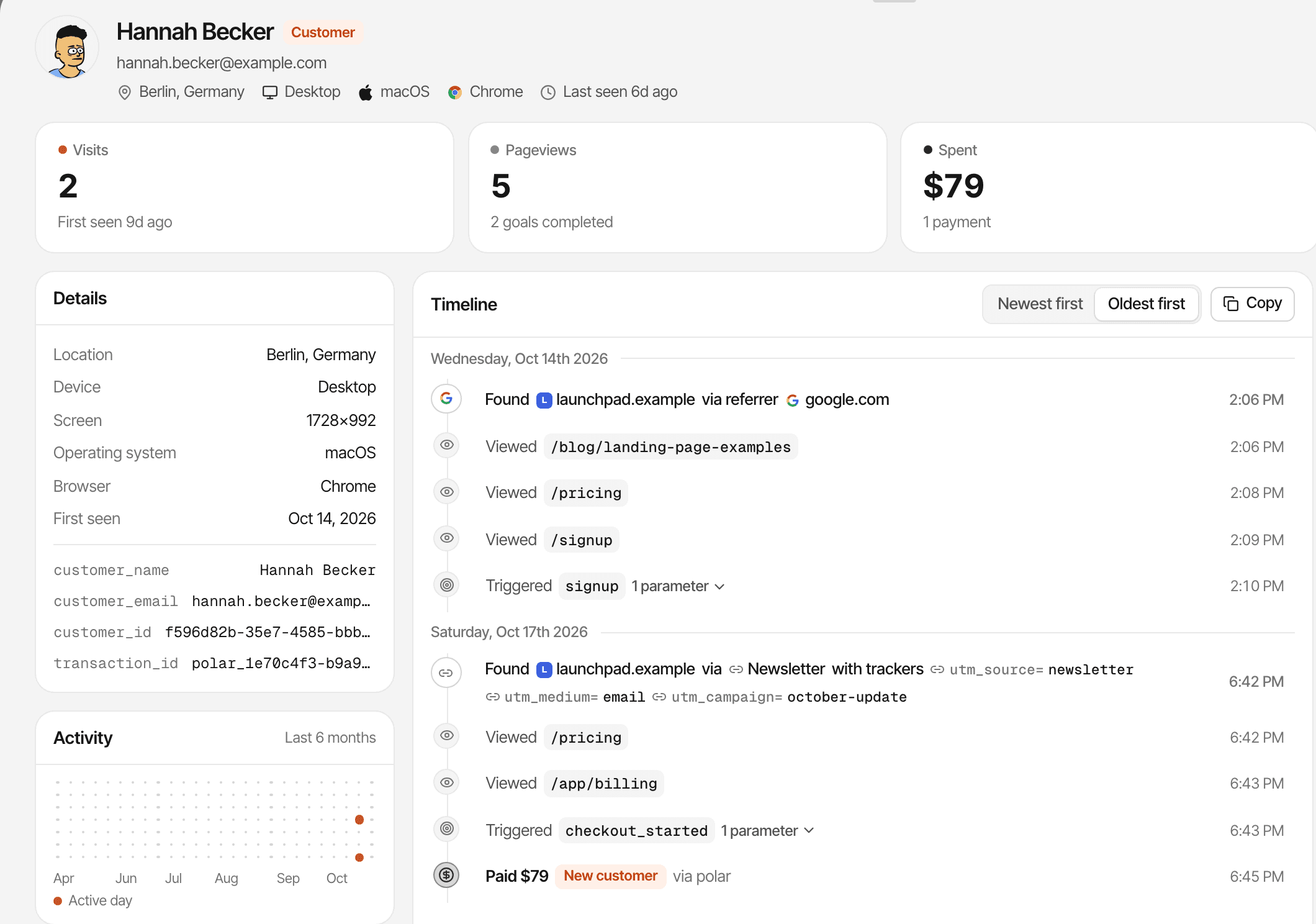
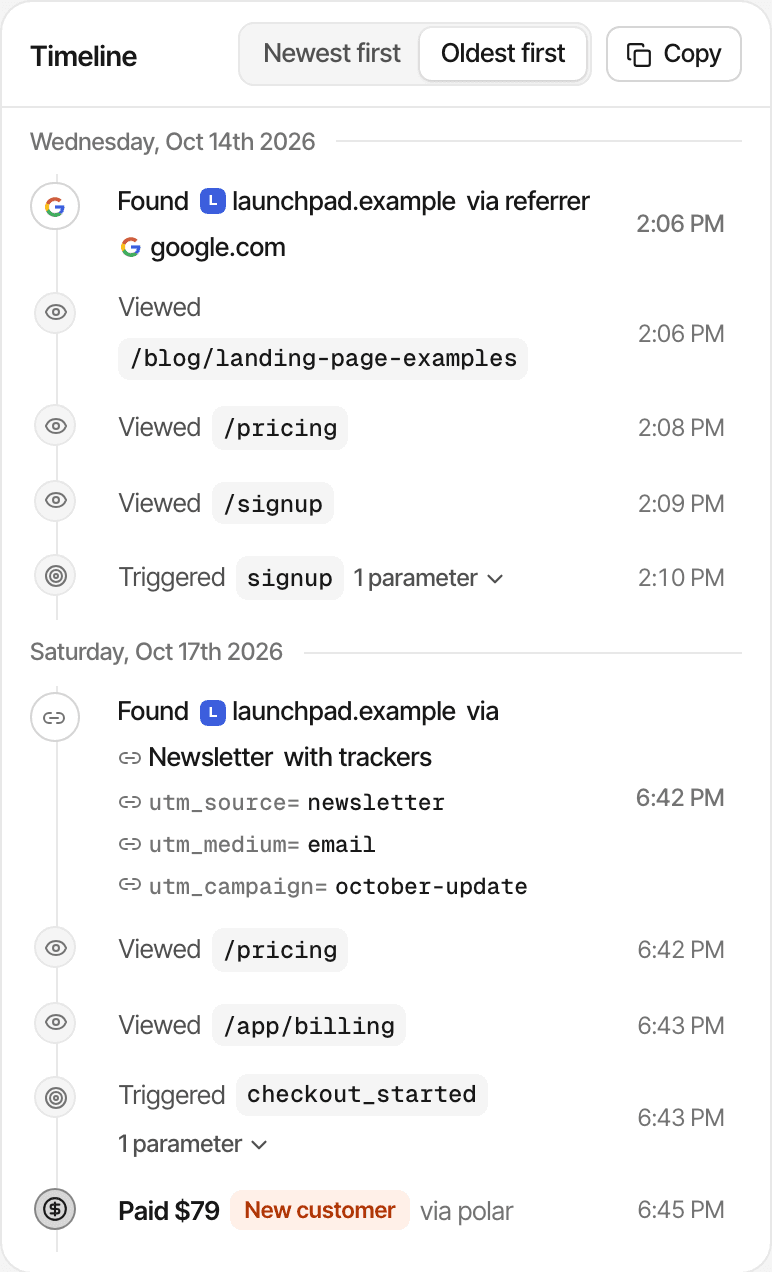
Click someone online, then View profile, and their journey opens over the dashboard.
- Every visit they've made, with the source of each
- The pages, goals, clicks and payments of each visit, in order
- A name or email only if your website identifies them or their payment carries one; otherwise an anonymous nickname
A journey is one browser's history. Activity on another device or browser is a different visitor. Public dashboards show the live globe without names, cities or profiles. About visitor journeys
Turn visitor activity into useful conversations.
With live chat on, the real-time view and your conversations meet in the visitor's profile and the Inbox.
From the live view
Open a visitor's profile and its chat shows your conversation with them. You can write first: your message pops up in the chat bubble on your website.
In the Inbox
Each conversation says whether the visitor is online now and which page they're on, or that they'll see your reply on their next visit.
There's no chat button on the globe itself; messages start from the profile or the widget. About live chat
Practical ways to use realtime analytics.
Product launches
Watch who arrives after you share a launch, and where from.
Marketing campaigns
Check that visitors from a post, newsletter or tagged link are coming in.
SaaS founders
See who's on pricing or sign-up right now, and open their journey.
Developers
After installing the script or a goal, open your site and see the pageview or goal appear in the activity.
It confirms that hits arrive; it isn't a debugging console. SuprAnalytics for indie hackers
Know what “live” really means.
The real-time view is quick, not instant, and it only sees what the script recorded.
- Online means seen in the last 5 minutes; someone who just left a background tab may still count for a few minutes
- The counts reload every 15 seconds; new activity streams in between
- Visitors who block the script, and known bots, aren't seen
- A hit that never reached the server can't be shown later
- A visitor is one browser: a first-party cookie recognises it for a year
- In cookieless mode a visitor is recognised for a day
- A phone and a laptop are two visitors; devices aren't merged
- If your plan pauses recording, new visits stop appearing
- Watching the view costs nothing: check-ins aren't events, but pageviews, goals and clicks count toward your plan
- Everything recorded stays for your plan's history: 2 years to 5 years
Whether you need consent depends on your setup and where your visitors are; this isn't legal advice. Cookies and cookieless mode
Questions, answered.
What is realtime website analytics?
How does SuprAnalytics count active visitors?
How often does realtime analytics update?
Can I see which pages visitors are viewing?
Can I see where live traffic comes from?
Can I open a visitor's journey from the live view?
Does realtime analytics work without cookies?
Can I use realtime analytics alongside live chat?
More features
- Revenue attributionPayments from your provider, credited to the source that brought each customer.Open
- Live chatTalk to visitors with their source, pages and journey beside the chat.Open
- Traffic analysisVisitors, sources, pages, locations and devices, with filters and the change against the period before.Open
- Visitor journeysEach visitor's visits, pages, goals, payments and chats on one timeline.Open
- Conversion funnelsWhere visitors drop off between landing, signup and payment.Open
- Goal trackingCount signups, clicks and pages reached, with conversion rates by source.Open
- UTM trackingCampaign tags read automatically, with visitors, conversions and revenue per campaign.Open
- AI trafficVisits from ChatGPT, Perplexity, Claude and other AI assistants, as their own channel.Open
- Subscription revenueRenewals, refunds and lifetime value, by where customers first came from.Open
- Multiple websitesEvery website in one account, with an all-websites view.Open
- Public dashboardsShare a read-only dashboard by link, without names or payments.Open
- Cookieless trackingAn optional mode that sets no cookies, and what it changes.Open
Stay close to what's happening on your website.
Monitor recent visitor activity, understand where traffic comes from, and explore the journeys behind the numbers.
14-day free trial · No card requiredPricingAll features