
SuprAnalytics vs DataFast
A DataFast alternative with live chat and unlimited websites
Track your traffic, connect revenue to the channels that brought it, and talk to visitors from the same dashboard. Every plan covers unlimited websites and starts with a 14-day free trial.
14-day free trial · No card required · From $9/month
SuprAnalytics vs DataFast at a glance
Both track your traffic and tie payments to the visits that produced them. The differences are live chat, how many websites a plan covers, and a few things each does that the other doesn't.
| Feature | SuprAnalytics | DataFast |
|---|---|---|
| Website analytics | Yes | Yes |
| Revenue attribution | Yes | Yes |
| Built-in live chat with visitors | Yes, on every plan | Not offered |
| Websites included | Unlimited on every plan | 1 on Starter, 30 on Growth |
| Free trial | 14 days, no card | 14 days, no card |
| Permanent free plan | No | No |
| Payment integrations | Stripe, Polar, Lemon Squeezy, Paddle and Dodo Payments | Stripe, Polar, Lemon Squeezy, Paddle and Dodo Payments |
| Shopify and WooCommerce revenue | Through the payments API only | Built in |
| Google Search Console | Yes | Yes |
| MCP server for AI assistants | Yes | Yes |
| AI crawler tracking | Yes | Yes |
| Cookieless option | Yes, opt-in | Yes, opt-in |
| Import history from another tool | No | From Plausible |
| Meta Ads spend and ROAS | No | Yes |
| Mobile app for the dashboard | No | iOS and Android |
| Past the events allowance | Recording continues to 20% over, then pauses. No extra charges. | Tracking continues; the dashboard opens again on a bigger plan |
DataFast information last verified on , from its pricing and documentation. Features change; check both products before deciding.
More than traffic and revenue numbers
DataFast and SuprAnalytics both answer "which channels bring customers?". SuprAnalytics also lets you talk to those visitors, and covers all your websites on one plan.
Analytics and live chat together
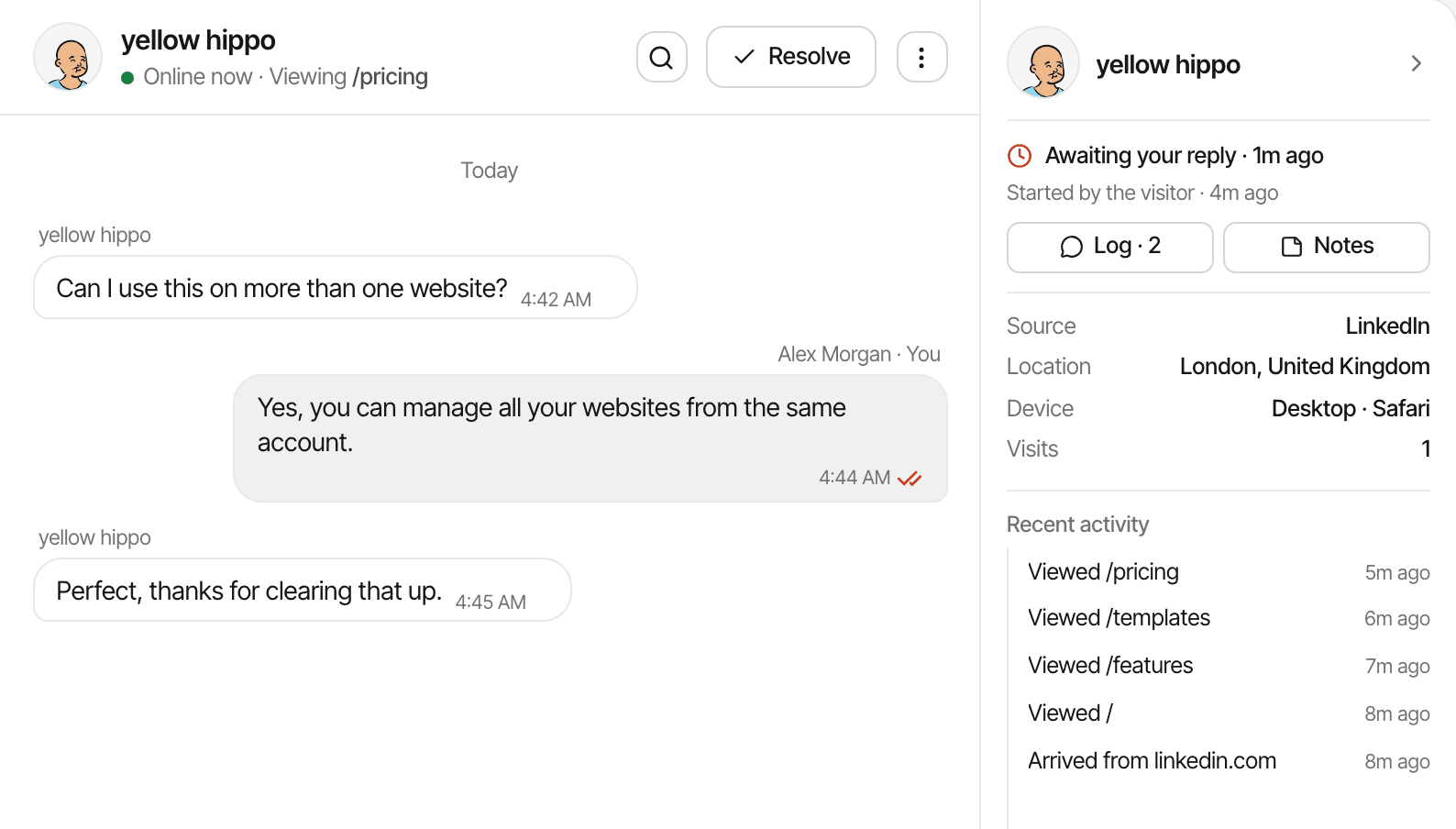
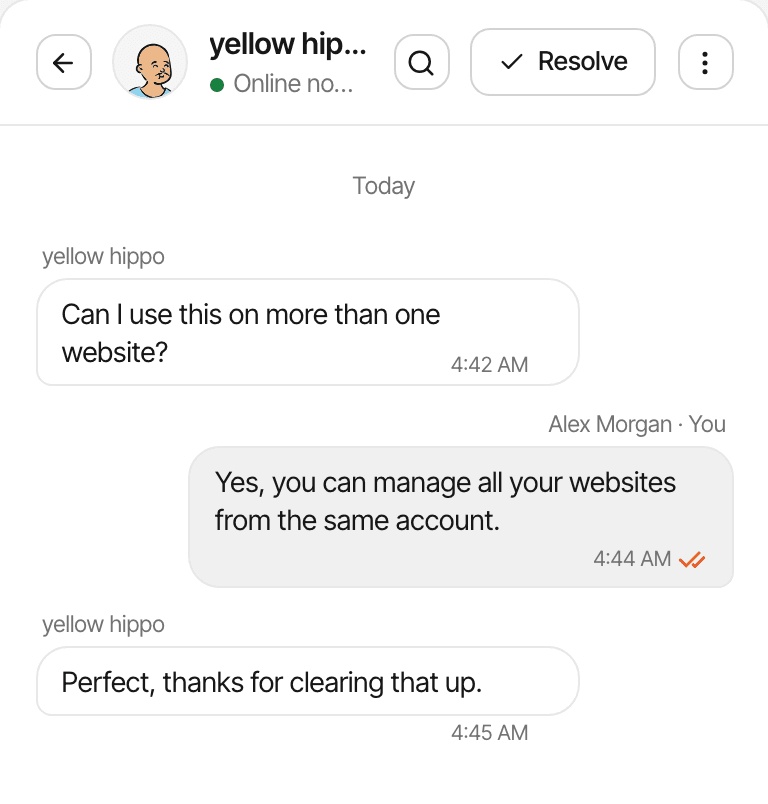
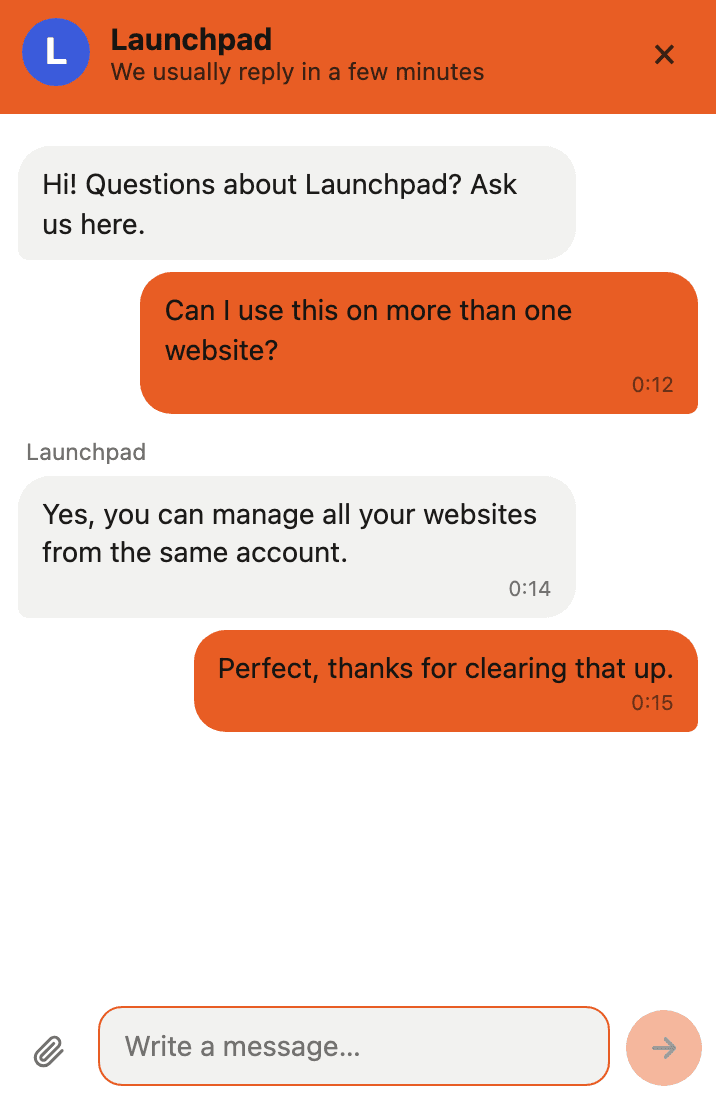
A chat bubble comes with the same script. Every conversation opens beside the visitor's analytics, so you know who you're talking to before you reply.
- The visitor's source and campaign, location and device, next to the conversation
- The pages they read before asking
- Replies forwarded to Telegram, where you can answer with one tap
- Visitors who have left get your answer by email, with a link back to the chat
- Unlimited conversations on every plan; chat never counts as events
Unlimited websites, one allowance
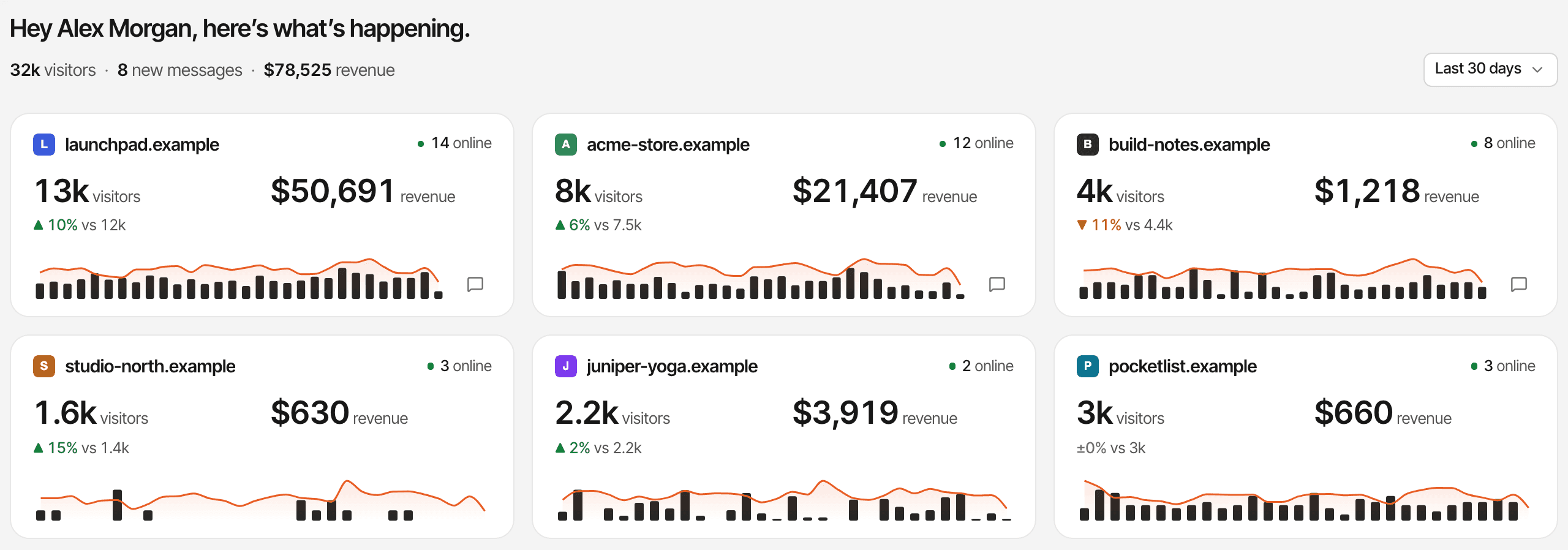
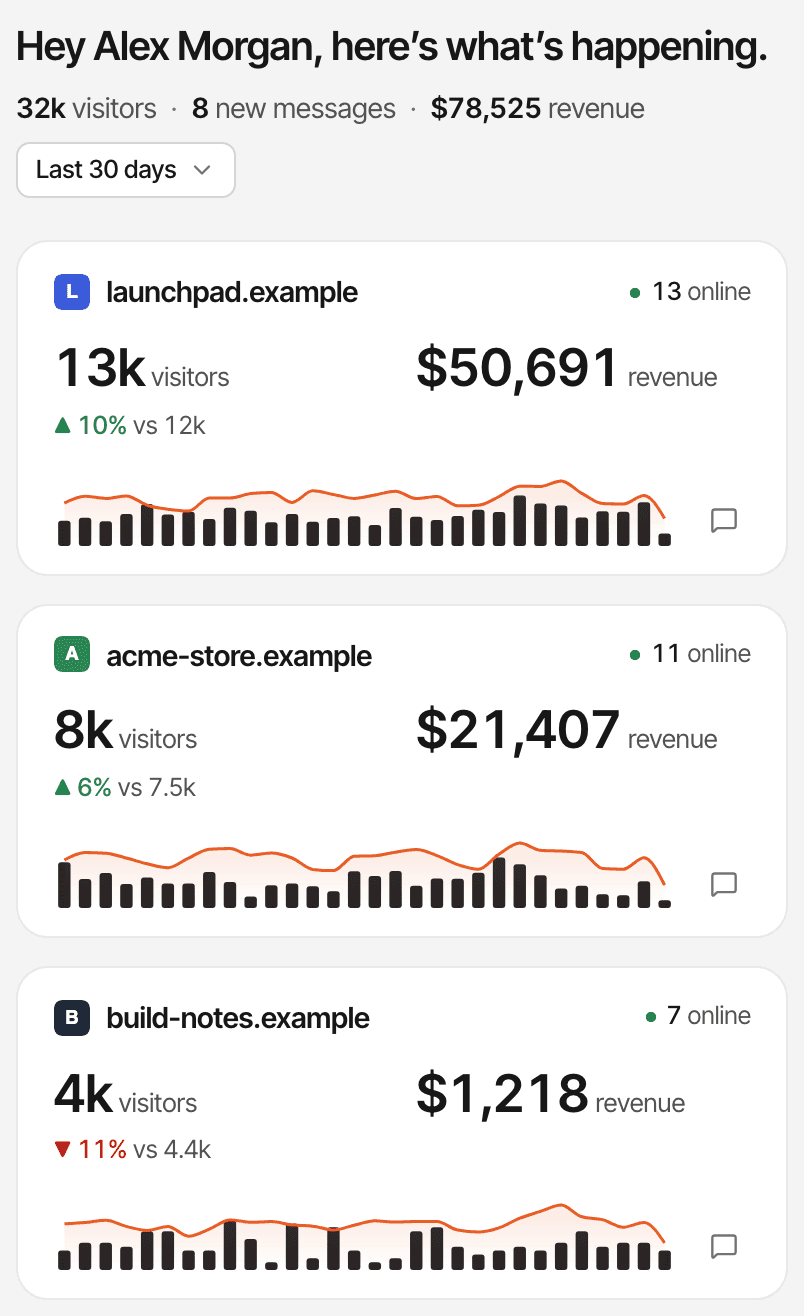
Every plan covers as many websites as you run, from $9 a month. DataFast's Starter plan covers one website; its Growth plan covers 30.
- Monthly events are pooled across your websites: 100,000 on the $9 plan, up to 5 million on the $149 plan
- Every website's visitors, revenue, trend and open chats on one page
- A 14-day free trial on any plan, with no card
- Move to a bigger or smaller allowance any time; there are no overage charges
Revenue attribution for indie founders
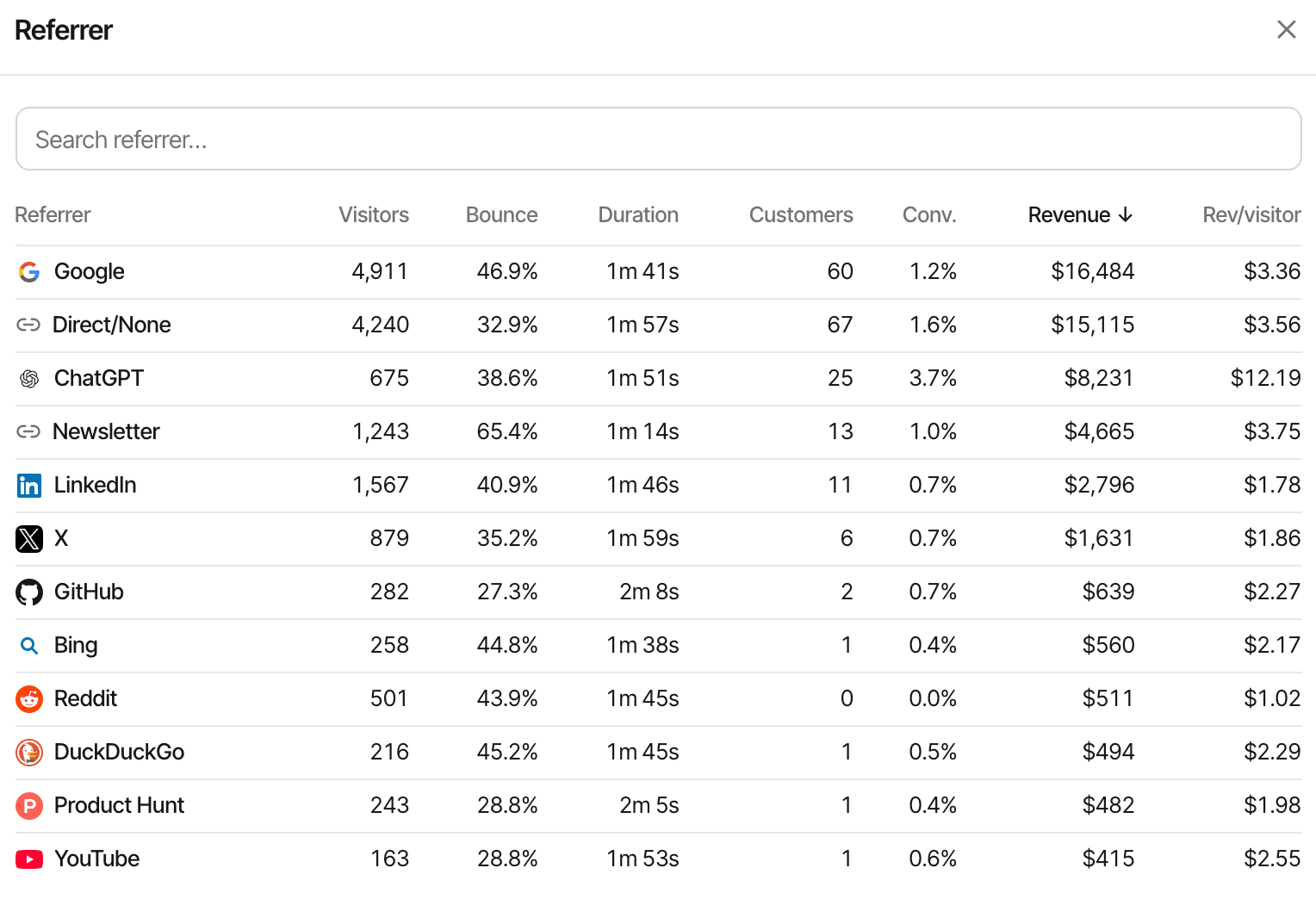
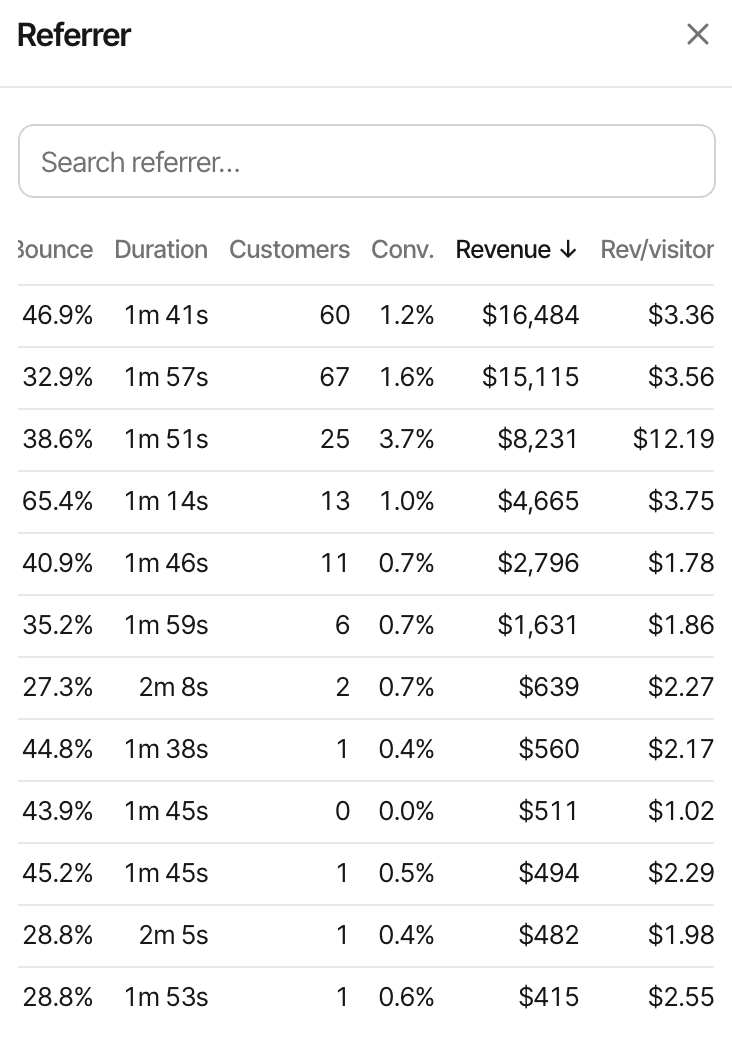
Connect Stripe, Polar, Lemon Squeezy, Paddle and Dodo Payments through a webhook, and every channel, campaign, page and country shows the revenue it brought.
- First-touch or last-touch attribution, your choice per website
- Renewals and refunds counted, in any currency
- Lifetime value per customer and per segment
- Funnels with a payment as a step, and each customer's journey from first visit to sale
- Polar, Dodo Payments and Paddle checkouts are tagged by the script on its own; Stripe and Lemon Squeezy checkouts pass the visitor id as metadata (the guides)
When DataFast might be the better fit
A comparison is only useful if it's fair. Choose DataFast if you specifically need one of these.
Shopify or WooCommerce revenue
DataFast attributes Shopify and WooCommerce orders out of the box. SuprAnalytics takes them only through its payments API, from your own server.
Meta Ads spend next to revenue
DataFast connects Meta campaigns to show ad spend, revenue and ROAS. SuprAnalytics has no ad-spend reporting.
A mobile app
DataFast has an iOS and Android app for its dashboard. SuprAnalytics is a website only.
Importing history from Plausible
DataFast imports pageviews, sources, devices and campaigns from a Plausible export. SuprAnalytics imports nothing: its reports start the day you install it.
Team seats today
DataFast's Growth plan includes 30 team members. SuprAnalytics' team access isn't released yet.
Sources, read on : Pricing · Product overview (llms.txt) · Meta Ads attribution · Mobile app · Import from Plausible · Google Search Console · AI crawlers · Cookies (GDPR page)
Compare pricing without the guesswork
Both start at $9 a month with a 14-day free trial and no card. They include different things for that price.
SuprAnalytics
monthly billingFrom $9
- 100,000 events a month on the $9 plan; up to 5 million for $149
- Unlimited websites on every plan
- Unlimited live chat on every plan
- 2 years of data history on the $9 plan, up to 5 years
- 14-day free trial, no card
- Past the allowance, recording continues to 20% over, then pauses. No overage charges.
No permanent free plan. Every plan is paid monthly after its trial, and you can cancel any time.
DataFast
monthly billingFrom $9
- Starter, $9: 10,000 events a month, 1 website, 1 team member, 3 years of history
- Growth, $19: 10,000 events a month, 30 websites, 30 team members, 5+ years of history
- A slider adds more events to either plan
- 14-day free trial, no card
- Yearly billing: two months free
- Past the allowance, tracking continues; the dashboard opens again once you move to a bigger plan
No permanent free plan either.
Pricing verified on . Prices and allowances change; check both pricing pages for current details. Compare allowances with care: each product defines what counts as an event in its own documentation.
Already using DataFast?
Switching takes an afternoon. Here is exactly what carries over and what doesn't.
Install the script
Add your website and paste one line into the
<head>of your pages, or follow the guide for your platform. Live chat needs no extra code.Connect your payment providers again
Each provider sends payments to SuprAnalytics through its own webhook: add the endpoint in the provider's dashboard and paste its signing secret into Settings → Revenue. The provider guides walk through each one.
Pass the SuprAnalytics visitor id at checkout
Where your server creates a checkout, send
supr_visitor_idandsupr_session_idas metadata, read from the cookies of the same names. DataFast's metadata keys and cookie values aren't read, so a payment that carries only those can't be matched to a visit. Polar, Dodo Payments and Paddle checkouts need nothing: the script tags them. Stripe Payment Links take the visitor id asclient_reference_id.Re-create your goals
Custom events sent to DataFast don't reach SuprAnalytics. Send them with
window.supr(), asupr-goalattribute, or a page visit, as the goals guide shows.Your history stays in DataFast
There is no import. SuprAnalytics' reports start the day you install it, so keep DataFast running alongside during your 14-day trial and compare.
Which analytics tool is right for you?
Two honest lists. Pick the one that reads like your situation.
Choose SuprAnalytics if
- You want website analytics and live chat in one place, with each conversation showing the visitor's source and pages.
- You run several websites or products and want them all on one plan.
- You sell through Stripe, Polar, Lemon Squeezy, Paddle and Dodo Payments and want revenue by channel.
- You want to answer visitors from Telegram, and reach the ones who left by email, without another tool.
- You want to try every feature for free before paying, with no card.
Choose DataFast if
- You sell through Shopify or WooCommerce and want their orders attributed out of the box.
- You run Meta Ads and want spend and ROAS next to revenue.
- You want to check your dashboard from an iOS or Android app.
- You have Plausible history you want to bring along.
- You need team seats now.
Questions, answered.
What is the best alternative to DataFast?
Does SuprAnalytics offer revenue attribution?
Is SuprAnalytics free?
Can I track Polar and Dodo Payments revenue?
Does SuprAnalytics include live chat?
Can I switch from DataFast without changing my checkout tracking?
Does SuprAnalytics import historical DataFast data?
More comparisons
- vs Google AnalyticsFree, deep acquisition reports and Google Ads, or payments tied to each visit and a live chat.Open
- vs PlausibleSimple cookieless stats, or revenue attribution and visitor chat on top.Open
- vs PostHogA product engineering platform, or a focused website workspace.Open
- vs FathomPrivacy-first website stats, or traffic tied to payments and conversations.Open
- vs RybbitOpen-source, cookieless analytics, or payments by source and live chat.Open
- vs SelineLightweight analytics, or revenue from five payment providers and chat.Open
- vs Simple AnalyticsPrivacy-first simplicity, or payments credited to each traffic source.Open
- vs UmamiOpen-source, self-hostable stats, or hosted revenue attribution and chat.Open
- vs MatomoA full GA alternative you can host, or a focused revenue and chat workspace.Open
- vs MixpanelEvent-based product analytics, or website traffic tied to payments.Open
- When not to use SuprAnalyticsThe cases where another tool fits better, and which one.Open
Understand your visitors. Turn more of them into customers.
Website analytics, revenue attribution and live chat in one place.
14-day free trial · No card requiredEvery feature, on every planSee the plans