
Goal tracking
Track the actions that matter, not just pageviews.
Set up conversion goals, see how often visitors complete them, and understand which traffic sources bring meaningful results.
14-day free trial · No card required · From $9/month
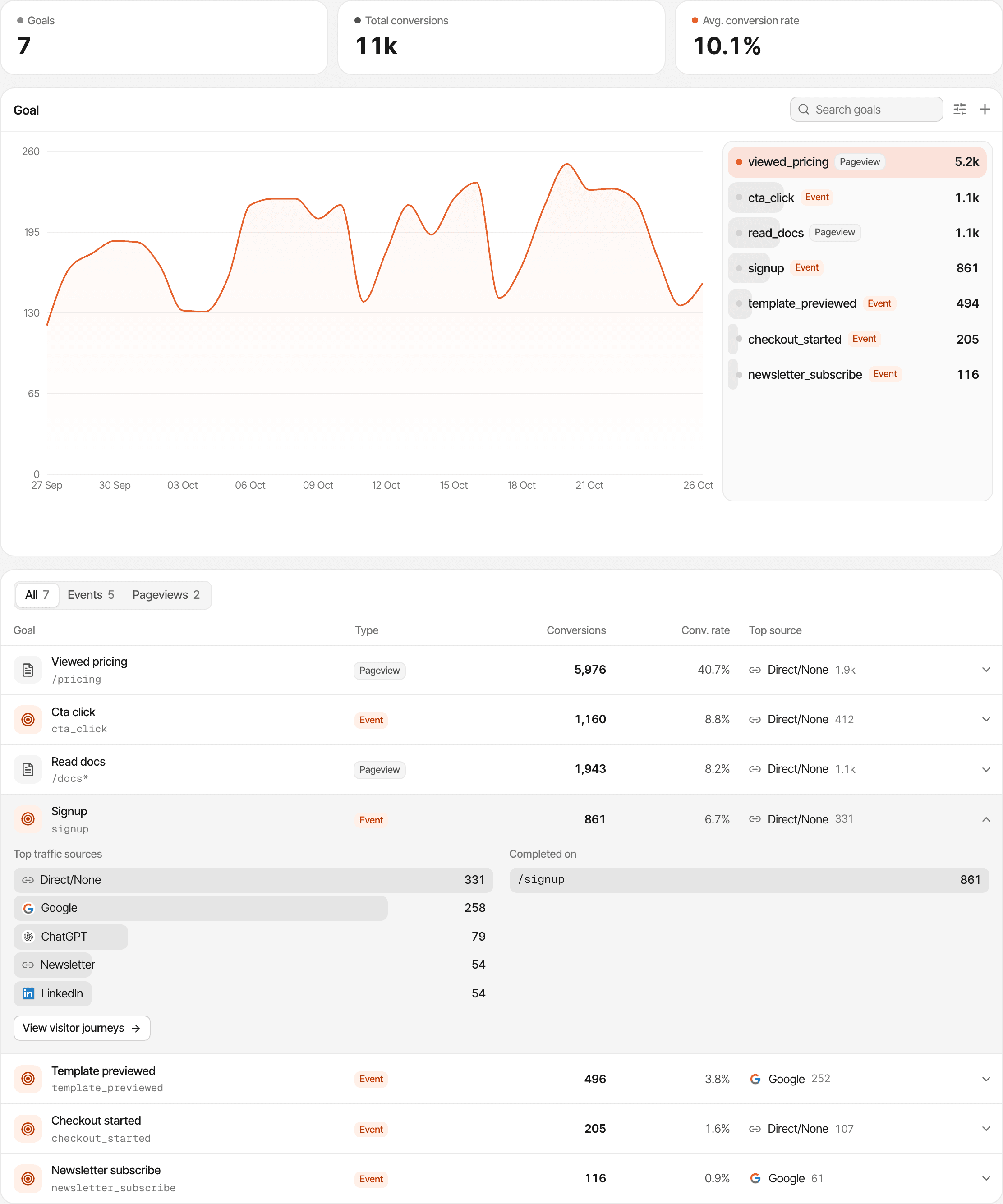
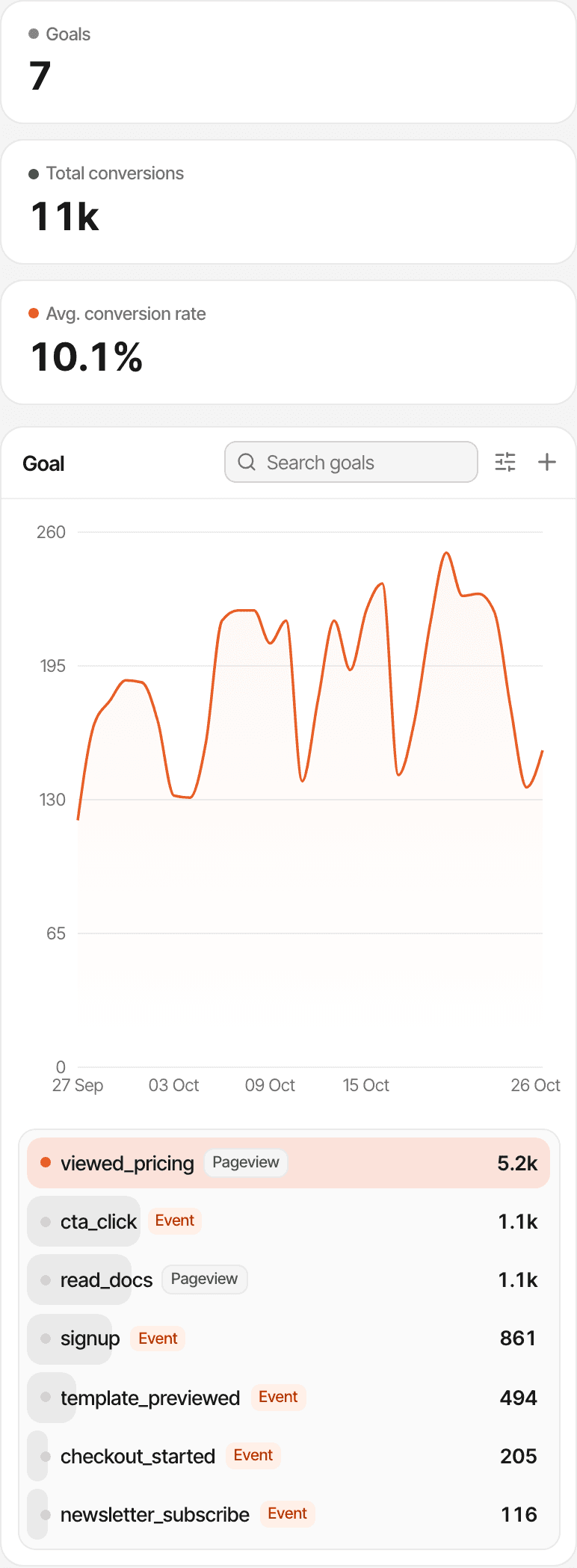
- Figures
- How many goals there are, the conversions in the period, and the average of their conversion rates.
- Chart
- The visitors who completed a goal over time, with up to two more goals beside it to compare.
- Table
- Each goal's type, conversions, conversion rate and top traffic source. Open a goal for its sources and the pages it was completed on.
What is website goal tracking?
A goal is a specific action you want visitors to complete, such as reaching a sign-up confirmation page or triggering an event you track. Goal tracking counts those actions on their own, apart from your general traffic, so you can see how many visitors did what you hoped they would.
Visits tell you how many people came. Goals tell you how many of them signed up, asked for a demo or started a checkout.
Choose the actions worth measuring.
A goal is either an event your website sends or a page someone views. Here's how common conversions are tracked.
- Sign-up completed
- Send an event once the sign-up succeeds, from your page or your server, or make the confirmation page a page goal.
- Demo request or contact form
- Make the page people see after sending it a page goal, or send an event once it's sent.
- Pricing page visit
- A page goal on /pricing. No code needed.
- Button click
- Add a supr-goal attribute to the button. A click completes the goal.
- Section seen
- Add a supr-scroll attribute to a section, and the goal completes when it scrolls into view.
- Anything else
- Any event your code sends with a name of your choice, such as download_started or upgrade_clicked.
Pages are recorded on their own. Clicks, forms and other actions aren't goals until you tag or send them: a form isn't detected by itself, and a tagged submit button counts clicks, not forms that went through.
Track conversions from important pages.
A page goal is completed when a visitor views a page you name. Add it from the dashboard with a name and a path. No code needed.
- Visitor opens /thank-you
- Goal completed
How the path matches
- An exact path, such as
/thank-you, matches that page alone. - A
*matches anything:/docs/*counts every page under /docs. - The path is the page's address without its query string or domain.
- It counts every visitor who saw a matching page in the period, including visits from before the goal was added.
A page goal is only as reliable as the page: if people can reach the confirmation page without converting, they'll be counted too.
Measure actions beyond pageviews.
Event goals are actions your website reports, such as signup, demo_requested, download_started or upgrade_clicked. They need a line of code or an HTML attribute where the action happens.
From JavaScript
Call it when the action happens, with up to 10 properties.
With an HTML attribute
A click on the tagged element completes the goal. No JavaScript needed.
When something scrolls into view
The goal completes once per page when the element is in view.
From your server
For things your backend knows, such as a confirmed email, with the website's API key.
window.supr("signup", { plan: "pro" });<button supr-goal="start_trial" supr-goal-plan="pro">
Start free trial
</button><section supr-scroll="saw_pricing">…</section>POST /api/v1/goals
{ "visitor_id": "<supr_visitor_id cookie>", "name": "signup" }An event shows up as a goal the first time it's sent; add it ahead in the dashboard to list it before then. Names are lowercased, with spaces as underscores. A server goal needs the visitor id of someone who has already visited, and is recorded when it arrives. How to track goals
See how many visitors actually convert.
Every goal shows how often it was completed and by how many people, for the date range you pick.
- Conversions
- Every completion in the period. A visitor who completes a goal three times counts three times.
- Visitors
- The unique visitors who completed the goal at least once.
- Conversion rate
- Those visitors divided by all the website's visitors in the period.
- Trend
- A chart of the goal's visitors per hour, day, week or month, depending on the period.
So conversions and visitors can differ. In the demo above, the viewed_pricing goal has 5,976 conversions from 5.2k visitors, which is 40.7% of everyone who visited. The dashboard's own Conversion rate figure is a different one: new paying customers divided by visitors. With a payment provider connected, Manage goals also shows each goal's revenue: payments in the period from visitors who had completed it before paying. To work out a rate from numbers you already have, try the free conversion rate calculator.
Connect conversions to their traffic sources.
Open a goal on the Goals page to see the traffic sources and pages its completions came from. On the dashboard, filters narrow every goal to the visits you pick.
- Channel, including AI search
- Source and referrer
- UTM source, medium, campaign, term and content
- Country, region and city
- Device, browser and operating system
- Entry page, exit page and hostname
- New or returning visitors
- Visitors who viewed a page or completed another goal
A completion is credited to the source of the visit it happened in. That's not the first- or last-touch model revenue attribution uses for payments. A filter keeps the completions made in visits that match it; page and goal filters keep everything from the visitors who match. About UTM trackingAbout AI traffic
See the activity behind a completed goal.
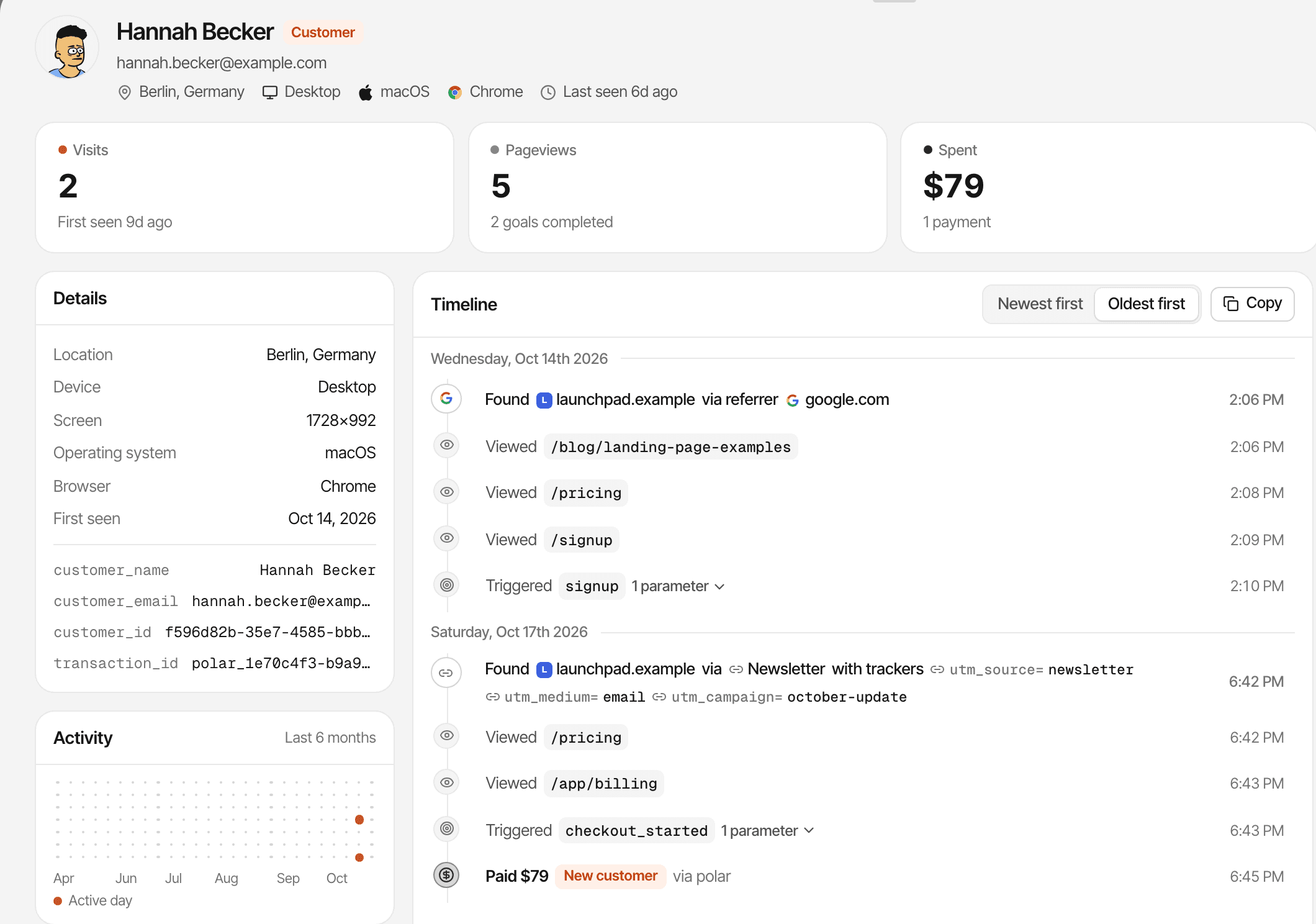
A goal's numbers say how many. The Journey view says who.
- Pick a goal, and the Journey view lists every visitor who completed it in the period, newest first
- Each with their source, what they spent, how long it took from their first visit, and when they completed it
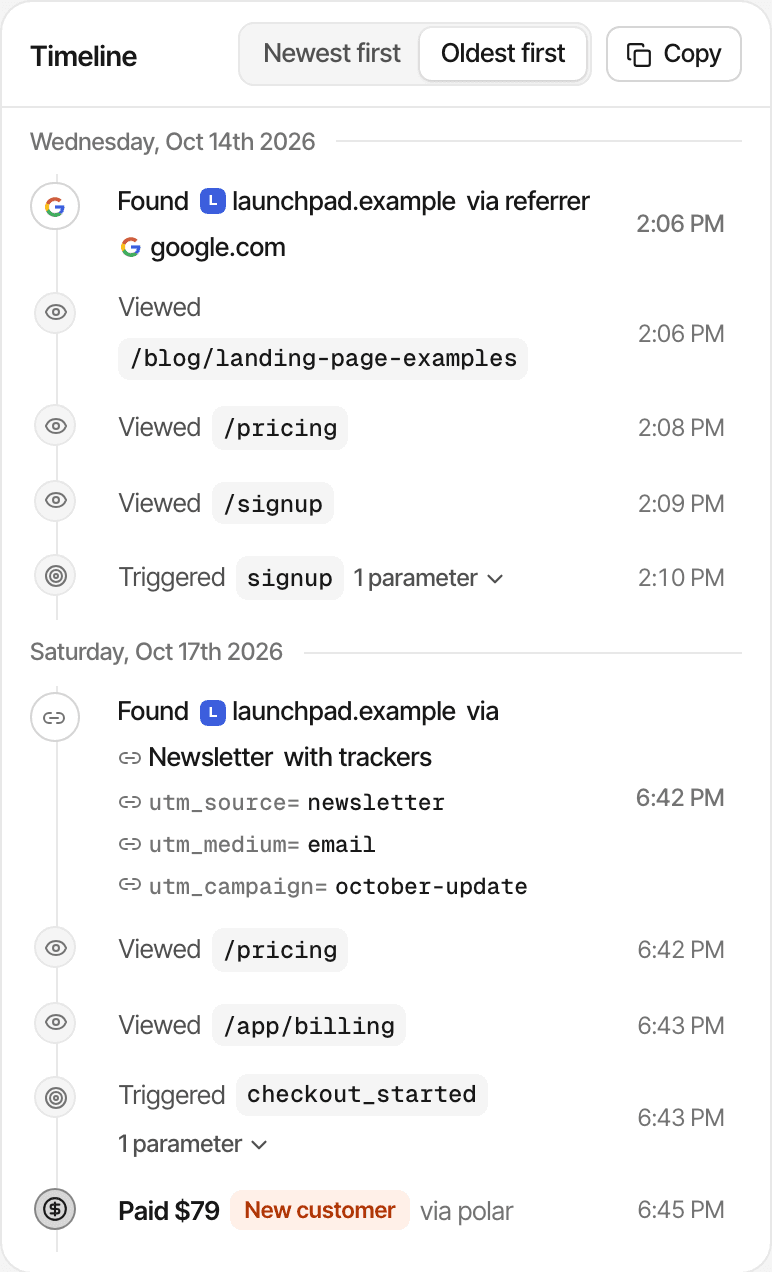
- Open anyone for their timeline: every visit, page, goal (with its properties) and payment, in order
Public dashboards show goals and their numbers, but never list people. About visitor journeys
Turn individual goals into multi-step funnels.
Goals
Measure one tracked action at a time: how often, by how many visitors, and from where.
Funnels
Measure ordered progress across 2 to 8 steps: page visits, goals or a payment, counted in unique visitors.
Any goal can be a funnel step. Steps must happen in order, but can span several visits, so a sign-up today and a checkout next week are one visitor's progress. About conversion funnelsHow funnels work
Who uses goal tracking, and what it can't see.
SaaS founders
Track sign-up and activation goals, from the page or from your server once an account is confirmed.
Indie hackers
Measure what a launch page is for: sign-ups, waitlist joins or a click on the buy button.
Marketers
Compare goal completions across channels, UTM campaigns and AI search with the dashboard's filters.
Product teams
Use goals as steps in conversion funnels to see where people stop.
Limits worth knowing
- Goals count only what was tracked; an event that wasn't sent can't be added later
- Clicks, forms and in-app actions need a tag or a line of code
- Unique visitors depend on recognising the same browser: a first-party cookie for a year
- In cookieless mode a visitor is recognised for a day, so the same person on two days counts twice
- Activity isn't merged across devices or browsers
- Goals can't be renamed; a goal's name is the event's name
- Goals don't carry a monetary value; revenue comes from your payment provider
- Data is kept for your plan's history: 2 years to 5 years
- Every goal completion counts toward your plan's monthly events, API goals included
- Goals show what people did, not why
Whether you need consent depends on your setup and where your visitors are; this isn't legal advice. Cookies and cookieless modeFor indie hackers
Questions, answered.
What is website goal tracking?
How do I create a conversion goal?
Can I track signups and button clicks?
What's the difference between a goal and an event?
How is goal conversion rate calculated?
Can I filter goals by traffic source?
Can I use goals in conversion funnels?
Does goal tracking work without cookies?
More features
- Revenue attributionPayments from your provider, credited to the source that brought each customer.Open
- Live chatTalk to visitors with their source, pages and journey beside the chat.Open
- Traffic analysisVisitors, sources, pages, locations and devices, with filters and the change against the period before.Open
- Realtime analyticsWho's on your website right now, where they came from and what they're reading.Open
- Visitor journeysEach visitor's visits, pages, goals, payments and chats on one timeline.Open
- Conversion funnelsWhere visitors drop off between landing, signup and payment.Open
- UTM trackingCampaign tags read automatically, with visitors, conversions and revenue per campaign.Open
- AI trafficVisits from ChatGPT, Perplexity, Claude and other AI assistants, as their own channel.Open
- Subscription revenueRenewals, refunds and lifetime value, by where customers first came from.Open
- Multiple websitesEvery website in one account, with an all-websites view.Open
- Public dashboardsShare a read-only dashboard by link, without names or payments.Open
- Cookieless trackingAn optional mode that sets no cookies, and what it changes.Open
Measure what success looks like.
Go beyond traffic totals and understand which actions visitors complete on your website.
14-day free trial · No card requiredPricingRevenue attributionAll features