
For small businesses
Understand what's happening on your business website.
See how people find your website, which pages they visit, and what leads them to contact you or make a purchase. Get useful answers without complicated reports.
14-day free trial · No card required · From $9/month
- Understand who visits your website
- See which pages get attention
- Measure enquiries and online sales
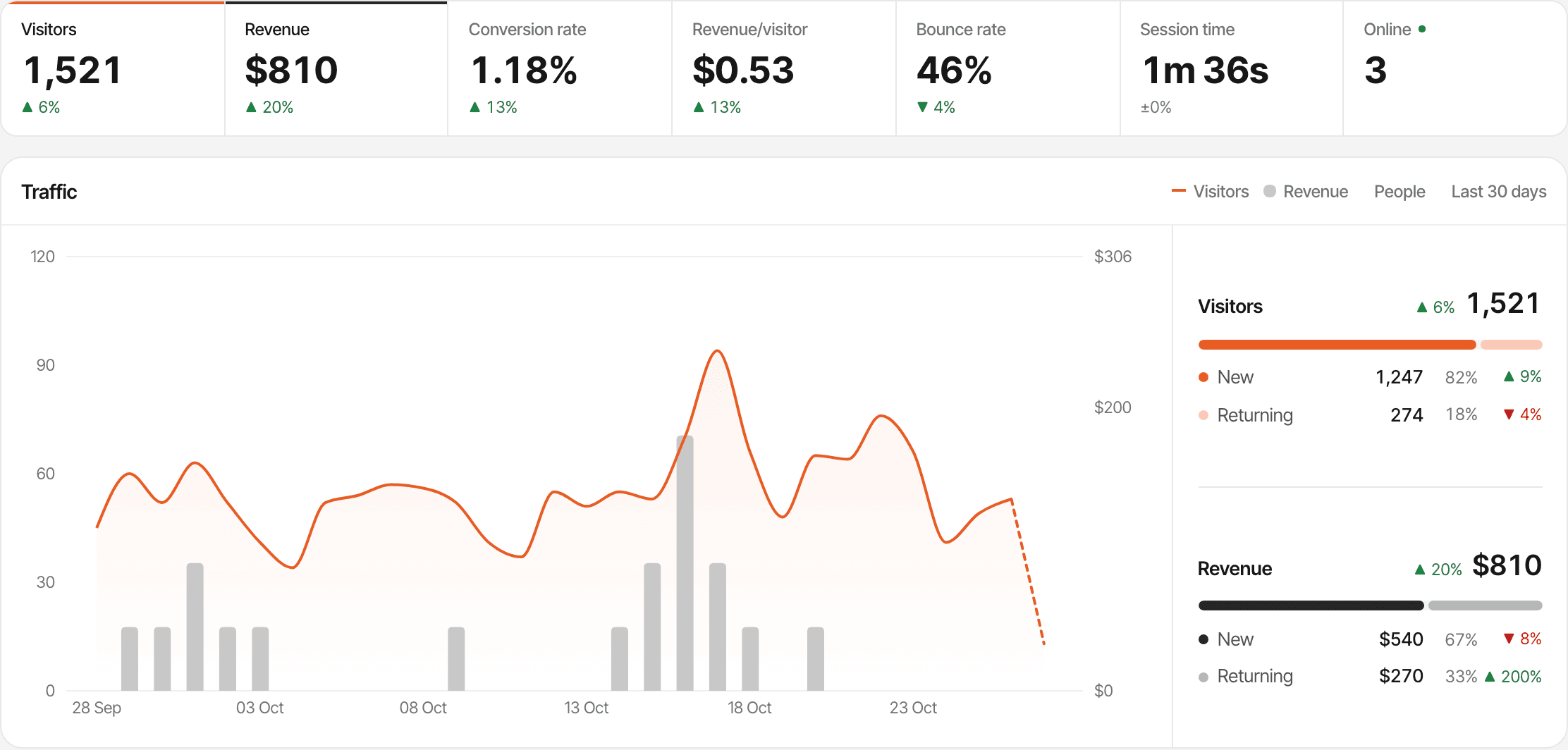
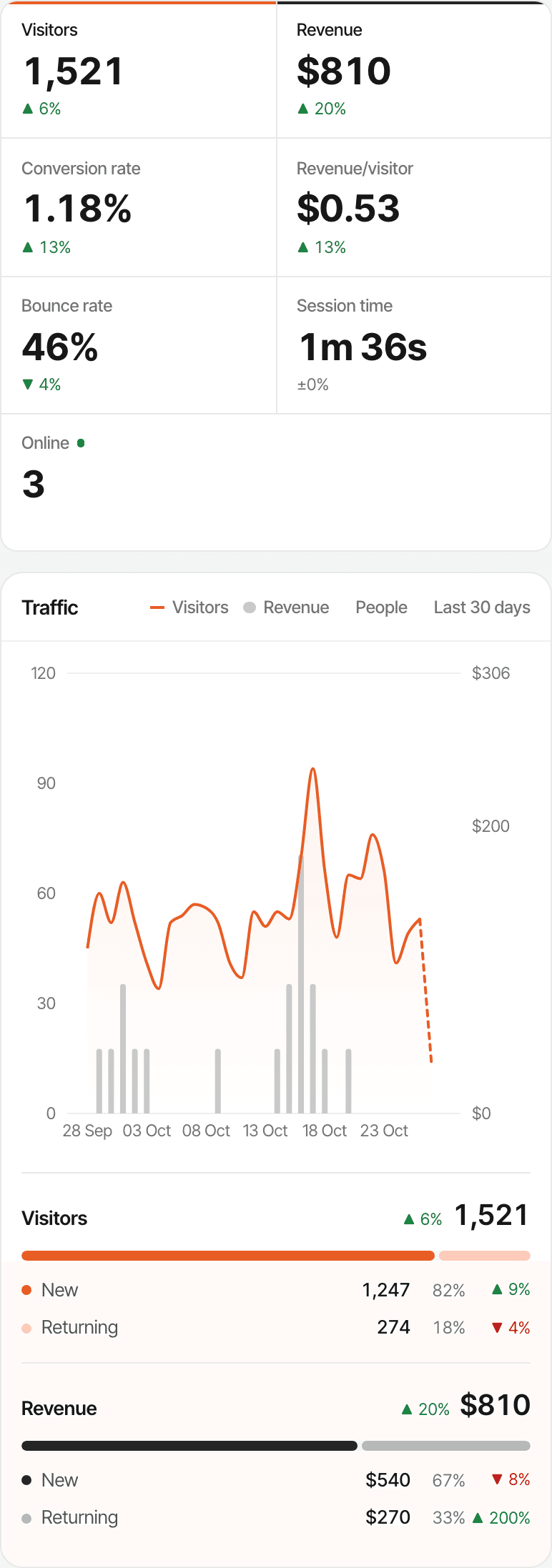
People visit your website. What happens next?
Having a website is one thing. Knowing whether it brings you work is another. A visitor count alone doesn't say who found you, what they read, or whether they got in touch.
Questions SuprAnalytics helps you answer
- Are people finding the business through search?
- Which services do visitors look at most?
- Do visitors reach the contact page?
- Are people completing your enquiry form?
- Which marketing efforts bring in customers?
Visits aren't enquiries
Someone opening your contact page hasn't contacted you yet. SuprAnalytics shows the visits, and counts an enquiry or a sale only when you've told it what a finished one looks like: a thank-you page, a tagged button, or a connected payment provider.
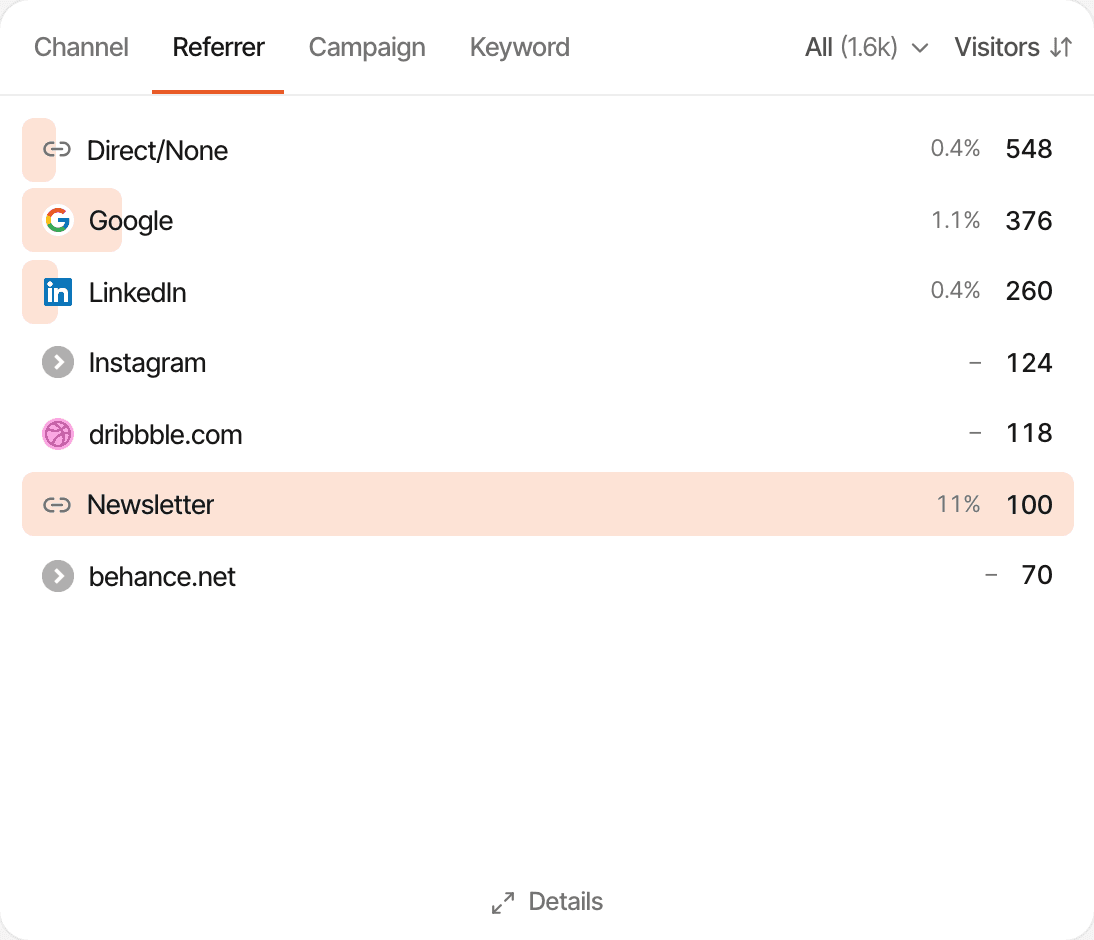
See where your website visitors come from.
Every visit is put in a channel (search, social, email, AI assistants, other websites, paid or direct) and the website that sent it is named.
Search engines
Visitors from Google, Bing, DuckDuckGo and others, grouped as Organic Search.
Social media
Facebook, Instagram, LinkedIn and other networks, grouped as Social.
Other websites
A directory, a blog or a partner that links to you: each website is named in the Referrer list.
Your campaigns
Links you've tagged for an email, a post or an ad show up by campaign name.
Direct
People who typed your address, used a bookmark, or came from somewhere that didn't say.
Not every visit can be traced. Apps, messaging and some browsers don't pass on where someone came from, so part of your traffic will always show as Direct. Tagging the links you share is the way to name those visits. How tagged links work
Discover what visitors are interested in.
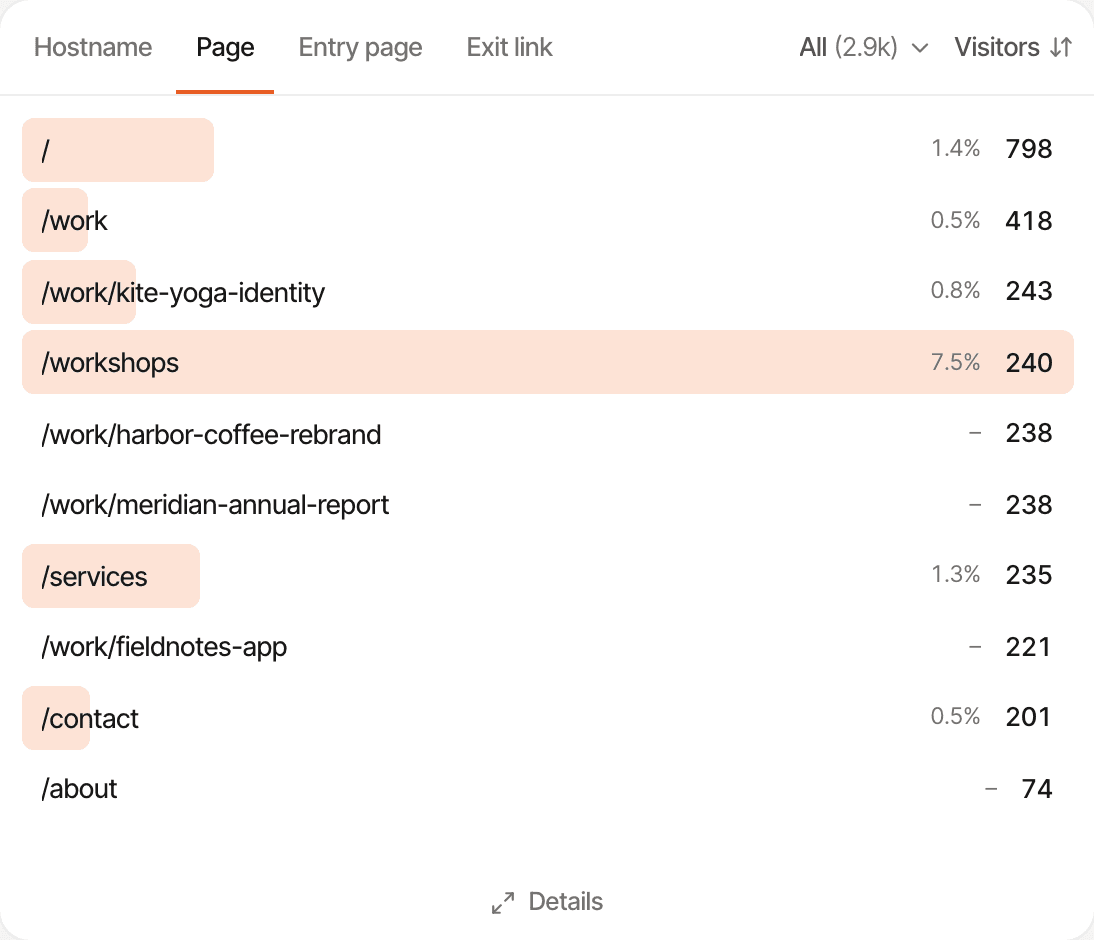
See which pages people open most, and which page they arrive on first.
Pages
Every page, by how many people viewed it: your services, pricing, about, portfolio, product or contact pages.
Entry pages
The page each visit started on, which is often a page someone found in search or followed from a post.
Pageviews and visitors
How many times a page was opened, and by how many different people.
Click a page to filter the whole dashboard by it: where the people who read your services page came from, what device they used, and whether they went on to get in touch. A page view tells you what someone opened, not why; it's a clue to what interests people, not a reading of their minds.
Know when your website generates leads.
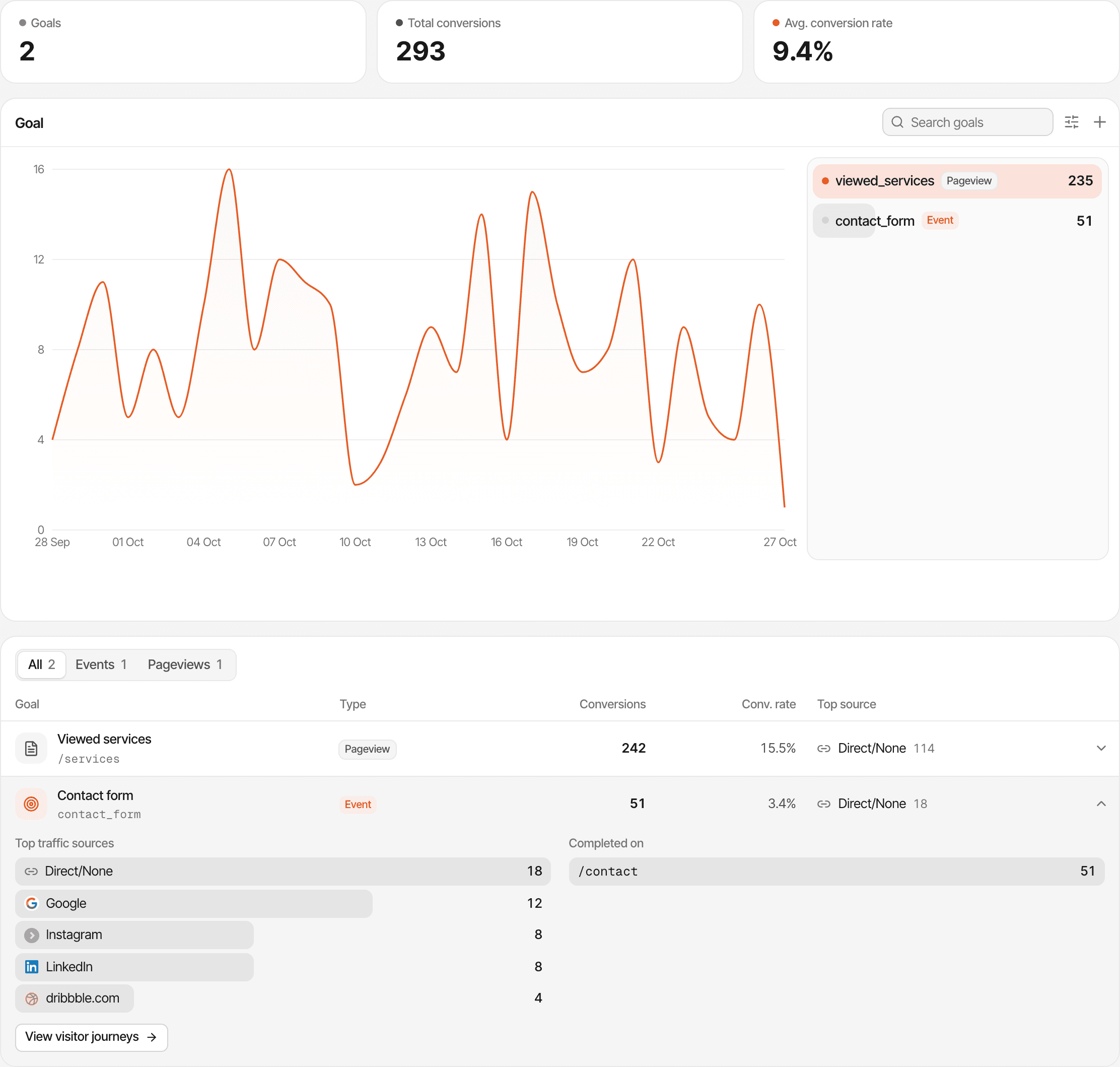
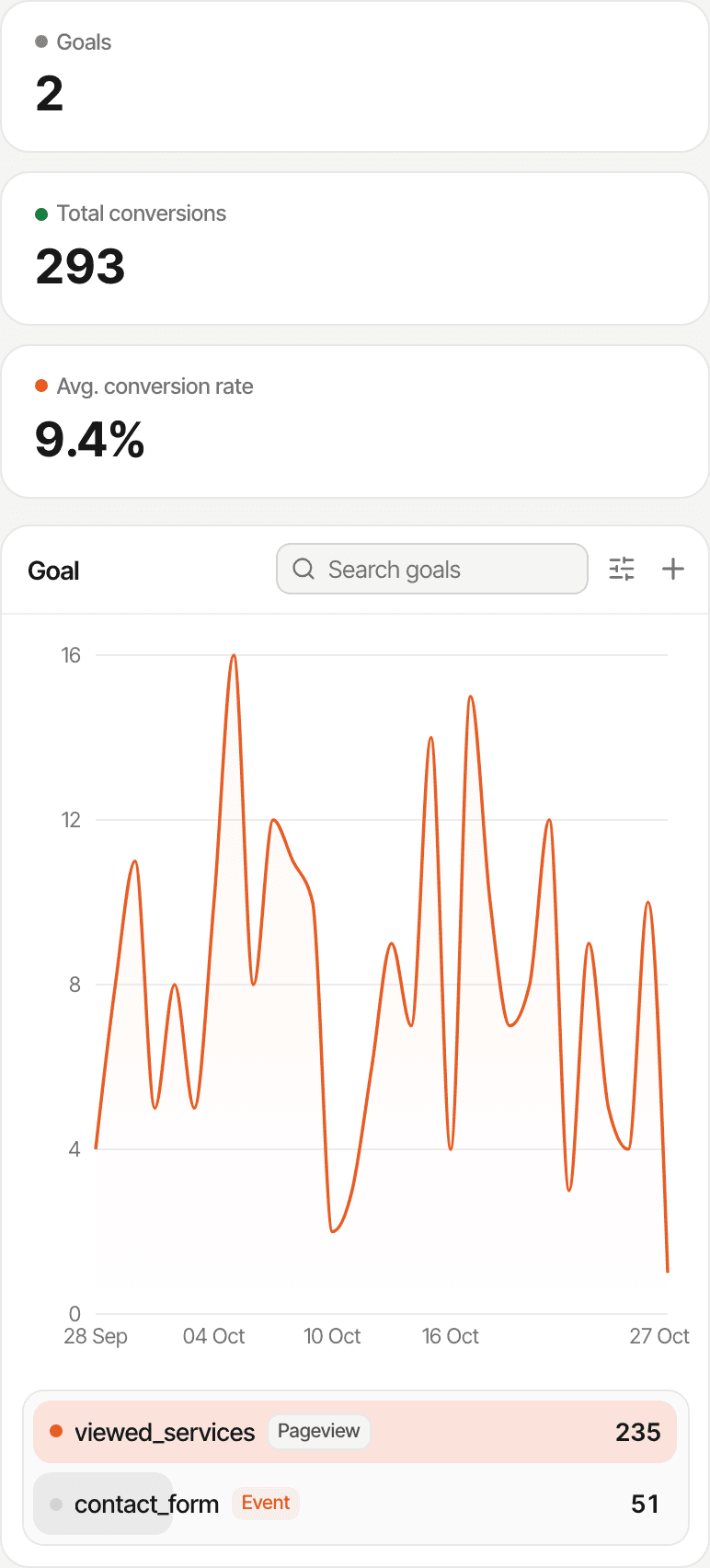
Tell SuprAnalytics what a finished enquiry looks like, and it counts each one, with the source and page it came from.
- Contact form completed
- Quote request sent
- Consultation request
- Appointment enquiry
- Newsletter signup
- Brochure downloaded
- A thank-you page
- If your form sends people to a page such as /thank-you, make a goal for that page. No code at all, and it counts past visits too.
- A tagged button or link
- Add one attribute, supr-goal, to a button or link, and every click on it is counted as a goal.
- An event after the form succeeds
- When there's no thank-you page, whoever looks after your website adds one line that sends a goal once the form has gone through.
Forms aren't detected on their own: someone sets up the goal once, and a page goal needs nothing but a name and the page's address. Each goal shows its completions, the share of visitors who completed it, and the sources and pages they came from. You can get an email, or a Telegram message, each time a goal sent from your website is completed (goals for a page visit don't send alerts).
Phone numbers and WhatsApp: a click on a tel: link can be counted if the link carries supr-goal, and links to wa.me are recorded as outbound link clicks. Either way that's a click, not a completed call or conversation. Calls, messages and walk-in customers happen outside your website, and SuprAnalytics doesn't see them.
Find out which campaigns bring real interest.
Add a few tags to the links you share, and each campaign gets its own row with its visitors and any online sales. Filter by a campaign to see the enquiries that followed.
- A Facebook post
- Linking to a service page, tagged utm_source=facebook and a campaign name.
- A newsletter
- Promoting an offer, tagged utm_medium=email so it's counted as Email.
- A Google ad
- Pointing at a landing page, with your campaign's name and keyword in the link. Clicks with Google's ad click id, or utm_medium=cpc, count as Paid.
- A QR code
- On a flyer or a shop window, made from a tagged link, so its visits have a name of their own.
SuprAnalytics reads the five standard tags (utm_source, utm_medium, utm_campaign, utm_content and utm_term) and ?ref=, from the first page of a visit. You can filter every report by them, and see which campaign's visitors completed your goals.
It doesn't connect to your Google Ads or Meta ad accounts and doesn't import what you spent, so it won't work out cost per lead or return on ad spend. Links without tags still show their source, but not the campaign.
See which channels lead to purchases.
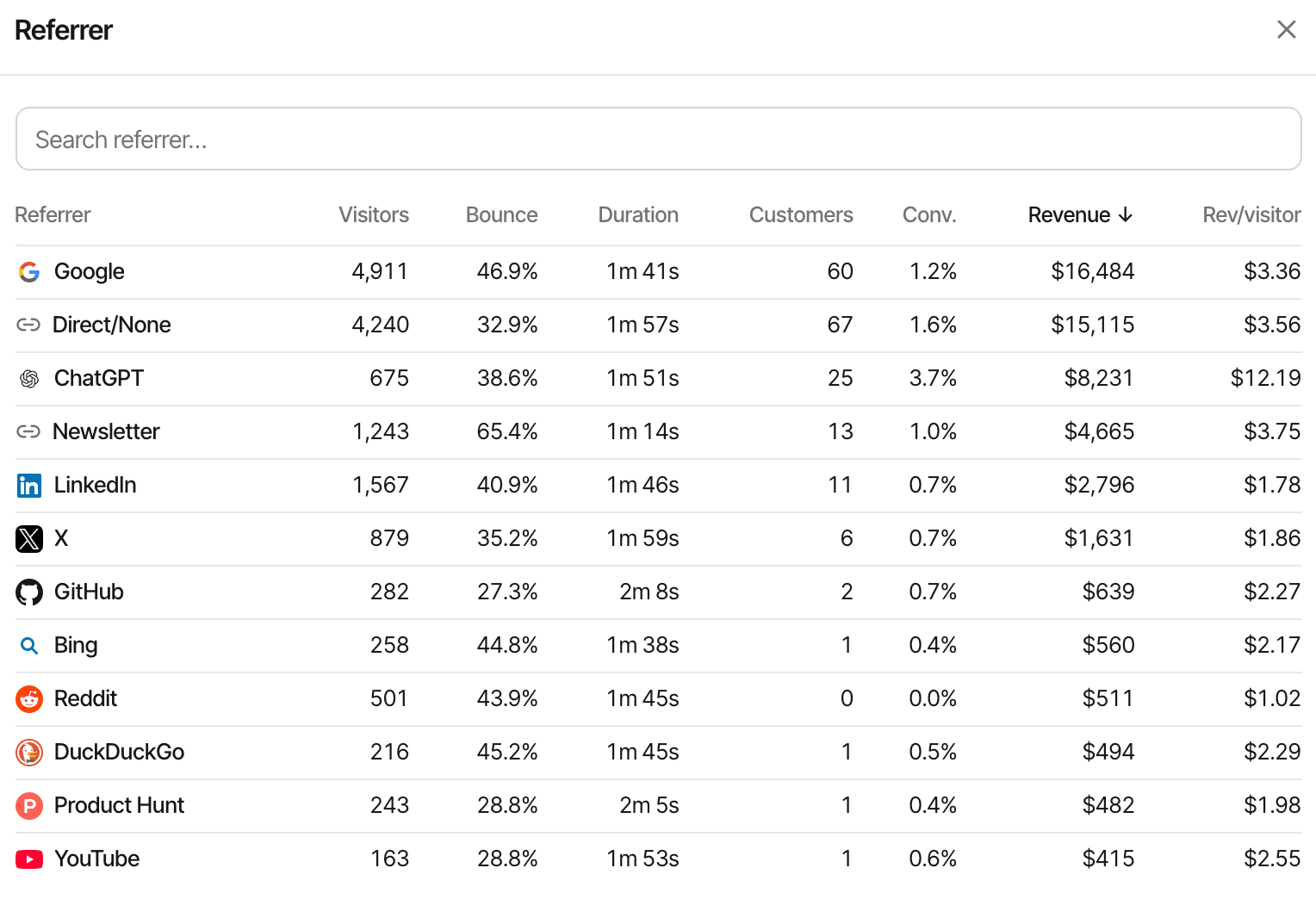
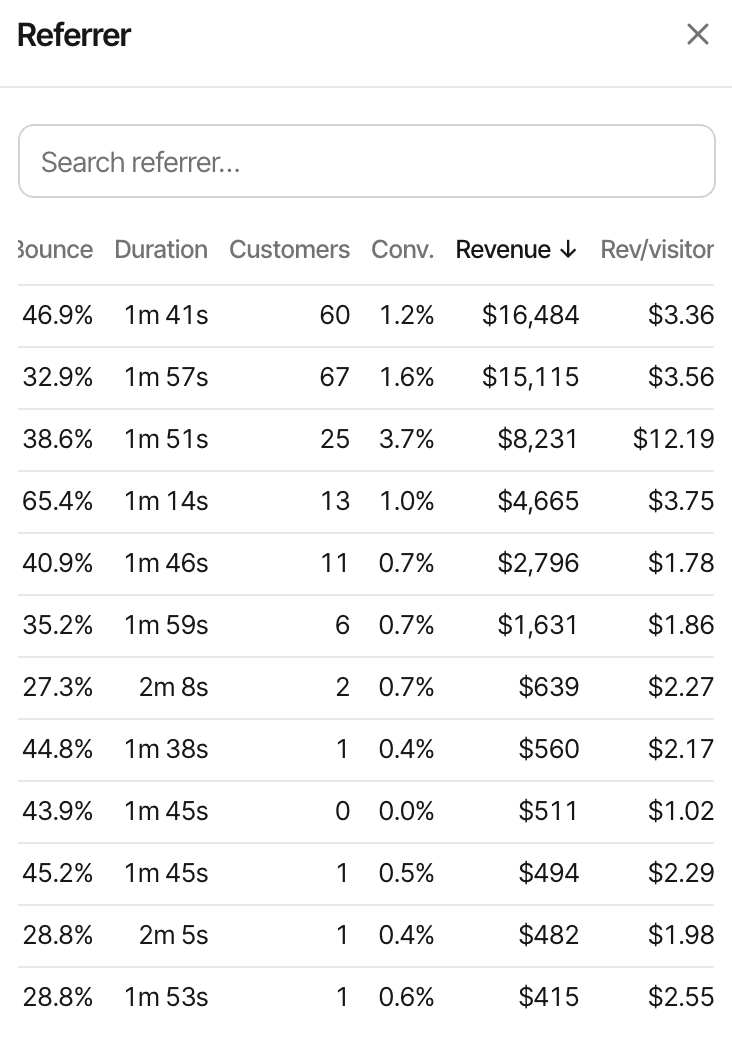
If you sell online, connect your payment provider and each sale is matched to the visitor who made it, and to where they came from.
An example, with made-up numbers
A small shop gets 900 visitors from search and 1,400 from Instagram in a month. Search brings 18 orders worth $1,260; Instagram brings 9 worth $540. Instagram sends more people, search sends more buyers, and the sources report shows both side by side.
- Supported providers: Stripe, Polar, Lemon Squeezy, Paddle and Dodo Payments. For anything else, your website or developer can send each sale through the Payment API.
- Revenue is credited to the first visit or the last one before the sale, as you choose per website. With the last, a customer who came back by typing your address is credited to Direct.
- Full refunds come off the totals; partial refunds count differently by provider (Stripe's aren't subtracted). A sale that can't be matched to a visitor still counts in your revenue, without a source.
- There's no Shopify, WooCommerce, Square or PayPal connection, and no point-of-sale, invoicing or accounting link. Sales made in person or over the phone aren't counted.
SuprAnalytics doesn't take payments: your provider does, and SuprAnalytics reads the sales. About revenue attribution
Understand the path from visit to inquiry.
See the steps people take before they get in touch, and where most of them stop.
- Home page
- Services page
- Pricing page
- Contact form submitted
An illustrative path.
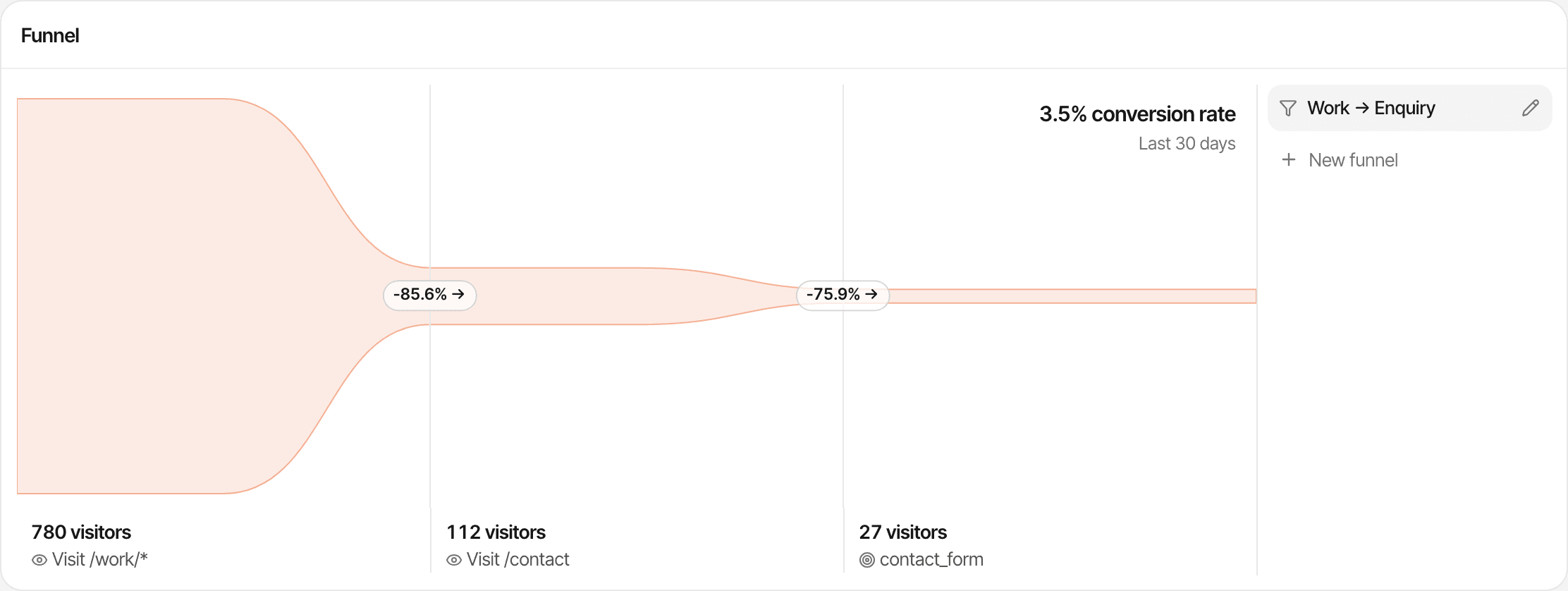
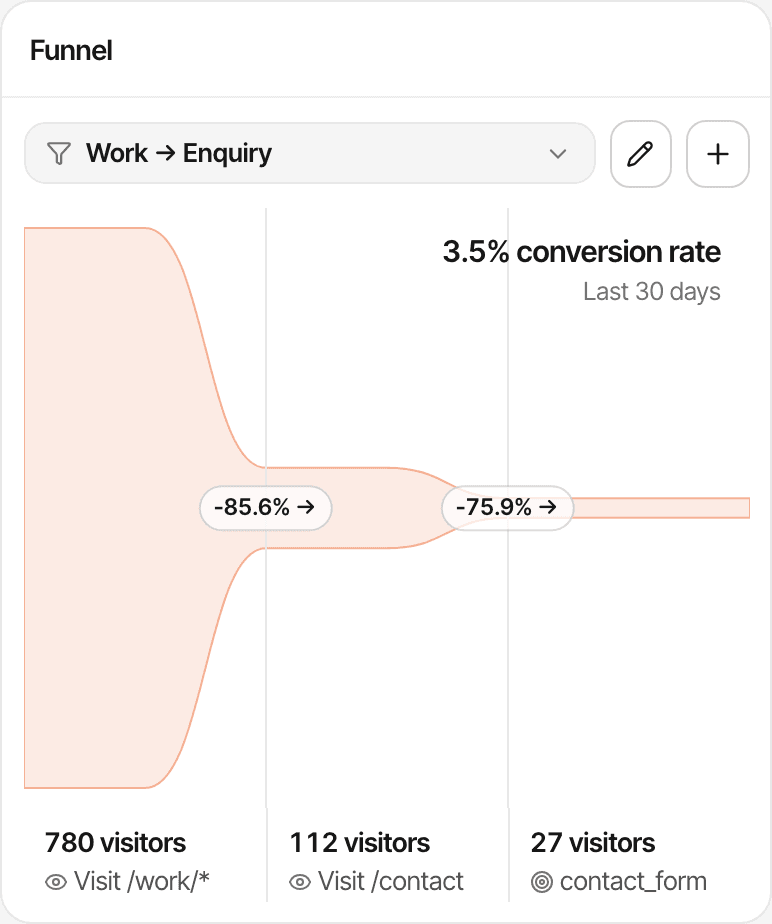
A funnel lists the steps you pick, from 2 to 8 pages or goals, and shows how many visitors reached each one. For the last step to be “contact form submitted”, that form has to be set up as a goal first. Each visitor's journey, visit by visit, is there too: the pages they opened, where they came from and the goals they completed.
To see how people used a page, turn on session recordings and heatmaps for the website; both are off until you do.
Answer questions before visitors leave.
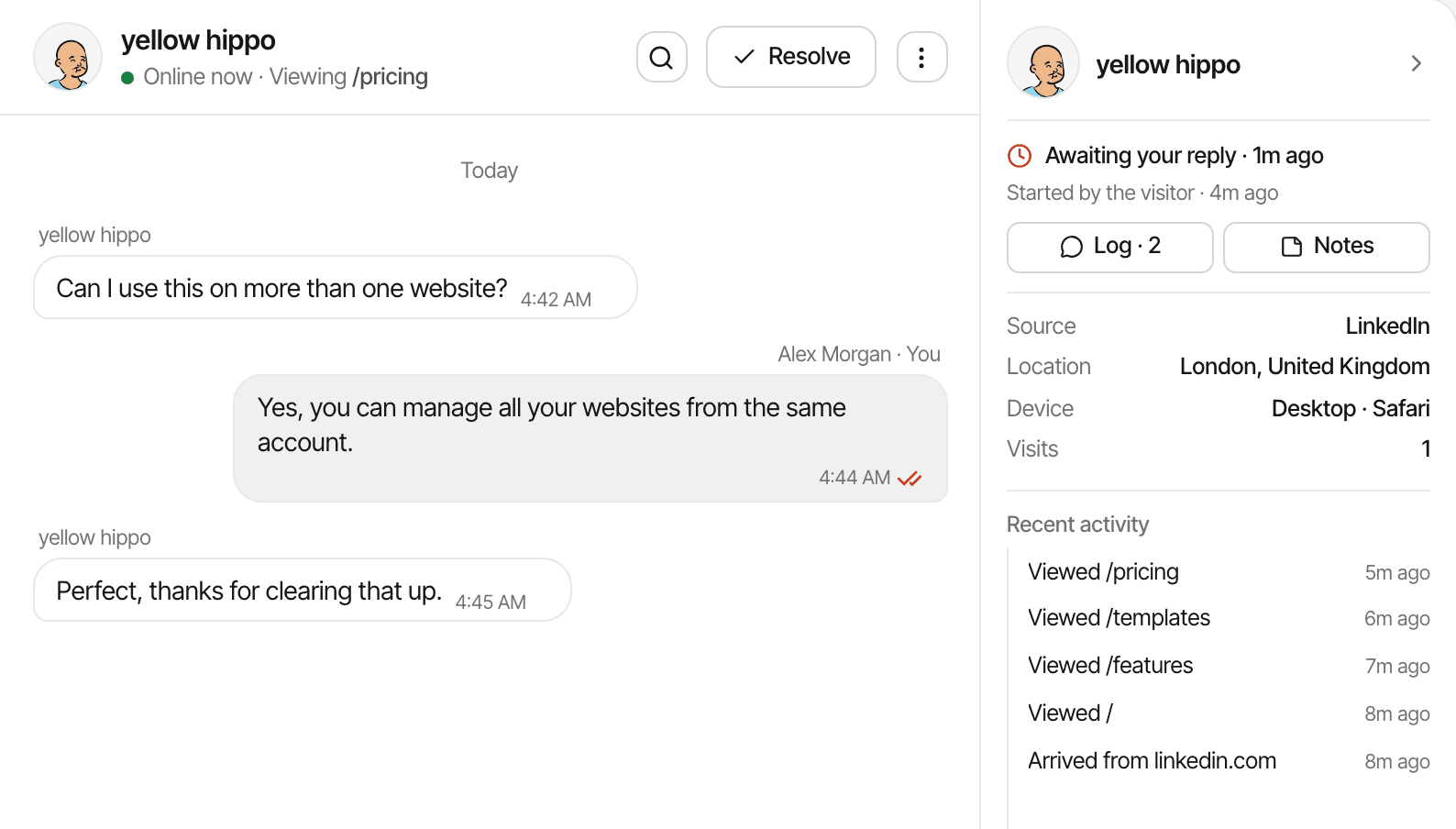
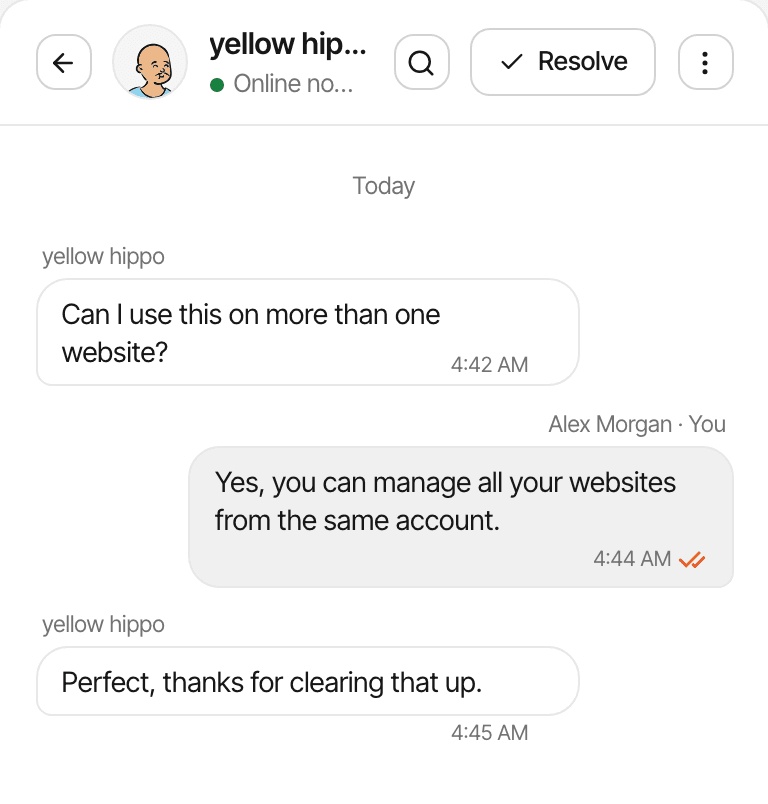
Turn on the chat bubble and visitors can ask you something while they're still on your website.
- A visitor asks what a service costs
- Someone wants to know if you cover their area
- A customer has a question before buying
The chat comes from the same script as your analytics, so there's nothing else to install: switch it on in your website's settings and pick its name, greeting and colour. Each conversation opens beside what you know about the visitor: where they came from, the page they're on, and the pages they viewed before asking.
Reply from the Inbox in your browser, or from Telegram on your phone once you've connected it. If the visitor has left an email and gone, your reply is emailed to them. Every reply is written by you or your team: there are no AI answers, and it isn't a ticketing or CRM system.
See website activity as it happens.
The realtime view shows the people on your website in the last 5 minutes: the page each is on, where they came from, and their country and device.
- Launching a new service
- See whether people are opening the new page, and where they found it.
- Sending a promotional email
- Watch the newsletter's visitors arrive in the minutes after it goes out.
- Sharing a social media post
- See whether a post is sending people to your website.
- Running a seasonal promotion
- Check that the offer page is getting visits on the day it starts.
It refreshes every 15 seconds, and new visits and completed goals appear in its activity feed as they come in. If you'd rather not watch, switch on the weekly summary email, which compares the last 7 days with the 7 before, and an email for when traffic jumps well above the usual.
Simple insights for the business you're building.
Local service business
A plumber, cleaner or salon tracks completed enquiry forms as a goal, and sees whether they came from Google, Facebook or a local directory.
Independent consultant
Counts consultation requests sent through the website's form, and which articles or service pages people read before sending one.
Small online business
Connects Stripe or another supported provider, and sees which sources bring buyers rather than only browsers.
Professional services firm
Compares how many people view each service page, and which of them go on to the contact page.
SuprAnalytics doesn't take bookings or count appointments kept, calls made or sales in your shop. Every plan includes unlimited websites, so a second location's site or a separate shop can sit in the same account; the monthly events allowance is shared between them. All your websites in one account
Questions, answered.
What is website analytics for small businesses?
Do I need technical knowledge to use SuprAnalytics?
Can I see how many people visit my website?
Can I see which pages visitors are interested in?
Can I track contact forms and quote requests?
Can SuprAnalytics track phone calls or offline sales?
Can I see which marketing channels generate online revenue?
Can I add live chat to my business website?
Setting up for the first time? Getting startedInstallation guides
More solutions
- For indie hackersTraffic, signups and payments by source, for solo founders shipping fast.Open
- For SaaSTrack traffic, trials and subscription revenue back to their sources.Open
- For startupsSee which launches and channels bring paying customers, on a small budget.Open
- For developersA small script, custom events, a payments API and an MCP server.Open
- For agenciesEvery client website in one account, with shareable public dashboards.Open
- For creatorsWhich posts and newsletters sell your digital products.Open
- For landing pagesTrack a landing page's traffic, conversions and campaigns.Open
Make your website easier to understand.
See where visitors come from, what they do, and which actions lead to inquiries and online sales — all in one place.
14-day free trial · No card requiredPricingAll features