
Visitor journeys
See the journey behind every website visit.
Follow the pages visitors view, where they came from, and the actions they take, all in one clear timeline.
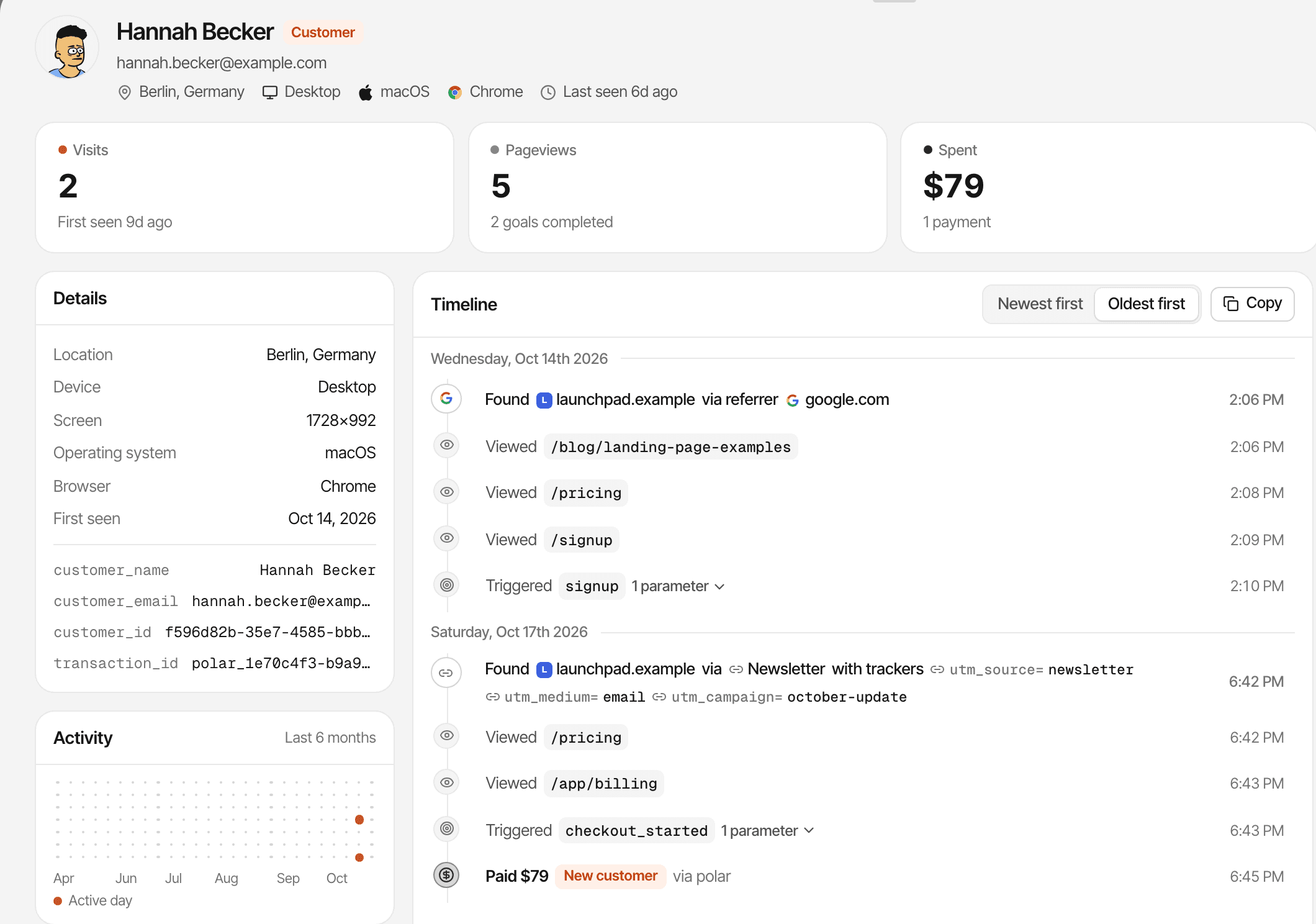
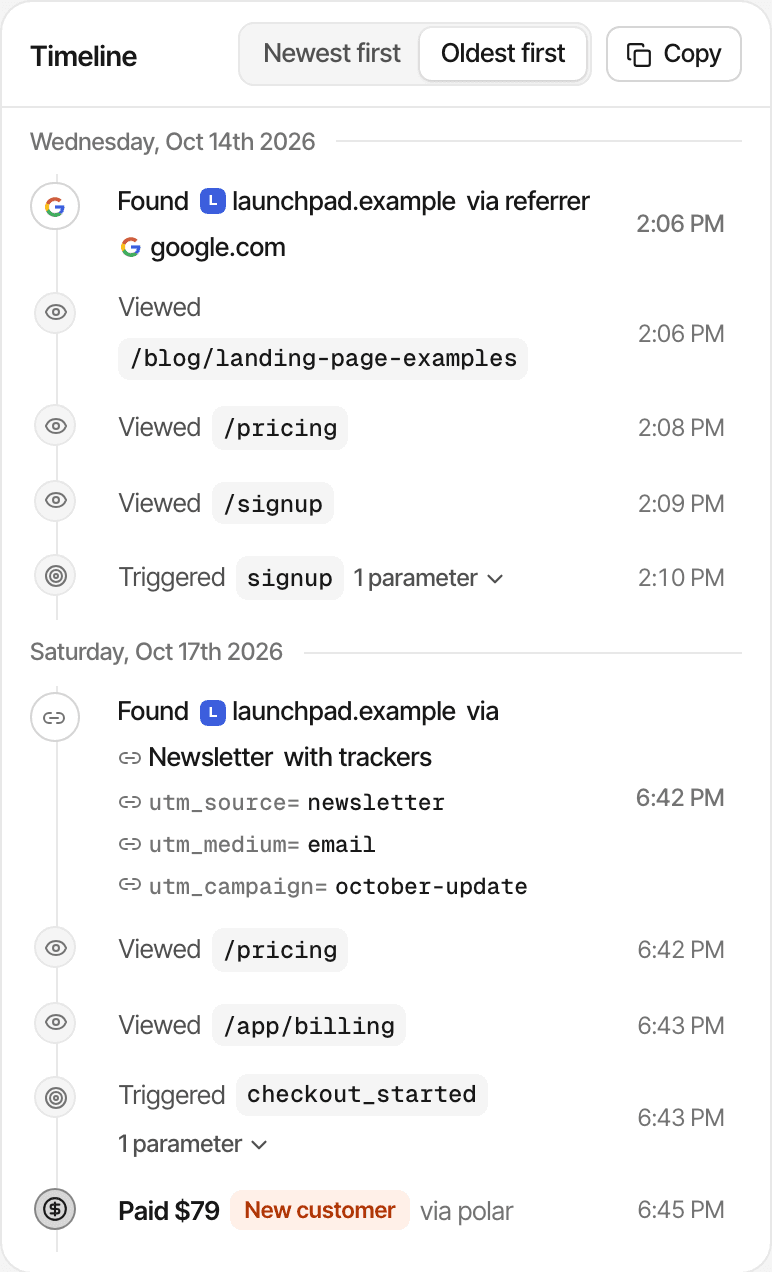
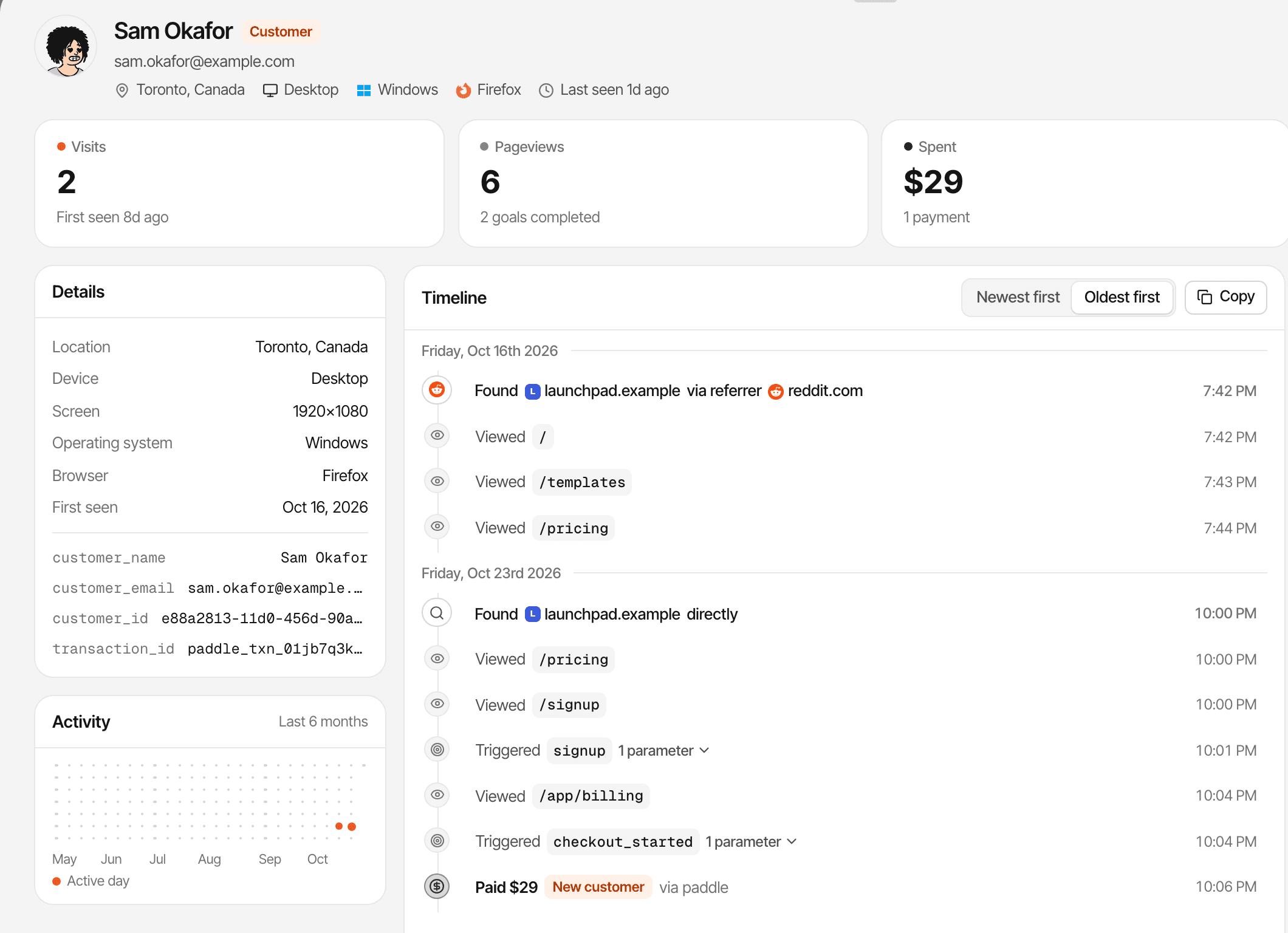
Each visit with its source, every page in order, the goals they complete, the links they click and the payments matched to them, next to the chat if they wrote to you.
14-day free trial · No card required · From $9/month
What is a website visitor journey?
A visitor journey is the sequence of things someone did on your website that were recorded: where they arrived from, the page they landed on, the pages they viewed next, and the actions you track, in order. What you see is what the tracker recorded, for visits it can tie to the same visitor.
- Visitor
- A browser SuprAnalytics recognises: by a first-party cookie for a year, or, in cookieless mode, for a day. A visitor you identify also gets a name and email.
- Visit (session)
- A stretch of activity from one visitor. It ends after 30 minutes without activity; the next page starts a new visit, with its own source.
- Conversion
- A goal you track, such as a sign-up, or a payment from your payment provider that could be matched to the visitor.
See where visitors start and where they go next.
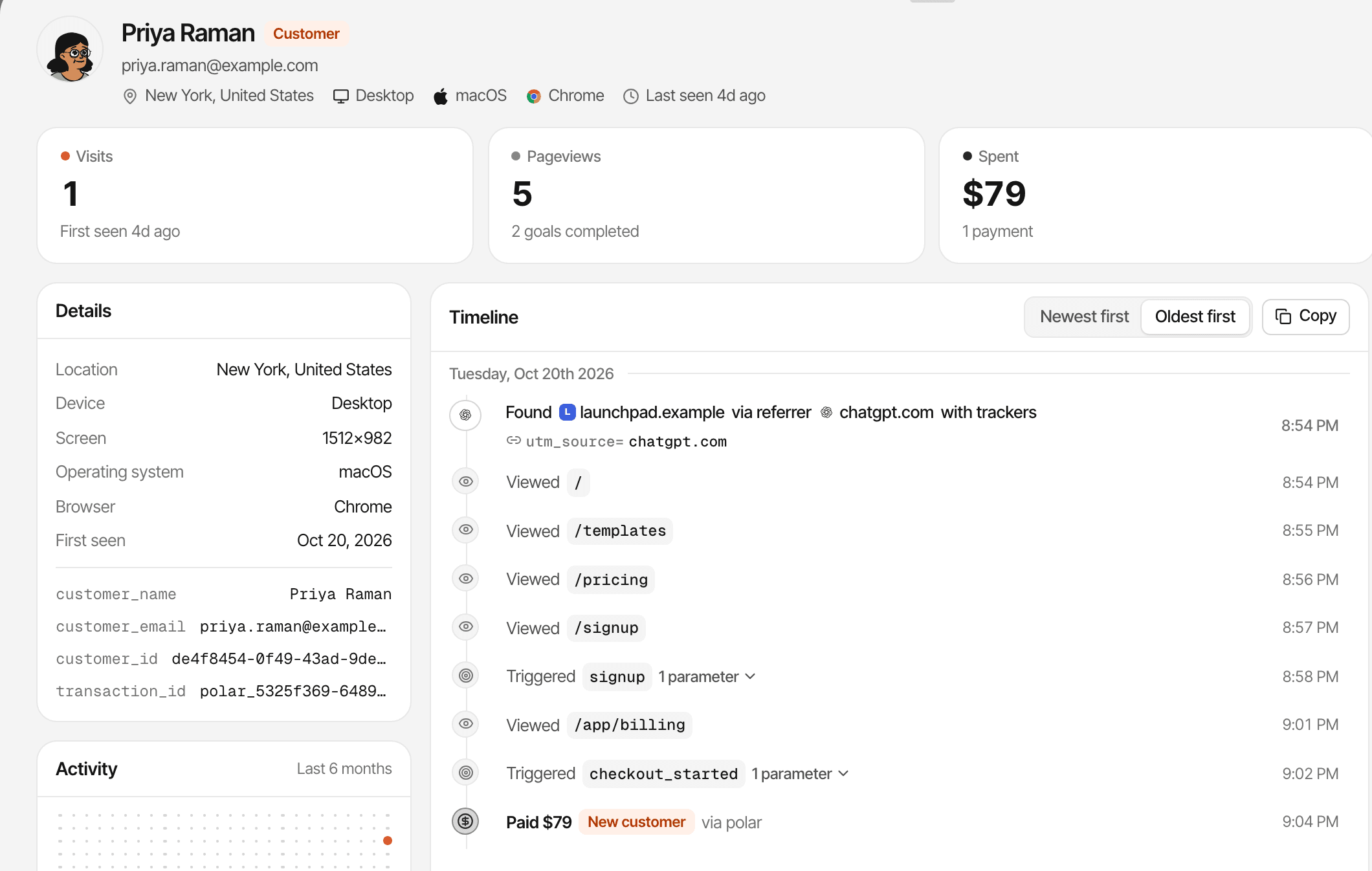
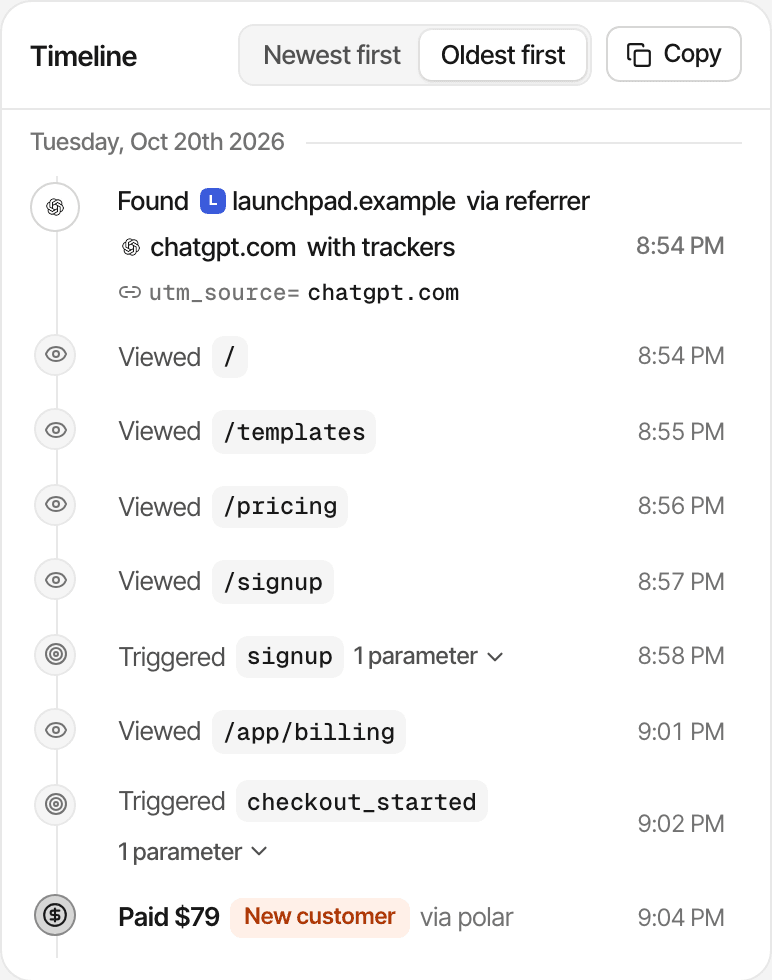
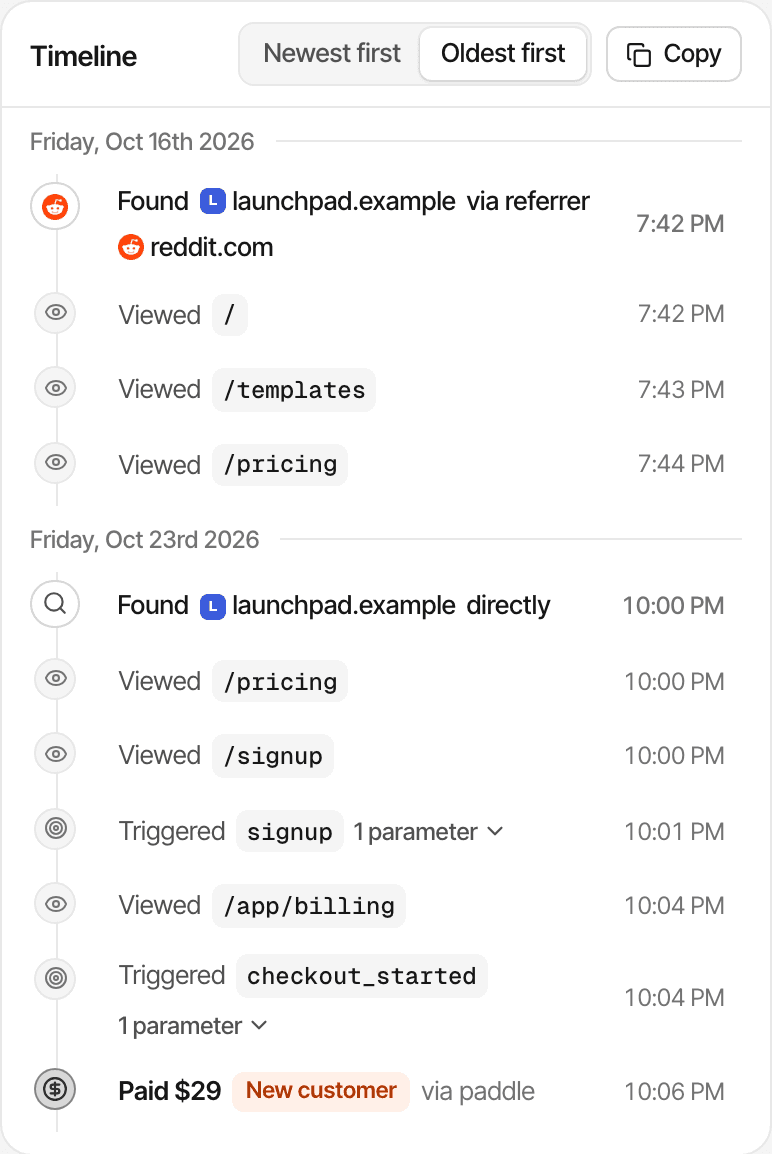
Every visit opens with where it came from, then the pages that followed, in the order they were viewed.
- The referrer, such as google.com or chatgpt.com, or the source when there's no referrer
- Campaign tags from the link:
utm_source,utm_medium,utm_campaign,utm_termandutm_content - The landing page, and each page after it, with the time it was viewed
- “Directly” when a visit arrived with no referrer or tags
- Traffic source
- Landing page
- Product page
- Pricing page
- Goal
Understand the sequence, not just the totals.
Reports tell you a page had 500 views. A journey tells you one visitor opened the homepage, then pricing, then the docs, and signed up after that.
What a timeline shows
- Found: A visit begins: the website, and where it came from
- Viewed: A page, with its path
- Triggered: A goal you track, with its parameters
- Clicked: A link to another website
- Paid: A payment matched to the visitor: new customer, renewal or refunded
Around it, on the profile
- Visits, pageviews, goals completed and amount spent
- Time to convert: from the first visit to the first payment
- Location, device, operating system, browser and screen size
- An activity grid of the last six months
- Newest or oldest first, and a copy of the whole timeline as text
It records page views, goals, outbound clicks and payments. Scrolling and mouse movement are captured only if you turn on session recordings for the website; the profile then lets you watch what they did.
Open anyone from the Users list, the live view, a goal's completers, your customers, or a conversation in the inbox. About visitor journeys
See how visits connect over time.
A visitor who comes back days later appears in the same timeline, with the new visit's source: a search first, a newsletter the next week.
Visits
Each visit starts with its own “Found” row. A visit ends after 30 minutes without activity.
Returning visitors
A first-party cookie recognises the same browser for a year, so its later visits join the same journey.
Across your own domains
When a visitor follows a link from one of your domains to another you've listed, the visit carries over.
Identified visitors
Identify someone after they sign up, and their name and email show on the journey. Their earlier visits in that browser stay on it.
Journeys are limited to activity SuprAnalytics can associate with the same visitor. In cookieless mode, identifiers rotate daily. A phone and a laptop are two visitors, even after identify, and so are two browsers or a browser whose cookies were cleared. Cross-domain tracking
Understand what happened before a conversion.
Goals appear in the timeline where they happened, between the pages around them. The Journey view starts from a goal instead.
In the timeline
Each goal is a “Triggered” row with its parameters. The goal you set as your #1 KPI is marked “Completed goal” and highlighted, and the days it happened show on the activity grid.
In the Journey view
Pick a goal to list everyone who completed it, with where they first came from, what they spent, and how long it took from their first visit. Click a person to read their journey.
A journey shows what happened before a conversion, not what caused it. For the steps everyone takes, use funnels. How goals work
Connect acquisition to revenue when a payment can be matched.
Connect Stripe, Polar, Lemon Squeezy, Paddle or Dodo Payments, and a payment that can be matched to a visitor lands on their journey, after the visits that led to it.
Traffic source. The visit is recorded with its channel, referrer or campaign.
Visitor identity. A cookie gives the browser a visitor id; a supported checkout carries it.
Payment webhook. Your payment provider reports the payment.
Matching. By visitor id, a customer id it has seen, or an email.
Attribution. First or last touch, chosen per website. Last touch is the default.
Revenue report. Revenue and customers for each channel, referrer, campaign and page.
A payment that can't be matched still counts in your revenue, without a source, and isn't on anyone's journey. With last touch, a customer who comes back directly to pay is credited to Direct; their journey still shows where they first came from. How revenue attribution works
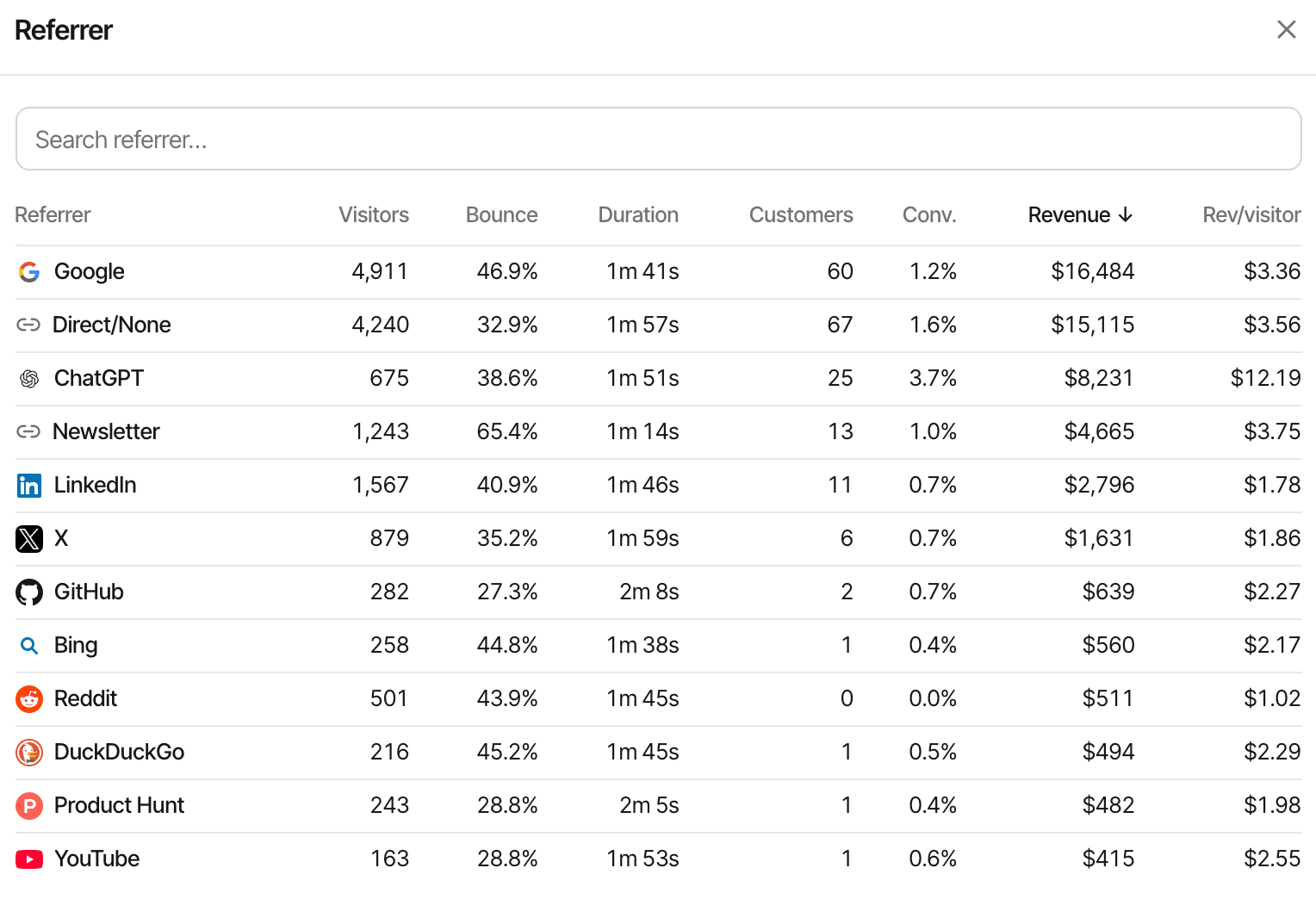
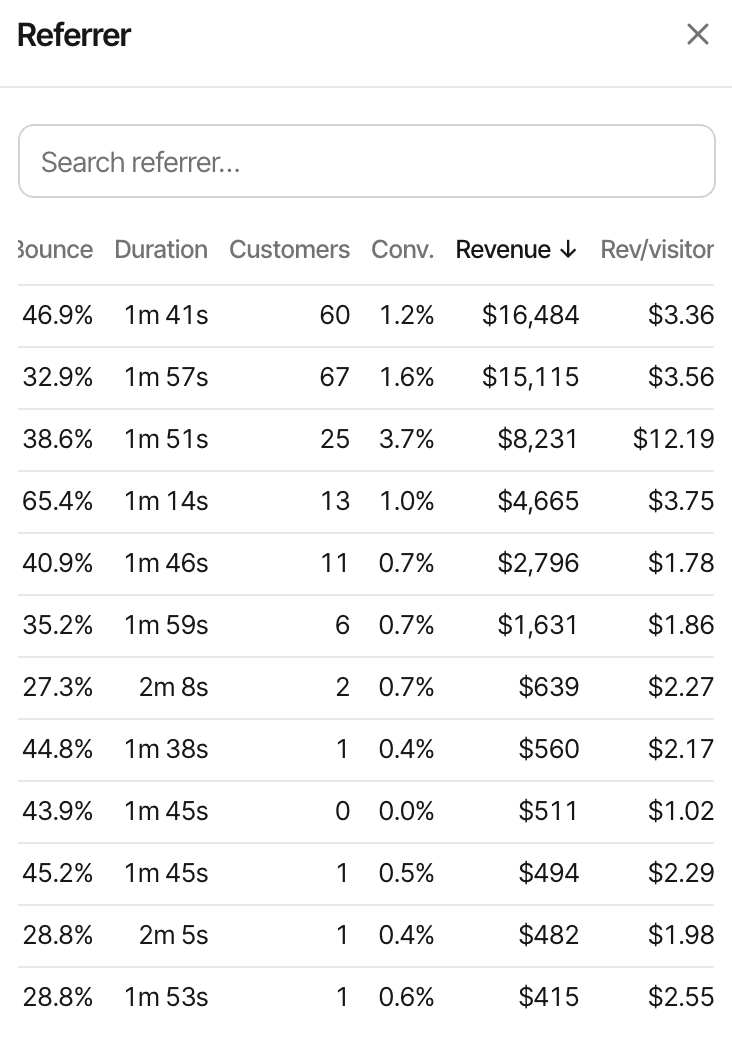
The revenue report is separate from journeys: every source, with the revenue it brought.
Give visitor conversations more context.
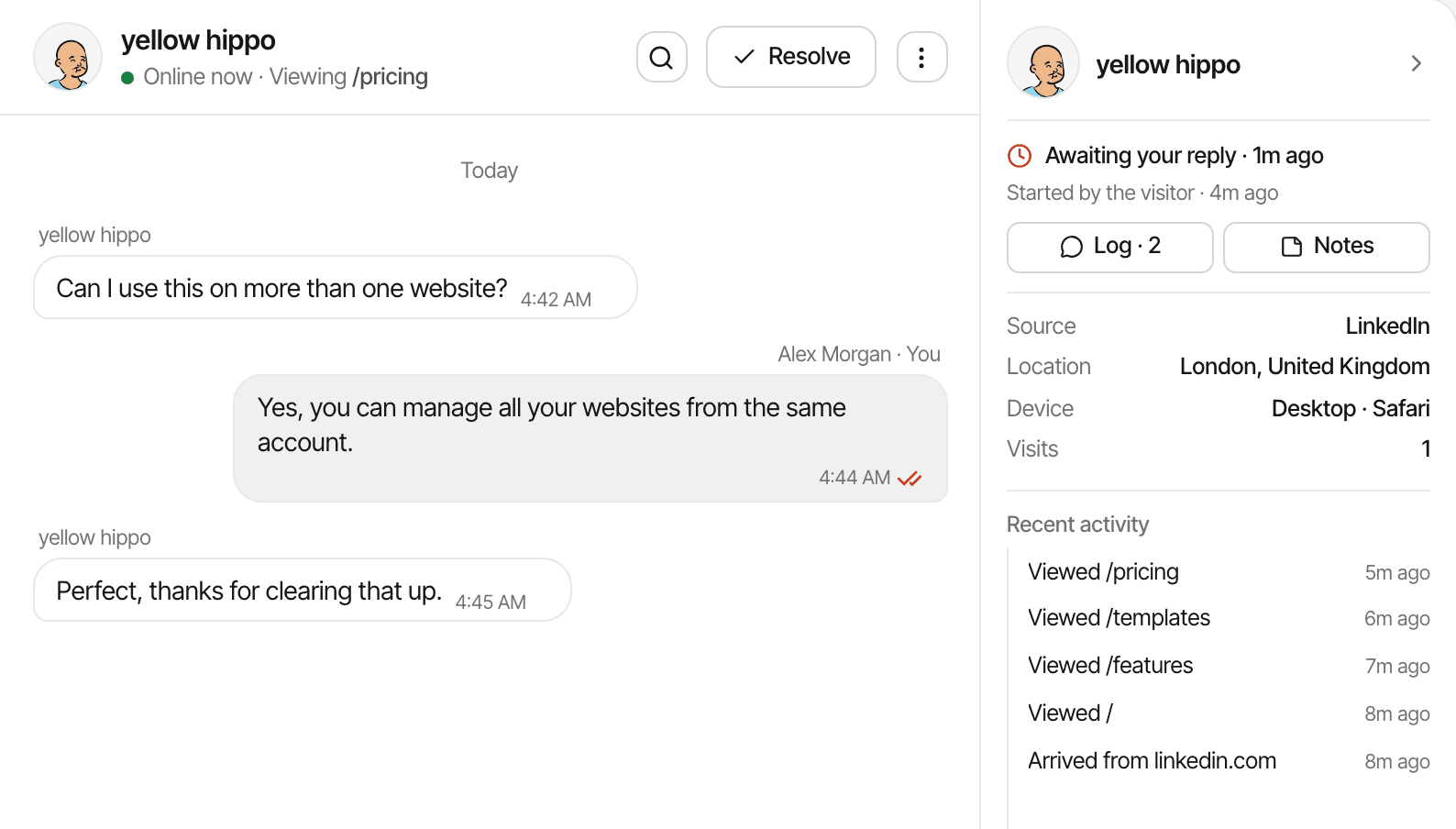
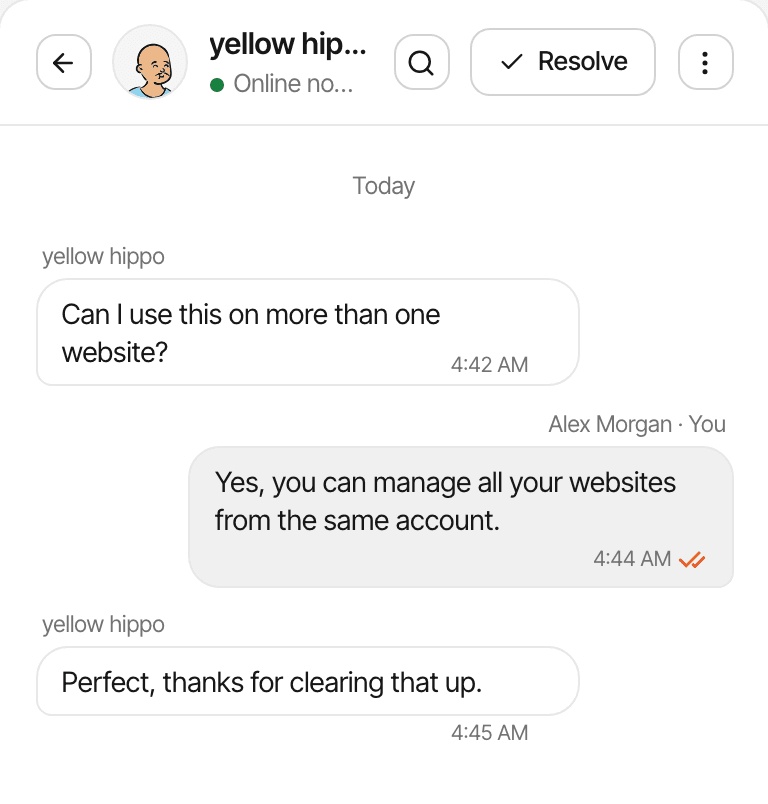
When a visitor writes to you from the chat widget, the inbox shows what you know about their visit beside the conversation.
- Their source, location, device and browser, and how many visits they've made
- Recent activity: their latest visits, pages, goals, clicks and payments
- One click to their full journey, where the conversation sits next to the timeline
Most visitors are anonymous, shown with a friendly alias, until they type a name or email or your app identifies them. More about live chat
Who benefits from visitor journeys?
SaaS founders
See which pages visitors read before they sign up or pay, and how long it took them.
Indie hackers
Watch how people find and move through a new product after a launch.
Marketers
See where campaign visitors land, and which pages they go on to.
Support teams
Read the pages someone viewed before asking a question in the chat.
Useful context, without pretending to know everything.
What a journey can show depends on how the script is set up, what the visitor's browser allows, and your privacy settings.
- Anonymous by default: no name or email unless they give one in chat, you identify them, or a matched payment brings one
- A first-party cookie recognises a browser for a year
- Cookieless mode sets no cookie and recognises a visitor for a day
- A visit ends after 30 minutes without activity
- No merging across devices or browsers
- Kept for your plan's data history: 2 years to 5 years
- Never shown on a public dashboard
- Location is estimated from the visitor's connection, so it's approximate
Whether you need consent depends on your setup and where your visitors are; this isn't legal advice. Cookies and cookieless mode
Questions, answered.
What is visitor journey analytics?
How can I track visitor journeys on my website?
Can I see which pages someone visited?
Can I track returning visitors?
Does SuprAnalytics identify anonymous visitors?
Does visitor journey tracking work without cookies?
Can I connect visitor journeys to revenue?
Can I see visitor context in live chat?
More features
- Revenue attributionPayments from your provider, credited to the source that brought each customer.Open
- Live chatTalk to visitors with their source, pages and journey beside the chat.Open
- Traffic analysisVisitors, sources, pages, locations and devices, with filters and the change against the period before.Open
- Realtime analyticsWho's on your website right now, where they came from and what they're reading.Open
- Conversion funnelsWhere visitors drop off between landing, signup and payment.Open
- Goal trackingCount signups, clicks and pages reached, with conversion rates by source.Open
- UTM trackingCampaign tags read automatically, with visitors, conversions and revenue per campaign.Open
- AI trafficVisits from ChatGPT, Perplexity, Claude and other AI assistants, as their own channel.Open
- Subscription revenueRenewals, refunds and lifetime value, by where customers first came from.Open
- Multiple websitesEvery website in one account, with an all-websites view.Open
- Public dashboardsShare a read-only dashboard by link, without names or payments.Open
- Cookieless trackingAn optional mode that sets no cookies, and what it changes.Open
See more than pageview totals.
Understand how visitors navigate your website and connect those insights to your conversion and revenue reports.
14-day free trial · No card requiredAll features