
For agencies
Manage client website analytics without the reporting headache.
Keep traffic, campaigns, conversions, and revenue organized across your client websites. See what's working and share read-only performance dashboards without giving away your account access.
14-day free trial · No card required · From $9/month
- Manage every client website in one account
- See which campaigns bring conversions and revenue
- Share a read-only dashboard per website
Your clients want results. Not another spreadsheet.
Looking after client websites means answering the same questions for each of them: where did visitors come from, which campaigns worked, and what did they lead to. The data exists; it's just spread out.
Several websites to watch
Each client has a site, a few landing pages and a launch coming up, and each one lives in a different login.
Channels everywhere
Search, social, newsletters, partner links, ads and now AI assistants all send visitors, each counted its own way.
Campaigns in separate tools
The ad platform, the email tool and the analytics tag rarely agree on what a campaign did.
“Did it bring leads?”
Clients don't ask about pageviews. They ask which work produced enquiries, sign-ups or sales.
The same report, every month
Screenshots, copied numbers and a spreadsheet that's out of date the day it's sent.
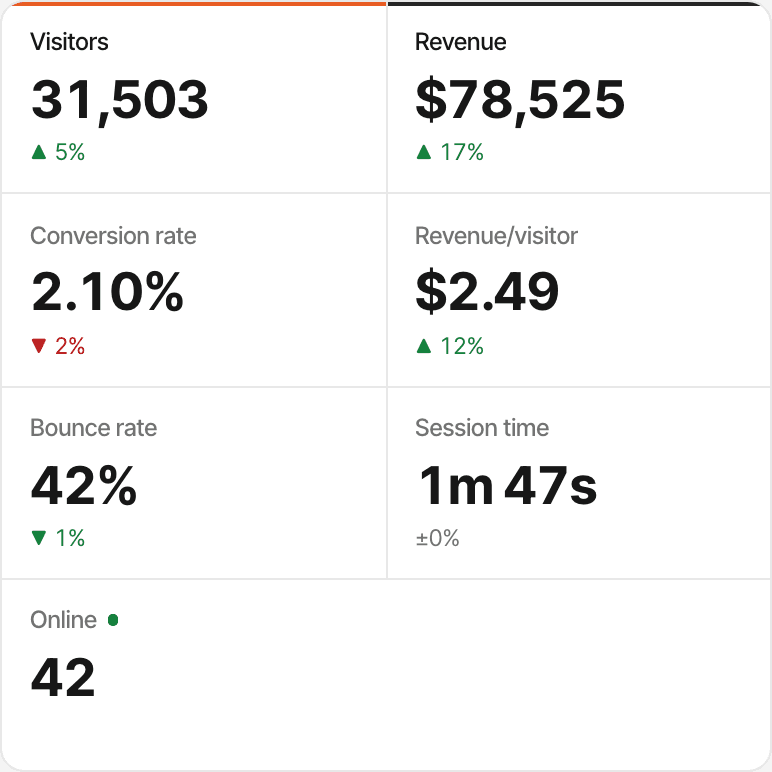
SuprAnalytics puts each client's traffic, campaigns, goals and revenue on one dashboard per website. It doesn't write the report for you: there are no PDF exports or emails sent to clients on a schedule, so the dashboard, or its read-only link, is the report.
Keep every website in one place.
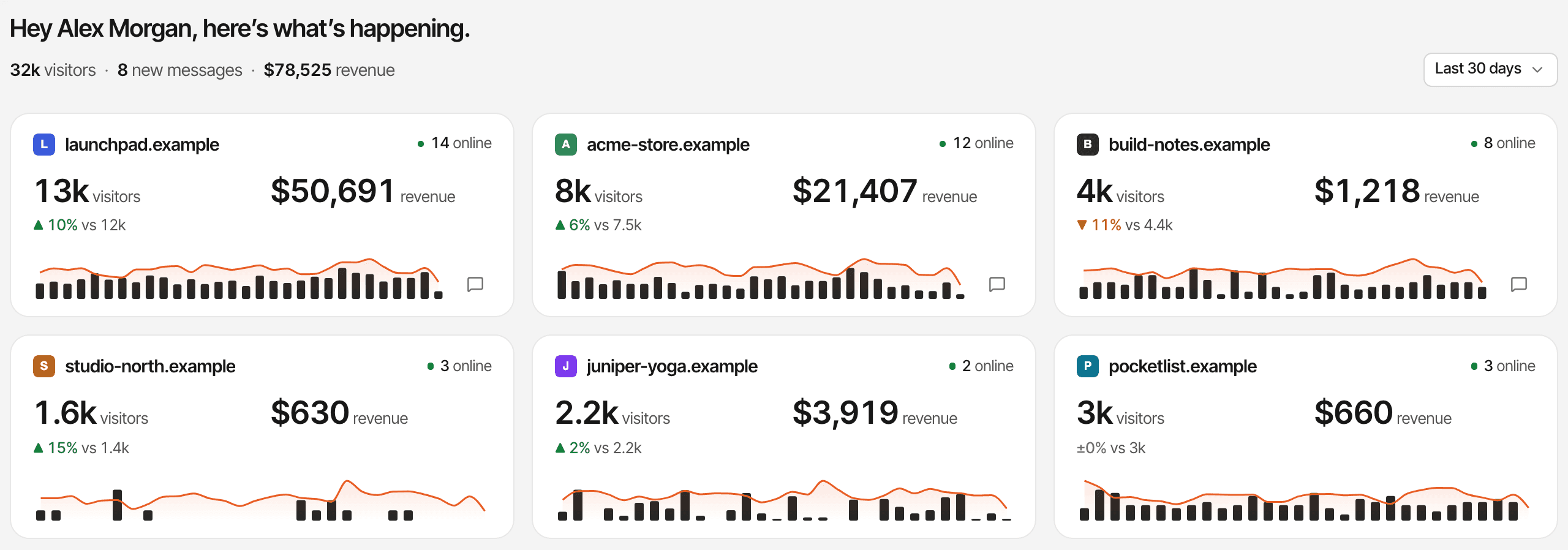
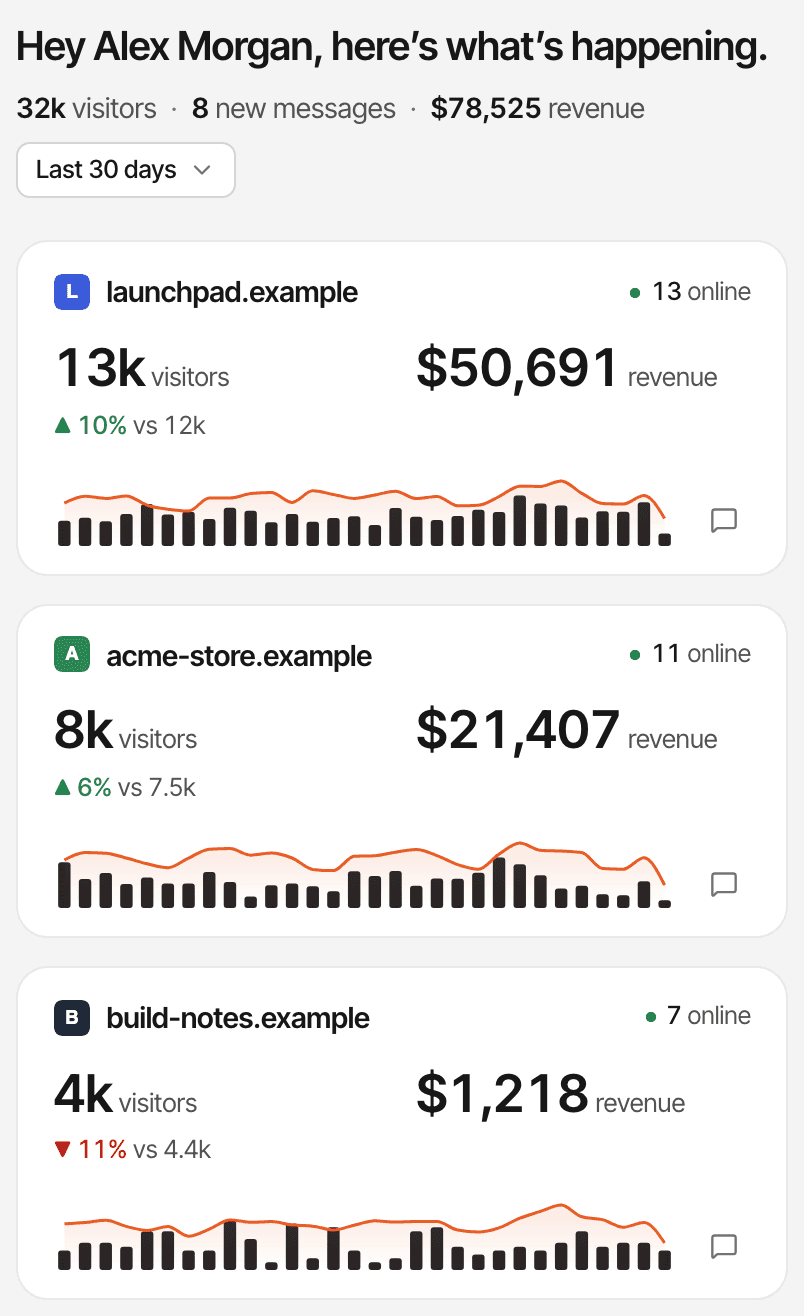
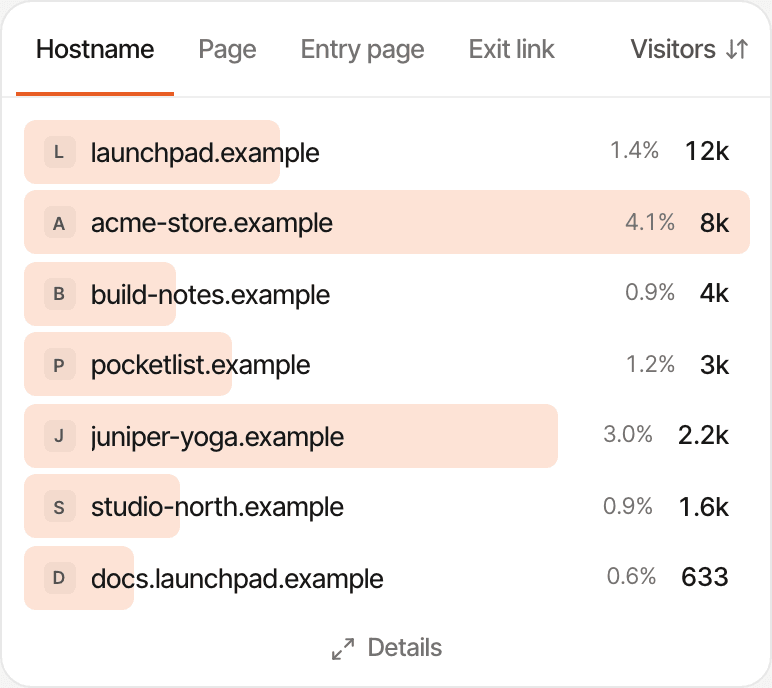
Add each client's website to your account. Home shows a card per website, and the All websites dashboard adds every report up into one, so you can see which client is moving before you open their dashboard.
- Unlimited websites on every plan, the free trial included: no charge per website
- Each website has its own dashboard, goals, funnels, payment connection, attribution model and currency
- The All websites dashboard is read-only and adds the reports up; revenue is converted into the first website's currency
- Chats from every website arrive in one inbox, each marked with its website
One account, not a workspace per client

Show clients which channels bring visitors.
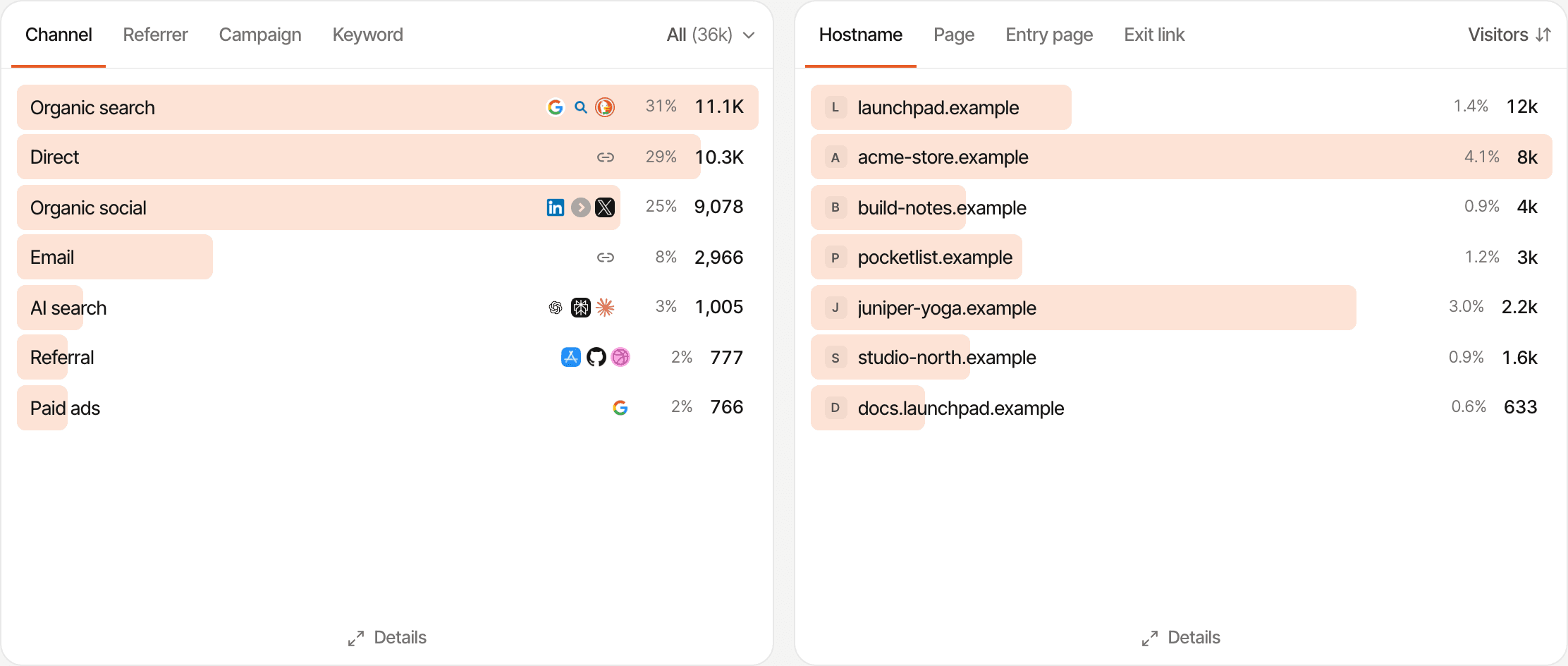
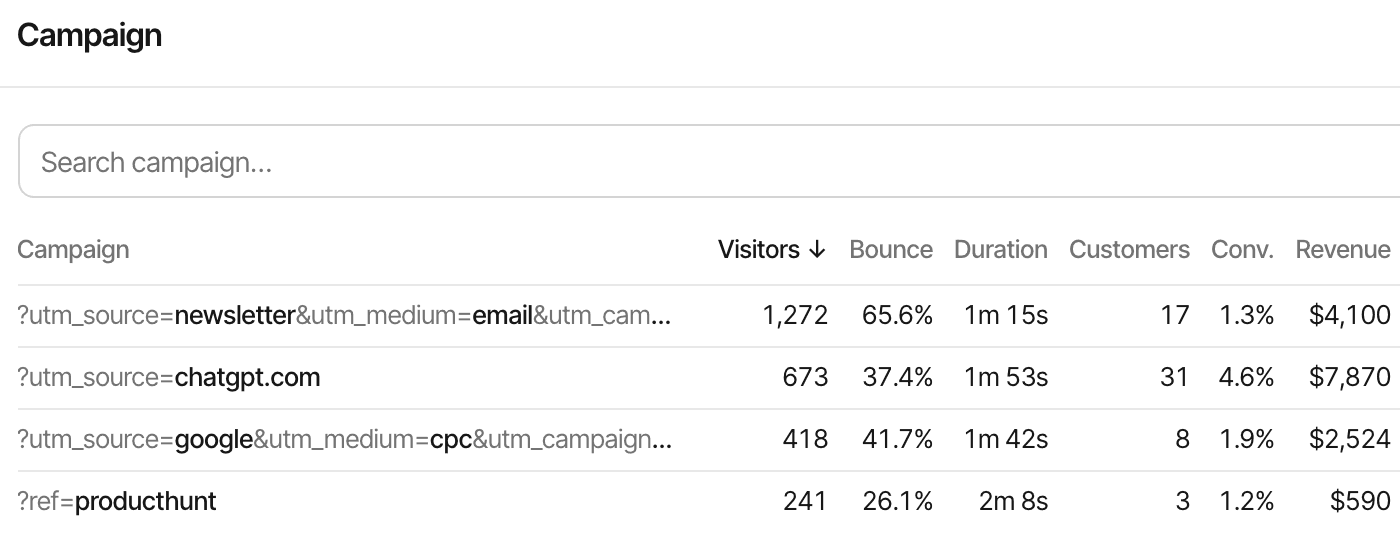
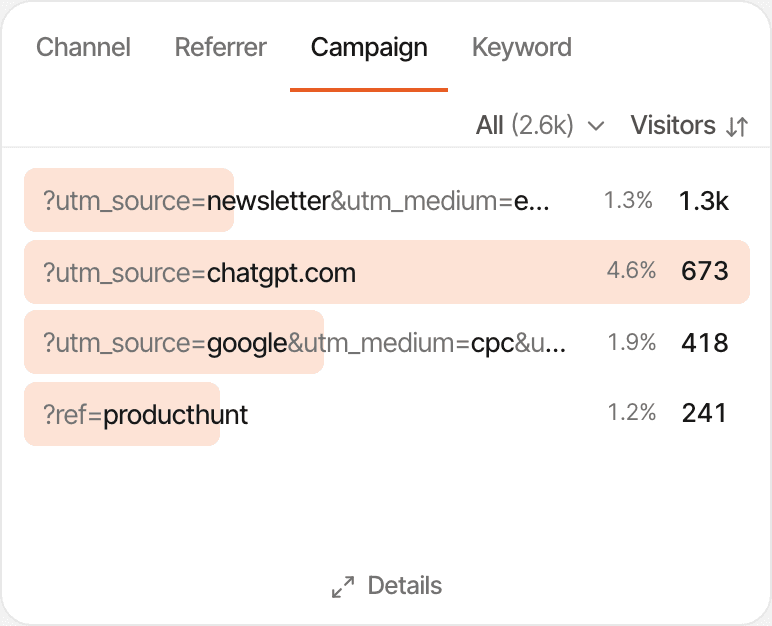
Every visit is recorded with its referrer, campaign and landing page, and grouped into a channel, so “where did our traffic come from?” has an answer per website.
- Channels: organic search, paid, social, email, referral, AI and direct
- UTM campaigns (
utm_source,utm_medium,utm_campaign, term and content) and?ref=links, each with its own row - Visits from ChatGPT, Perplexity, Claude, Gemini, Copilot and other AI assistants, named
- Landing pages, countries, devices, browsers, and new against returning visitors, with exit page as a filter
Direct includes visits that arrive without referrer information, such as many app links and some browsers. Tagging the links you share for a client fixes that for those links. UTM tracking · Tracking parameters
Measure the actions that matter to each client.
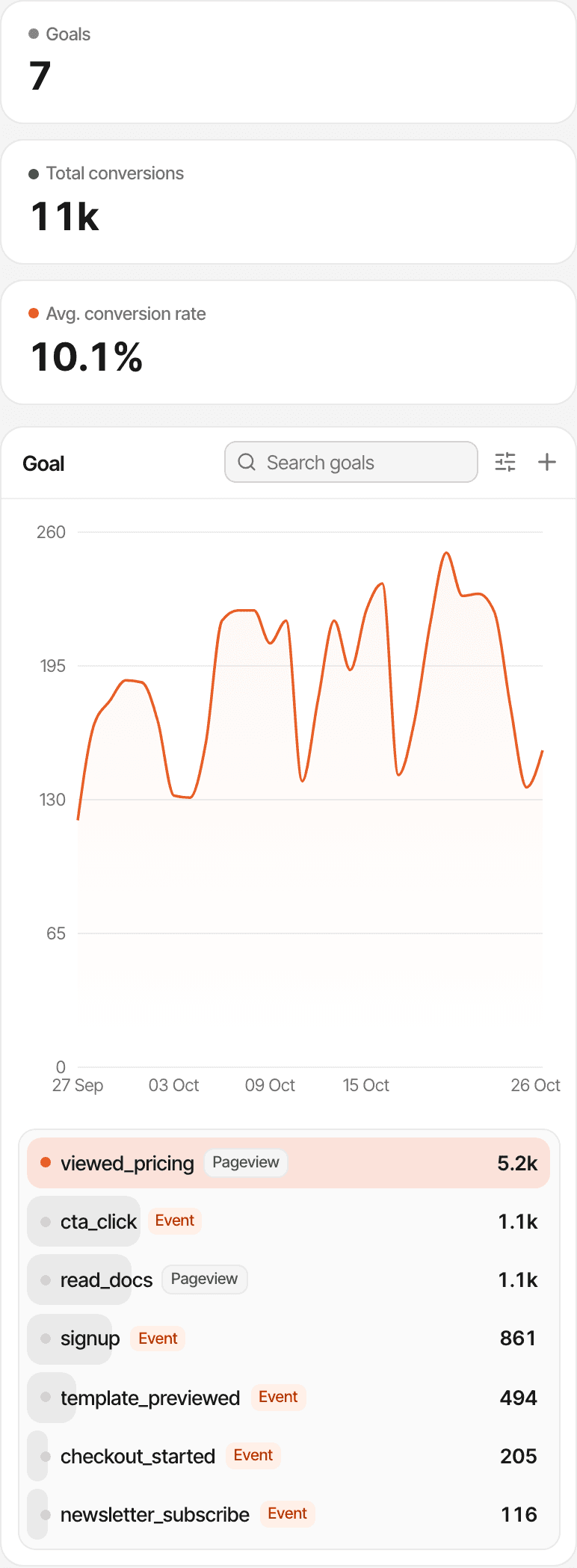
A law firm counts consultations, a SaaS client counts sign-ups, a shop counts sales. Set up the goals each client cares about on their website, and every report shows how many visitors completed them and where those visitors came from.
| Goal | Kind | Tracked by |
|---|---|---|
| Lead form submitted | Event | lead_form_submitted |
| Consultation booked | Pageview | /booking/confirmed |
| Demo requested | Event | demo_requested |
| Signup completed | Event | signup |
| Purchase recorded | Payment | From the payment provider |
What a goal needs
window.supr("lead_form_submitted"), or a supr-goal attribute on a button. There's no CRM integration: a lead's details stay in the client's form tool. Goal tracking · Custom goals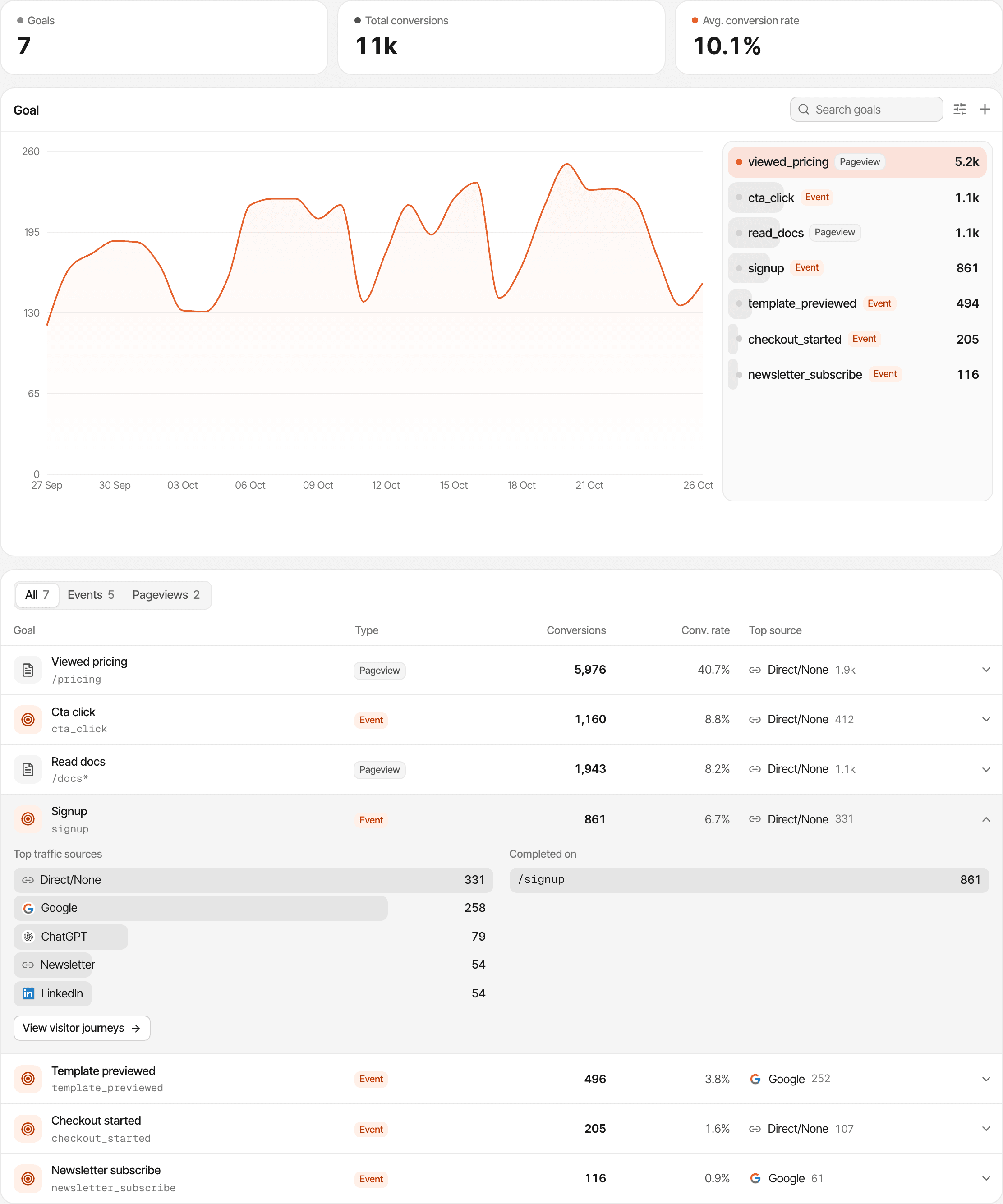
Find the pages where potential customers leave.
A saved funnel is the path you want visitors to take, step by step: pages, goals or a payment, in order. It shows how many visitors reach each step and how many drop off between them, so you know which page to fix first.
- Landing page
- Services page
- Contact page
- Lead submitted
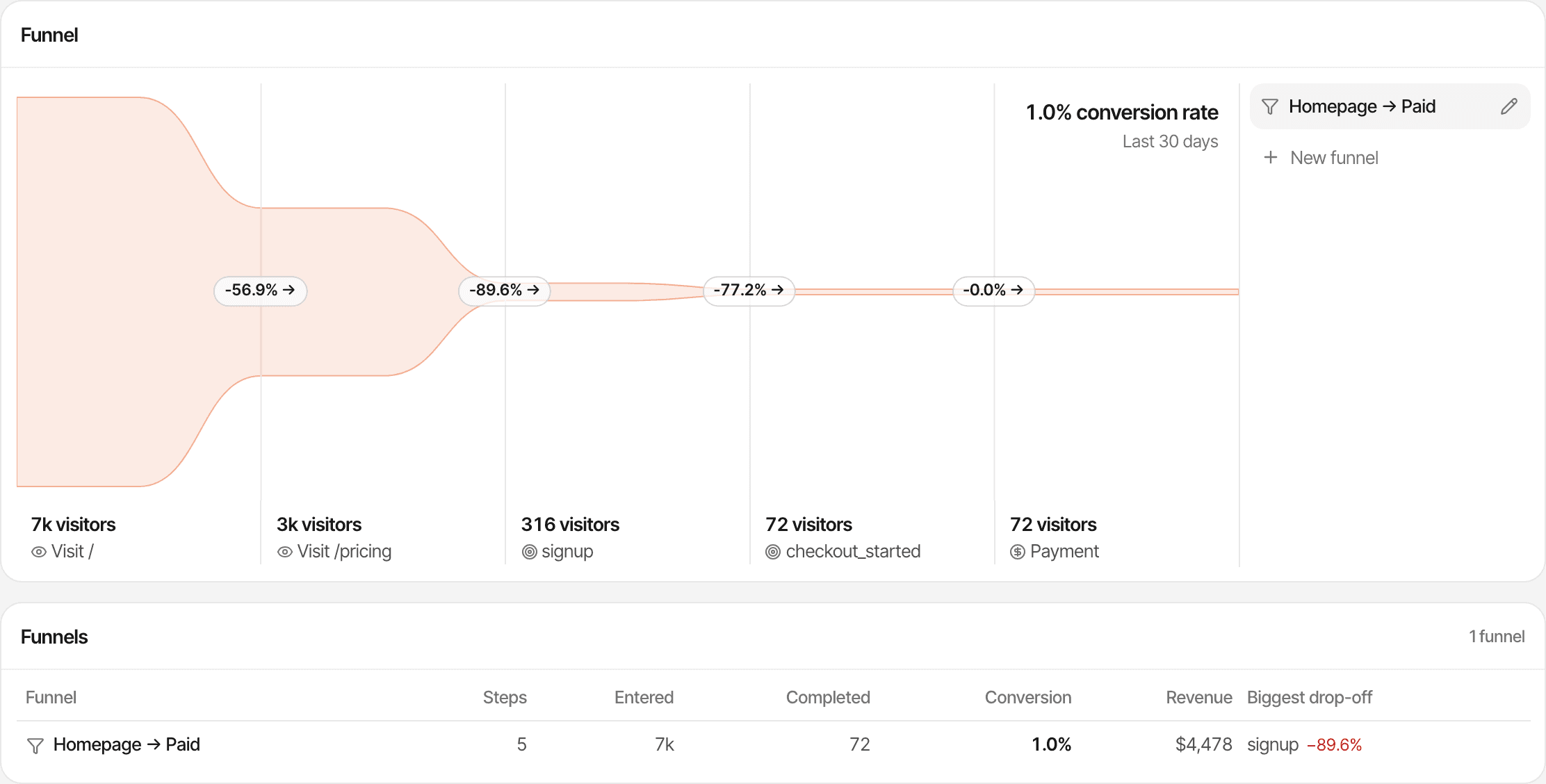
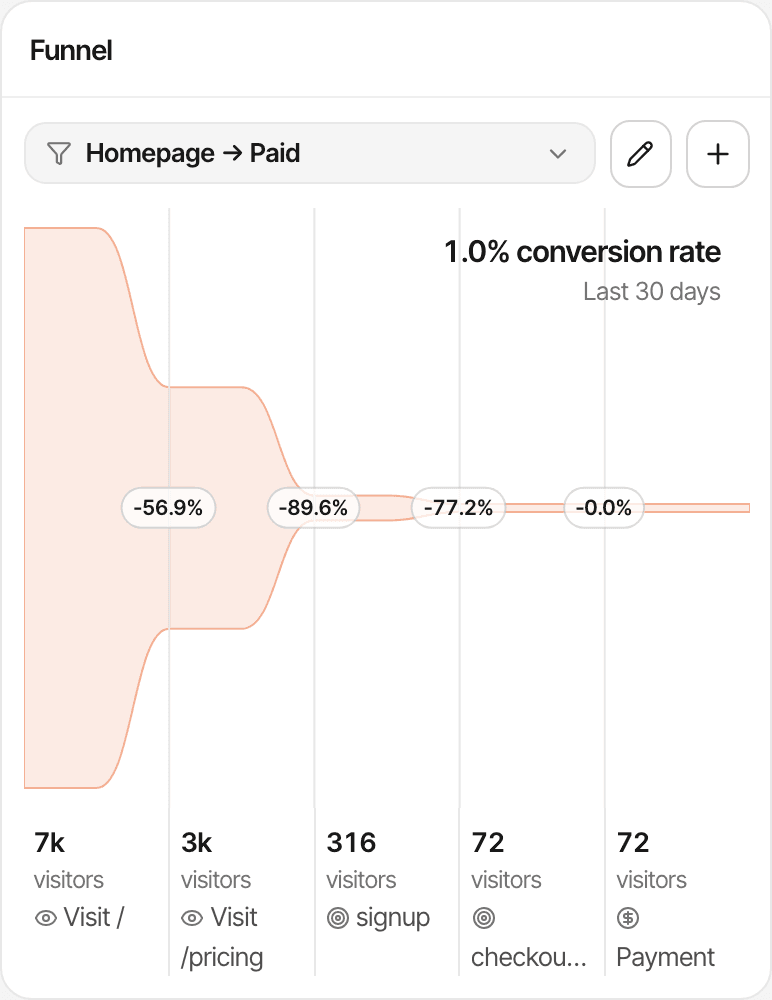
Two to eight steps per funnel, saved per website, with the conversion rate between each pair of steps. Conversion funnels
Show which channels generate actual revenue.
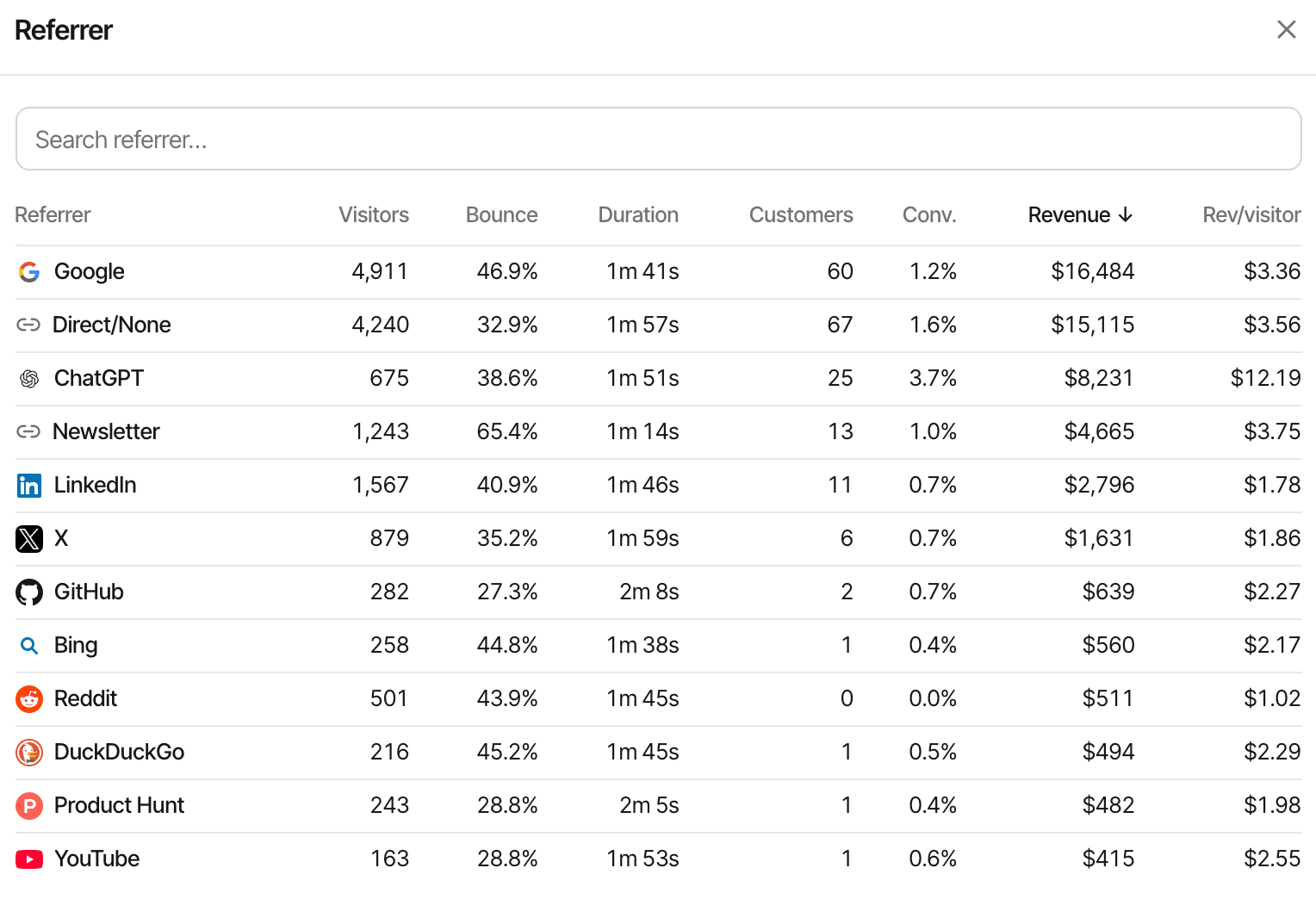
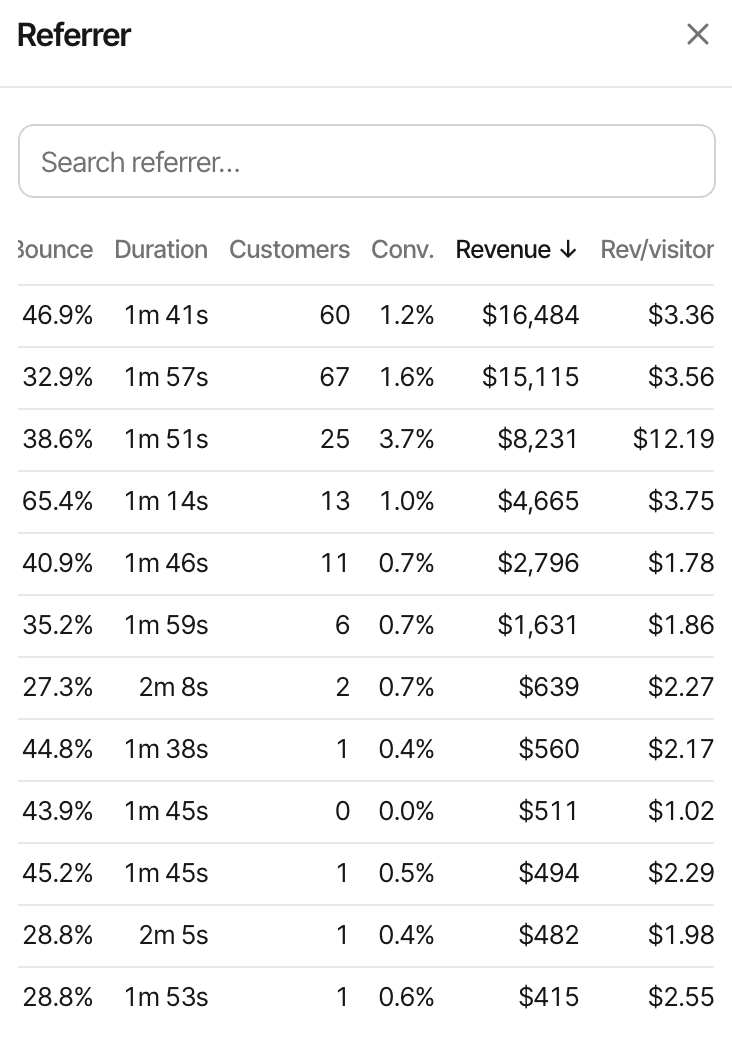
Visitor numbers make a channel look busy; revenue shows whether it paid. Connect a client's payment provider and every channel, campaign and landing page shows the customers and revenue it led to, beside its visitors.
Works with Stripe, Polar, Lemon Squeezy, Paddle and Dodo Payments, each through its own webhook, and anything else through the Payment API. New revenue, renewals and full refunds are counted separately.
How credit is given
| Channel | Visitors | Customers | Revenue | Per visitor |
|---|---|---|---|---|
| Paid social | 5,200 | 4 | $760 | $0.15 |
| Organic search | 1,800 | 19 | $4,180 | $2.32 |
Give clients a read-only view of their website performance.
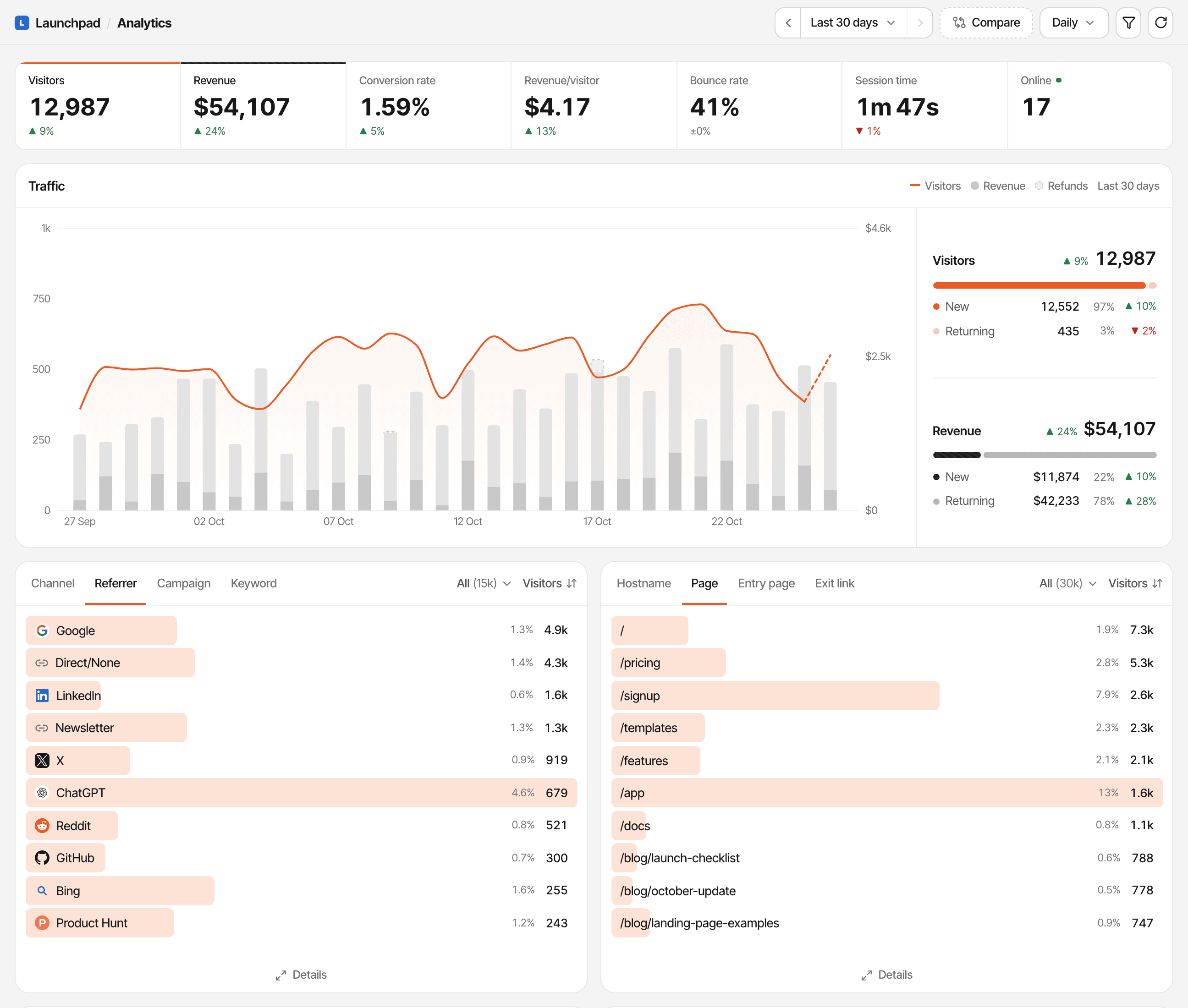
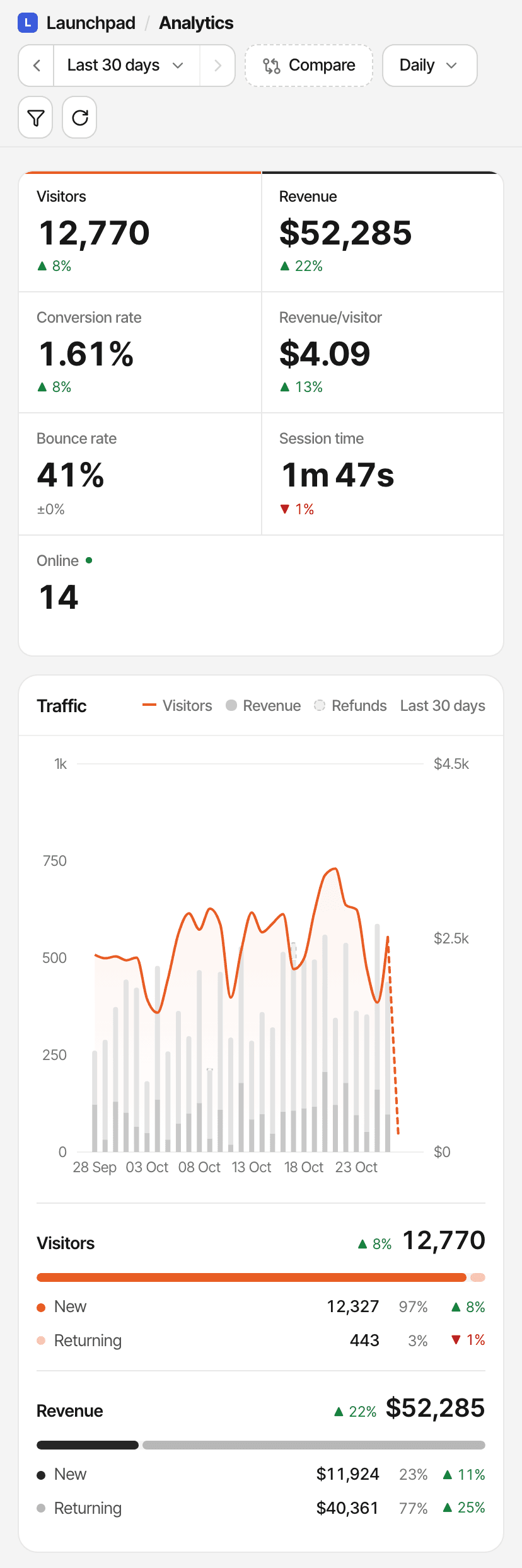
Turn on the public dashboard for a client's website and send them the link. They open it in a browser without an account, pick a period and filter the reports, and can't change anything. You never share your login.
What your client sees
- Every report on the website's dashboard: traffic, channels, campaigns, pages, locations and devices
- Goals, saved funnels and revenue totals, including revenue per source, page and country
- The realtime view, without names, emails or cities
What stays private
- Visitor lists, profiles and journeys
- Customers' names and emails, and what any single payment was
- Live chat, settings, notes and API keys
Not available
- A password, an expiry date or a new link
- Choosing which reports to show, or hiding revenue
- Your own domain or branding (white label)
- One link for several websites

Sharing is per website: one switch in its Settings, off until you turn it on. The link is the website's address on SuprAnalytics, /share/ followed by its website id. It isn't secret: anyone who has it can open the dashboard, and the client can pass it on.
Switch it off and, within seconds, new visits to the link see that the dashboard isn't public, and an open realtime view stops. Revenue totals are always part of a shared dashboard; on a website with few sales, a total can reveal a single sale. If the account's plan is paused, the link stops working.
Public dashboards · How to share · Embeddable widgets for a few totals on a page you control
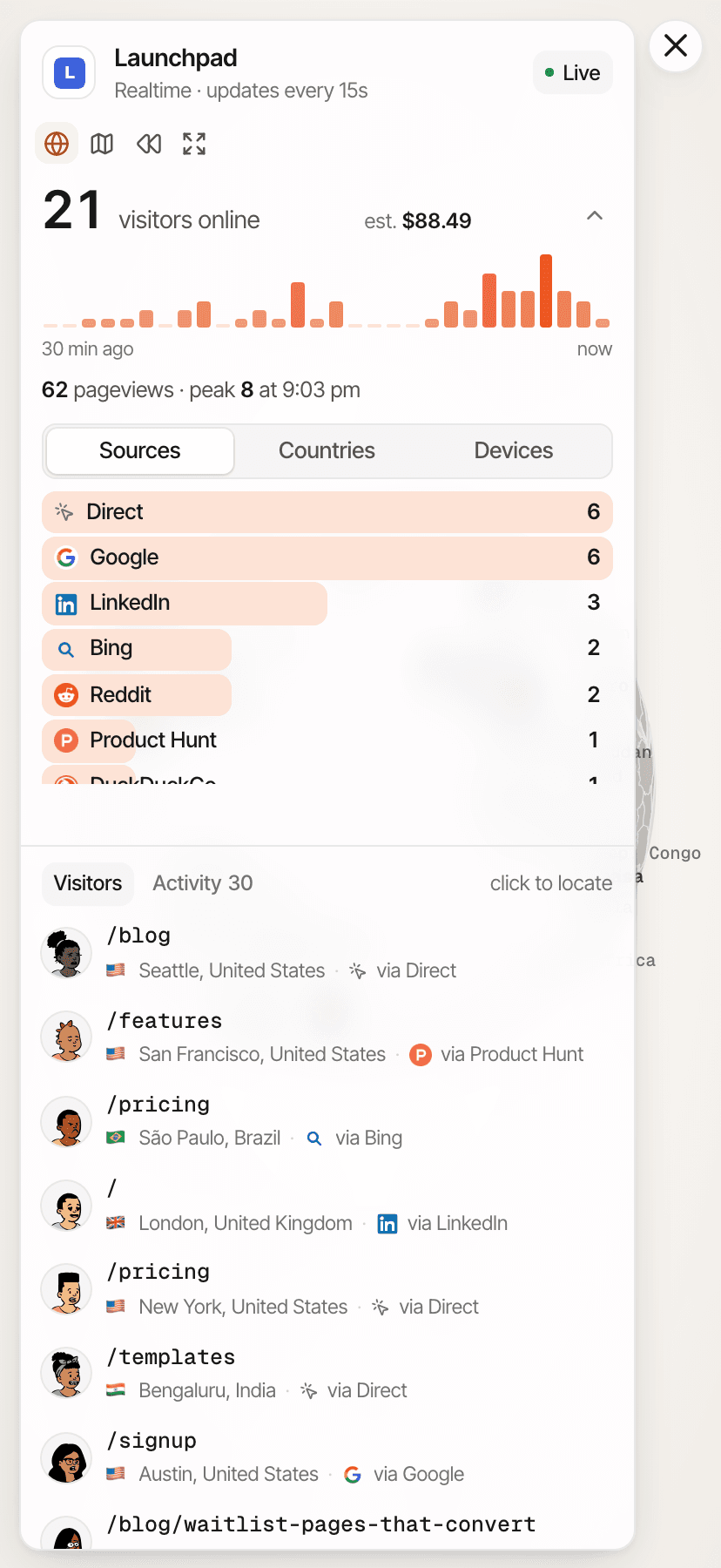
Watch campaign traffic as it happens.
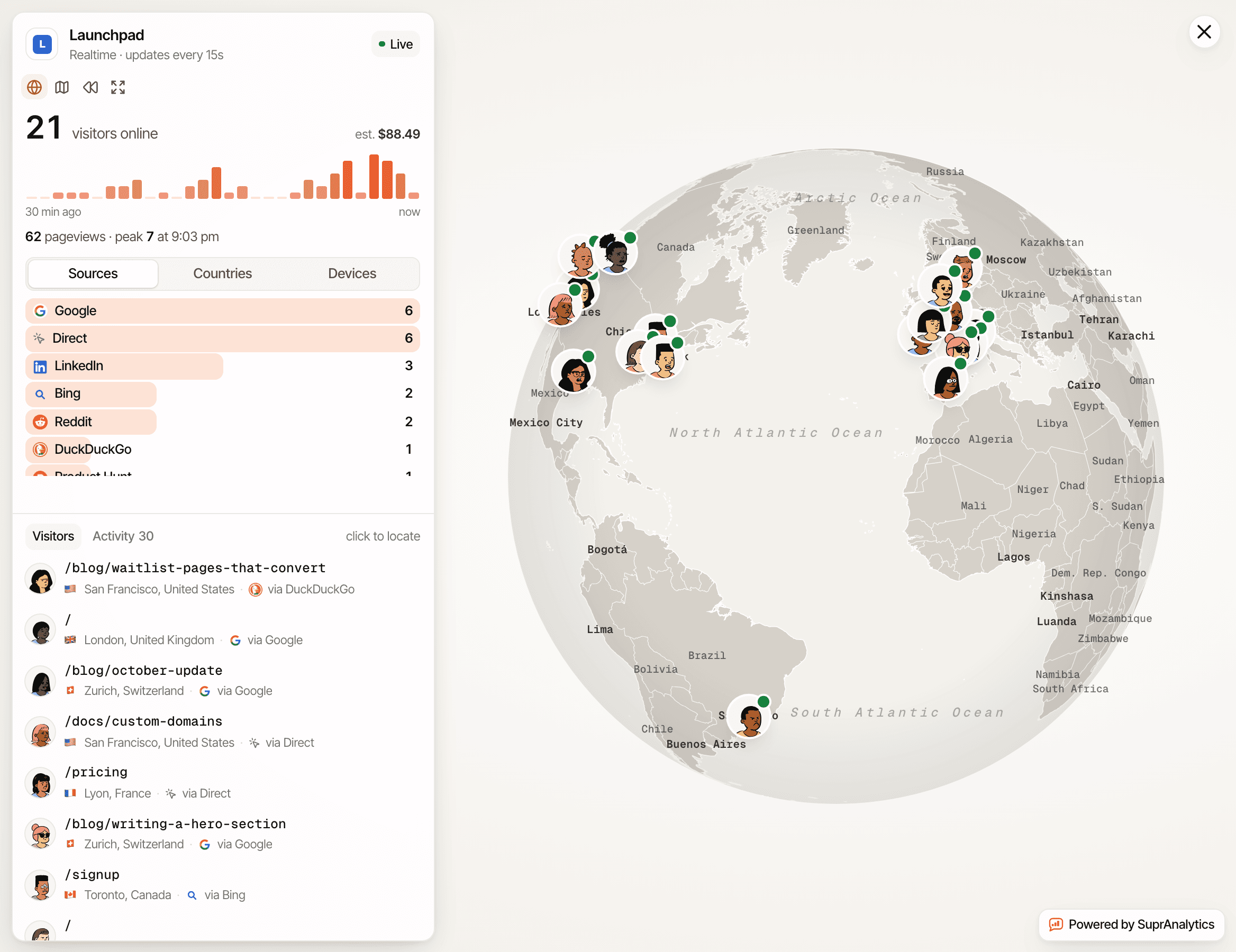
The realtime view shows who is on a client's website now: everyone active in the last five minutes, their source and page, and the goals and pageviews coming in. Visits show up within seconds, not instantly.
A client's product launch
See whether the announcement is sending people, and to which page.
A paid campaign going live
Check that the tagged ad traffic arrives under its campaign, not as direct.
A newsletter send
Watch the email channel rise and see which links readers open.
A promotional landing page
Confirm the page is getting visits and the goal on it is completing.
Away from the dashboard? Turn on traffic spike emails and one reaches you when a website's last hour has at least four times its usual hourly visits. Realtime analytics
See what visitors did before converting.
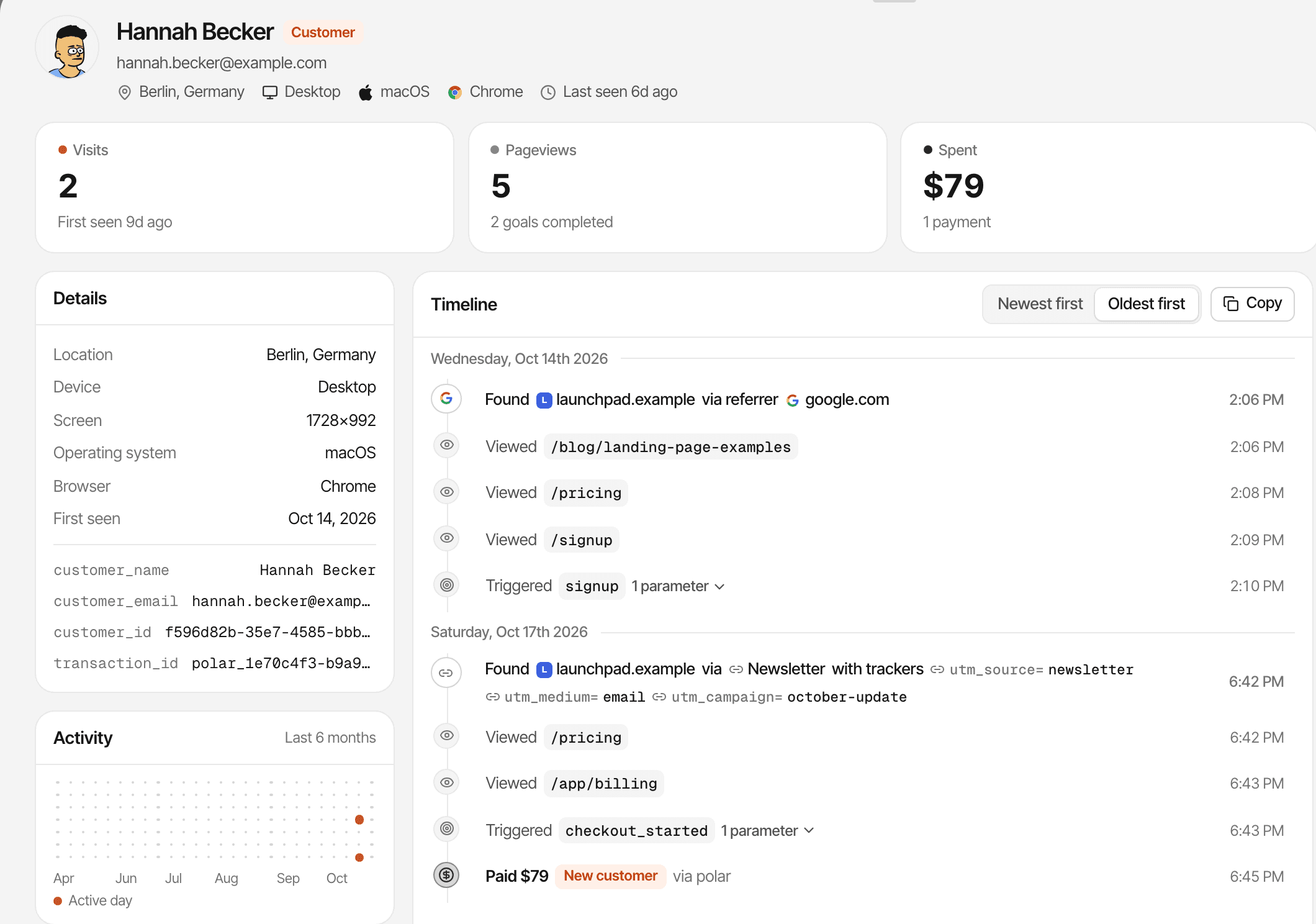
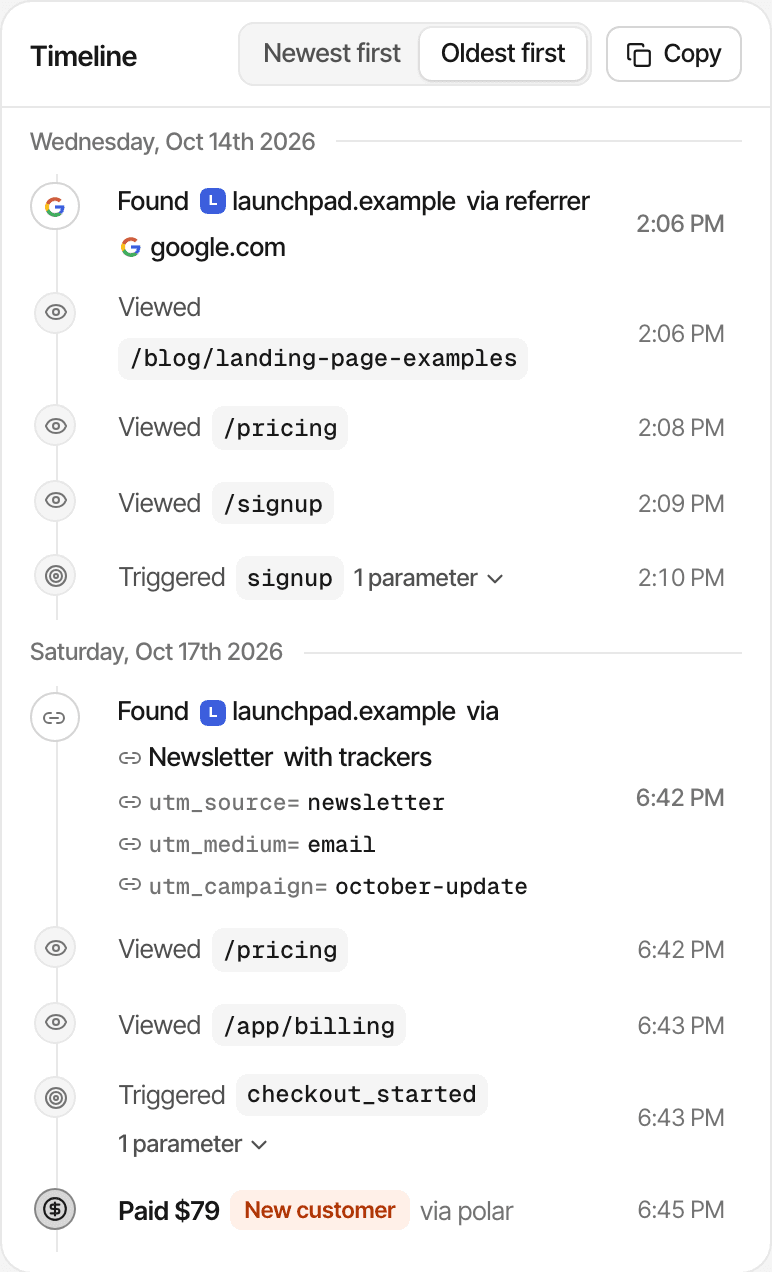
Open any visitor or customer on a client's website and see their visits in order: the source that started each one, the pages read, the goals completed and, once payments are connected, the payment matched to them.
- Each visit with its source, campaign and landing page
- Pages, goals and matched payments on one timeline
- Device and approximate location
Good to know
Spend less time switching dashboards.
For freelancers, consultants and small agencies who want traffic, conversions and revenue for each client in one tool, rather than an agency management platform.
A freelance marketer with several client websites
Every client's website in one account, a card each on Home, and one subscription however many you add.
An SEO agency reporting on acquisition
Organic search, referrers, AI assistants and landing pages per website, with the trend against the previous period.
A growth agency measuring conversions
Goals for the client's key actions, funnels for the path to them, and revenue per channel once payments are connected.
A consultant sharing results with a client
A read-only public dashboard for the client's website, at a link they can open without an account.
Every feature is on every plan, from $9 a month for 100,000 events, after a 14-day free trial with no card required.
Questions, answered.
What is website analytics for agencies?
Can I track multiple client websites in SuprAnalytics?
Can I share analytics dashboards with clients?
Do clients need a SuprAnalytics account?
Can I hide revenue or choose which reports clients see?
Does SuprAnalytics support white-label or password-protected reports?
Can I track leads, conversions, and revenue for clients?
Does SuprAnalytics offer separate client workspaces or team permissions?
The live demo opens more than a public dashboard does: its visitors are made up, so it also shows their profiles, journeys and conversations.
More solutions
- For indie hackersTraffic, signups and payments by source, for solo founders shipping fast.Open
- For SaaSTrack traffic, trials and subscription revenue back to their sources.Open
- For startupsSee which launches and channels bring paying customers, on a small budget.Open
- For developersA small script, custom events, a payments API and an MCP server.Open
- For creatorsWhich posts and newsletters sell your digital products.Open
- For small businessesSimple website analytics, goals and a live chat, without the setup.Open
- For landing pagesTrack a landing page's traffic, conversions and campaigns.Open
Make client reporting easier to understand.
Bring website traffic, campaign performance, conversions, and revenue together so you can focus on helping clients grow.
14-day free trial · No card required