
Week of –
Live chat arrives, and sign-up opens
Talk to visitors while they're on your site, with where they came from and what they've looked at beside each chat, and every conversation in one Inbox. By the end of the week, SuprAnalytics was open for anyone to sign up.
Live chat
Live chat with your visitors
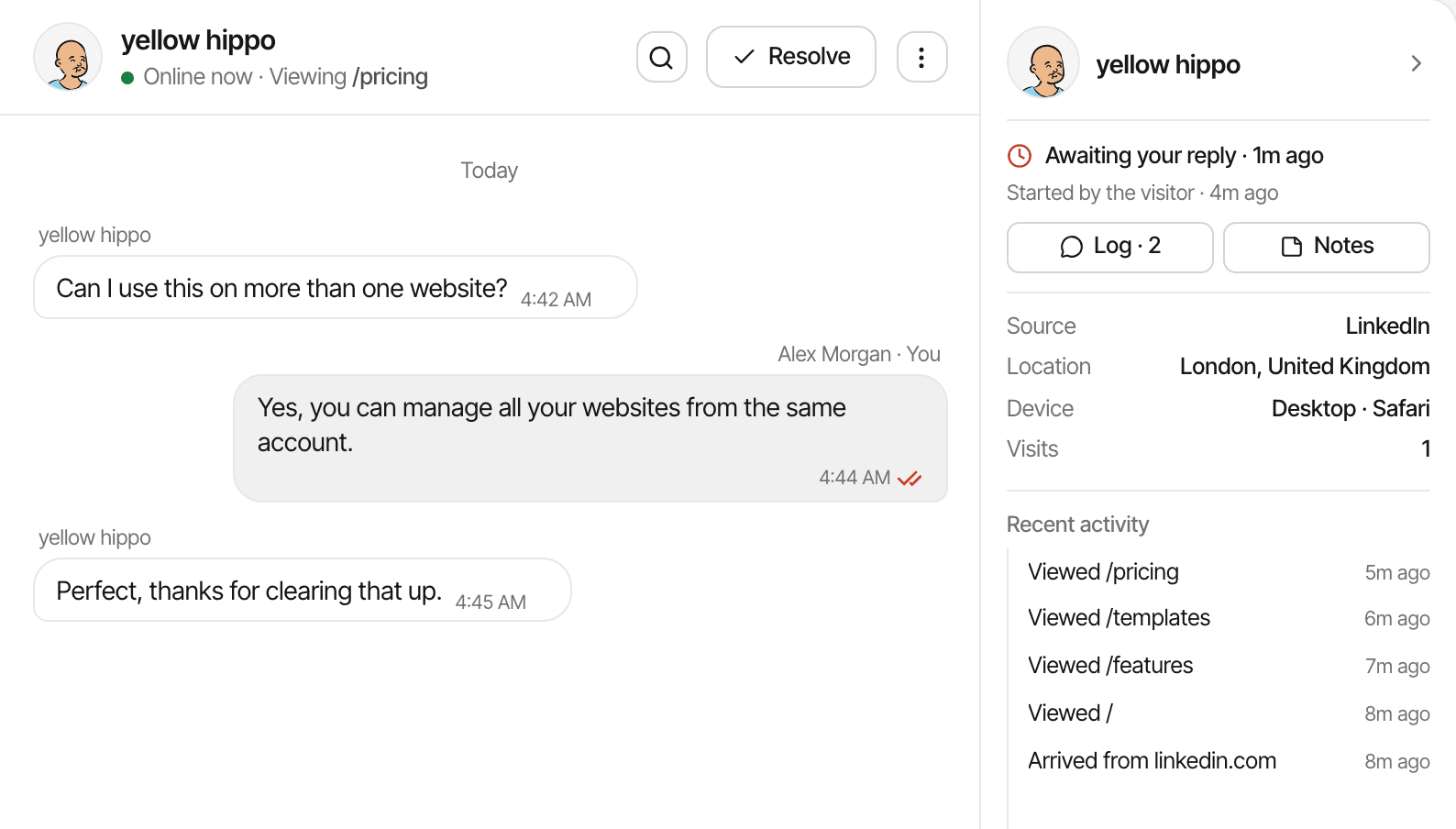
Turn on the chat bubble in Settings → Chat and talk to visitors while they're on your site, with nothing more to install. Each chat comes with where the visitor came from and what they've looked at.
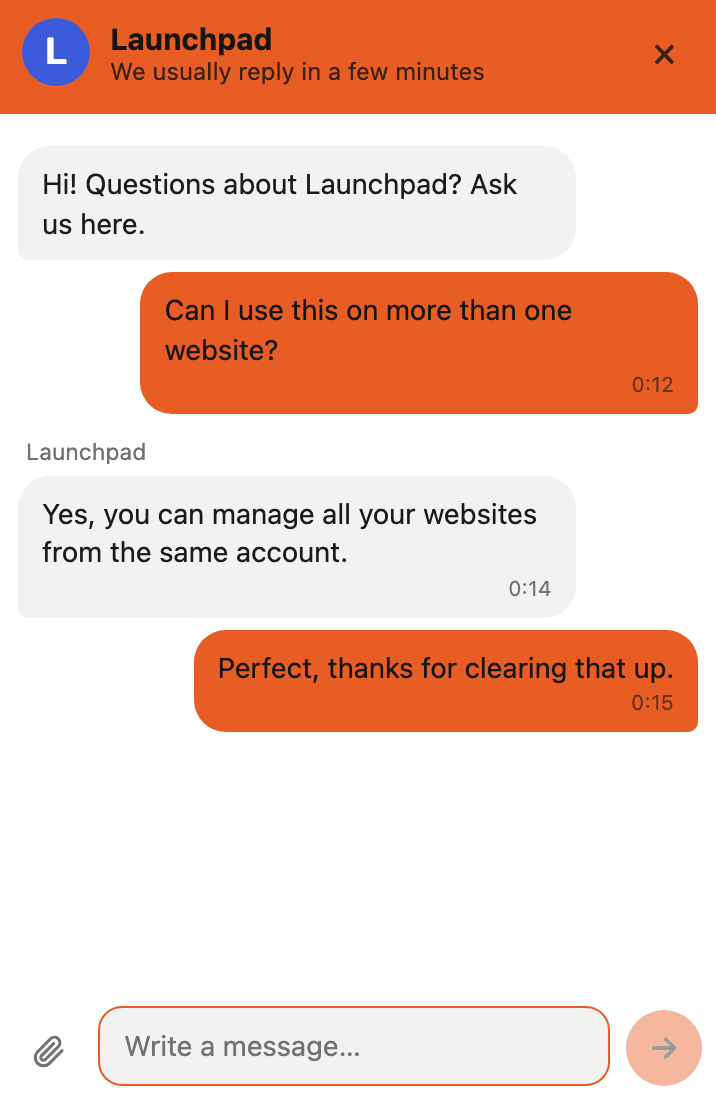
Make it yours: a bubble or a card, its size, position and colour, the name, picture and greeting visitors see, and when you show as online.
Platform
SuprAnalytics is open for sign-up
SuprAnalytics now runs at supranalytics.app for anyone to sign up, with an emailed sign-in link or Google. Website analytics, revenue attribution and live chat come in one workspace for every website you run.
See every featureLive chat
The Inbox
Every conversation is in the Inbox, with All, Open, Unread, Resolved and Starred tabs, search, and the visitor's source, location, device and visits beside each chat.
- Quick replies: type / and a shortcut to drop in a saved answer, with the visitor's name filled in.
- Saved messages: keep a message to reuse, with tags.
- Alerts: get told when a visitor opens a page you care about, or send them a message automatically, once.
Analytics
All your websites as one
With two or more websites, the rail has an All websites view that reads them as one: visitors, revenue, sources and goals across all of them, and one Inbox for every website's conversations.
About multiple websitesRevenue
Lifetime value by channel
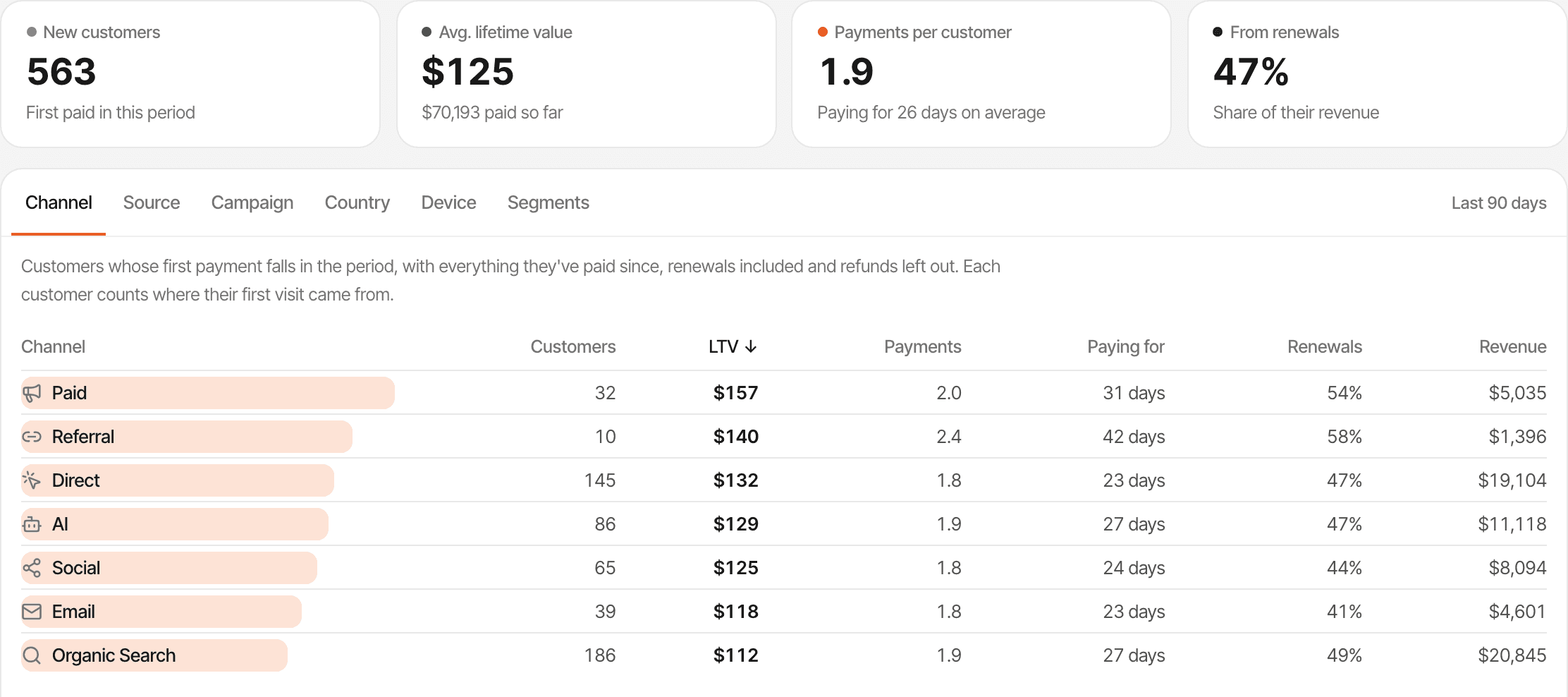
The Lifetime value page follows the customers whose first payment falls in the period, with everything they've paid since, renewals included and refunds left out. Group them by channel, source, campaign, country, device or one of your saved segments to see which traffic brings customers who stay.
Revenue
Revenue from Paddle and Dodo Payments
Paddle and Dodo Payments join Stripe, Lemon Squeezy and Polar. Add the webhook and each payment is tied to the visitor who made it, so revenue shows up by source, campaign and page.
All integrationsLive chat
Files from visitors, and a reply by email when you're away
Visitors can send you files in the chat. While you're away or offline, the chat asks for their email, so a reply reaches them after they've left.
Live chat guideLive chat
Replies and reactions in chat
You and your visitors can reply to a particular message, quoted above the answer, or react to it with an emoji.
About live chatAnalytics
One visitor across your domains
List your other domains under Additional domains in Settings → General, and a visitor who clicks from one to another stays one visitor. A payment on your checkout domain keeps the source that first brought them.
Cross-domain trackingAnalytics
Saved segments and pinned notes
Save a set of filters as a segment from the filter menu and open it again from Segments. Pin up to 10 notes to keep them above the chart whatever dates you're looking at.
Filters and segmentsAnalytics
Notes on the chart
Click any moment on the traffic chart to add a note there, like a launch, a price change or a newsletter, and see the chats that started then. Notes and chats each have a switch to show them on the chart.
Chart notesPlatform
Embeddable widgets
Settings → Widgets makes live embeds of your figures: the visitors online now, a card with your visitors and revenue, or a chart. Paste one into your landing page, a blog post or your README. Widgets show totals only, never who your visitors are.
Embeddable widgetsAnalytics
Replay a day on the globe
Replay a day, in the Realtime toolbar, plays back the last 24 hours, yesterday or a day you pick on the globe, at the speed you choose.
Realtime guideAnalytics
Sounds for visitors, goals and payments
Hear a sound when a new visitor arrives, a goal is completed, a payment comes in or a chat message lands, while the website's dashboard is open. Pick from the built-in sounds or upload your own, in Settings → Alerts.
Realtime guideAnalytics
Make a goal your #1 KPI
Choose a goal as your #1 KPI in Settings → General and the dashboard follows it: conversion rate becomes the visitors who completed it, and every breakdown, from sources to countries, ranks by its completions.
#1 KPIAnalytics
Dashboards remember their period
Each website's dashboard opens on the period you last picked in this browser, and a link that names a period still opens on it. Without one, dashboards start on the last 24 hours.
Periods and filtersAnalytics
Copy a screenshot of the chart
The camera button at the end of the dashboard's toolbar copies the figures and the chart as a sharp image, headed with the website and the period, ready to paste into Slack, X or a report.