
User identification
Put a name to the visitor.
Call `window.supr("identify")` when someone signs up or signs in, and their name and email appear in the live view, their journey, the Inbox and the recordings list. Their earlier visits stay attached.
14-day free trial · No card required · From $9/month
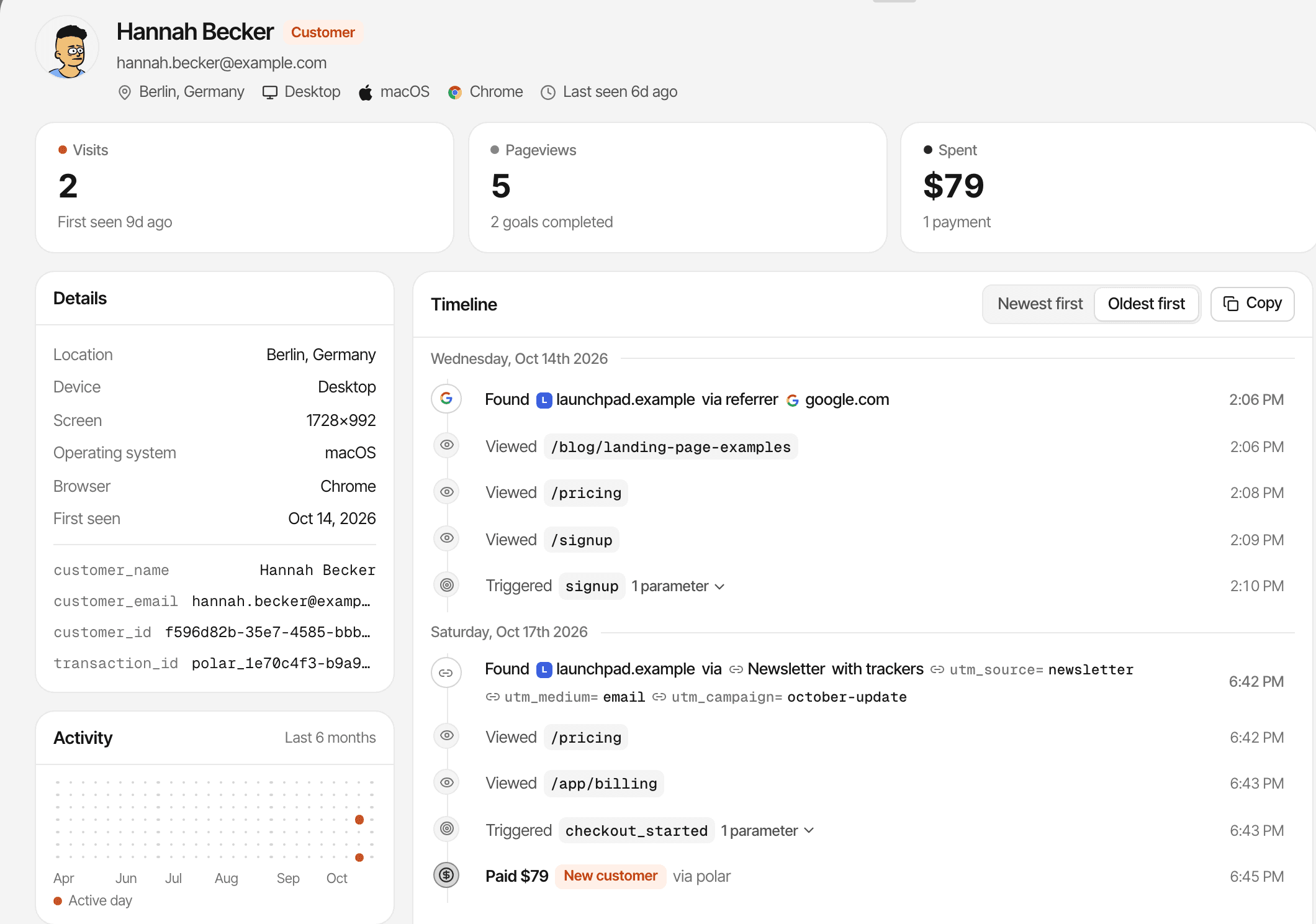
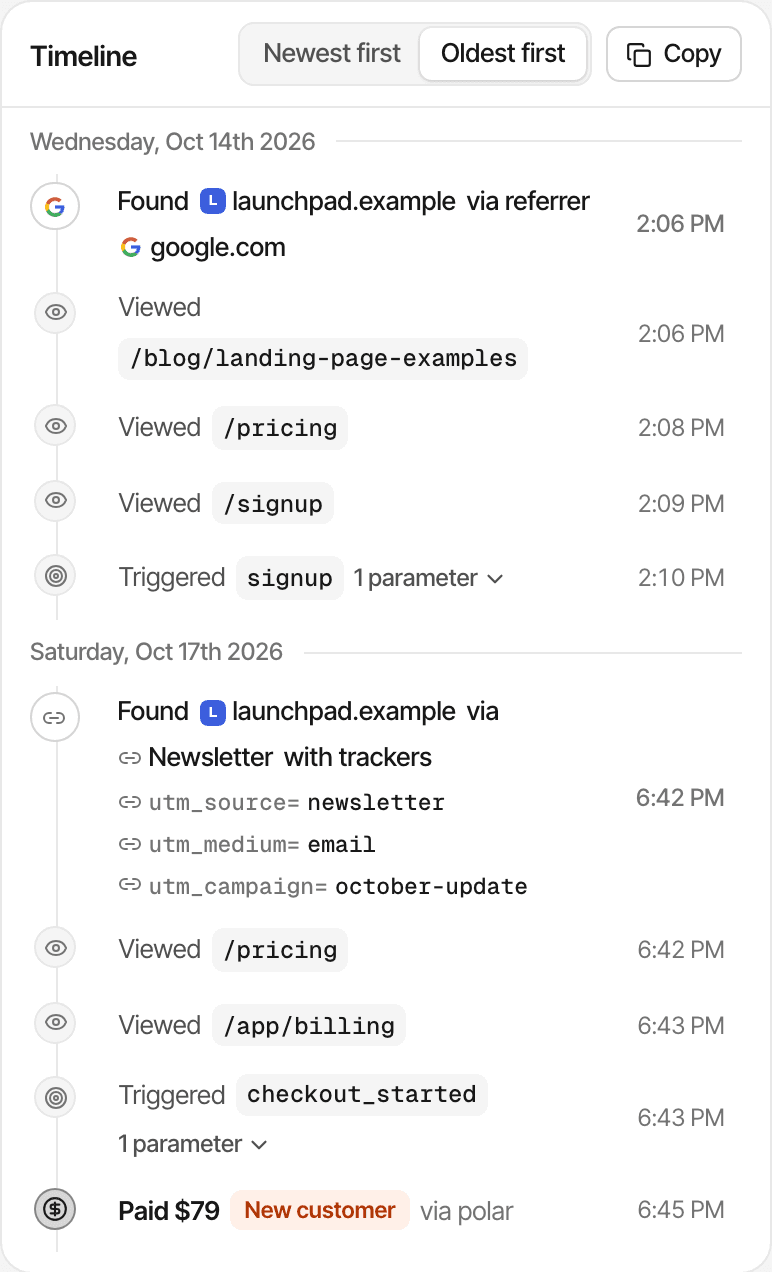
One call after sign-in.
window.supr("identify", { user_id: "usr_123", email: "ada@example.com", name: "Ada Lovelace" }). Send any of the three; calling it again replaces the values.
Where the name shows.
Anonymous visitors get a friendly alias, like "brown slug". Identified ones are named everywhere you see them.
- Live view and journeys
- Their name and avatar on the live view and the User panel, and their journey found by name or email.
- Inbox
- Chats from an identified visitor carry their name or email instead of an alias.
- Recordings
- The recordings list shows the visitor's name or email.
- Goal alerts
- Alert emails can include
{{visitor.name}}and{{visitor.email}}. - Payments
- A payment that arrives without a visitor id is matched to the visitor with the same email.
- Retention
- Every browser identified with the same
user_idcounts as one person in the retention report, on any device.
What stays private.
Names and emails never appear on a public dashboard. Payments name visitors too: the email and name from your payment provider are added to a visitor who doesn't have them yet.
How it works, in detail.
The docs page “User identification” goes through it step by step.
Limits worth knowing
- A journey follows one browser: the same person on a phone and a laptop has two journeys
- Only the Retention report counts a person's browsers as one, by
user_id - Only
user_id,emailandnameare kept; other fields are dropped - There's no identify call from the server; identify in the browser after sign-in
Questions, answered.
When should I call identify?
Are earlier visits linked?
Does it merge a person's devices?
user_id as one person.Can I send events for a known user from my server?
Are names shown on public dashboards?
More features
- One script, every frameworkA line in the head of your pages, with guides for every common framework and builder.Open
- A prompt for coding agentsOne prompt sets up tracking, goals and checkout tagging with your coding agent.Open
- MCP serverAsk Claude, ChatGPT or any MCP client about anything on your dashboard in plain words.Open
- CLISee every website's traffic, revenue, uptime and what to fix from your terminal.Open
- REST APIRead every report, and send goals, payments and crawler hits from your server.Open
- Script configurationEvery supr-* attribute and window.supr() call: goals, identification and more.Open
- Tracking parametersUTM tags and ref links, and how channels are worked out from them.Open
See it on your own website.
Every feature is on every plan, with a free trial and no card.
14-day free trial · No card requiredPricingHow it worksAll features