
Week of –
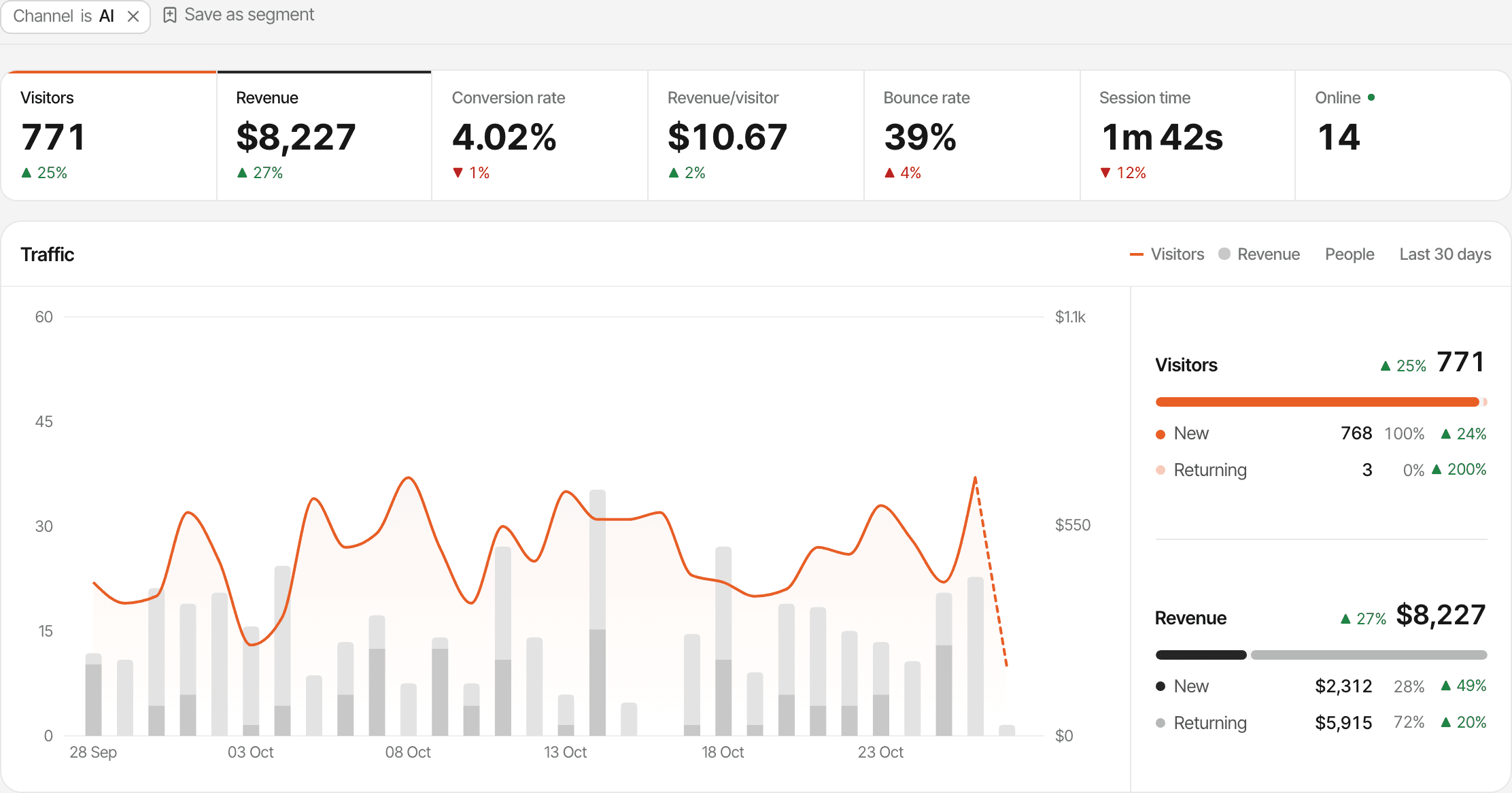
AI assistants get a traffic channel of their own
Visitors from ChatGPT, Perplexity, Claude and other assistants now land in an AI search channel, with the revenue they bring, and a crawler card counts the AI bots reading your pages. Google Search Console and Telegram alerts arrived the same week.
AI traffic
See the visitors AI assistants send
AI assistants have their own channel. The Sources card's Channel tab has an AI search row: click it and every report filters to visitors who came from an assistant, including the revenue they brought.
- The Referrer tab names each one: ChatGPT, Perplexity, Claude, Gemini, Copilot, Grok, DeepSeek, Phind, Meta AI and You.com.
- The crawler card counts AI bots reading your pages, in three tabs: AI answers, Indexing and Training. Crawlers don't run JavaScript, so your server forwards their visits.
Integrations
Google Search Console
Connect Google Search Console to see the searches behind your traffic, next to the rest of your analytics: clicks, impressions, CTR and average position against the period before, by query and by page. The first sync brings the last 90 days; after that it refreshes every few hours, or whenever you press Sync now.
Connect Search ConsoleIntegrations
Alerts and chat messages in Telegram
Connect Telegram in your account settings to get goal alerts, traffic spikes, weekly summaries and new chat messages as messages from our bot. You can answer a visitor right from Telegram, and choose which websites send anything.
Set up alertsPlatform
A 14-day free trial on every plan, no card
Every plan now starts with a 14-day free trial, with no card needed. Plans are named by the events they include, from 100k a month at $9 to 5M at $149, and every plan has every feature, including unlimited websites and live chat.
Pick a plan on Usage & Billing, and switch as often as you like during the trial. There are no overage charges: recording pauses well past the limit instead.
See pricingLive chat
Block or delete a conversation
A conversation's menu can now block the visitor: the chat bubble disappears for them, their messages are refused, and the conversation moves to the Inbox's Blocked tab. The website's owner can also delete a conversation for good. The same menu mutes, pins, stars or marks a chat unread.
Live chat guide