
Saved segments
Save the filters you keep applying.
A segment is a set of dashboard filters with a name. Apply it from the Filter menu and the whole dashboard narrows to those visitors, on whatever dates you're looking at.
14-day free trial · No card required · From $9/month
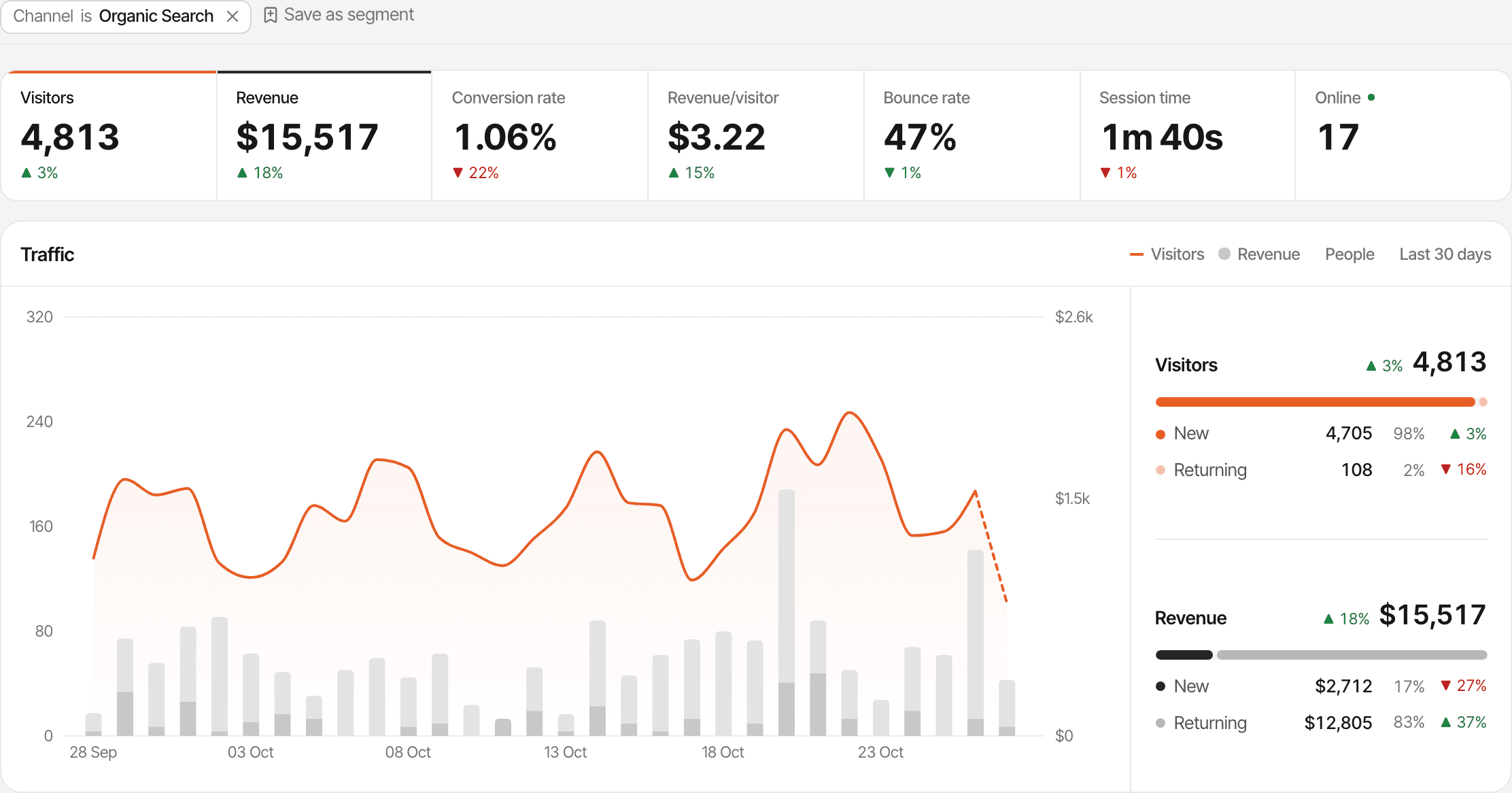
From filters to a segment in one click.
Apply the filters you want, such as Goal is payment and Country is United States, click Save as segment next to them and give it a name.
- Up to 10 filters
- A segment keeps every filter that was on the dashboard: any dimension, with is, is not, contains or doesn't contain.
- One click to apply
- Your segments are at the top of the Filter menu. Clicking one applies all its filters and keeps the dates you picked.
- Kept per website
- Each website has its own segments, up to 50, each with a unique name.
Keep them current.
Rename a segment, update it with the filters on the dashboard now, or delete it, all from the same menu.
- Page and Goal filters select visitors, so a segment like "people who signed up" still counts what they did afterwards
- Visitor type picks new or returning visitors
- The whole dashboard follows: the figures, the chart and every panel
Set it up.
Filter the dashboard
Click any row, such as a source or a country, or add a filter from the Filter menu.
Save as segment
Click Save as segment next to the filters and name it.
Apply it later
Open the Filter menu and click the segment's name.
How it works, in detail.
The docs page “Filter your data” goes through it step by step.
Limits worth knowing
- Segments belong to one website; they aren't shared across websites
- A segment saves filters, not a date range
- At most 10 filters in a segment, and 50 segments per website
- Public dashboards don't show segments
Questions, answered.
What is a saved segment?
Does a segment keep its dates?
How many segments can I have?
Can I change a segment after saving it?
Do segments show on a public dashboard?
More features
- Traffic analysisVisitors, sources, pages, locations and devices, with filters and the change against the period before.Open
- Realtime analyticsWho's on your website right now, where they came from and what they're reading.Open
- UTM trackingCampaign tags read automatically, with visitors, conversions and revenue per campaign.Open
- AI trafficVisits from ChatGPT, Perplexity, Claude and other AI assistants, as their own channel.Open
- Google Search ConsoleThe Google searches that brought visitors, with clicks, impressions, CTR and position.Open
- Page analyticsThe pages people visit, where they enter, the links they leave through and every hostname.Open
- Locations and devicesCountries on a map, regions and cities, browsers, operating systems and device types.Open
- Filters and comparisonFilter the whole dashboard in a click and compare with the period before.Open
- New and returning visitorsTraffic split into first-time and returning visitors, on the chart.Open
- Notes on the chartPin a note at a launch or a pricing change and see it next to the traffic it moved.Open
- Session recordingsWatch visits played back, tagged with rage clicks, errors and slow pages.Open
- HeatmapsWhere people click and how far they scroll, on desktop, tablet and mobile.Open
See it on your own website.
Every feature is on every plan, with a free trial and no card.
14-day free trial · No card requiredPricingHow it worksAll features